
Introduction
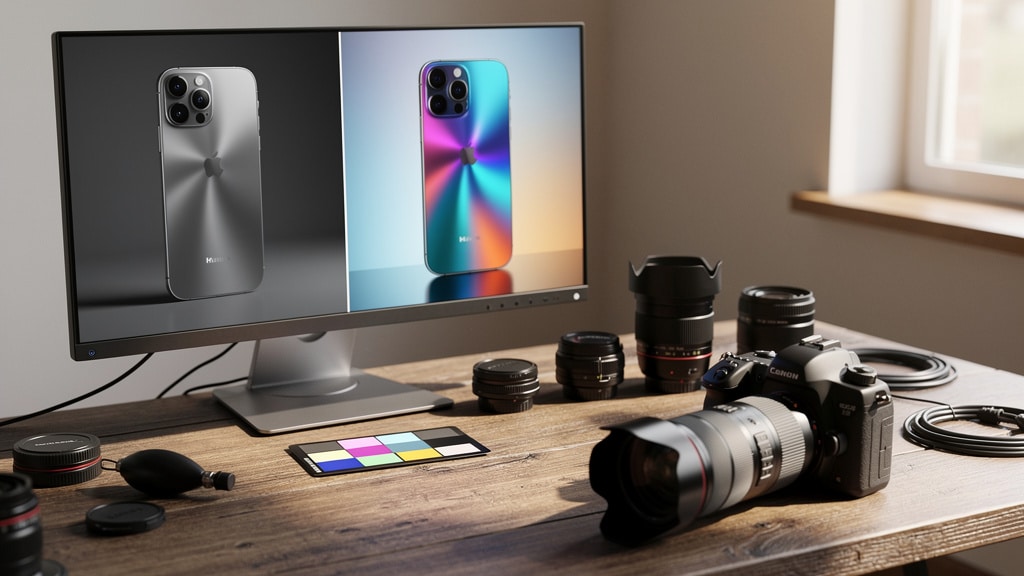
A product page, a property listing, or a training slide appears on screen. The copy reads well, the offer is strong, but the photo is soft, dark, and unconvincing. In that moment, an ai photo enhancer can be the difference between a scroll and a click, a pass and a purchase.
Across e-commerce, marketing, real estate, learning, and security, organizations rely on visual proof. Yet building studio-grade photo workflows with cameras, lighting, and expert retouchers is expensive and slow. Many teams still live with blurry screenshots, noisy mobile shots, or low‑resolution legacy images because fixing them by hand in pro tools takes hours they do not have.
“A picture is worth a thousand words.” — Proverb
For digital teams, that “thousand words” can mean higher conversion, fewer returns, and stronger customer trust.
This is where AI photo enhancement changes the game. With trained neural networks, an ai photo enhancer can clean noise, sharpen detail, fix color, and even upscale images to 4K quality in seconds. What once needed a skilled Photoshop artist now takes one upload and one click.
At VibeAutomateAI, we focus on helping technology leaders turn advanced AI ideas into working business processes. In this guide, we share how AI photo enhancement works, where it delivers real ROI, how to integrate it into current systems, and how to evaluate vendors with confidence. By the end, you will have a clear, practical playbook to decide if and how an ai photo enhancer fits your organization.
Key Takeaways
- An ai photo enhancer uses deep neural networks to clean noise, correct blur, fix color, and intelligently upscale images, often up to 4K, in seconds instead of hours. You get studio‑level quality without a studio‑level workflow.
- Business teams see strong returns in e-commerce, marketing, and real estate by turning basic camera or smartphone photos into sharp, high‑resolution assets that support higher conversion rates and lower return rates.
- AI enhancement tools focus on automation and one‑click quality, while traditional editors demand expert, manual work. Many teams gain the best results when they combine quick AI clean‑up with selective expert retouching.
- When you evaluate an enterprise‑grade ai photo enhancer, look at output quality, upscaling limits, speed, supported formats, batch handling, and how well the tool fits into current systems and processes.
- API access allows you to plug AI enhancement directly into e-commerce platforms, content management systems, and digital asset managers, so every uploaded image can be checked and upgraded automatically.
- Compared to heavy photography setups and manual editing, AI enhancement is often far more cost‑effective, especially for large catalogs, frequent campaigns, and high‑volume user‑generated content.
What Is an AI Photo Enhancer and How Does It Work?
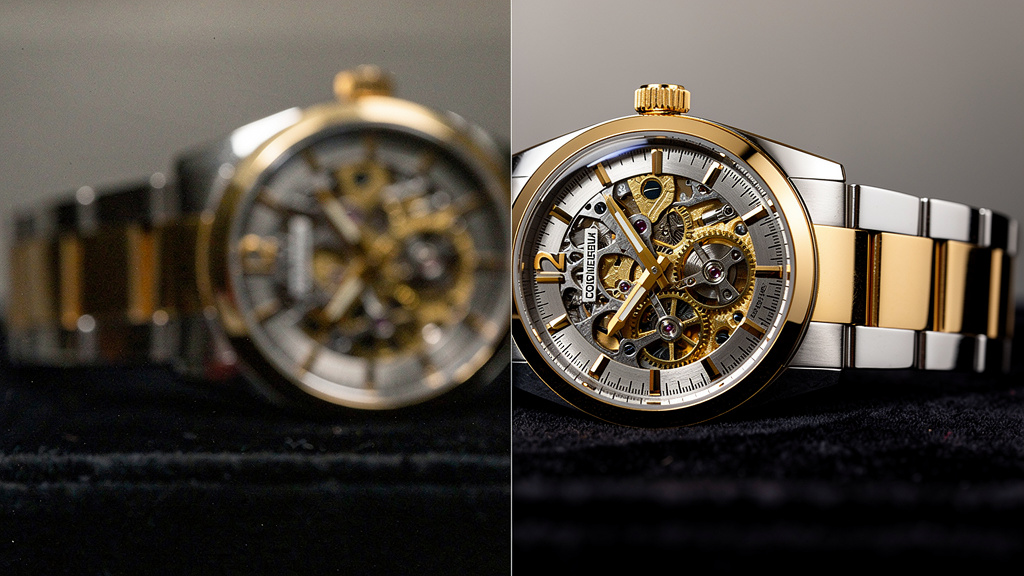
An ai photo enhancer is software that uses trained machine learning models to improve image quality with almost no manual effort, leveraging sophisticated neural networks detailed in research on image generation to understand and enhance visual content. Instead of you tweaking sliders for sharpness, brightness, or contrast, the model studies the whole image and applies a set of corrections on its own.
Vendors train these models on huge collections of image pairs. Each pair has a low‑quality and a high‑quality version of the same scene. Over many training cycles, the model learns what “better” looks like. It starts to recognize patterns like sharp edges, clean textures, natural skin tones, and balanced exposure. It also learns what to remove, such as noise speckles, motion blur, and compression blocks.
When you upload an image, the workflow is straightforward. The system:
- Analyzes the picture, looking for blur, noise, low resolution, and poor color balance
- Decides which corrections to apply and how strongly
- Generates new pixel data where needed, boosts real detail, and adjusts tone and color
All this happens in the background in a few seconds, without the user needing editing skills.
Compared to traditional software, the difference is clear. Old‑style upscaling simply stretches pixels and smooths edges, which often looks muddy. Manual editing needs a trained designer. An ai photo enhancer predicts new detail, fixes multiple issues at once, and makes this power available to any employee. For IT and operations leaders, this means less dependence on specialist staff and more consistent quality across every channel.
The Machine Learning Foundation: Neural Networks in Image Processing
Under the hood, most AI photo tools rely on deep learning models, especially convolutional neural networks (CNNs). These networks are very good at reading visual patterns. They scan an image in small blocks, learning how edges, textures, and shapes appear in different contexts.
During training, the network sees millions of examples of low‑quality and high‑quality images. It adjusts internal weights until it can look at a blurry edge and predict how a sharp edge should appear. This is often called learned upsampling — the model does not just stretch the image; it predicts brand‑new pixel values that match the surrounding content.
Model quality depends heavily on training data size and variety. A network trained on many types of photos — products, faces, buildings, text, and art — usually performs better across business use cases. Inference (the process of running images through the model) can be compute‑heavy, which is why many vendors run it in the cloud. For you, that brings practical benefits: fast processing, easy scaling to large batches, and no need to manage GPUs on‑premises.
Core Capabilities: What AI Photo Enhancers Can Do for Your Business
When we look at an ai photo enhancer for enterprise use, we are not just buying a “nice to have” filter. We are adding a set of capabilities that can change how teams produce and use visual content. Understanding these abilities helps you map them to clear business outcomes and pick the right vendor.
Most leading tools combine several functions in one pass, such as:
- Resolution upscaling
- Clarity improvement through deblurring and sharpening
- Color, contrast, and lighting correction
- Noise reduction and artifact clean‑up
Each of these changes affects how customers and stakeholders read the image and brings its own business benefits.
At VibeAutomateAI, we often help teams build a short capability checklist before they even start shortlisting platforms. The sections below can serve as that checklist, tying each technical feature to a real operational gain.
Resolution Upscaling and Intelligent Pixel Generation
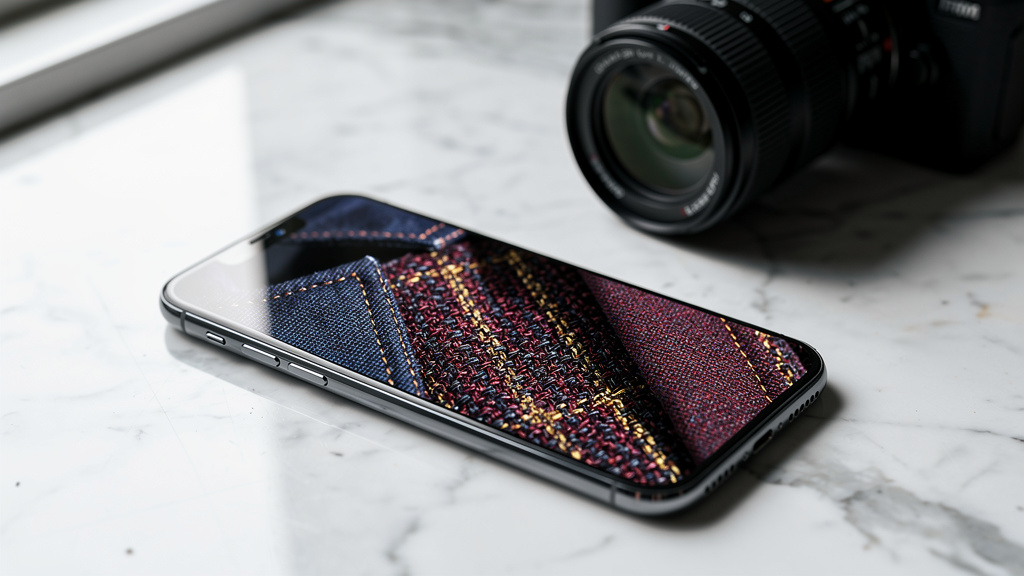
Resolution upscaling is often the headline feature. Traditional resizing uses simple math to stretch pixels, which leads to blur and blocky edges. An ai photo enhancer looks at the image content instead. It studies lines, textures, and patterns, then predicts new pixels that match what should be there.
Many tools, including professional-grade solutions like Topaz Labs, can push a small image under one megapixel up to 2x, 4x, or even higher while staying sharp. That means a simple mobile product photo can become suitable for a print catalog, trade show banner, or high‑resolution website hero image. You can also re‑use the same base photo across different social formats without quality breaking down when you crop or zoom.
For the business, this cuts down on reshoots and reduces the need for high‑end cameras in every scenario. Older or user‑generated assets can stay in play instead of going to waste.
Clarity Enhancement: Deblurring and Sharpening
Blur comes from many sources: a shaky hand, a moving subject, low shutter speed, or missed focus. In classic software, sharpening is tricky; push it too far and the image looks harsh and fake. An ai photo enhancer takes a more targeted approach.
The model detects edges and textures, then increases contrast exactly where detail should exist. It corrects motion blur along the direction of movement and refines soft areas without turning noise into sharp grain. The result is a clear, natural‑looking image instead of a crunchy or plastic one.
This matters when you want to save otherwise lost shots. Event photos, conference pictures, or quick team snapshots can still look professional on websites and internal reports instead of going straight to the recycle bin.
Color, Contrast, and Lighting Correction
Even with sharp focus, a photo can fail if color and light are off. Indoor lighting may be yellow, outdoor scenes may be washed out, and shadows may hide key detail. Modern ai photo enhancer tools read the full tonal range of the picture and adjust it automatically.
They:
- Tweak brightness so faces and products are visible
- Correct white balance so whites look white instead of orange or blue
- Increase contrast where needed
- Revive faded colors while keeping skin tones natural
- Balance highlights and shadows so both stay usable
For e-commerce and marketing teams, this supports consistent brand colors and more accurate product representation. For non‑designers across the business, it provides pro‑level color work without learning color theory.
Noise Reduction and Artifact Removal
Noise appears as random speckles, especially in low‑light or high‑ISO photos from phones and webcams. Compression artifacts show up as blocks or smears, often in old JPEGs or screenshots. Both can make even a good composition look cheap.
AI‑based noise reduction, powered by advanced image enhancement APIs, is smarter than old blur filters. The model spots noise patterns and smooths them while protecting real edges and textures. Some tools also clean compression blocks and scan lines from older or scanned images.
This is useful for improving mobile photos in field reports, cleaning webcam headshots for internal directories, or making scanned documents and diagrams more readable. The net effect is a more polished visual standard across presentations, portals, and public channels.
Strategic Business Applications: Where AI Photo Enhancement Delivers ROI
Once we understand what an ai photo enhancer can do, the next question is where it pays off. For CIOs, CISOs, and operations leaders, the value shows up in revenue lift, cost savings, and better use of existing staff and content.
The highest wins tend to come where image quality directly affects buying choices or trust. That includes product detail pages, property listings, ad campaigns, and training or compliance materials. By raising the baseline quality with AI, you can reduce manual rework, improve customer confidence, and reuse far more of the images you already have.
VibeAutomateAI often helps teams map these use cases into simple KPIs such as:
- Conversion rate
- Return rate
- Time to publish
- Photo production cost per asset
The sections below describe common patterns we see across industries.
E-Commerce and Product Photography
Online buyers cannot touch or feel a product, so images do that work. If product photos are small, dark, or fuzzy, shoppers assume the item will disappoint. An ai photo enhancer gives retailers a way to upgrade those photos without building a full studio in every warehouse.
Teams can start with smartphone photos taken in decent light, then use AI to sharpen edges, clean noise, and make colors accurate. Customers can zoom in to see stitching on clothing, texture on materials, or ports on electronics, which reduces surprises after delivery.
“The more informative your advertising, the more persuasive it will be.” — David Ogilvy
High‑quality product photos are part of that information and often pay back directly in sales.
Better color accuracy also helps reduce returns, especially in fashion and home decor where shade matters. Batch processing allows large catalogs to be processed at once, so new items go live faster and seasonal updates do not require long editing queues.
Marketing and Social Media Content
Marketing teams live under constant pressure to publish more visuals across more channels. At the same time, they must hold quality and brand consistency. An ai photo enhancer fits well as a fast pre‑publish step.
Before posting, a marketer can run images through AI to clean noise, fix color, and adjust contrast. That helps Instagram posts look rich and sharp, LinkedIn posts stay clean and professional, and Pinterest images display fine detail that holds attention in a fast scroll.
Because AI does the base clean‑up in seconds, designers spend less time on routine fixes and more on creative framing. Non‑designers in sales or HR can prepare on‑brand visuals for local campaigns or hiring posts without filling the design team’s request queue.
Real Estate Marketing and Property Listings

Property searches are driven by photos long before a buyer reads square footage. Yet agents often work with mixed lighting, cramped spaces, and tight timelines. An ai photo enhancer helps make listing photos clear and inviting even when conditions are not ideal.
The model can brighten dim interiors, balance window light with room light, and sharpen lines so floors, cabinets, and fixtures stand out. Exterior shots gain crisper detail on roofs and facades, which helps buyers compare properties more easily.
This extra clarity helps listings stand out in crowded feeds and can shorten time on market. Since agents can improve their own photos without calling a photographer each time, they move faster while controlling costs.
Professional Photography and Creative Workflows
In‑house photographers and designers do not lose relevance when AI enters the stack. Instead, an ai photo enhancer becomes a fast, reliable first pass. Teams can run large sets of event photos or product shots through AI for baseline quality, then do targeted, creative edits by hand.
For print media and large displays, the AI upscaling step makes sure files meet resolution needs without starting from a new shoot. This saves many hours on repetitive corrections while keeping creative control where it belongs — with the experts.
Advanced Use Cases: Specialized Enhancement Capabilities
Beyond general clean‑up, modern AI tools support advanced use cases that matter for organizations with archives, R&D teams, or strong experimentation with generative AI. These capabilities are often what separate basic consumer apps from platforms that fit serious business work.
When we evaluate vendors at VibeAutomateAI, we look carefully at how they handle old, damaged, or synthetic images. These are the cases where manual fixes are most expensive and where AI can free up both time and budget.
Restoring Archival and Historical Photography
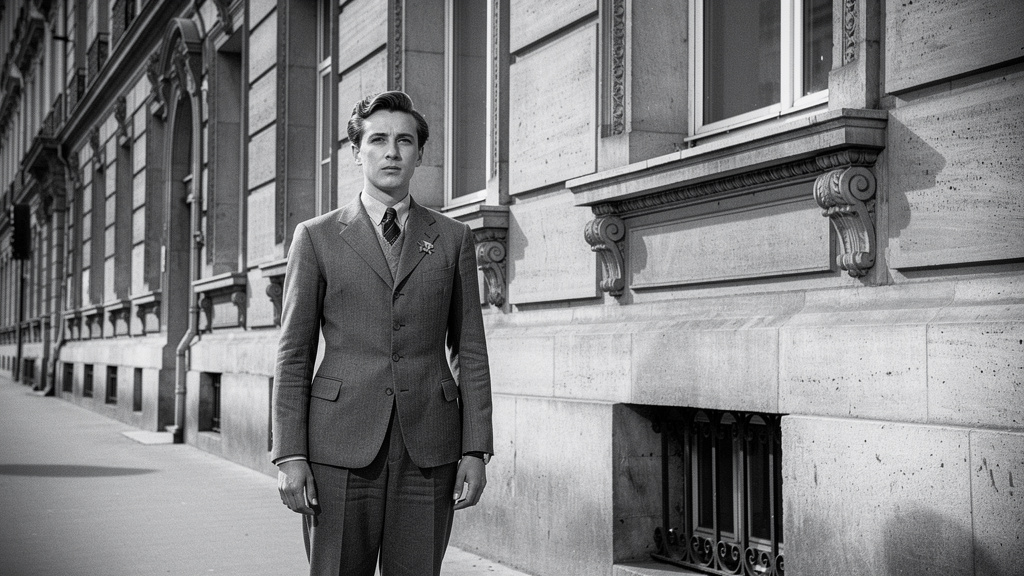
Many companies, universities, museums, and government agencies sit on decades of photos stored in boxes or scanned at low quality. These images often suffer from fading, yellowing, scratches, dust, and physical cracks. Manual restoration by specialists is slow and costly.
An ai photo enhancer with a restoration mode can repair much of this damage. It can guess missing detail where cracks run through faces, smooth scratches, rebuild contrast, and bring back more natural colors. Old black‑and‑white photos can also gain sharper detail for display and research.
“You don’t take a photograph, you make it.” — Ansel Adams
AI‑assisted restoration helps organizations make those older photographs usable again for modern audiences.
For organizations, this means corporate history, institutional milestones, and brand heritage can move from storage into presentations, websites, and internal storytelling. The cost per restored image drops sharply, and the process becomes accessible to everyday staff rather than only to trained restorers.
Correcting AI-Generated Image Artifacts
As teams adopt generative models such as DALL‑E, Midjourney, Stable Diffusion, or creative platforms like Krea, a new problem appears. Many AI‑generated images look good at first glance but contain odd details: extra fingers, twisted hands, warped objects, or harsh skin textures—artifacts that research on AI-generated vs. human-created images has documented and analyzed systematically.
Some ai photo enhancer platforms now include modes tuned for these issues. They detect unnatural patterns, smooth strange textures, and correct warped lines while preserving the main concept of the image. This gives designers and marketers a fast way to bring generative outputs closer to production quality.
A common workflow we see is simple:
- A team generates concept art or ad mockups with a text‑to‑image tool
- They run the best candidates through AI enhancement
- Designers finish layout work in a traditional editor
VibeAutomateAI often helps design and IT leads plan this end‑to‑end toolchain so that AI art does not break brand standards.
Optimizing Low-Light and Night Photography
Low‑light photos are noisy and dark, yet many business events happen at night: conferences, dinners, store openings, or evening property showings. Specialized camera bodies and lenses help, but they are expensive and not always available.
An ai photo enhancer can brighten shadows while keeping highlights under control, and it can remove the heavy noise that comes from high ISO settings. This works for event recaps, evening exterior shots for property listings, or even certain types of security footage when you need a clearer view for internal review.
Implementation Guide: How to Integrate AI Photo Enhancement Into Your Workflows
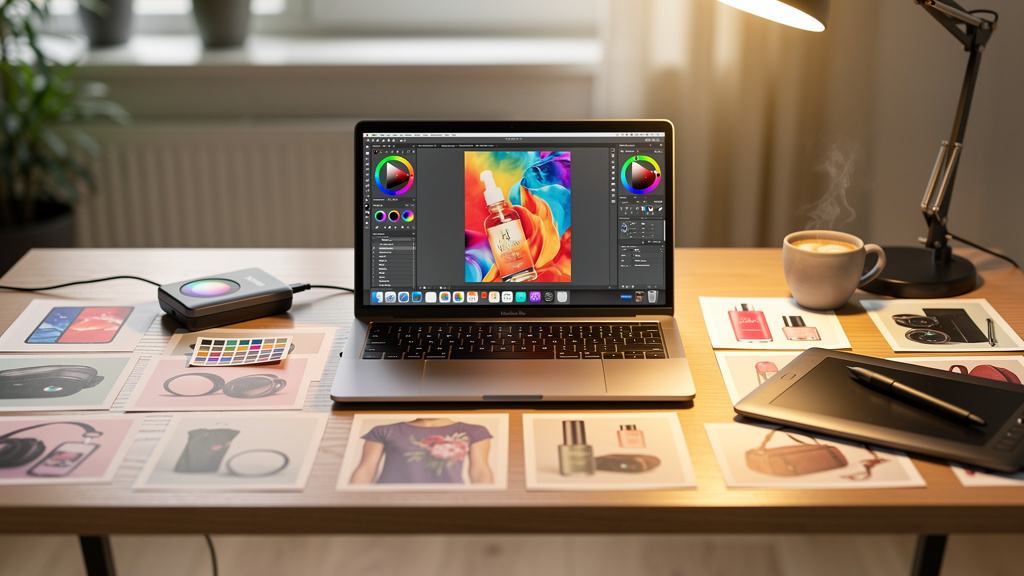
Knowing what an ai photo enhancer can do is only half the story. To get real value, you have to fit it into daily work without creating friction. That means thinking both about simple web use for individuals and deeper integration for enterprise teams.
At VibeAutomateAI, we usually start by mapping current image workflows. We look at where images come from, who touches them, where they are stored, and how they move into websites, apps, or print. From there, we can place AI at the right points: either as a self‑service step for staff or as an automated stage in a pipeline.
The Standard Enhancement Workflow: User-Friendly Operation
Most AI photo tools share a similar, easy flow that makes adoption simple for non‑experts. A typical user:
- Opens a web app or desktop app
- Uploads a file via drag‑and‑drop, file browsing, or paste from the clipboard
- Chooses a mode (for example, standard, strong, old‑photo, portrait, digital art, or text‑heavy)
- Clicks a single button to run the ai photo enhancer
- Compares the original and improved versions in a side‑by‑side or slider view
- Downloads a high‑resolution file ready for websites, print, or internal systems
The learning curve is short. Even non‑technical staff can go from first login to useful results in minutes, not days. That reduces creative bottlenecks and spreads image quality responsibility across more of the organization.
Enterprise Integration: API And Custom Workflow Approaches
For larger teams and platforms, manual upload is not enough. Here, an ai photo enhancer with an API becomes powerful. An API lets developers send images from internal systems to the AI engine, receive the improved versions, and store them back without human steps.
Common patterns include:
- E-commerce sites that auto‑improve every seller upload
- Content management systems that run a quality check before publishing a page
- Digital asset managers that batch‑process existing libraries to meet new standards
- Social media tools that call the API right before scheduling posts so all images meet baseline clarity and size rules
When teams review APIs, they look at documentation quality, authentication methods, rate limits, and average response times. They also study pricing models, which are often based on number of images or API calls per month. That helps forecast costs as usage grows.
This kind of integration needs developer time and coordination with security and compliance teams, but it pays off in consistent quality at scale. VibeAutomateAI often guides organizations through these projects, from early architecture choices to testing and rollout.
“Design is not just what it looks like and feels like. Design is how it works.” — Steve Jobs
Thoughtful integration makes AI image quality part of how your content systems work, not just how they look.
Evaluating AI Photo Enhancement Platforms: A Decision Framework
With many vendors on the market, picking an ai photo enhancer can feel noisy—similar to the challenges organizations face when determining whether content was created using AI tools, a question that has sparked considerable research and debate. A structured checklist makes the choice clearer and helps you run fair comparisons. You want to judge both the technical side and the business fit, while also keeping security and privacy in view.
At VibeAutomateAI, we suggest creating a simple scorecard that covers output quality, performance, usability, pricing, and risk. Run the same test images through several tools, collect feedback from real users, and score each platform in a consistent way. The sections below outline key parts of that scorecard.
Technical Performance and Output Quality
First, look at what the tool can produce. Key factors include:
- Upscaling limits (2x, 4x, or more) and support for resolutions like 4K or 8K
- Processing speed for single images and for batches
- Sharpness and detail without fake or “over‑processed” textures
- Color accuracy, especially for skin tones and brand colors
- Artifact control, such as halos, ghosting, or over‑smoothing
- Supported file types, including JPEG, PNG, TIFF, and common RAW formats
To make this objective, send the same varied set of images — products, faces, low‑light scenes, and screenshots — through each tool and review them side by side. Repeat this every so often, since vendors update models and may change behavior over time.
Business and Operational Considerations
Technical excellence is not enough if the tool does not fit daily work. Examine:
- How simple the interface is and how long it takes new users to feel comfortable
- Whether access is via browser, desktop app, or mobile app, and which mix fits your teams
- Pricing structure (free tiers, seat‑based plans, usage‑based plans, or enterprise contracts)
- Batch processing features and any limits on concurrent users
- Built‑in integrations with platforms such as Shopify, WordPress, or your DAM
Support quality and documentation matter as well. Look for clear guides, API references if needed, and real support response times. Vendor history, customer list, and independent reviews tell you how stable and trusted the provider is.
Security, Compliance, and Data Governance
For CISOs and security staff, image handling is a serious matter, especially when photos include products in development, internal spaces, or personal data. Review where the vendor processes images, which cloud regions they use, and how long they keep files.
Check alignment with regulations such as GDPR and CCPA, and look for clear statements on data residency and deletion. Technical safeguards to confirm include:
- Encryption in transit and at rest
- Access controls and logging
- Admin tools such as SSO or role‑based access
Read the terms of service carefully to confirm that the vendor does not claim ownership of your images or reuse them for training without consent. For highly sensitive use cases, also consider vendors that support private cloud or on‑prem deployment so data does not leave your controlled environment.
Frequently Asked Questions (FAQs)
Before adopting an ai photo enhancer, many teams share the same concerns. Below we address the questions we hear most often from CIOs, CISOs, and business leaders.
Question 1: How does AI enhancement differ from traditional photo editing software like Photoshop?
AI tools focus on automation. An ai photo enhancer applies many complex fixes at once with a single click, while Photoshop depends on manual work from a skilled editor. AI runs in seconds, where manual tuning often takes minutes or hours per image. That means non‑designers can handle routine quality work, while creative pros keep Photoshop for custom, detailed edits and design tasks.
Question 2: Is AI photo enhancement suitable for high-stakes professional and commercial use?
Yes. Modern tools produce high‑resolution, sharp images with accurate color that work well for e-commerce, campaigns, print materials, and portfolios. Many businesses already rely on them for daily operations. We always suggest running pilot tests with your own product, property, or brand images to confirm that quality meets internal standards, then adding manual finishing only where needed.
Question 3: What happens to image quality during upscaling—is there really no quality loss?
Traditional upscaling just stretches existing pixels, which leads to blur and blocky edges. An ai photo enhancer uses a neural network to predict new pixels that match real‑world detail. In many cases, the perceived sharpness and clarity actually improve over the original. That said, if the source is extremely small or damaged, there is a limit to what any model can guess without inventing details that do not match reality.
Question 4: Can we integrate AI enhancement into our existing content management or e-commerce platform?
In many cases, yes. Most serious vendors offer APIs that let developers connect AI image processing to current systems. That allows automatic clean‑up of new uploads, batch improvement of old libraries, and consistent quality checks before publishing. Some tools also provide plugins for common platforms. At VibeAutomateAI, we often help teams design and govern these integrations so they align with architecture and security standards.
Question 5: Are there free AI photo enhancer options, or is this enterprise-only technology?
Many platforms offer free plans or trials. These are helpful for experiments but often limit output size, number of images per day, or available features, and some add watermarks. Paid tiers usually add higher resolutions, batch processing, API access, and commercial rights. For high‑volume or integrated use, an enterprise contract with clear SLAs and support may be the right path.
Question 6: How do we make sure our proprietary images remain secure when using cloud-based AI enhancement tools?
Start by reviewing each vendor’s security and privacy documentation. That includes encryption practices, data retention and deletion policies, and compliance certifications such as SOC 2 or ISO 27001. Also read terms around data use to confirm the provider will not reuse images for training without permission. For the most sensitive material, favor vendors that offer private instances or on‑prem options and involve the internal security team in the final selection.
Conclusion
High‑quality images are now a basic requirement for serious organizations, not a luxury. An ai photo enhancer gives you a practical way to reach that standard without building a large studio or hiring an army of editors. With one model and a simple workflow, teams can raise resolution, clean noise, fix blur, and correct color in seconds.
The business impact cuts across many functions. E-commerce teams present clearer products and build trust before checkout. Marketing teams move faster while keeping brand visuals consistent. Real estate, education, training, and even security teams get more value from photos they already have. At the same time, AI reduces manual effort and lowers the cost per usable asset.
This technology is mature enough for daily use and simple enough for non‑experts to adopt quickly. The next step is to look at where image quality slows work in your own organization, run focused pilots with leading platforms, and measure gains in conversion, return rates, production time, and content reuse. From there, IT and business leaders can decide whether to keep AI as a self‑service tool, integrate it into core systems, or both.
VibeAutomateAI exists to support these decisions. We provide practical guidance on AI, automation, security, and productivity, so teams can move from buzzwords to clear, managed deployments. With the right ai photo enhancer and a thoughtful implementation plan, any organization can raise its visual content standard and do it at the speed modern business demands.
Stay connected