
Introduction
Producing video at scale now feels a bit like running a factory line with only a few workers on the floor. Requests keep pouring in for training clips, product demos, webinars, and internal updates, yet the editing team can only move so fast. That is exactly where AI video editing tools step in and start to change the equation for business teams.
Instead of editors spending days sifting through footage, cleaning audio, and cutting multi-camera interviews by hand, AI can take the first pass in minutes. It can spot the best segments, remove dead air, and even create short clips ready for social channels. For CIOs, CISOs, operations leaders, and business owners, that means faster delivery, more content from the same footage, and far better use of skilled people.
The hard part is not seeing the promise. The hard part is choosing the right tool in a crowded market where every platform claims magic speed and smart automation. Some tools bolt onto pro editors like Adobe Premiere Pro. Others live in the browser and focus on marketers. A newer class adds generative and agent-style features that feel almost like a virtual assistant editor.
At VibeAutomateAI, we focus on exactly this kind of decision. Our platform helps teams assess, compare, and orchestrate AI video editing tools across departments. In this guide, we walk through the core capabilities that matter, review leading tools by use case, highlight security and governance questions, and share a clear path for pilots and rollout. By the end, you will be ready to match tools to your workflows and move forward with confidence.
Key Takeaways
Busy leaders often need the short version before they dive deeper. This quick summary gives a fast view of what matters most when looking at AI video editing tools for serious business use.
- The best business-grade tools perform well on five fronts: automation depth, integration with your stack, audio and video quality, security posture, and collaboration support. Treat these as the core checklist when you compare vendors so you do not get distracted by flashy demo features that you rarely use.
- Different categories serve different needs, including plugins for pro editors such as Spingle AI and AutoPod, content marketing tools such as OpusClip and Descript Underlord, and all-in-one platforms such as Canva. Mapping these categories to your current team and workflows helps narrow the field fast.
- Realistic gains include cutting rough-cut time by around seventy to eighty percent, big time savings on audio cleanup and captioning, and the ability to ship more content without adding headcount. Expect a learning period of a few weeks before teams reach those higher efficiency numbers.
- Before sending footage to cloud tools, teams must check data residency, model training policies, and access controls. A basic security and governance review prevents hard problems later when legal or compliance teams start to ask pointed questions.
- The safest approach is to start with a focused pilot rather than a wide rollout. Begin with one team or content type, measure time savings and output, adjust workflows, and then expand based on real data instead of vendor claims. Platforms such as VibeAutomateAI can help structure these pilots and track outcomes.
Why AI Video Editing Tools Matter for Modern Businesses
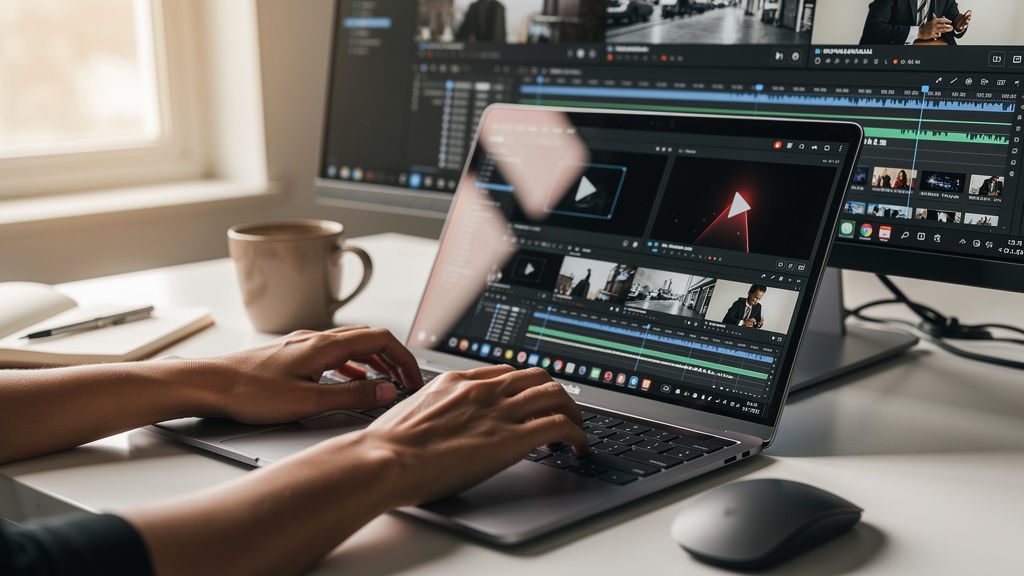
Video is now a core channel for marketing, sales enablement, internal communication, and training. A single product launch can require explainer videos, short social clips, a longer webinar, and targeted versions for different regions or roles. Training teams face similar pressure as they switch from lengthy manuals to bite-sized clips that people can watch on any device.
Common requests often include:
- Product demos and feature walkthroughs
- Customer stories and testimonial edits
- Onboarding and compliance training modules
- Executive town halls and all-hands recordings
- Social clips for LinkedIn, YouTube Shorts, TikTok, and more
Traditional production models do not keep up with that demand. Editors lose hours logging footage, marking takes, fixing audio, and building multiple versions of the same story. When every new request adds days of work, backlogs form and campaigns launch late. For leaders who care about time to market, that delay can mean missed revenue and weak engagement.
AI video editing tools attack the parts of the process that scale poorly with people alone. They handle tasks such as automatic rough cuts, clipping highlights from hour-long calls, switching between speakers in multi-camera interviews, and removing filler words. This does not remove the editor from the loop. Instead, it moves them to higher-value work such as story, pacing, and brand control.
Across teams that adopt well, we often see editing time for standard projects fall by fifty to eighty percent. A training department might turn one recorded webinar into ten targeted clips for different teams without adding more staff. A marketing team might push out daily short videos for social channels from a few weekly recordings. In each case, the same people do far more work without burning out.
AI also supports better use of expert talent. Senior editors no longer spend their days cleaning timelines and fixing the same technical problems on every project. With routine tasks handled by AI, they can guide visual style, frame messaging, and mentor newer staff. In short, AI video editing tools turn a fixed bottleneck into a more flexible content engine that supports growth plans instead of blocking them.
According to Wyzowl’s State of Video Marketing report, more than nine out of ten businesses now use video as a marketing tool. That level of demand makes scalable editing workflows less of a nice-to-have and more of a basic capability.
Core AI Capabilities That Change Video Production
Automated Content Analysis and Intelligent Rough Cuts
The most painful part of editing often happens before a single creative decision, where Google Sites – Google demonstrates how cloud-based collaborative tools are integrating AI-powered video features into familiar workspace environments. Someone has to ingest media, log takes, and mark what is usable. Tools such as Eddie AI and Spingle AI step in here by scanning raw footage, tagging scenes, and even flagging shaky or out-of-focus clips that should never make it into a timeline.
Beyond logging, these tools can build first-pass edits from prompts or templates. An editor might ask for a three-part structure with an intro, main points, and a closing call to action. The AI assembles that structure from the transcript and video, saving hours that would otherwise go into scrubbing through timelines. For multi-camera interviews, platforms such as AutoPod read the audio tracks and switch to the active speaker, mimicking the choices a human editor would make.
Typical AI-driven rough-cut tasks include:
- Detecting scene changes and creating organized bins or groups
- Flagging unusable or low-quality shots
- Building first-pass edits from scripts or prompts
- Auto-generating highlights from long meetings or webinars
The business impact is simple. Work that used to take an entire day from an assistant editor can finish in minutes. Editors still refine the cut, but they begin from a solid base instead of a blank timeline. That shift has a large effect on turnaround time across a full content calendar.
Text-Based Editing and Transcript-Driven Workflows
Text-based editing changes who can safely work with video. Platforms such as Descript and OpusClip transcribe the audio and link every word to the exact frame in the video. Instead of dragging clips on a timeline, a user deletes a sentence in the transcript, and that part of the video disappears as well.
That means subject matter experts and marketers, not just trained editors, can clean up webinars, interviews, and internal updates. They read the transcript, trim what feels redundant, and export a polished cut without touching a complex interface. This is especially helpful for corporate training and knowledge sharing, where speed matters more than advanced motion graphics.
Key advantages of transcript-driven workflows:
- Non-editors can safely trim content without timeline skills
- Editors can search and jump to moments by keyword
- Filler words, false starts, and tangents are easy to spot and remove
- Subtitles and captions flow naturally from the same transcript
The main limitation is that quality depends on transcript accuracy. Heavy accents, technical terms, or low audio quality can create errors, which then affect the edit. Creative nuance still needs a human eye, but for many business videos, transcript-driven workflows bring big gains in speed and access.
Enterprise-Grade Audio Enhancement
Viewers forgive an occasional rough cut, but they do not forgive bad sound. If audio is noisy, uneven, or full of filler words, people drop off fast. AI-powered audio tools tackle this by cleaning background noise, boosting clarity, and leveling volume with a single pass.
Platforms such as Descript and Canva offer one-click voice improvement that makes speakers sound closer to a studio recording. Many tools also spot filler words and long silences and then delete them across the entire track. That alone can turn a rambling hour-long call into a sharp thirty-minute training clip.
A common saying among sound designers is, “Viewers will forgive a soft image far sooner than they forgive noisy sound.” Audio quality directly affects how professional your message feels.
More advanced features include automatic dialog replacement and AI voice-over generation in several languages. Combined with music sync functions that line up cuts with the beat of a track, these features help teams publish content that sounds polished and professional. For brands that care about trust and authority, audio quality is not cosmetic. It is part of how the audience judges expertise.
Comprehensive Review: Top AI Video Editing Tools for Business
Professional-Grade NLE Plugins: Spingle AI and AutoPod
Organizations with established editing teams often prefer to stay inside Adobe Premiere Pro or similar tools. Many VibeAutomateAI clients in that situation start by shortlisting plugins that sit directly inside their existing NLE.
Spingle AI fits that model. It is designed to work as a plugin inside Premiere Pro and focuses on the messy early stage of projects. Spingle AI scans footage, marks shaky or overexposed shots, and creates selects on separate tracks so editors can start from the best material rather than raw piles of clips.
For documentary teams and corporate video departments, this keeps existing workflows almost intact. Editors keep their usual shortcuts, color tools, and export presets, yet they skip hours of manual culling. Spingle AI is still in active development, so some features may feel experimental, and teams should plan a short learning period. Pricing tends to follow a subscription model for professional users and is easier to justify when measured against assistant editor time saved.
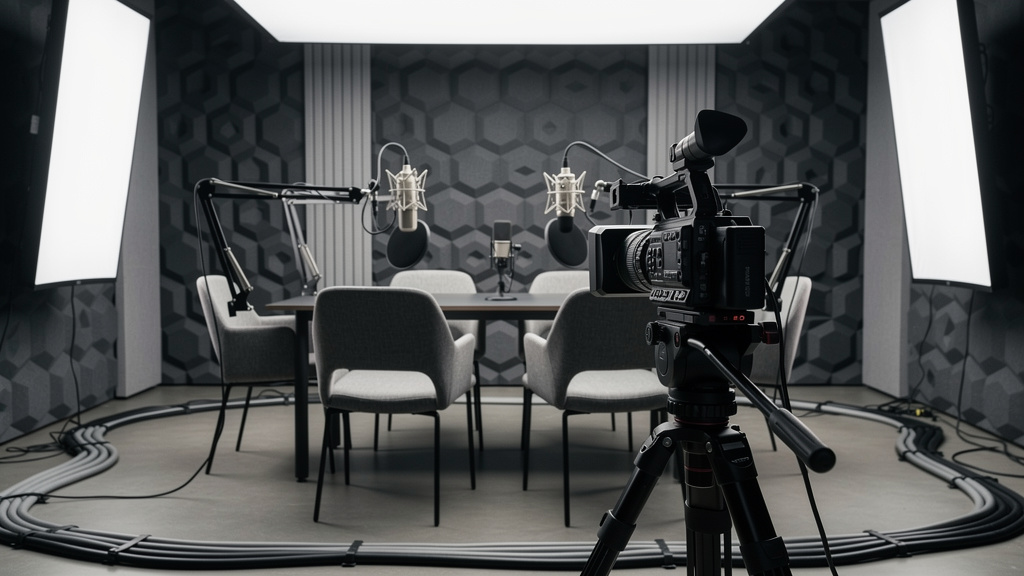
AutoPod targets a more specific but common case, which is multi-camera podcasts and interview shows. It also lives inside Premiere Pro. The tool reads audio tracks to detect who is speaking and then switches cameras accordingly. It can add layouts with two speakers on screen and even insert occasional reaction shots. For corporate communications or HR training departments that record regular panel talks, this can save five or more hours per episode. The main requirement is a stable Premiere setup and a basic understanding of multi-cam timelines.
When we evaluate these plugins at VibeAutomateAI, we look at:
- How reliably they handle long-form and multi-camera projects
- How well they respect existing project structures and presets
- Training time for editors who already know the host NLE
This helps teams choose the plugin that matches their real workload rather than just a short demo.
Content Marketing Powerhouses: OpusClip and Descript Underlord
Marketing teams and social media managers tend to care less about detailed timelines and more about output volume and performance. OpusClip was built with that focus. You feed it long-form videos such as webinars, podcasts, or event recordings. The AI hunts for high-energy segments that match patterns seen in strong social posts. It then cuts those segments into short clips, adds captions, and reframes them for vertical or square formats.
From one sixty-minute webinar, OpusClip can produce ten or more short clips ready for channels such as TikTok, YouTube Shorts, or LinkedIn. Many plans include posting tools and basic analytics to see which clips land best with your audience. For teams that live on social platforms, the return on effort is clear. However, leaders should still review how the platform handles data, where files are stored, and whether clips are used for model training.
Descript Underlord takes the already strong Descript editor and adds a conversational AI layer. Editors and non-editors alike can type requests such as “make a shorter version that hits three key points” or “edit for clarity and shorten awkward pauses.” Underlord uses transcripts, audio tools, and layout options to carry out those requests, then gives you a draft to refine. Features such as eye contact correction and studio sound further polish the result. Subscription tiers support solo users and teams, with shared projects and commenting that help marketing, product, and leadership align on key messages.
Teams working with VibeAutomateAI often compare OpusClip and Descript Underlord side by side, using shared metrics such as:
- Number of high-performing clips created per source video
- Time required from raw recording to published short-form content
- Ease of collaboration between marketers, product experts, and legal reviewers
This kind of comparison keeps decisions grounded in measurable impact.
All-In-One Business Solution: Canva AI Video Editor
Not every organization has access to pro editors or wants to manage heavy desktop software, and platforms like Visla: AI Video Creation offer cloud-based alternatives that democratize professional video production capabilities. Canva’s AI Video Editor serves people who live in slides, documents, and web apps yet still need clean video. Users start from templates for explainers, promos, or training clips, then drop in logos, brand colors, and fonts using a central brand kit.
Canva supports drag-and-drop timelines, stock footage, motion graphics, and text overlays. Its AI features handle tasks such as trimming clips to music, improving voice clarity, and resizing videos for different platforms without manual cropping. Because it runs in the browser, team members can review and comment in real time, which suits marketing, HR, and training teams spread across locations.
From a security and compliance angle, Canva publishes data handling policies that explain where content is stored and how it is used. Before large deployments, IT and security teams should review those policies, especially for regulated sectors. Pricing is transparent and scales from small teams up to enterprise plans with controls such as single sign-on. For many organizations, Canva covers a large portion of day-to-day needs, while more advanced NLE tools remain in place for complex or high-end productions.
At VibeAutomateAI, we regularly compare these platforms and update our views as features mature, so decision-makers can see how each tool fits into a broader content and automation strategy.
Strategic Implementation: How to Choose and Deploy the Right AI Video Editing Solution

Choosing an AI platform is not just a feature checklist. It is a design choice about how content moves through your organization. We usually break the work into four stages:
- Assessment
Map current production volume, typical project types, and pain points. Look at:- How many hours per week are spent on logging, rough cuts, and audio cleanup
- Which teams request video most often
- Existing NLE tools, storage systems, and distribution channels
- Team skills and appetite for new workflows
- Selection Matrix
Once that baseline is clear, a structured comparison helps. Standalone cloud tools suit teams without heavy post-production history. Plugins make more sense for groups already deep in Premiere Pro or similar systems. Score platforms on:- Depth of automation and control over fine edits
- Multi-user support and review workflows
- Fit with identity providers and content management platforms
- Vendor history, financial stability, and feature roadmap
- Pilot Program
We strongly recommend a pilot before any wide rollout. Pick one or two content types that repeat often, such as monthly webinars or recurring internal updates. Define what success means in simple terms, such as:- Hours saved per project
- More clips produced per source video
- Faster approval cycles from draft to publish
Document new steps, gather feedback from editors and subject experts, and adjust prompts and templates as you go. Only once the new flow feels stable should you expand to other teams.
- Change Management and Training
Change management deserves its own attention. Some experienced editors may worry that AI tools will lower craft standards or threaten their role. It helps to show that the goal is to move them toward higher creative impact, not to replace them. Training plans should match different skill levels, from power users who tune prompts and presets to occasional users who just trim webinars. Throughout, keep brand guidelines and editorial standards front and center so speed gains do not come at the cost of consistency.
VibeAutomateAI often provides the common framework for these stages, so teams can test different tools while keeping measurement, governance, and reporting in one place.
Critical Security and Governance Considerations

For CISOs and security teams, the promise of AI video editing tools must sit alongside hard questions about data and control. Every cloud platform that touches video files adds another place where sensitive content might live. This includes unannounced product demos, internal town halls, or interviews that contain client details.
Key issues to review include:
- Data Residency And Sovereignty
Security teams should know which regions store raw footage, processed exports, and any derived data such as transcripts. Terms of service need careful reading to see whether your content is used only for your account or also fed into shared models. Some vendors scan content for moderation but do not use it to train public models, while others may reserve that right unless you opt out. - Access Control And Identity
Enterprise buyers should look for single sign-on support, role-based permissions, and detailed activity logs. That way, only approved users can upload or export sensitive footage, and audits can reconstruct who did what when issues arise. Version control also matters for regulated industries where you may need to prove which version of a training video employees watched. - Security Certifications And Testing
Vendor security certifications such as SOC 2 or ISO 27001 help, but they are only one part of the picture. Ask about penetration testing, incident response processes, and how vendors communicate security events. - Exit And Data Deletion
An exit plan is vital. You should be able to download source files, transcripts, and project data if you stop using a platform and have clear terms on data deletion. Canva’s public policies provide one helpful example of how a vendor can describe data usage, storage, and retention.
A practical rule from many security leaders: “Treat every new AI tool as if it were a new data center.” That mindset keeps review standards high and avoids surprises later.
At VibeAutomateAI, we advise clients to build a standard review checklist that legal, security, and procurement can apply to any AI video product before sign-off.
The Future of AI Video Editing and What It Means for Your Organization
AI video editing is moving beyond simple automation into areas that feel much closer to creative partnership. Generative models already create short clips from text prompts. For business, that may mean quick visual mockups for campaigns, simple explainer scenes for training, or localized intros that match regional needs without a full shoot.
Another important trend is custom model training. Some tools are starting to learn from your past projects so they can mirror your editing style, brand motion rules, and caption formats at scale. This could allow marketing and training teams to keep a strong brand feel even as they publish far more content.
Advanced VFX features are also reaching more users. Automatic rotoscoping and in-painting, once reserved for high-end post houses, are now wrapped in friendly interfaces. When paired with multimodal AI that understands video, audio, text, and supporting data together, we can expect smarter repurposing of long sessions into targeted clips for many roles and channels.
For human editors, this shift changes the job rather than removes it. The craft leans more toward story, taste, and strategic choices while AI handles more of the assembly and cleanup. Organizations that invest in upskilling now will be better placed. At VibeAutomateAI, we track these changes and share practical guidance so leaders can time investments wisely and avoid locking into tools that will not keep pace.
Conclusion
AI video editing has moved from side experiment to core production strategy for many organizations. With growing demand for marketing clips, training content, and internal communication, manual workflows alone cannot keep up. AI video editing tools offer a path to faster rough cuts, better audio, and higher content volume without expanding headcount at the same rate.
There is no single best tool for every team. Plugins such as Spingle AI and AutoPod work well where professional editors and NLE systems are already in place. OpusClip and Descript Underlord power modern content marketing and social media programs. Canva’s AI Video Editor covers broad needs for business users who want quick, branded videos without a steep learning curve.
Next steps are clear. Run an internal needs assessment, shortlist vendors that match your workflows, and start one or two focused pilots. Keep security and governance at the center, and pair AI speed with human review to protect story quality and brand standards. VibeAutomateAI exists to guide this process with expert reviews, comparison frameworks, and step-by-step implementation advice, so you can move from interest to real business results with less risk.
Frequently Asked Questions (FAQs)
Question 1: How Much Time Can AI Video Editing Tools Realistically Save Our Team?
Most teams see the biggest savings in early stages of projects. Rough cuts and logging can drop by seventy to eighty percent once tools handle culling and transcript edits. Audio cleanup often falls by sixty to seventy percent thanks to one-click noise removal and filler word cuts. Multi-camera podcast edits can shrink by eighty percent or more. Expect a few weeks of practice before these gains show fully and remember to track baseline times so improvements are clear.
Question 2: Are AI Video Editing Tools Mature Enough for Mission-Critical Business Content?
Many tools are stable enough for regular marketing, training, and internal communication, especially for clipping, captions, and audio cleanup. Newer agent-style editors are still in active development, so their drafts need closer human review. A safe pattern is to use AI for first passes and repeatable edits, then keep humans in the loop for final story and brand checks. Start with lower-risk projects, gather metrics and feedback, and expand as confidence grows.
Question 3: What Happens to Our Proprietary Footage When Using Cloud-Based AI Editors?
Reputable platforms store footage in defined regions and outline how long they retain both raw and processed files. Some scan content for abuse or policy issues but do not feed it back into shared models, while others may use data for training unless you opt out. Always ask:
- Where does our data live and which entities can access it?
- Is content used to train shared models by default?
- How do backup, retention, and deletion policies work?
For highly sensitive content, consider on-premise or hybrid setups and include strict terms in contracts and service agreements.
Question 4: Will AI Video Editing Tools Replace Our Professional Editors?
In practice, AI acts more as an assistant than a replacement. It takes over tedious tasks such as culling takes, cutting pauses, and creating first drafts. Editors still guide story, pacing, visual style, and brand tone, which machines do not handle well on their own. The role shifts toward creative direction and quality control. Training editors to work well with AI video editing tools lets you scale output while protecting the craft that sets your content apart.
Stay connected