

Introduction
Trying to keep up with Instagram, TikTok, LinkedIn, X, Threads, and Bluesky can feel like running six meetings at once. Tabs stay open, notifications pile up, and posts go out late or not at all. That is usually the moment we realize simple posting is not enough and proper social media management tools are now part of basic infrastructure, not a nice extra.
When we jump between native apps, we waste time, miss comments, and end up guessing what actually works. A good set of social media management tools pulls posting, engagement, analytics, and approvals into one clear view. That shift turns social from “someone please post something” into a steady, testable system that supports leads, hiring, and customer care.
In this guide, we walk through twelve proven platforms that drive real results, from simple schedulers to enterprise control centers. We also show how AI automation frameworks from VibeAutomateAI sit on top of these tools to remove manual busywork, speed up content production, and keep brand standards tight. By the end, it becomes much easier to pick a stack that fits the team, budget, and goals without drowning in options.
Key Takeaways
- Social media management tools bring publishing, engagement, and reporting into one dashboard. This cuts constant app switching and makes daily work far smoother.
- The best tool depends on team size, budget, and main networks. A solo creator needs simplicity, while a big team needs controls and workflows. Matching tool to use case matters more than any flashy features.
- Modern platforms now include strong AI features for content help. AI can suggest captions and hashtags, pick better posting times, and spark engagement ideas for busy teams.
- Enterprise platforms lean into deep analytics and social listening. Lower-cost tools focus on clean scheduling and simple reports. Both paths work if they match current needs and realistic growth plans.
- Integrations with CRM, email, and workflow tools multiply the impact of social. Data flows into other systems so teams see full-funnel impact and can report clearly to leaders.
- Starting with clear success metrics keeps tools aligned with business goals. We can track time saved, leads created, or tickets resolved, which makes choosing and justifying a platform far less stressful.
What Are Social Media Management Tools And Why Your Business Needs One
Social media management tools are software platforms that bring all social profiles into a single control panel. From that one place, we can plan, create, schedule, publish, reply, and measure. Instead of bouncing between apps, our team works from one shared source of truth.
The core value is simple. These platforms collect content creation, scheduling, engagement monitoring, and performance analysis into one steady workflow. We can batch-create posts for weeks, see everything on a content calendar, and keep a consistent brand voice across Instagram, TikTok, LinkedIn, X, and more. That consistency is almost impossible when everything lives in separate apps.
Because reporting is unified, we also stop guessing which posts and channels actually move the needle. Clear analytics show what brings clicks, signups, or sales, so budgets and time go to work that pays off. As the business grows, strong social media management software lets us add profiles and teammates without scaling chaos.
“Content is fire, social media is gasoline.” — Jay Baer
For most organizations, a well-chosen platform quickly becomes a core part of daily marketing and customer care because it helps:
- Save time by batching work instead of posting ad hoc.
- Keep messaging consistent across every social channel.
- Reply faster to comments, DMs, and mentions from one inbox.
- Measure performance across networks with clear, comparable reports.
Essential Features Every High-Performing Social Media Tool Must Have
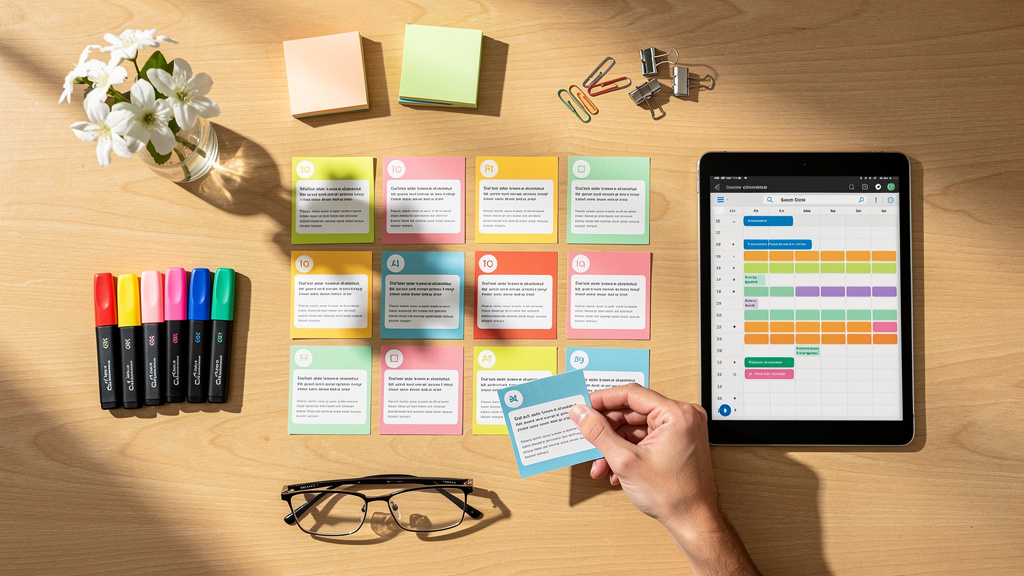
Not all platforms are equal. Some are little more than basic schedulers, while others run like full command centers. When we evaluate social media management tools, a few features separate the ones that truly help from the ones that only add another login.
At a minimum, we look for support of major networks such as Facebook, Instagram, X, LinkedIn, and TikTok, plus fast support for newer channels like Threads, Bluesky, or Mastodon. Advanced scheduling features matter just as much. A visual content calendar, bulk upload from spreadsheets, queue management, and AI timing suggestions turn posting from a daily chore into a once-a-week planning habit.
Next, a unified inbox brings comments, messages, and mentions from all channels into one feed so we can respond without missing a thing. Strong analytics with custom reports, competitor comparisons, and Google Analytics links show how social activity drives real results, leveraging advanced social media analytics techniques to extract actionable insights. Content creation aids like AI caption helpers, Canva integration, and stock media libraries make it easier to stay on brand without a full-time designer.
For teams, we also need clear roles, approval workflows, task assignments, and internal notes so everyone knows what to do and who signs off. Social listening for brand mentions and keywords, plus integrations with CRM, email tools, and automation services like Zapier, complete the picture for a serious, scalable setup.
When comparing tools, prioritize:
- Channel coverage: Does it support every social network that matters to your audience?
- Content planning: Visual calendars, queues, and bulk scheduling for smoother planning.
- Engagement features: A unified inbox, tagging, and workflows for customer care.
- Analytics: Post-level and account-level metrics, with exportable or scheduled reports.
- Team collaboration: Roles, approvals, and internal comments.
- Integrations: Links to CRM, email platforms, and automation tools to share data across the business.
Top 12 Social Media Management Tools That Deliver Measurable Results

The right mix of social media management tools depends on team size, channel focus, budget, and how far we want to go with automation. Below are twelve platforms that consistently deliver strong results when matched to the right use case.
1. VibeAutomateAI: AI-Powered Social Media Workflow Automation
VibeAutomateAI is not a traditional scheduler. Instead, it helps teams design and run AI agent frameworks that sit on top of their favorite social media management tools. Specialized agents handle research, drafting, and editing so humans focus on strategy and approvals.
These flows can connect to tools such as Canva, Zapier, and Gumloop, keeping brand templates, colors, and fonts under control. This approach works especially well for agencies and small businesses that want faster content cycles without hiring a full extra team. Pricing is based on custom consulting packages, mapped to clear time savings and result targets.
Best for: Organizations that already use social platforms and want AI agents to handle repetitive content work.
2. Hootsuite: The Enterprise-Grade All-In-One Powerhouse
Hootsuite is one of the best-known social media management tools for large teams. It connects to Facebook, Instagram, X, LinkedIn, TikTok, YouTube, Pinterest, Threads, and WhatsApp Business from a single dashboard. Standout features include deep analytics, competitor comparisons, strong social listening, and the OwlyWriter AI helper. It also maintains strong access to the X API for advanced monitoring.
Hootsuite fits enterprises and agencies that need heavy reporting, security controls, and multi-team collaboration, with plans starting around ninety-nine dollars per month.
Best for: Enterprises and agencies that need advanced analytics and governance across many profiles.
3. Buffer: Streamlined Scheduling For Maximum Efficiency
Buffer focuses on being clean, simple, and fast, which is ideal for smaller teams. It supports Facebook, Instagram, TikTok, LinkedIn, X, Threads, Bluesky, YouTube Shorts, Pinterest, Google Business Profile, and Mastodon. The interface splits into Publish, Create, Community, and Analyze sections, plus an AI assistant and Start Page link-in-bio tool.
Pricing is per channel, so teams with a few profiles keep costs low. A free plan covers the basics, and paid plans start near six dollars per channel each month.
Best for: Solo creators and small businesses that want an easy scheduling tool without a steep learning curve.
4. Vista Social: Team Collaboration On A Budget
Vista Social is one of the most budget-friendly social media management tools for teams that still need advanced features. It connects to Facebook, X, Instagram, LinkedIn, TikTok, Pinterest, Threads, Snapchat, Reddit, Bluesky, Tumblr, and YouTube.
Inside, you get a unified inbox, social listening, link-in-bio pages, and light task management. The big win is pricing, with professional plans that include several users and many profiles at a fraction of enterprise costs. That makes it a smart choice for growing teams and agencies.
Best for: Small to mid-sized teams that want collaboration features without enterprise pricing.
5. Sendible: Affordable All-Rounder For Small Businesses
Sendible offers a balanced mix of features without a heavy learning curve. It supports Instagram, Facebook, TikTok, LinkedIn, Google Business Profile, YouTube, WordPress, and X, which covers most common needs.
Core features include scheduling queues, a social inbox, RSS feed posting, and reporting with Google Analytics links to see how posts drive traffic. The interface stays straightforward, so new staff onboard quickly. Plans start near twenty-nine dollars per month, making Sendible a strong fit for small businesses and solo consultants.
Best for: Local businesses and consultants that need scheduling plus simple reporting.
6. Iconosquare: Visual Content Specialist
Iconosquare is built for brands that treat Instagram and TikTok as primary channels. It connects to Instagram, TikTok, Facebook, X, and LinkedIn but offers the deepest support for visual platforms.
You can schedule posts, carousels, Reels, and Stories while tracking competitors and monitoring hashtags that matter to your niche. The analytics focus on visual performance, which helps refine creative choices over time. Pricing starts around thirty-nine dollars monthly for one user and up to ten profiles.
Best for: Brands and agencies that live on Instagram and TikTok and care deeply about creative performance.
7. Typefully: Text-Based Platform Expert
Typefully focuses on text-heavy networks, which is rare among social media management tools. It works with X, Threads, Mastodon, Bluesky, and LinkedIn, giving writers and B2B teams a clear space to plan threads and short posts.
The editor can split long thoughts into threads automatically and refine wording with built-in AI. It also supports automated direct messages on X for engagement campaigns. There is a free plan, and paid tiers start from about twelve and a half dollars per month on annual billing.
Best for: Creators and B2B teams focused on threads, thought leadership, and short-form writing.
8. Loomly: Customization Through Automation
Loomly covers the main networks and adds flexible automation for unusual workflows. It connects to Facebook, X, Instagram, Pinterest, LinkedIn, Google Business Profile, Snapchat, Threads, YouTube, TikTok, and a special Custom Channel.
That Custom Channel uses Zapier to send posts or triggers to almost any other system, from Reddit to internal tools. Standard features like scheduling, an inbox, and analytics are solid, but the big draw is this extended automation. Plans begin near forty-two dollars per month for two users.
Best for: Teams that want to connect social publishing with niche platforms or internal tools.
9. Sprout Social: Premium All-In-One With Superior Support
Sprout Social is a premium all-in-one platform that often competes with Hootsuite. It supports Facebook, Instagram, X, LinkedIn, TikTok, Pinterest, YouTube, and other major networks.
Users like its polished interface, strong engagement tools, and detailed reporting that leaders can understand at a glance. One major plus is direct phone support, which is rare in this category. Sprout Social fits mid-sized and large organizations that want top-tier service and are comfortable with enterprise pricing.
Best for: Teams that value high-touch support and executive-ready reporting.
10. Agorapulse: Unified Inbox Excellence
Agorapulse stands out for its powerful unified inbox, which brings every comment, message, and mention into one organized space. It supports Facebook, Instagram, X, LinkedIn, TikTok, YouTube, and Google Business Profile.
Beyond scheduling and reporting, its engagement view helps teams stay on top of customer care and community work. The listening and analytics features round out the platform for serious users. There is a free tier, and paid plans start around forty-nine dollars per month.
Best for: Brands that receive a high volume of comments and DMs and care about response times.
11. SocialPilot: Budget-Friendly Bulk Scheduling
SocialPilot is ideal for agencies or brands that post a high volume of content. It works with Facebook, Instagram, X, LinkedIn, TikTok, Pinterest, Google Business Profile, and Tumblr.
Bulk scheduling from spreadsheets makes it simple to load many posts at once, while content curation helps fill gaps. White-label reporting lets agencies share clean reports under their own branding. With plans starting near thirty dollars monthly, SocialPilot is a strong value pick.
Best for: Agencies and franchises that manage many accounts and need bulk actions.
12. Later: Visual Planning For Instagram-First Brands
Later caters to teams that think in pictures first. It connects to Instagram, Facebook, TikTok, LinkedIn, X, and Pinterest, with a visual content calendar that lets you drag and drop media into time slots.
A built-in media library keeps photos and videos organized. The Linkin.bio feature turns the Instagram profile link into a mini landing page that tracks clicks. Basic use is free, with paid plans starting around twenty-five dollars per month.
Best for: Visual brands, influencers, and ecommerce stores centered on Instagram and TikTok.
How AI Changes Social Media Management

AI used to mean simple “best time to post” suggestions. Now it supports nearly every part of modern social media management tools. AI assistants write draft captions, suggest hashtags, and even reshape long blog posts into snackable threads or Reels scripts. That turns blank screens into starting points instead of roadblocks.
These same systems scan social feeds for trends, common questions, and shifts in tone around a brand or topic, using social media sampling methodologies to capture representative audience insights. They can suggest likely high performers, forecast engagement patterns, and highlight posts that deserve extra budget. Many tools now also suggest replies or handle simple support questions, cutting response times.
“What gets measured gets managed.” — Peter F. Drucker
At VibeAutomateAI, this goes a step further with multi-agent frameworks:
- One agent researches topics, audience pain points, and competitor angles.
- Another drafts posts, captions, and hooks aligned with brand guidelines.
- A third agent edits for clarity, tone, and compliance.
- Humans review and approve content inside the existing social platform.
AI becomes a quiet digital team, speeding work while people stay in charge of judgment, ethics, and strategy.
Choosing The Right Tool: A Strategic Framework

Picking from a long list of social media management tools is far easier with a simple checklist. Instead of chasing every feature, focus on a few clear decisions.
- Map Where Your Audience Spends Time
Start by mapping where your audience actually spends time. Broad tools like Hootsuite or Vista Social suit teams spread across many networks. Specialist tools like Iconosquare or Typefully shine when one type of channel drives most results.
- Match Features To Team Structure And Budget
Next, match features to team structure and budget. Solo creators often do best with clean, low-cost tools like Buffer or Sendible. Growing teams need approval flows, roles, and deeper integrations, where platforms such as Vista Social, Loomly, or Hootsuite fit better. Also look at how each tool connects to CRM, email, and automation platforms so social data does not stay in a silo.
- Run Real-World Tests Before You Commit
Before signing a contract, always run real-world tests, applying reflective evaluation practices to assess how each tool fits your workflow. That means short free trials with actual posts, approvals, and reports, not fictional data. VibeAutomateAI can help design these trials and plan how AI agents will plug into the chosen stack, so the final setup serves business goals rather than adding yet another dashboard.
Conclusion
Strong social media management tools turn scattered posting into a steady, measurable system. They save time, keep brand voice consistent, and tie day-to-day activity to real business results. The “best” tool is not the flashiest one, but the one that fits current channels, team size, and reporting needs.
Smaller businesses and solo creators often win with simple, affordable platforms like Buffer and Sendible. Growing teams and agencies lean on collaboration features from Vista Social, Loomly, or SocialPilot. Larger organizations may need full-scale platforms such as Hootsuite, Sprout Social, or Agorapulse for deeper analytics and listening.
On top of any of these, AI automation frameworks from VibeAutomateAI can remove heavy manual work and speed up content cycles while keeping guardrails around brand and security. The smartest next step is to list core requirements, test a short list of tools, and plan where AI agents can quietly do the busywork so people can focus on strategy.
FAQs
What Is The Best Social Media Management Tool For Small Businesses?
For many small businesses, Buffer and Sendible strike the right balance of power and simplicity. Buffer offers clean scheduling with low per-channel pricing, which works well for a few core profiles. Sendible adds stronger all-in-one features and direct Google Analytics links for a modest monthly cost. Both offer free trials, so you can test real workflows before paying.
Do I Need Different Tools For Different Social Media Platforms?
Most teams do not need separate tools for every channel. Platforms like Hootsuite, Buffer, Vista Social, and SocialPilot manage several networks from one dashboard, which keeps work organized. In some cases, you can add one specialist tool such as Iconosquare for deep Instagram and TikTok insights or Typefully for text-heavy channels. The choice depends on where your most valuable audience shows up.
How Much Should I Expect To Pay For A Social Media Management Tool?
Costs range quite widely. Many platforms offer free tiers for light use or testing. Small teams often pay between thirty and fifty dollars per month for tools like Sendible or SocialPilot. Team plans for Vista Social or Loomly usually start higher but add more users and profiles. Enterprise platforms such as Hootsuite or Sprout Social can reach several hundred dollars each month, but they bring deeper analytics, security options, and support.
Can AI Really Help With Social Media Content Creation?
Yes. When used well, AI is a strong helper for social teams. Tools inside major platforms can brainstorm ideas, draft captions, and suggest hashtags in seconds. They also repurpose long content into threads or short posts for different channels.
At VibeAutomateAI, multi-agent setups are common: one agent researches, another drafts, and another polishes, with humans approving the final work. AI speeds up the process, while people still guide tone, ethics, and strategy.
Stay connected