

Introduction
Posting on Instagram without data is a lot like driving at night with the headlights off. The feed flies by, likes come in, and it seems fine, but it is hard to know which posts are actually helping the business. That is where Instagram analytics software turns guesswork into a repeatable process.
Instagram Insights gives a basic snapshot, but it stops at 90 days, has limited content breakdowns, and offers no clear competitor view—limitations that become especially apparent when compared to Top Instagram API Documentation available through third-party platforms. For anyone reporting to a CMO, founder, or board, that is a serious gap. Third‑party tools extend history, add detailed metrics, and connect campaigns to traffic, leads, and revenue.
“Without data, you’re just another person with an opinion.” — W. Edwards Deming
We tested 14 tools covering different team sizes and budgets. This guide shows what each does well, where it falls short, and how it fits inside broader marketing workflows. You will also see how VibeAutomateAI connects Instagram analytics tools to CRM, BI dashboards, and AI agents so insights turn into action instead of more spreadsheets.
Key Takeaways
- For mid‑to‑large brands, combining VibeAutomateAI with a high‑end platform such as Sprout Social or Social Status covers detailed analytics plus clean data flows. Agencies often lean toward Sendible, while Pallyy and Metricool fit creators and very small teams.
- Match the tool to your main question:
- Revenue impact → strong Google Analytics or e‑commerce links
- Competitive position → side‑by‑side profile and content comparisons
- Content improvement → content pillar analysis, AI summaries, and format‑level stats for Reels and Stories
- Costs fall into clear bands: creator tools around fifteen dollars per month, business plans around twenty‑five to eighty, and enterprise or influencer platforms running far higher. Free tools help for a quick check but struggle with reporting and trend analysis.
- Integration matters more than raw feature counts. A winning setup sends Instagram data into analytics, CRM, and reporting tools, with VibeAutomateAI mapping and automating that flow so numbers show up where decisions are made.
What Is Instagram Analytics Software And Why Your Business Needs It

Instagram analytics software collects, analyzes, and visualizes Instagram data so you can see how posts, Stories, Reels, and profile activity contribute to business results. Instead of only counting likes, it answers questions such as:
- Which posts bring high‑value visitors to the website?
- Which Reels pull in followers who match your ideal customer?
- How fast is the audience growing compared with last quarter or last year?
Instagram Insights is useful, but it:
- Stops at 90 days of data
- Lacks structured competitor comparisons
- Offers limited export and reporting options
A stronger tool fills those gaps by:
- Storing 12–24+ months of data for seasonal and year‑over‑year trends
- Linking social activity to website traffic, leads, and sales
- Supporting content tests, timing experiments, and audience refinement
Analytics works best when it is part of the broader marketing stack, not an island. That is where VibeAutomateAI fits: it designs workflows where Instagram data flows cleanly into Google Analytics, CRM, BI dashboards, and AI agents so teams can act on insights without manual copying.
The 5 Critical Features Every Instagram Analytics Tool Must Have
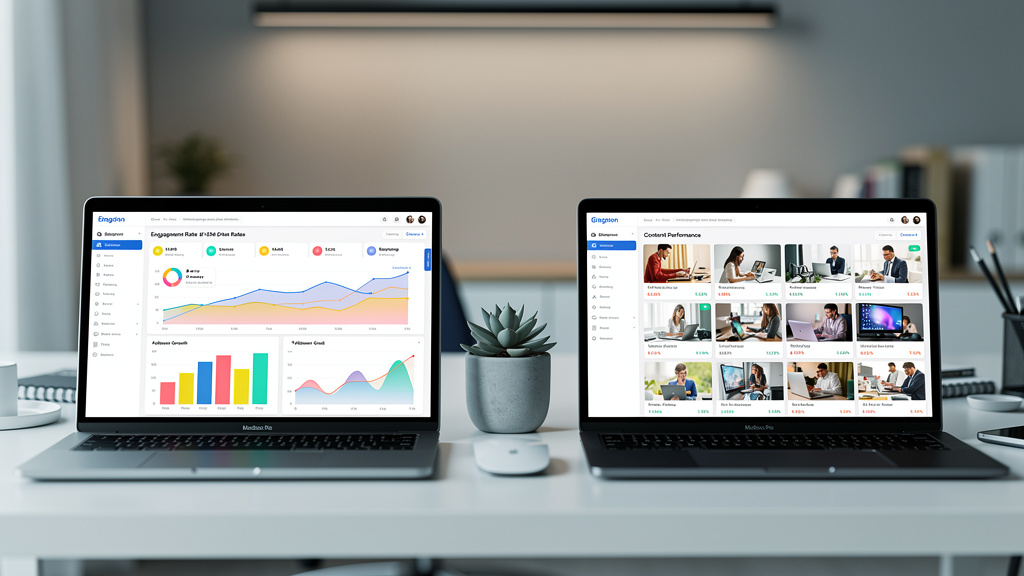
Before you compare brands, it helps to know what a serious Instagram analytics platform should do at a minimum.
Comprehensive Performance Metrics Across All Content Types
A good tool tracks:
- Posts, carousels, Reels, Stories, and profile‑level activity
- Engagement rate by followers and by reach
- Impressions, clicks, saves, and shares
For Reels and Stories it should also show metrics such as watch time, exits, taps, and swipe‑through rates—performance indicators that 10 Best Instagram Analytics tools now track in detail across content formats. When these numbers sit in separate tools, key patterns get missed.
Historical Data Access Beyond Instagram’s 90-Day Limit
Three months of data is not enough for strategy. Look for:
- At least 12–24 months of history
- Year‑over‑year comparisons
- Clear views of algorithm shifts and long‑term growth
Old campaigns and experiments often explain current performance, so long‑term data is essential for budget and planning discussions.
Customizable Reporting And White-Label Capabilities
Strong reporting should:
- Schedule email reports (daily, weekly, monthly)
- Let you pick metrics, date ranges, and chart types
- Support exports to PDF, CSV, or PowerPoint
Agencies benefit from white‑label options so reports carry their own branding without hours of manual slide work.
Competitor Benchmarking And Industry Comparison
To judge performance fairly, you need context. Effective tools:
- Track competitor follower growth, volume of posts, and engagement
- Compare content formats and posting frequency
- Provide industry benchmarks where possible
This context keeps goals realistic and reveals gaps in your own Instagram strategy.
Integration With Other Marketing Tools
If data cannot move, it cannot help. At a minimum, analytics software should connect to:
- Google Analytics for traffic and conversion tracking
- Other social platforms for cross‑channel comparison
- CRM or marketing automation tools for lead and customer data
VibeAutomateAI focuses on this layer, mapping and automating connections so Instagram metrics feed live dashboards, scorecards, and AI agents instead of sitting in a separate tab.
Top Instagram Analytics Software: Comprehensive Comparison Of 14 Tools Tested
Different teams need different mixes of depth, cost, and collaboration. We evaluated 14 tools on data quality, reporting, competitor analysis, and integration strength, then looked at how VibeAutomateAI can sit on top of them as the integration brain.
1. VibeAutomateAI Integration Strategy: Maximizing Your Analytics Investment
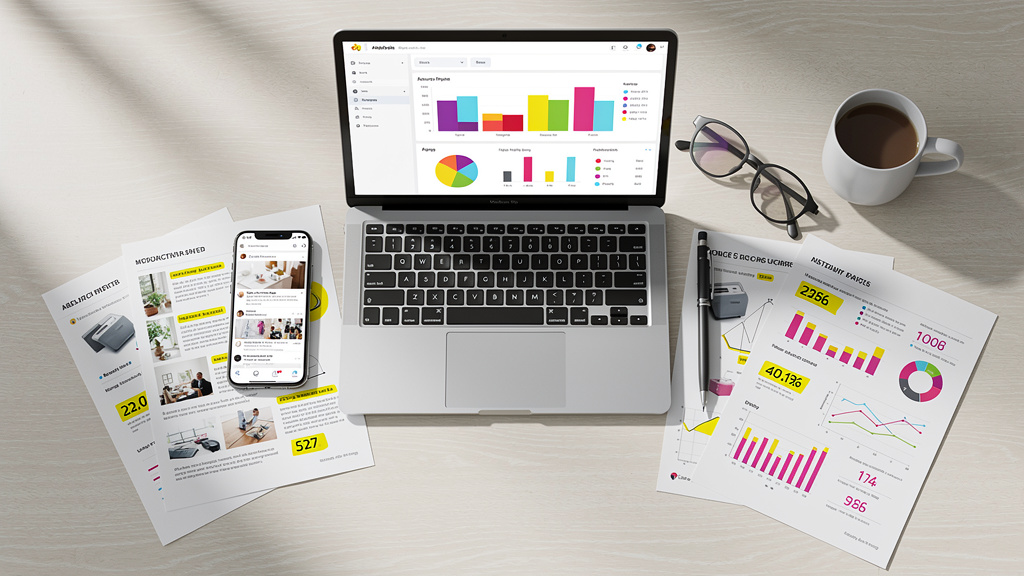
VibeAutomateAI does not replace analytics tools; it connects them to the rest of your stack. It designs workflows that send Instagram metrics into dashboards, CRM records, and AI agents without manual exports. Think weekly reports that write and send themselves, alerts when engagement drops, or pipelines that push UTM data into revenue reports. By starting with one or two pilot use cases, teams see fast time savings and cleaner reporting before scaling up.
2. Sprout Social: Enterprise-Grade Analytics With Premium Price Tag
Sprout Social targets large brands that need analytics, publishing, listening, and a shared inbox in one place. Its Premium Analytics add‑on unlocks more than one hundred fifty extra metrics and flexible charts. Pricing starts around two hundred forty‑nine dollars per user per month, so it suits teams with serious budgets. Strong APIs and native integrations make it a good fit for VibeAutomateAI projects that push Instagram data into broader BI dashboards.
3. Social Status: Dedicated Analytics Powerhouse
Social Status focuses purely on analytics across four dashboards: profiles, ads, competitors, and influencers. Plans start near seventy‑nine dollars per month. Strengths include detailed competitor reports, generous historical data, and powerful white‑label reporting for agencies. Because it skips scheduling, many teams pair it with another posting tool while using VibeAutomateAI to feed its rich data into executive reports.
4. Socialinsider: AI-Powered Content Intelligence
Socialinsider adds AI‑driven insights on top of standard Instagram metrics. It groups posts into content pillars and explains which topics and formats drive results for you and your competitors. Starter plans begin around eighty‑three dollars per month. The interface can feel dense at first, but the plain‑language summaries are helpful. Through exports and an API, VibeAutomateAI can push these insights into content calendars or AI agents that help plan upcoming posts.
5. Agorapulse: The ROI Tracking Champion
Agorapulse combines publishing, community management, and analytics with a strong focus on return on investment. Its link to Google Analytics shows how posts, Stories, and conversations drive visits, leads, and revenue. Plans start near forty‑nine dollars per month. Clear ROI dashboards help social teams defend budgets. When connected through VibeAutomateAI, Agorapulse’s revenue data can be surfaced alongside other channels in a single performance view.
6. Sendible: The Agency’s White-Label Solution
Sendible is built for agencies managing many clients. It offers more than two hundred analytics modules and full white‑label branding on a custom domain. Agency plans begin around one hundred ninety‑nine dollars per month, with a smaller creator tier for solo users. Client management and reporting are its main strengths. VibeAutomateAI often connects Sendible to CRM and billing tools so agencies can align Instagram performance with retainers and project work.
7. Iconosquare: Flexible Interface With Customizable Dashboards
Iconosquare lets users drag and drop widgets to build their ideal dashboard from more than one hundred metrics. It tracks reach, impressions, engagement, follower growth, and some listening around hashtags and competitors. Pricing starts near forty‑nine dollars per month. Automated email reports are strong, and VibeAutomateAI can route Iconosquare data into company scorecards while the on‑screen dashboard stays focused on day‑to‑day monitoring.
8. ContentStudio: Multi-Channel Analytics With Team Collaboration
ContentStudio covers Instagram, Facebook, X, Pinterest, and LinkedIn in one workspace. It blends publishing, collaboration workflows, and cross‑channel analytics. Starter plans begin around twenty‑five dollars per month. Instagram‑specific depth is lighter than in dedicated tools, but it is convenient for teams managing several networks. With VibeAutomateAI, ContentStudio often becomes the central node feeding social data into CRM and data warehouses.
9. Brand24: Social Listening And Sentiment Analysis
Brand24 is more about listening than owned performance. It monitors millions of sources, including Instagram, to track mentions, reach, and sentiment for chosen keywords. Plans start near ninety‑nine dollars per month. It is ideal for reputation tracking, early crisis alerts, and influencer discovery. Using webhooks and integrations, VibeAutomateAI can turn Brand24 alerts into tasks for support or PR teams when sentiment turns negative.
10. Keyhole: Campaign And Hashtag Performance Specialist
Keyhole focuses on hashtag and campaign tracking. It measures how chosen tags and keywords perform over time and offers guidance on optimal captions and formats. Pricing begins around seventy‑nine dollars per month. It is especially useful for brands running frequent hashtag campaigns. VibeAutomateAI often pipes Keyhole data into wider campaign dashboards so teams can see how specific tags contribute to reach, engagement, and traffic.
11. CreatorIQ: Influencer Marketing Attribution Platform
CreatorIQ serves brands that invest heavily in influencers. It helps discover creators, manage campaigns, and measure performance in financial terms using Social Media Value scores and e‑commerce tracking. Pricing follows an enterprise model and can reach tens of thousands of dollars per year. When wired through VibeAutomateAI, CreatorIQ data feeds central marketing and revenue dashboards so influencer activity is visible alongside paid and organic channels.
12. Pallyy: Creator-Friendly Simplicity With Strong Value
Pallyy targets creators and small businesses who want clear insights without a steep learning curve. It offers Instagram analytics, scheduling, a social inbox, and a bio link tool for around fifteen dollars per month. It highlights profile growth, post performance, and best‑time‑to‑post suggestions. Analytics depth is modest but more than enough for many small teams. VibeAutomateAI can still help automate basic reporting or sync top posts into planning docs.
13. Metricool: Budget-Friendly With Free Plan Option
Metricool is a budget‑friendly entry point into Instagram analytics. A free plan covers several networks with about three months of history; paid plans from roughly twelve dollars per month add full history and more profiles. Its standout feature is a connector for Looker Studio, which lets teams combine social data with Google Analytics and ad platforms. VibeAutomateAI often helps design Looker dashboards that mix Metricool with other sources and automate sharing.
14. SocialBlade: Free Quick-Look Competitor Intelligence
SocialBlade is a free, browser‑based tool for quick checks of public Instagram profiles. It shows follower counts, media totals, estimated engagement, and simple growth charts. The interface is dated and high level, so it works best as a supplement. For serious reporting or ROI work, it should sit alongside one of the fuller Instagram analytics software tools above.
How To Choose The Right Instagram Analytics Tool For Your Business

With so many options, it is easy to get lost in feature grids. Start with your business questions, then filter by team size, budget, and integration needs.
Assess Your Primary Goal: What Question Are You Trying To Answer?
Pick one main objective:
- Revenue impact? Consider tools such as Agorapulse or Social Status that tie Instagram to website traffic and conversions.
- Content strategy? Socialinsider or Iconosquare help reveal winning topics and formats.
- Competitor insight? Socialinsider or ContentStudio compare posting habits and engagement.
- Influencer proof? CreatorIQ tracks influencer ROI.
- Brand reputation? Brand24 monitors mentions and sentiment.
Clarifying this first avoids paying for features your team never uses.
Consider Your Team Size And Budget Constraints
Match tools to the people using them:
- Solo creators and micro‑businesses → Pallyy, Metricool, or a mix of Instagram Insights plus SocialBlade
- Small in‑house teams → Iconosquare, ContentStudio, or Agorapulse
- Growing agencies → Sendible or Social Status for client reporting
- Large enterprises → Sprout Social, often combined with VibeAutomateAI for deep integrations
Keep an eye on how pricing scales with profiles and users, not just the starter plan.
Evaluate Integration Needs With Your Existing Tech Stack
Before you commit, ask:
- Does the tool connect to Google Analytics or your e‑commerce platform?
- Can it send data into your CRM or email platform?
- Are APIs or data connectors available for BI tools?
VibeAutomateAI offers integration mapping: we review your current tools, decide where Instagram data should land, and highlight platforms that would trap data in closed systems.
Test Before Committing: Take Advantage Of Free Trials
Most platforms offer trials. During that period:
- Check whether your key metrics are easy to find
- Build a sample report and see how long it takes
- Test exports and any promised integrations
- Contact support with real questions to judge responsiveness
VibeAutomateAI often helps clients run 30‑day pilots that include analytics checks, reporting tasks, and simple workflows, so the final decision is based on real usage, not only demos.
Common Instagram Analytics Mistakes To Avoid
Even with strong Instagram analytics software, teams can fall into habits that blunt its value:
- Chasing vanity metrics: Follower counts and likes feel good but say little about profit. Focus dashboards on clicks, conversions, and high‑value audience segments.
- Tracking too much: Dozens of charts lead to reports nobody reads. Agree on three to five core KPIs tied to revenue or pipeline.
- Ignoring competitors: Without benchmarks, “good” performance might be average. Use competitor tracking to keep goals grounded.
- Inconsistent tools or definitions: Switching platforms or changing metric definitions every few months breaks long‑term comparisons.
- No automation: Manually copying data into slides each month wastes time. Use report scheduling and, where helpful, VibeAutomateAI workflows to keep stakeholders informed automatically.
The Future Of Instagram Analytics: AI And Automation Trends
Instagram analytics is shifting from backward‑looking reports toward predictive guidance, with research examining When AI meets influencers: showing how artificial intelligence is transforming social media performance measurement and content strategy. AI models already scan past performance to suggest hooks, formats, and posting times with a higher chance of success. Many platforms now provide AI summaries that highlight standout posts, weak spots, and easy wins without requiring users to inspect every chart.
Cross‑platform tracking is improving as well. Paths that start on Instagram and finish on another channel are easier to follow when analytics tools share data with ad platforms, e‑commerce systems, and CRMs. Real‑time alerts on sudden spikes or drops help teams respond while conversations are still active.
The next edge comes from tying analysis to action. That might mean AI agents adjusting content queues based on results, or workflows that trigger campaigns when certain thresholds are met. VibeAutomateAI focuses on this “from insight to action” bridge so Instagram data shapes campaigns automatically, not only in monthly slide decks.
Conclusion
Instagram can either be a noisy expense or a clear growth channel. The difference comes from how well you use Instagram analytics software to guide decisions. With the right tool, you can see which posts earn real attention, which campaigns move traffic and sales, and how your performance compares with direct competitors.
Enterprise teams often favor Sprout Social or Social Status for depth, agencies tend to pick Sendible, content‑driven marketers lean toward Socialinsider or Iconosquare, and budget‑conscious creators start with Pallyy or Metricool. Free options like Instagram Insights and SocialBlade still help for quick checks.
Feature lists matter, but integration matters more. Buying an analytics platform is step one. Connecting it to Google Analytics, CRM, BI dashboards, and AI agents is what turns data into action. VibeAutomateAI exists to design that flow, reduce manual reporting, and prove value through focused pilots. The best tool is the one that fits your team, plugs into existing systems, and feeds decisions with clear, trusted insights.
FAQs
Do I Really Need To Pay For Instagram Analytics Software, Or Is Instagram Insights Enough?
Instagram Insights is fine for casual posting and early‑stage accounts. It covers basic reach and follower data but only for 90 days and offers no real competitor analysis or exportable reports. Once you spend more than a couple of hours a week on reporting—or need to prove traffic, leads, or revenue—paid Instagram analytics software usually repays its cost in saved time and better decisions.
Can I Track My Competitors’ Instagram Analytics Without Their Permission?
Yes, as long as their accounts are public. Tools such as Social Status, Socialinsider, and ContentStudio use public post data to estimate follower growth, posting frequency, and engagement. They cannot see private metrics like story views or detailed audience breakdowns, and they must not access account logins. Used this way, competitor tracking is legal and standard, much like checking public website stats.
Which Instagram Analytics Tool Is Best For Small Businesses On A Tight Budget?
Small businesses often start with Metricool or Pallyy. Metricool offers a helpful free tier and low‑cost upgrades, while Pallyy provides an easy interface and posting tips around fifteen dollars per month. For very lean setups, pairing Instagram Insights with SocialBlade can cover the basics. As reporting needs grow, VibeAutomateAI can connect these lower‑cost tools to simple dashboards so data flows automatically.
How Do Instagram Analytics Tools Measure ROI From Social Media?
ROI tracking relies on connecting Instagram activity to business outcomes. Most tools use tracking links (UTMs) in bios and Stories, then match visits and conversions in Google Analytics or e‑commerce platforms. Agorapulse pulls this data back into its own dashboards, while influencer tools like CreatorIQ use coupon codes and affiliate links to tie results to specific creators. Clean integrations—often designed or automated with VibeAutomateAI—are key.
Can I Use One Tool To Analyze Instagram, Facebook, TikTok, And Other Platforms Together?
Yes. Platforms such as ContentStudio, Sprout Social, Sendible, and Metricool provide cross‑channel analytics in one place. This makes it easier to compare which network brings the most engagement or revenue. The tradeoff is that Instagram‑specific detail may be shallower than in a dedicated analytics tool. Many teams use a multi‑channel hub plus one specialist Instagram tool for deep dives.
What’s The Difference Between Social Media Analytics And Social Listening Tools?
Social media analytics tools track how your own content performs—metrics like reach, engagement, follower growth, and clicks for posts, Stories, and Reels. Social listening tools scan the wider web and social platforms for mentions of brands, keywords, or topics, whether or not you own those accounts. They help with reputation tracking, crisis alerts, and market research. Some platforms, such as Brand24, blur the line, but most brands treat analytics for content planning and reporting, and listening for public perception and support.
Stay connected