

Introduction to SEO Software Reviews
The first time I tried to compare SEO tools side by side, I ended up with twenty browser tabs open, three half‑finished spreadsheets, and no clear winner. Every product promised to be the “all‑in‑one answer,” yet each one left gaps. That mess is exactly why I started doing structured seo software reviews instead of random trial and error.
Search now depends heavily on data, not guesswork. Without the right mix of SEO software, issues stay hidden, content misses search intent, and teams burn hours on tasks a tool could finish in minutes. When I ran my first deep round of seo software reviews for VibeAutomateAI, the time savings and clarity changed how I looked at marketing tools in general.
“Content is king.”
— Bill Gates
For this guide, I tested more than 20 SEO platforms on real projects, not demo sites, following methodologies similar to those used in comprehensive SEO reporting research. I scored each on data accuracy, feature depth, ease of use, pricing, and how well it fit into a modern tech stack. Every recommendation here comes from that hands‑on work, not from skimming feature pages or affiliate pitches.
By the end of this article, you will see which tools shine as all‑in‑one platforms, which specialists win for content or technical SEO, which free tools punch above their weight, and how to choose the right stack for your situation. Think of these seo software reviews as your shortcut so you can stop comparing tabs and start shipping work.
SEO Software Reviews: What It Is and Why It Matters

When I talk about SEO software in these seo software reviews, I mean tools that help a site appear more often—and in better positions—on search engines like Google and Bing, plus AI‑driven engines such as ChatGPT and Perplexity. These platforms collect data no person could process alone and turn it into clear tasks.
Modern SEO tools typically:
-
Track rankings and visibility
-
Suggest new keywords and topics
-
Scan sites for technical issues
-
Analyze how competitors earn their traffic
Enterprise platforms add their own data sets, machine learning models, and cloud infrastructure so large teams can run consistent processes.
The big shift is simple: SEO used to depend on instinct and scattered reports, but research on search engine optimization effectiveness shows that data-driven approaches now deliver measurable marketing results. With the right stack from these seo software reviews, it becomes a measurable practice. Businesses that adopt data‑driven SEO grow qualified organic traffic, leads, and revenue while others keep guessing and fall behind.
“In God we trust; all others must bring data.”
— W. Edwards Deming
Essential Features Every SEO Tool Must Have: SEO Software Reviews
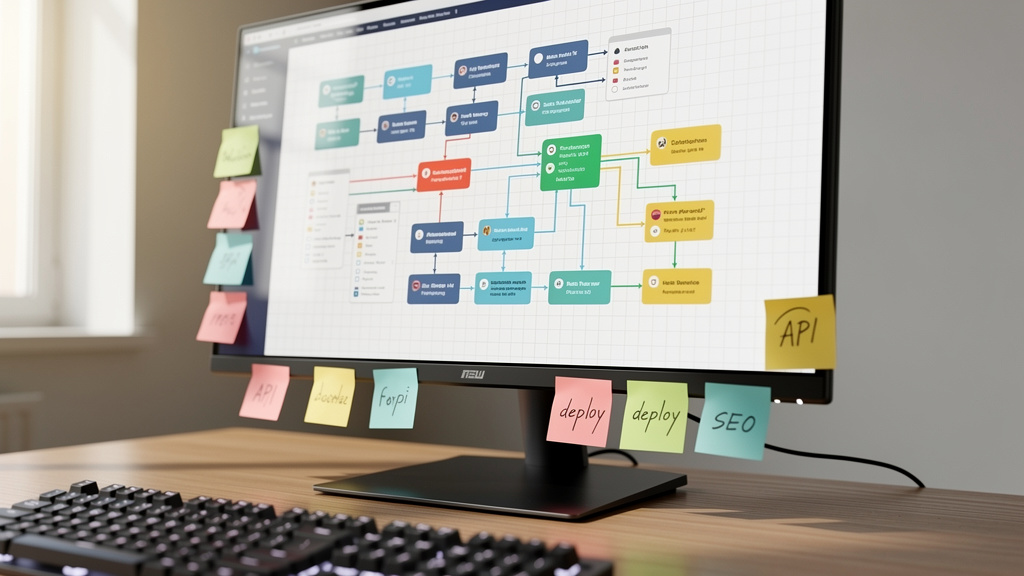
After working through dozens of seo software reviews, I started to see the same core features in the best tools. If a platform misses several of these, I usually move on.
-
Keyword Research And Analysis
A strong tool surfaces search volume, difficulty, and intent so you know which topics are worth writing about. It should also suggest related terms and questions to build topic clusters. Without this, content planning turns into guesswork. -
Site Audits And Technical Health Checks
Good SEO software crawls a site like a search bot and flags broken links, redirect chains, slow pages, and mobile issues. I look for clear recommendations, not just error counts, so teams know what to fix first. -
Competitive Analysis
In the best seo software reviews, tools reveal competitor keywords, top pages, and backlink patterns in one place. That view exposes gaps your site can fill and traffic sources worth copying, without overreacting to one rival move. -
Backlink Analysis
Strong platforms grade the authority of linking sites and highlight spammy links that might hurt you. They also show which links helped competitors grow so outreach can stay focused. For serious SEO programs, this is essential. -
Rank Tracking
Reliable rank tracking shows how your keywords move over time across devices and locations. Accurate data turns SEO experiments into hard numbers instead of vague impressions. -
Content Optimization Features
The better tools suggest headings, related terms, and reasonable word counts based on top results. Combined with human judgment, these insights help writers match search intent quickly. -
SEO Reporting And Analytics
Top platforms turn raw numbers into dashboards leaders can understand. My favorites allow custom reports by channel, segment, or client so teams can show exactly which tasks moved the needle. -
Website Monitoring
Background monitoring for traffic drops, security issues, or big performance changes helps you react before problems snowball. No platform is perfect in all eight areas, which is why many teams combine an all‑in‑one suite with a few specialists.
How We Tested and Evaluated 20+ SEO Tools: SEO Software Reviews
Whenever I publish seo software reviews under the VibeAutomateAI name, I want readers to know the tools were pushed hard in real conditions. For this round, I created test projects that mirrored three common setups: a small business blog, an agency with multiple clients, and a multi‑site company with different regions.
I stacked tools side by side on the same domains and compared keyword data, backlink counts, and issue reports. To check accuracy, I cross‑referenced results with Google Search Console, Google Analytics 4, and server logs. If a platform showed numbers far from these first‑party sources, it lost points.
I rated tools using a simple weighting model:
-
Data quality: ~40%
-
Feature depth: ~25%
-
Usability: ~20%
-
Pricing value: ~10%
-
Support quality: ~5%
I also looked at time to value—how fast a new user can log in, run a basic report, and act on it—and checked integrations with WordPress, Webflow, CRM systems, and reporting dashboards. An SEO tool that lives in a silo rarely delivers its full value.
Best All-in-One SEO Platforms: SEO Software Reviews
All‑in‑one suites try to cover nearly every SEO job in one login, and top SaaS SEO companies have refined these platforms to serve diverse business needs. During these seo software reviews, I found that no single platform is perfect, but a few stand clearly ahead for broad use.
Semrush: Best Overall for Comprehensive SEO Management
Semrush showed up again and again as the most complete platform in my seo software reviews. It combines more than fifty tools under one roof, spanning keyword research, rank tracking, site audits, content marketing, and even paid search insights. Its standout strength is competitor analysis, where Semrush maps rival keywords, ads, and backlinks in impressive detail.
I like how quickly I can move from a keyword idea to a full view of which pages already rank, what they cover, and where gaps sit. The Site Audit catches many technical issues, and Traffic Analytics gives a realistic picture of where competitors get visits. Semrush has also started tracking visibility inside AI‑driven engines like ChatGPT and Perplexity, which fits neatly with VibeAutomateAI’s focus on AI‑aware SEO.
Pricing starts around one hundred forty dollars per month for a single user, with higher tiers for larger teams. It is not cheap, and the interface can feel crowded for beginners, but for teams that want one main hub and are willing to invest both money and learning time, Semrush earned its place at the top of my seo software reviews.
Ahrefs: Best for Backlink Analysis and Competitor Research
Ahrefs is the first tab I open when a project depends heavily on link building or deep competitor work. In my seo software reviews, its backlink index was consistently one of the richest and most current. The crawler runs at huge scale, so Site Explorer often reveals links other tools miss.
The Keywords Explorer and Content Explorer modules are also very strong. They help spot topics where smaller sites still have a chance and content that has started to slip. The Site Audit covers technical checks well enough for many teams, though I still pair it with a dedicated crawler on very complex sites.
Prices start a little above one hundred dollars per month and rise as you add seats and projects. Rank tracking is good but not best in class, so I often treat Ahrefs as my research and link analysis workhorse alongside another tracker. If backlink quality and competitor insight are your top priorities, Ahrefs deserves a high place on your short list from these seo software reviews.
Moz Pro: Best for Balanced Features with Strong Community Support
Moz Pro has been part of almost every round of seo software reviews I have run. It offers a balanced toolbox covering keyword research, link analysis, rank tracking, and site crawling without feeling overwhelming. The well‑known Domain Authority and Page Authority metrics remain useful shorthand when sizing up sites at a glance.
What I like most about Moz is the learning environment around the product. The community, blog, and training material give newcomers a gentle way into SEO while still offering depth for experienced users. The platform itself feels simpler than Semrush or Ahrefs, which some teams prefer.
The entry plan starts near ninety‑nine dollars per month, so it is still an investment for small firms. Some data sets are not as deep as the two giants above, especially for very niche markets. Even so, if you want steady, well‑rounded features and a supportive learning path, Moz Pro is a solid choice from this set of seo software reviews.
SE Ranking: Best for Agencies Managing Multiple Clients
SE Ranking impressed me during these seo software reviews because it thinks like an agency tool. The platform makes it easy to manage many projects, keep reports separated, and apply white‑label branding when sending updates to clients.
Its feature list is long enough for serious work: keyword research, rank tracking, site audits, and competitor checks all perform well. SE Ranking also includes an LLM tracker to measure how brands show up in AI‑based search experiences, which matches VibeAutomateAI’s interest in AI‑aware analytics.
Pricing starts around sixty‑five dollars per month and scales with projects and limits. For a single site, other tools may be cheaper. But if you manage three or more client accounts and create regular reports, SE Ranking can pay off quickly and earns a strong spot in my seo software reviews for agencies.
Best Specialized Content Optimization Tools: SEO Software Reviews

All‑in‑one suites include content features, but my seo software reviews keep showing that specialists win when content is your main growth channel. These tools dig deeper into language, structure, and topical coverage than general dashboards.
Surfer: Best for Data-Driven Content Creation
Surfer stands out as one of the most practical content intelligence tools I tested. In my seo software reviews, it repeatedly helped writers produce articles that match search intent without losing human voice. You enter a target keyword, and Surfer scans the top results to suggest word counts, headings, and related terms.
The Content Editor shows a live score as you write, nudging you toward better coverage of subtopics rather than simple keyword stuffing. The Audit feature helps refresh older pages by comparing them with current winners. Integrations with Google Docs and WordPress keep the workflow in familiar places.
The starting plan sits near ninety‑nine dollars per month. That can feel high for a tiny blog, but for teams that publish often, the gains in ranking and writing speed usually justify the cost. When content drives growth, Surfer earns a top spot in these seo software reviews.
Clearscope: Best for Enterprise Content Teams
Clearscope feels like Surfer’s big‑budget cousin. During my seo software reviews, I saw it shine inside larger organizations where multiple writers, editors, and subject experts all touch the same piece. The tool grades content with a simple letter score and suggests important terms and questions that belong in a thorough article.
The interface is clean and focused, which keeps writers from getting lost in metrics while they draft. Integration with Google Docs and WordPress means teams can stay inside their normal editing tools while still seeing Clearscope’s guidance. Features for tracking content decay help editors decide which past hits need a refresh.
Pricing starts around one hundred eighty‑nine dollars per month, placing Clearscope in the enterprise or well‑funded startup bucket. For lean teams, that cost may be hard to justify. But if you run a large content program and want consistent, high‑quality coverage across dozens of topics, Clearscope ranks very high in my seo software reviews.
Claude (Anthropic): Best AI Writing Assistant for Content Refinement
Claude is not a traditional SEO platform, yet it appears in my seo software reviews because it has become a quiet hero in many writing workflows. I use it as a smart editor and proofreader that respects the author’s tone while cleaning up grammar, structure, and clarity.
In practice, I draft a piece in my usual editor, then ask Claude to highlight confusing parts, suggest simpler phrasing, or reorganize paragraphs for better flow. It does a better job with nuance than basic grammar checkers, especially for technical topics that VibeAutomateAI often covers.
There is a capable free tier and a paid plan around twenty dollars per month. Claude still needs human oversight for facts and brand voice, so I never treat it as a fully automatic writer. However, as a final polish step before publishing content built with the other tools in these seo software reviews, Claude saves time and reduces errors.
Best Tools for Technical SEO and Site Audits: SEO Software Reviews
Technical SEO is where pretty dashboards meet hard engineering reality. My seo software reviews showed that specialist crawlers and first‑party tools still beat most all‑in‑one suites when a site has complex code, heavy templates, or many redirects.
Screaming Frog SEO Spider: Best for Deep Technical Audits
Screaming Frog is the tool I reach for when a technical issue keeps me awake at night. In every round of seo software reviews, it found problems that lighter cloud tools glossed over. The desktop app crawls a site much like a search bot and exposes broken links, redirect chains, missing tags, thin content, and more.
Because it runs locally, Screaming Frog can handle complex authentication setups and odd internal networks that trip up web‑based crawlers. It also connects with Google Analytics and Google Search Console so you can layer performance data onto each URL. The export options feed nicely into spreadsheets and BI tools for deeper analysis.
The free version crawls up to five hundred URLs, which is fine for small sites. The paid license, about two hundred seventy‑nine dollars per year, removes that limit and adds advanced features. The interface looks old‑school and the learning curve is real, but for serious technical work, Screaming Frog sits near the top of my seo software reviews.
Google Search Console: Essential Free Platform
Google Search Console is not just part of my seo software reviews—it is the base layer under every other tool I use. Because the data comes directly from Google, it is the closest thing we have to a source of truth about how your site appears in search.
Inside GSC, I monitor clicks, impressions, and average positions for each page and query. I also watch index coverage reports for crawl errors, soft 404s, and blocked pages. The Core Web Vitals and mobile usability sections highlight performance issues that could drag rankings down.
Search Console is completely free, which makes it an easy win for any site owner. The main limits are a short history window and the lack of competitor data. Still, in all my seo software reviews, I treat GSC as the anchor that keeps the rest of the numbers honest.
SEO Software Reviews: Top Tools for Competitor & Market Analysis

Understanding your market often means looking beyond your own site, and recent studies comparing traditional SEO with generative engine optimization highlight how competitive analysis must now extend to AI-powered search. The next group of tools in these seo software reviews focuses on competitors, traffic sources, and user behavior across the web.
SpyFu: Best for Uncovering Competitor PPC and SEO Strategies
SpyFu lives up to its name. During my seo software reviews, it proved especially helpful for brands running both organic and paid search. The tool surfaces the keywords competitors rank for, plus the terms they bid on in Google Ads, along with sample ad copy and estimated spend.
This combination lets you see where rivals invest, where they ignore easy wins, and how their messaging shifts over time. That context makes your own keyword and ad decisions far less random. If your strategy leans heavily on paid search, SpyFu deserves a serious look.
SimilarWeb: Best for Holistic Traffic Analysis
SimilarWeb shines when I want a bird’s‑eye view of how a competitor pulls in traffic from many channels. In my seo software reviews, its strength was breaking down visits by direct, referral, search, social, email, and display. It also estimates engagement metrics such as visit duration and pages per visit.
These insights help answer questions like whether a rival relies mostly on branded search, influencer campaigns, or partners. For product teams, the tool’s app analytics add another layer. When market context matters more than fine‑grained keyword data, SimilarWeb is a valuable complement to the other tools in this guide.
Majestic: Best for Historical Backlink Data
Majestic focuses almost entirely on backlinks, and that focus still matters. In these seo software reviews, I used it when link quality over time was more important than raw volume. The Trust Flow and Citation Flow metrics give a quick sense of how strong a site’s link profile looks.
Majestic also stores long histories, which helps you track how a domain’s authority has evolved. That is useful when evaluating potential partners or spotting sites that may have been hit by spammy link campaigns. For link builders and off‑page SEO specialists, Majestic remains a reliable part of the toolkit.
Best Free SEO Tools for Budget-Conscious Users: SEO Software Reviews
Not every project starts with a large budget. The good news from these seo software reviews is that a smart mix of free tools can cover a surprising share of everyday SEO work.
The Essential Google Suite
I always start with the Google stack:
-
Google Search Console for queries, pages, and indexing
-
Google Analytics 4 for user behavior and conversions
-
Google Keyword Planner for search volume ranges and competition
-
Google Trends for seasonality and rising topics
Even autocomplete suggestions in the search bar give fast insight into long‑tail keywords and real user language. When I put these together during seo software reviews, they cover performance tracking, basic research, and intent discovery without a single subscription fee.
Other Essential Free Tools
Several non‑Google tools round out the free toolkit I rely on in my seo software reviews. Bing Webmaster Tools mirrors many features of Search Console for Bing and feeds into Microsoft‑powered AI search experiences.
At VibeAutomateAI, we track how brands appear in AI engines such as ChatGPT and Perplexity and often use services like ProductRank.ai to support that work. AnswerThePublic turns search questions into visual clusters that spark content ideas and FAQ sections, while Keywords Everywhere overlays search volume and cost data right on top of Google results in the browser.
I often advise clients at VibeAutomateAI to start with this free stack, learn the basics, and only then move into paid tools. Early mistakes cost time rather than cash.
Emerging Category: AI-Powered SEO Automation Tools – SEO Software Reviews
The newest wave in my seo software reviews centers on tools that connect traditional SEO data with large language models, building on foundational search engine optimization principles documented in academic reviews. Instead of just showing numbers, these platforms help run full workflows automatically.
Gumloop: Best for Custom SEO Workflow Automation
Gumloop feels like Zapier crossed with ChatGPT. During testing for these seo software reviews, I used it to build visual workflows that pulled data from Semrush, Google Analytics, and other tools, fed that data through AI prompts, and then pushed summaries into docs and reports.
Examples that worked well:
-
Scraping competitor pages, summarizing their content, and outputting draft briefs for writers
-
Checking rankings daily and sending Slack alerts only when changes passed a set threshold, along with plain‑language explanations
Gumloop offers a generous free tier and paid plans starting near ninety‑seven dollars per month. It does require some process design skills, which is where VibeAutomateAI often steps in to help teams build reliable flows. When repetitive SEO tasks slow growth, Gumloop stands out in these seo software reviews as a strong automation hub.
AirOps: Best for Enterprise SEO Content at Scale
AirOps goes a step further by tying SEO data directly into content creation and publishing. In my seo software reviews, I saw it work well for teams producing dozens of optimized articles each month. It connects with tools such as Semrush or Ahrefs for research, then feeds that data into AI‑driven templates and finally into CMS platforms like Webflow or WordPress.
The result is a semi‑automated pipeline where briefs, drafts, and even scheduled posts can move with minimal manual copying. AirOps also offers an Answer Engine Visibility feature that tracks how content appears inside AI search experiences.
Pricing focuses on enterprise needs, so most small sites will not need this level of power. For larger operations building AI‑assisted content factories, AirOps can act as the backbone and ranks high among automation platforms in my seo software reviews.
How to Choose the Right SEO Tool for Your Needs: SEO Software Reviews
With so many options in these seo software reviews, picking one can feel harder than doing the work itself. I use a simple framework with clients at VibeAutomateAI to narrow the field.
“The best way to sell something: don’t sell anything. Earn the awareness, respect, and trust of those who might buy.”
— Rand Fishkin
Assess Your Primary SEO Goals
First, decide what matters most right now:
-
If content does not rank, focus on a content intelligence tool like Surfer or Clearscope.
-
If crawling errors and messy templates hold the site back, Screaming Frog and Search Console move up the list.
-
For heavy outreach plans, Ahrefs or Majestic become key.
Starting from goals keeps you from buying a big suite just because it looks impressive.
Consider Your Business Size and Structure
A solo blogger working nights does not need the same stack as a ten‑person agency, and understanding the best software for SEO agencies helps clarify feature requirements for different team sizes. In my seo software reviews:
-
Small businesses often do well with one mid‑tier all‑in‑one tool plus the free Google set.
-
Agencies managing many clients get more value from SE Ranking or similar tools that focus on reporting and project management.
-
Larger companies usually need enterprise tiers, API access, and permission controls so multiple teams can work safely in one environment.
Evaluate Your Technical Skill Level
Some tools assume a strong technical background—Screaming Frog and advanced Ahrefs features fall into that bucket. Others, like Moz Pro or many Google reports, are friendlier to beginners.
Before buying, ask team members to use a free trial and describe what they see. If the interface still feels confusing after a few days, I mark that down in my seo software reviews and look for simpler options.
Set a Realistic Budget
Budgets shape choices as much as goals do. Roughly:
-
Free tools cover the basics.
-
Entry‑level paid tools run around twenty to fifty dollars per month.
-
Full suites often land in the one to two hundred dollar range or more.
I always compare cost with the value of time saved. If a tool can save ten hours of manual work each month and those hours are worth fifty dollars each, then a two hundred dollar subscription makes sense. That math helps avoid both overspending and false savings.
Verify Integration Capabilities
Finally, check how well each tool fits into the rest of your stack. Native links to Google Analytics, Search Console, and your CMS reduce manual exporting. Connectors to Slack or project management systems keep SEO tasks visible for the wider team. When I score seo software reviews, platforms that integrate cleanly into existing workflows tend to deliver better long‑term results.
Common SEO Tool Mistakes to Avoid: SEO Software Reviews
During client work and while preparing these seo software reviews, I see the same avoidable mistakes again and again. Skipping them can save months of frustration.
-
Paying for features you never use
Many teams buy the biggest plan because it sounds safe, then only use keyword reports and rank tracking. Start with the smallest plan that covers current needs, then upgrade based on real usage. -
Ignoring the learning curve
Powerful tools require time to master. Without that investment they sit idle. Schedule training sessions, block focus time to explore features, and appoint an internal champion who can answer basic questions. -
Relying on a single data source
Every third‑party platform has blind spots. Use Google Search Console and Analytics as anchors, then compare numbers from other tools instead of trusting any one report without context. -
Skipping free trials
A week with real projects inside a tool reveals far more than a sales deck. Before committing, ask at least two team members with different roles to try the platform and share notes. -
Buying tools without defining workflows
Software does not create results on its own. Map when reports are pulled, who reviews them, what decisions follow, and how changes get tracked. Without that, even the best tools from these seo software reviews risk turning into expensive shelf decorations.
Key Takeaways: SEO Software Reviews
-
No single platform wins every category in these seo software reviews. The right choice depends on goals, budget, and skill level. Decide whether content, technical health, or links matter most right now, then pick tools that lead in that area.
-
All‑in‑one suites such as Semrush, Ahrefs, Moz Pro, and SE Ranking cover most needs but come with higher price tags and fuller interfaces. Specialized tools like Surfer, Clearscope, Screaming Frog, and Majestic often do one job better and pair nicely with free Google tools.
-
AI‑driven automation platforms such as Gumloop and AirOps point toward the future of SEO workflows. Blending traditional data sources with language models, plus guidance from advisors like VibeAutomateAI, helps teams scale smartly instead of just adding more manual steps.
Conclusion
SEO has changed from guesswork and superstition into a measurable discipline powered by data. The tools in these seo software reviews reflect that change. They pull back the curtain on how search engines and AI‑based systems view your site, then break the work into clear tasks that real teams can act on.
Across more than twenty platforms, I saw a clear pattern:
-
Start with free Google tools to understand current performance.
-
Add a specialist based on your biggest gap.
-
Move up to an all‑in‑one suite as your campaigns mature.
-
Bring in AI automation when volume grows.
There is no universal “best” option, only the best fit for a given stage and skill set. What matters most is choosing a starting point, recording your baseline, and beginning to experiment. Analysis paralysis does more damage than picking a solid tool that is not perfect. As you test and refine, your own seo software reviews will guide where to invest next.
At VibeAutomateAI, I help teams sort through AI, automation, and SEO platforms with practical checklists and implementation support. If you want a partner who speaks both technology and business, and who bases advice on real testing instead of marketing spin, this is exactly the kind of work I do every week. With the right tools and clear processes, SEO stops being a mystery and becomes a steady, reliable channel for growth.
FAQs
What Is the Best Free SEO Tool?
In my experience writing seo software reviews, Google Search Console is the single most valuable free tool. It shows exactly which queries bring people to your site, how often your pages appear, and where technical problems might block performance. When you combine it with Google Analytics 4 and Google Keyword Planner, you get a full view from search impression to on‑site behavior. For extra depth, Bing Webmaster Tools adds data from another major engine.
Do I Need an All-in-One SEO Platform or Can I Use Multiple Specialized Tools?
Both paths can work, and my seo software reviews include examples of each. All‑in‑one suites give you one login, a consistent interface, and simpler billing, which many small teams like. Multiple specialized tools provide best‑in‑class features for each task and can cost less when you only need a few focused capabilities. I usually suggest that beginners start with an all‑in‑one platform to learn the basics, then add specialists later. Advanced users often run a hybrid stack with one main hub plus a few deep‑dive tools.
How Much Should I Expect to Spend on SEO Software?
Spending varies widely across the seo software reviews I run:
-
Individuals and hobby bloggers often stay in the zero to fifty dollar per month range using free tools plus one budget platform.
-
Small businesses usually invest one to two hundred dollars per month for a strong all‑in‑one suite.
-
Agencies and larger firms can spend several hundred dollars or more, especially when they need multi‑client reporting and API access.
I always compare cost with time saved and revenue gained so the budget conversation stays grounded in real impact.
How Accurate Is the Data from SEO Tools Compared to Google Analytics?
Third‑party tools rely on their own crawlers and models, so their numbers are estimates, not absolute truth. In my seo software reviews, I treat Google Search Console and Google Analytics as reference points because they show first‑party data from your own site. Platforms like Ahrefs and Semrush are usually close enough for directional decisions, especially for competitor research where you have no direct data. For key choices, I cross‑check trends across multiple tools. The goal is not perfect precision, but solid guidance to steer content and technical work.
Can AI Tools Replace Traditional SEO Software?
AI tools are changing how I write seo software reviews, but they are not replacing traditional platforms. Language models such as Claude help with drafting, editing, and summarizing reports. Automation tools like Gumloop and AirOps help move data and create workflows. However, they still rely on crawlers, rank trackers, and analytics tools to supply raw information. The best setups use SEO software to gather accurate data, then apply AI to interpret it, draft actions, and speed execution. At VibeAutomateAI, I focus on designing exactly that kind of blended workflow.
Is It Worth Paying for SEO Software If I’m Just Starting Out?
If you are brand new to SEO, I often advise starting with free tools before signing contracts, even though I run many paid seo software reviews. Search Console, Analytics, Keyword Planner, and a few free browser extensions give you enough power to learn the basics and spot early wins. Once you hit the limits of manual work—or you need competitor data and deeper automation—a paid tool becomes easier to justify. At that point, a clear view of your needs makes it much simpler to choose the right platform instead of buying on impulse.
Read more about Recruitment Automation: The Deadly Cost of Old Hiring
[…] Read more about SEO Software Reviews: The Best Tools of 2026 Compared […]