

Introduction
Picture this. It is 9 p.m., your inbox is still full, spreadsheets are open, you are copy‑pasting data between tools while Slack keeps pinging. The work is not hard, but it feels endless. Someone says the answer is “automation,” but that just adds another tab and more confusion instead of relief. That is when a clear automation roadmap stops being a nice idea and starts feeling like survival.
More than half of executives say they already run pilots or scale AI inside their companies. Automation has moved from edge advantage to basic requirement. Yet when we talk with founders, marketers, and IT leads, the emotion we hear most is not excitement. It is overwhelm: too many tools, no obvious starting point, and a real fear of costly mistakes.
At VibeAutomateAI, we see the same pattern often. The technology is rarely the main problem. Success tends to be about twenty percent tools and eighty percent clear thinking, planning, and steady follow‑through. When that part goes well, clients cut administrative hours by a third or more and create space for focused, high‑value work.
This guide walks through a complete automation roadmap from strategy to daily use. We start with what a roadmap really is, move through six practical phases from discovery to continuous improvement, and show where AI copilots fit in. Along the way we share the playbooks, frameworks, and guardrails we use at VibeAutomateAI so automation shifts from intimidating buzzword to a steady, phased plan you can act on.
Key Takeaways: Essential Insights From Your Automation Roadmap
- An automation roadmap is a strategic blueprint that links automation projects to real business goals. It keeps teams from chasing random tools or side projects that go nowhere and makes each step feel intentional instead of reactive.
- The best results come from a narrow start that targets a few high‑volume, repetitive tasks. Early wins such as automated data entry or AI‑drafted emails prove value and build support for the wider automation roadmap.
- A strong roadmap follows six linked phases: discovery, prioritization, tool selection, implementation, governance, and continuous optimization. Together they give structure so automation grows in a controlled, predictable way instead of in scattered pockets.
- Data quality and integrations sit at the foundation of any automation roadmap. Automation makes existing processes run faster, so broken processes or messy data simply fail faster and louder.
- From the first pilot, each project should track measurable ROI tied to OKRs or similar metrics. When time savings, error drops, and revenue gains are visible on a dashboard, it becomes much easier to secure buy‑in for the next phase of the roadmap.
Understanding The Automation Roadmap: Your Strategic Blueprint For Change
When we talk about an automation roadmap, we mean a living strategic document that shows how a business moves from its current state to a future state with smart, integrated automation across key functions. It does not just list projects. It explains:
- Why each project exists
- How they connect
- In what order they make sense
A project plan usually focuses on tasks, dates, and owners. A roadmap sits above that layer. It shows the path from early discovery to broad automation across marketing, operations, finance, support, and more. Because the full picture can feel overwhelming, the roadmap breaks work into clear phases with natural checkpoints.
Used well, an automation roadmap:
- Guides resource planning
- Sets expectations with leaders
- Keeps teams aligned on priorities
- Stops random “pet automations” from draining time
Without it, companies often end up with half‑used tools, overlapping subscriptions, and processes that do not talk to each other. At VibeAutomateAI, we add concrete frameworks, templates, and governance checklists on top of the roadmap so it turns into real meetings, projects, and dashboards rather than a slide no one opens again.
Why Your Business Must Have a Complete Automation Plan
Many teams first meet automation through a single tool: an AI writing app, a workflow platform, or an RPA bot. One tool helps, so another appears, then another. After a year, there may be ten tools in use but no clear drop in overtime, cost, or stress. The missing piece is a clear automation roadmap and strategy.
When we map the full picture with clients, the benefits of a structured plan stand out:
- Automation removes repetitive work so teams spend more time on judgment, creativity, and relationship‑driven tasks.
- Admin hours drop through simple changes such as AI‑drafted emails, automated meeting notes, and data entry bots.
- Accuracy improves because machines do not mistype account numbers or forget required fields when rules are set correctly.
- Streamlined workflows reduce manual touches per transaction, lowering operational expense and freeing people for growth projects.
The scaling effect may be the strongest reason to invest in a planned automation roadmap. With the right setup, a business can handle far more orders or support tickets without hiring at the same rate.
“Automation applied to an efficient operation will magnify the efficiency. Automation applied to an inefficient operation will magnify the inefficiency.”
— Bill Gates
Random tools dropped onto broken processes only make the pain louder. At VibeAutomateAI, we help teams avoid tool sprawl, integration headaches, and low adoption by putting strategy first. Our prioritization frameworks place each tool inside a bigger map so automation becomes a clear driver of performance, not a pile of experiments.
Phase 1—Discovery & Assessment: Map Your Automation Roadmap Landscape

Before any scripts, bots, or AI models go live, you need to see how work actually flows. You cannot base an honest automation roadmap on guesswork. Phase 1 is about observation and documentation, not coding.
We start with a friction map: a visual picture of how tasks move from person to person and system to system, including all the side paths that never appear on formal process charts. This picture exposes hidden manual work, repeated data entry, and clever workarounds that once kept the business running but now hold it back. The goal is not to blame people; it is to see reality clearly so you automate the right things.
“There is nothing so useless as doing efficiently that which should not be done at all.”
— Peter Drucker
Create Your Comprehensive Process Inventory
For this step, simple tools work best. We gather the people who run the work each day, stand around a whiteboard, and sketch every key process from trigger to completion. Sticky notes for steps, arrows for handoffs, and different colors for systems make the flow easy to follow. This shared view already sparks healthy debate about what really happens.
As we talk, we document each major workflow with:
- Steps from start to finish
- Software tools in use
- Handoffs between teams
- Any existing small automations or scripts
We pay close attention to unofficial shortcuts, since those often point to system gaps. After the workshop, we turn that map into a clear diagram or Miro board that leaders can review. This inventory becomes raw material for the automation roadmap in later phases.
Benchmark Current Performance Metrics
Once flows are clear, we add numbers. For each process, we collect data such as:
- Average time to complete a task
- Error or rework rates
- Cost per transaction
- Total employee hours per week
- Volume trends as the business grows
Whenever possible, we pull real historical data from systems instead of guesses. We also mark where people feel the most pain. High‑volume, error‑prone steps and chores that everyone dreads often stand out. These signals help us spot early automation candidates and feed into a simple scorecard that travels with the automation roadmap and becomes proof of value later.
Phase 2—Set Objectives & Prioritize Projects in Your Automation Roadmap

Once the current state is clear, the next risk is trying to fix everything at once—The 2025 Manual to Automation emphasizes that phased prioritization separates successful implementations from failed ones. That approach drains budgets, exhausts teams, and leaves half‑finished projects everywhere. Phase 2 turns the raw process list into a focused set of moves that anchor the automation roadmap.
We treat prioritization as a strategy exercise, not just a technical one. The main question is not “What can we automate?” but “What should we automate first so the business feels a real difference in the next quarter?” When early projects land well, support for the rest of the roadmap grows quickly.
Align Automation Goals With Business Objectives
Every potential automation project must connect to a clear business aim. We ask whether a workflow ties most closely to:
- Cost reduction
- Customer experience
- Faster time‑to‑market
- Risk reduction
- Another top‑level goal
We like to frame these aims with OKRs. For example, an objective might read “Improve customer support efficiency.” Key results could be:
- Reduce average first response time by thirty percent
- Automate eighty percent of tier‑one ticket triage
When we plug this effort into the automation roadmap, we already know how we will judge success, and stakeholders see a concrete benefit.
Apply The “Scale Hurts Most” Prioritization Framework
After goals are clear, we rank projects by business impact and technical effort. Then we look for processes where growth makes the pain much worse. To narrow candidates, we ask:
- Does this process grow in volume as the company grows?
- Does it touch revenue or customer experience directly?
- Would automation make important decisions faster or more accurate?
Processes that score high on these tests and rely on clear rules, not gut feel, become first picks. At VibeAutomateAI, we guide clients to choose one or two such workflows for the opening phase of the automation roadmap, aim for visible payback in the first quarter, and only then widen the scope.
Phase 3—Pick the Best Tools for Your Automation Roadmap & Tech Stack

With priorities set, it is time to choose the tools that will carry the automation roadmap forward. This step can feel intimidating because there are thousands of platforms promising one‑click fixes. The goal is not a perfect magic tool. The goal is a small, well‑connected stack that serves the processes you already chose.
We start by grouping tool categories. You might need:
- Workflow automation
- AI text generation
- Data pipelines
- Reporting and dashboards
Then we check how each contender fits into the current tech picture. A strong tool that does not connect to your CRM or help desk will only add manual work elsewhere.
Define Your Domain And Integration Requirements
First, we narrow the domain. Some teams focus automation on marketing campaigns, others on finance, others on customer support or project management. A clear domain keeps the automation roadmap realistic for the first year.
Next, we list core systems any new tool must connect with, such as CRM platforms, project boards, chat tools, and databases. We prefer platforms with solid API access and rich native integrations so data can move freely. At VibeAutomateAI, we share integration blueprints that show how tools like Gmail, ChatGPT, Notion, Jira, Trello, and Asana can link together. These patterns make it much faster to stand up real workflows once the stack is chosen.
Evaluate Tools Against Critical Selection Criteria
When we compare tools, we use the same checklist every time:
- Fit with existing systems
- Ability to grow from small pilot to broad use
- Ease of learning for typical team members
- Expected change‑management effort
- Total cost, including maintenance and training
We balance low‑code or no‑code platforms, which help non‑technical staff, against more technical tools that give deeper control to developers. In most automation roadmap projects, we advise clients to keep the core stack small. A few well‑integrated tools almost always beat a long list of one‑off apps that hide data in different places.
Phase 4—Implement Your Automation Roadmap with Prototyping & Testing
Now the automation roadmap moves from planning to real workflows. This is where expectations rise and skepticism appears. To manage that, we favor momentum over perfection. Phase 4 aims to ship small, helpful automations that people actually use, then improve them based on real feedback.
We start with a lightweight plan for each high‑priority workflow: timelines, owners, test data, and success measures. Then we build in short cycles so teams see progress every week instead of waiting months for a big reveal.
Build AI Copilots, Not Full Replacement Systems

One of the best ways to build trust is to introduce AI and automation as a helper, not a replacement. We design copilots that sit next to a human, draft work, and suggest next steps while the person still owns the final decision. This pattern fits neatly into many automation roadmap projects.
For example, instead of a fully autonomous support bot, we might build a tool that:
- Reads an incoming ticket
- Drafts a reply
- Suggests related knowledge base articles
The agent clicks approve or edits the text. Clients using this approach often save hours per person each week on routine replies. Because humans stay in the loop, they feel supported rather than threatened. At VibeAutomateAI, our phased implementation guides highlight these copilot opportunities as ideal starting points that show fast ROI and reduce resistance to change.
Pilot Your Automation Projects and Collect Key Feedback
Before any automation rolls out across a whole team, we run a pilot with a small, representative group. We watch how they use the new workflow, gather comments on what feels smooth or clumsy, and collect ideas for improvements. This feedback loop keeps the automation roadmap grounded in daily work, not theory.
Alongside stories, we track numbers such as time per task, error rates, and adoption. We pay close attention to failure cases and odd edge cases the first version did not handle well. Those inputs drive the next round of changes so that, by the time we scale up, workflows feel reliable and easy to follow.
Phase 5—Ensure Data Integrity Across Your Automation Roadmap
As automations spread, small issues can turn into big risks if no one sets rules. Phase 5 of the automation roadmap adds structure so automation stays safe, transparent, and trusted. Without this layer, people start to fear “black box” systems that act on their own.
Two pillars matter most:
- Data: If data is messy, out of date, or hard to trace, automation will confuse and frustrate users.
- Governance: People need to know who owns which workflows, who can change rules, and what happens when something goes wrong.
Organize and Optimize Data Infrastructure for Automation Success
Nearly every serious automation effort hits the same wall at some point: data spread across tools, mismatched fields, and incomplete histories. When a bot pulls from those sources, results feel random, and trust in the automation roadmap drops.
To avoid this, we build data cleanup into the roadmap itself, not as a side project. We:
- Standardize key fields
- Align IDs across tools
- Create clear APIs or syncs so each workflow reads from a reliable source
At VibeAutomateAI, we call this “slow down to speed up.” Clients who make this investment see far fewer surprises later, because automation reacts to clean, current information instead of patchy records.
Set Governance Rules and Decision Power for Automation Success
Governance sounds heavy, but it can live in a short document and a few regular meetings. We start by listing:
- Who can approve new automated rules
- Who owns each major workflow
- What should happen if a flow fails or behaves oddly
Every automated action should leave a trail through logs or reports so teams can review what happened. This traceability makes audits easier and gives leaders comfort that automation stays under control. At VibeAutomateAI, we use governance checklists to help clients map decision rights, escalation paths, and review rhythms. This structure turns the automation roadmap into something that risk, legal, and security teams can support instead of block.
Phase 6—Continuous Improvement: Track Your Automation Roadmap Effectively
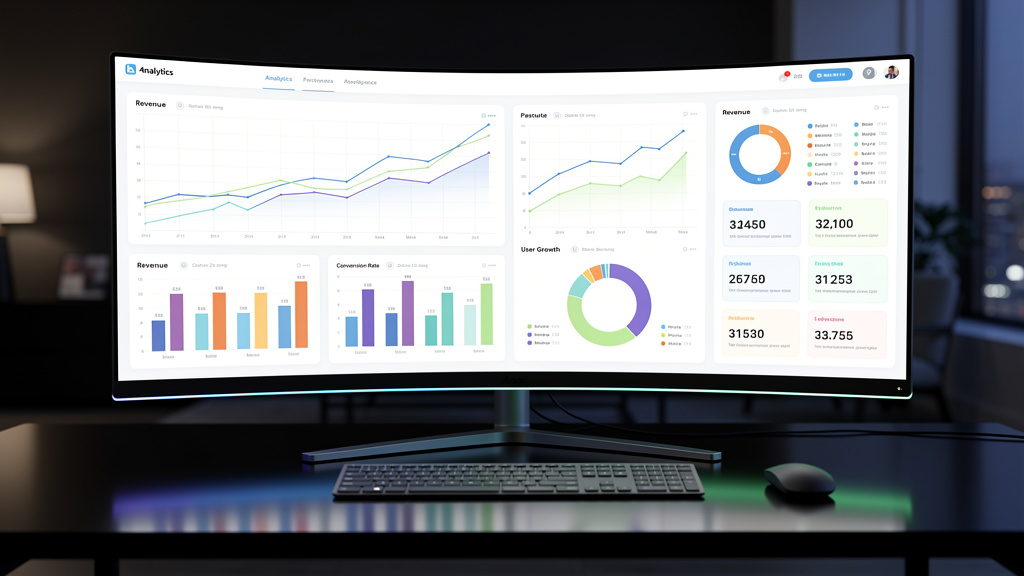
The final phase of the automation roadmap often separates companies that see lasting gains from those that stall after a few wins. Automation is not “set it and forget it.” Business models change, products shift, and customer behavior moves. Workflows that fit perfectly last year may feel clumsy next year.
We treat automation like any other important system: it gets regular checkups and tuning. With the right dashboards and habits, this becomes part of normal operations, not a special project.
Track Performance & Gather Feedback for Your Automation Roadmap
During roadmap design, we tied each project to OKRs or clear targets. In Phase 6, we build dashboards that track those targets week by week. Typical metrics include:
- Time saved per process
- Error and rework rates
- Volumes handled per team
- Impact on revenue or conversion
- Customer satisfaction or NPS scores
When numbers drift from the plan, we investigate early rather than waiting for complaints.
We also create simple channels for users to share feedback on the automations they touch each day. They often spot edge cases, ideas, or small annoyances long before leaders do. At VibeAutomateAI, our reporting services pull metrics into central views and send alerts when key indicators cross certain thresholds. This keeps the automation roadmap visible and active instead of buried in old slides.
Scale Smarter: Iterate and Optimize Automation Strategically
Data from monitoring drives the next round of changes. We tweak rules, adjust steps, or refine AI prompts to fix issues. When a core process runs smoothly for a while, we extend automation to nearby workflows that share systems or data, using lessons from earlier phases.
Each new automation still passes through discovery, prioritization, and governance, but the cycle runs faster because the foundations already exist. Over time, the automation roadmap shifts from a one‑off project plan into a habit of constant small improvements. Clients who reach this stage often report that they can scale operations without matching cost growth and that teams now ask for more automation help instead of resisting it.
Conclusion
A clear automation roadmap turns automation from a vague hope into a steady, repeatable practice. The six phases move in order: discovery shows how work really flows; prioritization picks the best starting points; tool selection builds a small, connected stack; implementation with AI copilots delivers quick wins; governance and data work keep everything safe and trusted; monitoring and improvement keep gains in place as the business shifts.
Across our work at VibeAutomateAI, we see the same theme. Results depend far more on planning, communication, and follow‑through than on any single tool. Teams that start with a narrow pilot, clean their data, set clear rules, and review outcomes regularly often cut admin time by a third and see payback within the first quarter.
The automation space can feel noisy and confusing, but a structured automation roadmap makes it manageable. If this guide sparked ideas, the next step is to sketch your own Phase 1 and Phase 2, then add tools with care. VibeAutomateAI provides automation recipes, integration blueprints, and planning frameworks to support that work, so you do not have to design everything from scratch. With the right map and a steady pace, you can move from scattered experiments to a calm, effective automation practice.
FAQs
How Long Does It Typically Take To See ROI From Automation Initiatives?
When teams follow a focused automation roadmap, we often see measurable ROI within the first quarter. Early wins such as AI‑drafted emails, automated meeting notes, and simple data entry bots can cut hours of manual work within a few weeks. Some clients report cutting manual research time by half or gaining four or more hours back per person each week. Starting with high‑impact, repetitive tasks gives fast payback and builds trust for later phases.
Should We Automate Everything At Once Or Take A Phased Approach?
A phased approach almost always wins. Trying to automate every process at once spreads people thin, raises project risk, and leads to weak adoption. We advise clients to pick one or two workflows that matter a lot, design a narrow automation roadmap around them, and run focused pilots. Once those succeed, the team has real proof and better instincts, which makes each new phase smoother and faster.
What If Our Data Quality Is Poor? Should We Fix That Before Automating?
Poor data does not mean you must wait years before you start. It means data work must sit inside your automation roadmap, not outside it. Automation magnifies whatever exists, so broken data produces confusing results and lost trust. In our projects, Phase 1 and Phase 5 include concrete steps to clean and align data while we design new workflows. VibeAutomateAI helps clients improve data and automation side by side so progress happens on both fronts.
How Do We Choose Between Building Custom Automation Versus Buying Off‑The‑Shelf Tools?
We suggest using ready‑made tools for standard needs such as email sequences, CRM updates, or project task syncs, and saving custom builds for workflows that create real competitive advantage. Inside the automation roadmap, we compare each option on speed to value, cost over time, maintenance load, and in‑house technical skill. VibeAutomateAI supports this choice with tool reviews, scorecards, and integration blueprints that make trade‑offs clear.
How Do We Get Buy‑In From Employees Who Fear Automation Will Replace Their Jobs?
The most effective message presents automation as a copilot that removes boring, repetitive tasks so people can focus on work that uses their judgment and creativity. We involve front‑line staff in Phase 1 and Phase 4 of the automation roadmap, asking where the worst friction sits and how a bot or AI assistant could help. When the first automations target chores that everyone dislikes, and leaders talk openly about growth and skill development rather than cuts, fear drops and interest rises.
Read more about Workflow Optimization for Lean Teams: A Complete Guide to Success
[…] Read more about Automation Roadmap: Secrets to Skyrocket Your Business […]