

Introduction to AI Document Automation
Picture a Monday morning: your inbox is full, invoices cover the desk, and three versions of the same contract sit in different email threads. People wait for approvals, no one is sure which file is final, and the workday turns into copy‑paste, manual checks, and hunting for the “right” document — exactly the kind of chaos AI document automation is designed to fix.
This grind is exactly what AI document automation is made to fix. Instead of humans reading every invoice or form, AI reads and understands the document, pulls key data, checks it, classifies it, and sends it to the right system or person. In this guide, we explain how it works, where it delivers the biggest gains, and how to roll it out step by step. At VibeAutomateAI, we help lean teams do this every day and will share a clear, practical plan.
Key Takeaways
- AI document automation combines tools such as OCR, machine learning, natural language processing (NLP), and generative AI to read scans, PDFs, and emails and turn messy text into clean, structured data your systems can use.
- The main gains are faster processing, fewer errors, better compliance, and lower costs. Many teams reach accuracy above 99 percent and cut admin hours by a third or more, which feeds directly into revenue, risk control, and workload relief.
- Successful projects start small, plug into tools people already use, and combine clear rules with flexible AI. Across finance, healthcare, logistics, and more, companies are already seeing strong returns, and VibeAutomateAI guides them from first pilot to broad rollout.
What Is AI Document Automation?
AI document automation uses artificial intelligence to handle the life cycle of business documents: capture, reading, validation, data extraction, routing, and archiving. Documents arrive as emails, invoices, receipts, contracts, tax forms, onboarding packets, claims, or patient records—most of them semi‑structured or unstructured—so manual handling is slow and error‑prone. AI turns that messy input into structured, process‑ready information that finance systems, CRMs, HR platforms, or case‑management tools can act on, even when layouts differ.
Often called Intelligent Document Processing (IDP), this approach combines computer vision, NLP, and machine learning so software can “read” like a person but at machine speed. It classifies document type, extracts the right fields, checks numbers and dates, and flags anything suspicious. The aim is to pull out business value, not just text—for example, turning a contract into key clauses and dates inside your contract system or a stack of resumes into structured candidate profiles.
How AI Document Automation Works: The Core Technologies
Several core technologies work together in an AI document workflow: OCR turns images into text, machine‑learning models pull out fields, NLP understands context, and generative AI can write or summarize content.
Optical Character Recognition (OCR): The Foundation
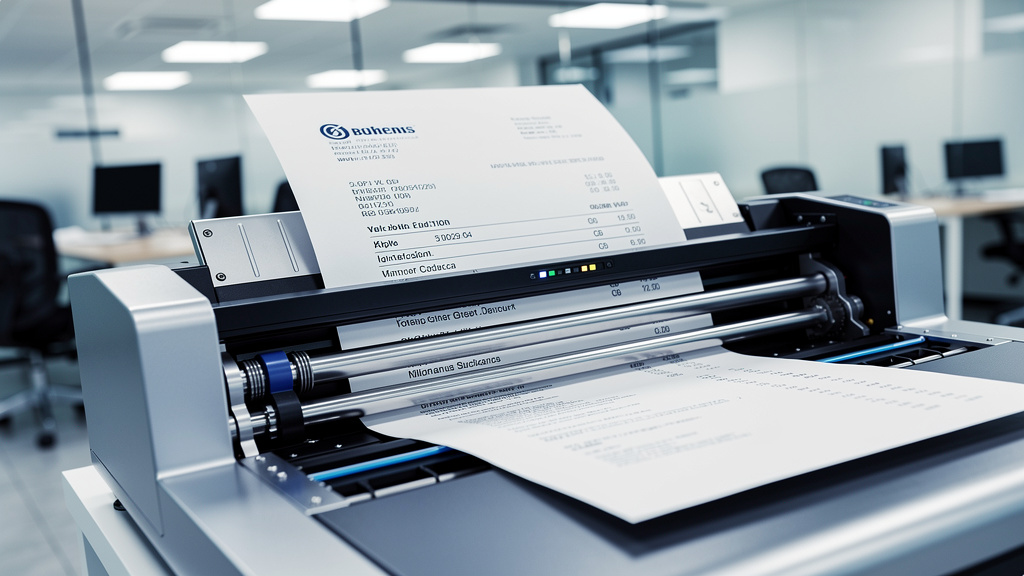
Optical Character Recognition (OCR) reads text inside scans, photos, and digital documents and converts it into machine‑readable characters. Modern OCR handles many languages, fonts, tables, checkboxes, and often handwriting, recognising page structure as well as letters. High‑quality OCR matters because every later step depends on it—if the system misreads numbers on an invoice or names on a form, every downstream check repeats that error.
Machine Learning and Data Extraction
After OCR, machine learning (ML) models select the important pieces, with solutions like Affinda AI providing intelligent document extraction that can pull specific data fields from virtually any document type. Trained on real business documents, they spot patterns such as invoice number, total amount, customer name, or tax rate across many layouts. Many platforms adapt to new layouts after only a small sample set and keep learning from human corrections, while ready‑made parsers for common document types such as invoices or receipts speed things up further.
Natural Language Processing (NLP) and Content Analysis
Natural language processing (NLP) handles the free‑form parts of documents—contracts, reports, and emails that do not fit neat boxes. NLP identifies entities such as people, companies, and dates, analyses how they relate, and checks text for tone, accuracy, and policy fit, for example by confirming that a contract includes required clauses or that a proposal uses approved wording.
Generative AI and Dynamic Content Creation
Generative AI adds the ability to write and summarize. A user can describe what they need in plain language, and a document agent selects a template, pulls data from systems such as a CRM or ERP, applies brand and legal rules, and produces a formatted draft. At VibeAutomateAI, our AI‑driven PDF editing software brings this into everyday workflows so teams can request summaries, extract tables, rewrite passages, build forms, or prepare documents for digital signatures without leaving their PDF tools.
The Tangible Benefits of AI Document Automation

When organizations roll out AI for document work, gains show up quickly in hard numbers: hours saved, errors avoided, and deals closed sooner.
“Automation applied to an efficient operation will magnify the efficiency; automation applied to an inefficient operation will magnify the inefficiency.” — Bill Gates
Start by improving the process, then let AI carry the repetitive work.
Dramatically Increased Processing Speed and Efficiency
Manual document work is slow because every step depends on people reading, typing, and chasing others. When AI handles extraction, classification, and routing, documents move with far fewer stops. One VibeAutomateAI client rebuilt its new‑hire onboarding with AI‑assisted workflows and cut average onboarding time from about three weeks to just over one, freeing HR to focus on people instead of file‑chasing.
Near-Perfect Accuracy and Error Reduction
People excel at judgement but struggle with repetitive data entry. Modern intelligent document platforms often reach accuracy above 99.9 percent for well‑defined tasks, applying the same checks every time and comparing data against business rules such as invoice totals versus line items—platforms like Kolena help organizations test and validate these AI accuracy claims across real-world document datasets. At VibeAutomateAI, our intelligent data extraction lets most documents pass straight through while only exceptions go to humans.
Significant Cost Savings and ROI
Time saved from manual work converts directly into lower operating costs and higher capacity. When AI handles data entry, routing, and standard drafting, teams can manage more volume without hiring at the same rate or paying for as much rework. Clients using VibeAutomateAI report thousands of hours saved each month and often see positive ROI within a few months.
Stronger Compliance And Security
Documents contain sensitive data and legal commitments, so any automation has to respect strict rules. Well‑designed workflows check that every contract carries the right clauses, that only specific roles can see certain document types, and that every action is logged. Encryption, role‑based access, and clear audit trails support regulations such as GDPR, CCPA, and HIPAA; VibeAutomateAI focuses on secure, end‑to‑end PDF workflows where policy checks happen inside the process.
Improved Employee and Customer Satisfaction
Few people enjoy copying numbers between screens or chasing signature status all day. When AI takes on the repetitive parts, staff can focus on work that uses judgement, creativity, and relationship skills, which reduces burnout and makes roles more attractive. Customers benefit from faster quotes, smoother onboarding, and quicker answers, so satisfaction and loyalty rise.
Top AI Document Automation Use Cases By Department

Almost every team that touches documents can benefit from AI, but the biggest gains tend to appear in a few core departments.
Sales: Accelerating Deal Cycles
Sales teams win or lose based on how quickly they move from first call to signed agreement, yet they still spend hours copying pricing tables and legal text. With AI document automation, a salesperson can trigger a workflow that pulls data from the CRM, applies current pricing and clauses, and outputs a branded proposal or quote; in one VibeAutomateAI rollout, proposal creation time dropped from about four hours to roughly twenty minutes and win rates rose by around fourteen percent.
Finance and Accounting: Streamlining Financial Operations
Finance and accounting teams handle heavy document loads— invoices, purchase orders, receipts, statements, contracts, tax forms, and audit reports. AI reads these documents, extracts key fields such as vendor names, totals, and tax amounts, and matches them to purchase orders or budgets. VibeAutomateAI OCR and ML tools cut retyping and manual checks, saving thousands of hours per year while providing a clear audit trail.
Marketing and Brand: Maintaining Consistency At Scale
Marketing teams struggle to keep branding consistent once many groups start creating their own decks and documents. With AI document automation, organizations keep templates, brand assets, and approved copy in one managed space, so when someone needs a pitch deck, case study, or report, the system fills it with correct logos, fonts, and standard language. VibeAutomateAI has supported company‑wide rebrands for thousands of employees without the marketing team reviewing every file by hand.
Human Resources: Simplifying HR Administration
HR departments deal with resumes, offer letters, onboarding forms, and policy updates. AI can scan resumes to extract skills, experience, and contact details, score candidates against role profiles for an initial screen, and generate personalized offer letters and onboarding packets with the right policies for each role. Using VibeAutomateAI workflow tools, one organization cut average onboarding time from around three weeks to just over one.
Operations and IT: Reducing Infrastructure Burden
Operations and IT teams manage templates, permissions, and fixes for document workflows and field constant requests such as “update this clause” or “give this person access.” AI document automation supports central template management and consistent rules, and VibeAutomateAI integrations connect document tools to DMS platforms, ticketing systems, Slack Workflow Builder, ERP tools, and warehouse systems so information moves smoothly without custom connectors for each case.
Industry-Specific Applications
Some sectors feel the impact of AI document automation especially strongly because they depend on large document volumes and strict rules:
- Healthcare: Process patient intake forms, records, and explanations of benefits while respecting HIPAA.
- Insurance: Read claims and policy documents, check for missing fields, and flag possible fraud patterns.
- Financial Services: Handle loan packages, leases, and compliance filings with strong audit trails.
- Logistics: Read bills of lading, packing slips, and customs paperwork for real‑time tracking and inventory.
- Manufacturing: Manage data sheets, quality reports, and safety records so standards stay consistent.
Across these fields, VibeAutomateAI adapts document flows to the rules and patterns that matter in each domain.
How To Choose The Right AI Document Automation Platform

Choosing a platform is not just an IT decision; it shapes how teams work every day, so it makes sense to compare options with both technical and business goals in mind.
Seamless Integration With Existing Tools
A powerful platform that nobody uses is a wasted investment, and the fastest way to kill adoption is to force people into another separate app. Look for strong integrations with Microsoft 365, Google Workspace, Salesforce, SAP, and other CRM or ERP tools so people keep working in Word, Excel, Gmail, Outlook, or Slack while AI handles document tasks in the background. VibeAutomateAI specializes in this style of integration.
Balance Of Control And Flexibility
Some document tasks need strict rules—legal language, brand standards, and regulatory text cannot change freely—while others, such as drafting a summary or handling a new vendor layout, need more flexible AI behaviour. The right platform combines rule‑based automation with generative AI: rules and templates keep high‑risk content under control, while AI adapts to new document types, fills gaps, and speeds up writing. At VibeAutomateAI, we design flows where compliance logic and approval steps sit alongside AI‑powered content creation.
Enterprise-Grade Security And Compliance
Any platform that handles contracts, financials, medical data, or personal information must meet strong security standards. Look for role‑based access control, encryption of data both at rest and in transit, detailed audit logs, and version history, plus independent certifications such as SOC 2, SOC 3, and ISO 27001. Support for GDPR, CCPA, HIPAA, and data‑residency options is vital for global teams; VibeAutomateAI designs secure document flows with clear governance so policies and regulations are met without slowing work.
Centralized Content Management And Single Source Of Truth
Without a central home for templates and clauses, old versions linger on shared drives and in inboxes and people grab whatever file they can find. A good AI document automation platform keeps templates, standard clauses, brand assets, and approved copy in one managed place so updates happen once and then apply to every new document. VibeAutomateAI builds clear ownership and approval steps into this central library.
Proven Results And Demonstrable ROI
Vendor promises sound nice, but hard numbers matter more. Useful metrics include time saved per document, error‑rate reduction, adoption levels among target users, and total hours or money saved. With VibeAutomateAI, clients have seen onboarding times cut by around sixty‑six percent, administrative workloads reduced by roughly a third, and data‑extraction accuracy above 99.9 percent—proof that the platform works at scale.
Getting Started: Best Practices For Implementation
Even the best platform will not fix a messy process on its own. From working with many teams, we see that success comes from clear workflows, phased rollout, strong training, and thoughtful governance.
“What gets measured gets managed.” — Peter Drucker
Treat your first automation project as something to measure and refine, not a one‑off IT task.
Start With A Clear Workflow Assessment
Before turning on any new tool, map how work actually happens. Choose one document workflow with high volume and clear rules—such as invoice handling, onboarding packets, or standard contracts—and diagram every step, from entry to approval. VibeAutomateAI supports this stage with workflow documentation and assessment services that highlight where automation will have the biggest impact.
Adopt A Phased Approach
Trying to automate everything at once creates stress and confusion—research on AI tools for research workflows shows that phased implementation with clear success metrics leads to higher adoption rates and better long-term outcomes. A simple pattern works well: first, a pilot with one team or process under close observation; second, a refinement phase where settings, prompts, and rules are tuned based on feedback; third, a steady expansion to more departments and document types once confidence is high.
Prioritize Training And Change Management
Technology is only part of the story; a large share of success comes from planning, communication, and training—studies of best AI tools implementations show that user training and change management account for up to 40% of successful automation projects. People need to know what the new system does, which tasks are automated, how to review AI output, and when to escalate issues. VibeAutomateAI acts as an AI Automation Education And Strategy Partner, providing playbooks, templates, and tutorials so teams gain skills and trust over time.
Establish Governance And Human Oversight
AI should not run without guardrails, especially where money, contracts, or safety are involved. Define which use cases are allowed, who is accountable for each workflow, when human review is required, and how issues are tracked. A “human in the loop” model works well: AI handles routine steps, and people review or approve high‑stakes decisions, supported by audit logs and monitoring.
Why VibeAutomateAI Is Your Ideal AI Document Automation Partner
Many vendors offer pieces of the AI puzzle; VibeAutomateAI brings technology and strategy together so real business outcomes follow, not just new software licences. We start by mapping your document workflows, designing automations, and guiding your team through each stage from pilot to scale.
Our AI‑driven PDF editing software lets staff summarize documents, ask questions about content, extract tables and clauses, build fillable forms, and route files for simple or certificate‑based digital signatures. On top of that sits intelligent data extraction that combines OCR, machine learning, and rules to pull structured fields from invoices, receipts, onboarding forms, claims, and compliance reports, classify documents, and assign categories or tax codes.
Our workflow automation and integration services cover tools such as Slack Workflow Builder, robotic process automation for legacy desktop systems, and connections to DMS, CRM, ERP, ticketing, and warehouse platforms. Clients see real results: onboarding time cut by two‑thirds, admin hours reduced by around a third, and document processing at accuracy levels above 99.9 percent. Our philosophy is simple: AI should behave like a tireless junior analyst who supports your experts, not a replacement for them.
Conclusion
AI document automation has moved from a distant idea to a practical step that organizations of many sizes can take now. For teams buried in invoices, contracts, onboarding forms, or reports, it offers a direct way to work faster and more accurately without burning people out.
By letting AI read, classify, and route documents, organizations gain speed, accuracy, lower costs, stronger compliance, and better experiences for staff and customers. A focused pilot in one high‑impact area can prove the value, build trust, and set the stage for wider use. VibeAutomateAI helps teams assess their current document flows, choose the best starting points, and guide implementation from first test to broad scale—so people can spend more time on strategy, relationships, and creative work.
FAQs
What Types Of Documents Can AI Document Automation Handle?
AI document automation can handle invoices, tax forms, contracts, purchase orders, emails, reports, letters, receipts, onboarding forms, claims, patient files, bills of lading, and compliance documents. Modern tools work with scans, PDFs, digital files, handwritten forms, and even mobile photos of paperwork.
How Accurate Is AI Document Automation Compared To Manual Processing?
Modern intelligent document systems often reach accuracy above 99.9 percent for well‑defined tasks, which usually beats manual processing—research tools like Elicit demonstrate how AI can achieve high accuracy in extracting and analyzing structured information from complex documents. AI applies the same rules every time, checks data against business logic, and keeps learning from corrections.
Is AI Document Automation Secure For Sensitive Business Data?
Yes—when you choose a secure platform. Look for encryption of data during transfer and storage, strict role‑based access control, detailed audit trails, clear version history, and certifications such as SOC 2, ISO 27001, HIPAA, GDPR, and CCPA. VibeAutomateAI designs secure end‑to‑end PDF workflows around these standards.
How Long Does It Take To Implement AI Document Automation?
A well‑scoped pilot often goes live in a few weeks: one to two weeks for workflow assessment, two to four for setup and testing, then a short refinement phase. Broader rollout continues by department as confidence grows.
Will AI Document Automation Replace My Staff?
In practice, AI document automation acts more like a helpful assistant than a replacement. It takes over repetitive tasks such as data entry, sorting, and routing, while people stay in charge of work that needs judgement and human contact.
What ROI Can I Expect From AI Document Automation?
Return on investment depends on document volume and process design, but many organizations see clear gains within three to six months. With VibeAutomateAI, clients have reduced administrative hours by more than thirty percent, cut onboarding times by around two‑thirds, and shrunk proposal creation from hours to minutes.
Read more about AI Report Generator: The Best Free Tool for 2026
[…] 2 days ago 16 min read […]