

Ad Automation Secrets: How Top Marketers Multiply ROI Without Lifting a Finger
Introduction
An average paid media manager spends 10–15 hours a week tweaking bids, shifting budgets, and pasting numbers into spreadsheets. Yet campaigns that rely on smart ad automation often beat those hand-tuned setups by 20–50% on return on ad spend (ROAS), as documented in recent research on the rise of AI in digital advertising.
That gap is not about effort or talent. It happens because people are buried in busywork. They chase tiny changes in cost per click while money slips away through slow reactions, missed patterns, and plain fatigue. Manual control feels safe, but it quietly puts a ceiling on scale.
Smart ad automation changes this. Top marketers are not clicking less because they care less; they use automation as an extra set of hands (and an extra brain) that works 24/7. They still set strategy and guardrails. Machines just handle the repetitive moves that do not need human creativity.
This article walks through how ad automation performs in real campaigns. We cut through features that sound clever but do not move revenue, and focus on bidding, audiences, creative, tools, workflows, and a practical 90‑day rollout plan. By the end, you will know where to start, what to avoid, and how to use automation to multiply results while your team spends more time on work that matters.
Key Takeaways for Ad Automation
- Smart ad automation shifts work from manual tweaks to rule‑ and AI‑driven execution. This often cuts routine work by 30–50% while raising conversion volume, so you get more results from the same or lower media spend.
- Well‑set automated bidding can cut cost per acquisition (CPA) by 30–50% over time. It needs solid tracking, realistic targets, and enough conversion data. Without those, the same tools can waste budget fast.
- Manual management hides heavy costs in slow responses and small errors across channels. It is common to see 10–20% of spend burned on preventable issues. Automation reacts in seconds instead of hours and removes many simple mistakes.
- There is a clear line between campaign automation and productivity automation. Campaign tools control bids, audiences, and creative. Workflow tools handle reporting, approvals, and time use. The best performers use both.
- A simple three‑stage roadmap makes ad automation safe to roll out in 90 days: measure the current state, run narrow pilots, then expand what works while keeping strong human oversight.
- When the right automation tools sit on top of a clean workflow stack, the impact compounds. VibeAutomateAI focuses on that productivity layer, so teams can handle more spend, more tests, and better reporting without burning out.
What Is Ad Automation and Why It Matters Now
At its core, ad automation means using software to perform advertising tasks that used to require manual clicks. The system follows rules, machine‑learning models, or triggers, and then adjusts bids, budgets, placements, or creatives on its own. People still define goals and limits, but day‑to‑day execution runs automatically.
You can think of two main types:
- Campaign automation: bidding, placements, creative rotation, and audience selection inside platforms.
- Workflow automation: reporting, alerts, approvals, naming, and other admin work around campaigns.
We have moved from simple rules like “if cost per lead is above $50, lower bid by 10%” to models that evaluate dozens of signals at once. Modern ad automation can factor in device, time, audience, past behavior, and more in milliseconds. No human, however dedicated, can match that pattern‑spotting speed.
Adoption has surged because the math is hard to ignore. Teams that lean into automation often report 20–40% time savings and double‑digit gains in both ROAS and CPA. They can run more campaigns, more tests, and more channels without a matching increase in headcount.
Manual control, by contrast, creates a ceiling. When someone has to touch every bid and budget, success does not scale. Good campaigns stall because no one has time to copy them across regions, audiences, and platforms. Ad automation removes that ceiling by handling the volume while humans focus on strategy, creative, and customer insight.
Ad Automation: The Hidden Costs of Manual Ad Management (That Nobody Talks About)

Manual control feels free because there is no extra software fee. In reality, it is one of the most expensive ways to run paid media once you count labor, errors, and missed chances.
- Time cost: A media manager with a fully loaded rate of $60/hour spending 10 hours a week on manual bids, A/B test setup, and performance checks costs about $30,000 a year—per person—just on repetitive tasks.
- Opportunity cost: While people copy campaigns, pull CSV files, and nudge budgets by hand, they are not reshaping offers, planning new funnels, or meeting with sales to fix lead quality. Teams stay “inside the account” while bigger decisions sit untouched.
- Slow response: A human might notice a spike in cost per click hours after it starts. Ad automation can read the same signals and adjust in minutes. Across a year, slow reactions add up to thousands spent on traffic that never had a real shot.
- Decision fatigue: Dozens of micro‑decisions a day drain mental energy. Tired brains miss patterns, accept average results, and are more likely to make simple targeting or tracking mistakes.
- Compounding errors: A wrong location setting here, a broken URL there, or a misaligned audience stacked across campaigns can waste 5–10% of spend with no obvious signal in high‑level reports.
When you add these silent losses together, it is common to find 15–30% of paid budget lost to avoidable inefficiency that smart ad automation could prevent.
Core Ad Automation Strategies That Actually Deliver ROI
Not all ad automation is equal. Some settings are close to “auto‑pilot with no steering wheel.” Others support you while keeping control in human hands. High‑performing teams know which knobs to turn, and when to step in.
You can group high‑impact automation into four pillars:
- Bidding optimization: Systems set bids to hit a clear goal such as CPA or ROAS.
- Audience targeting: Automation finds people similar to converters or reacts to behavior in real time.
- Creative testing: Platforms rotate and assemble ads to find winners much faster than manual A/B tests.
- Budget allocation: Spend flows to what works instead of sticking to fixed splits.
Most platforms now offer native ad automation features (like Google’s Smart Bidding or Meta’s automated campaigns). These tap into their own data and work well, especially when each platform is managed separately. Third‑party tools sit above platforms and run rules, bids, and budgets across channels from one place, often with stronger reporting.
Your mix depends on spend, channels, and team skill:
- Heavy spend in one channel + smaller team → start with native tools.
- Larger budgets spread across search, social, and display → consider cross‑platform tools, once tracking is in good shape.
You also choose between:
- Full automation: Algorithms handle most daily choices within guardrails.
- Assisted automation: Rules, alerts, and scripts help humans but leave more manual control.
High performers often start with assisted setups to build trust and data, then move more campaigns into full automation when results are stable, leveraging the documented benefits of marketing automation to scale their efforts.
None of this works without good data. Before turning on aggressive ad automation, you need:
- Reliable conversion tracking
- At least 30–50 conversions per month per key campaign
- A realistic idea of “good” CPA and ROAS
From there, you can set triggers such as: if CPA drifts 20% above target for a week, or impression share on brand terms falls below a threshold, update automation rules or briefly move back to manual control.
Smart Bidding and Budget Optimization

Automated bidding is powerful, but only when goals and data are aligned. Common strategies include:
- Target CPA: Aims for a set cost per conversion.
- Target ROAS: Pushes harder where higher revenue appears.
- Maximize Conversions: Uses budget to drive as many conversions as possible.
- Maximize Conversion Value: Optimizes for revenue rather than just volume.
As a rule of thumb, aim for 30–50 conversions in 30 days for a given campaign before turning on smart bidding. With less data, ad automation has to guess too much, and performance swings more.
Typical mistakes:
- Setting goals to match long‑term dreams, not current reality. If your average CPL is $100, dropping to a Target CPA of $40 overnight often chokes delivery or pulls in low‑intent traffic.
- Making major changes too often, which resets learning.
A steadier approach:
- Start near current performance.
- Let the system learn for one or two cycles.
- Tighten goals by 10–15% at a time.
Manual bidding still has a place for:
- Brand terms
- Tiny campaigns with low data
- Offers in their earliest test phase
During learning, expect some volatility. As long as CPA trends the right way over 2–4 weeks and impressions stay stable, avoid constant tweaks.
Audience Targeting and Dynamic Segmentation
Audience work is where ad automation starts to feel “alive.” Instead of static lists, platforms keep adjusting who sees your ads.
Key tools include:
- Lookalike/similar audiences: The system studies your best customers and finds more people who behave like them, updating as your seed list grows.
- Behavior‑based retargeting: People who visit a product page three times but never add to cart see one message. Cart abandoners see another with stronger offers or proof.
First‑party data now sits at the center of this. With cookies fading, feeding clean CRM and transaction data into ad automation systems gives them strong signals. Predictive audiences built from that data focus on patterns linked to actual revenue, not just clicks.
Privacy rules mean automation must work with consent, aggregation, and modeled data. That often means:
- Heavier use of contextual signals (page topics, content type)
- On‑device learning where platforms support it
- Clear exclusions and frequency caps
Good audience rules include:
- Time windows after actions (e.g., exclude buyers for 30 days)
- Fast removal of new customers from prospecting sets
- Automatic list moves when CRM, analytics, and ad platforms are synced
With those pieces in place, ad automation can move people between segments without someone exporting lists on a Friday night.
Creative Testing and Dynamic Creative Optimization
Creative often lags behind targeting and bidding, yet it is a major performance driver. Automation lets you test more ideas without drowning in manual setups.
Instead of building full ads one by one, test at the asset level:
- Upload multiple headlines, descriptions, images, and videos.
- Let ad automation mix and match them for each person.
Dynamic creative optimization (DCO) takes this further. It looks at context, behavior, and performance, then serves the combinations most likely to hit your goal. Over time, it learns:
- Which hooks attract cold traffic
- Which messages work for repeat visitors
- Which visuals help close high‑value buyers
“Never stop testing, and your advertising will never stop improving.” — David Ogilvy
Even with automation, reliable creative tests need enough impressions and at least 1–2 weeks (longer for small accounts). Resist calling winners after a handful of clicks.
To keep quality high:
- Maintain a tagged asset library (theme, audience, funnel stage, format).
- Always include at least one value‑focused headline, one proof‑focused, and one urgency/action‑focused so the system never wanders too far from core messaging.
Essential Ad Automation Tools and Platforms: An Honest Comparison
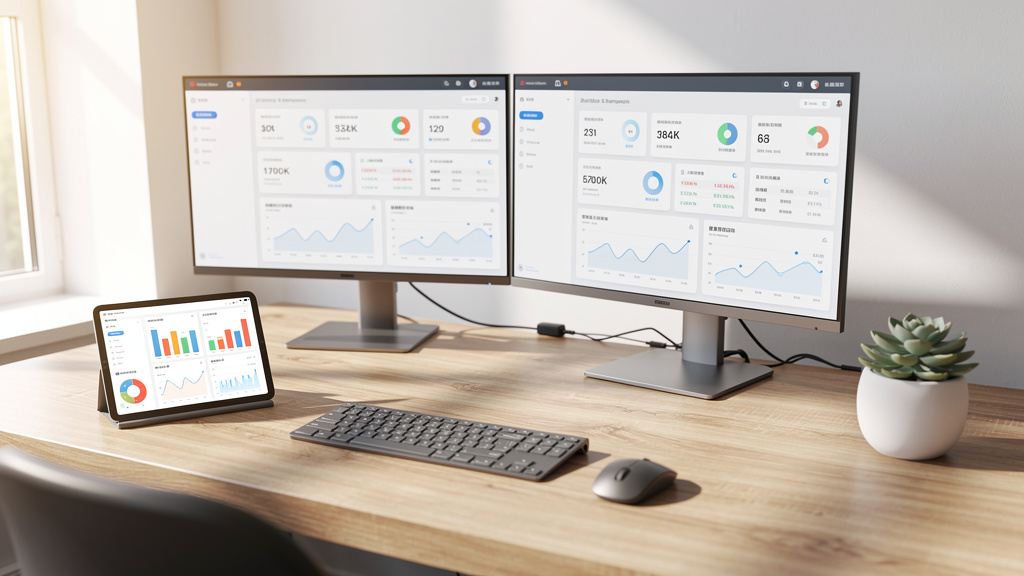
Once you understand the main strategies, the next question is which tools to trust. The market is full of “AI‑powered” claims, so it helps to think in layers instead of brand names.
- Native automation inside ad platforms
Google, Meta, LinkedIn, and others offer their own bidding, targeting, and creative features. These plug into deep, proprietary data, so they often perform well within that platform. - Cross‑platform tools
These connect to multiple ad accounts and give you one place to manage rules, budgets, and reporting across channels. They shine when you split serious spend across search, social, and display. - Vertical‑specific tools
Commerce tools sync product feeds, stock, and prices into dynamic ads. Lead‑gen tools connect form fills to CRM and adjust bids or audiences based on deal quality. - Workflow and productivity automation
This is where VibeAutomateAI focuses. Even the best ad automation falls short if teams still chase approvals via email, paste numbers into decks by hand, or lose context in chat threads.
Choosing your stack comes down to budget, team size, and complexity. Smaller teams with one or two main channels often do well with platform‑native tools plus a light workflow layer. As spend and platforms grow, cross‑channel tools start to pay off.
Platform-Native Automation Options
Major ad platforms now ship with strong ad automation built in:
- Google Ads: Performance Max, Smart Campaigns, and automated rules across search, display, and video.
- Meta Ads: Advantage+ campaigns that blend placements, audiences, and creative combinations.
- LinkedIn Campaign Manager: Automated bidding and reach suggestions for B2B programs.
Benefits of staying native:
- Tight data integration and simple setup
- No extra subscription fees
- Access to internal signals third parties never see
Tradeoffs:
- Reporting split across dashboards
- Limited visibility into why algorithms make certain choices
- Harder cross‑channel coordination
For many advertisers—especially those early in ad automation—native tools are the safest starting point before adding more layers.
Cross-Platform Automation Platforms
Cross‑platform tools sit on top of multiple ad accounts and offer a shared view. Enterprise versions target very large brands and agencies, while mid‑market platforms focus on growing teams with solid multi‑channel spend.
Typical capabilities:
- Unified dashboards for Google, Meta, and others
- Shared rules applied across platforms
- Combined reporting with clear cost and revenue numbers
These tools make sense once:
- Monthly ad spend is high enough that an hour saved covers the license fee.
- Several channels feed the same funnel and must be judged together.
Main challenges:
- Tracking and attribution must be clean, or a combined view can mislead.
- Some vendors rely heavily on opaque models instead of clear, rule‑based setups.
When evaluating, look for transparent impact on ad automation and time savings that cover the cost within a few months.
Workflow and Productivity Automation for Ad Teams
Workflow automation is the layer many teams ignore, even though it shapes how well everything else runs. It does not replace ad automation inside platforms; it supports it.
Examples:
- Project boards that auto‑create tasks when a campaign brief is approved
- Time tracking that links hours to specific accounts and sprints
- Dashboards that refresh performance data on a schedule instead of manual exports
This is the space where VibeAutomateAI spends its energy: testing and explaining planning, tracking, management, and communication tools that help marketing and operations teams cut noise and focus on high‑impact work.
When campaign‑level ad automation and workflow automation run side by side:
- Campaigns react faster because alerts and approvals move smoothly.
- Tests run more often because setup is no longer a chore.
- Reporting shifts from a monthly scramble to a live view that guides decisions.
Think of productivity infrastructure as the base layer. Get that right, and every dollar invested in media has a better chance of pulling its weight.
Implementation Roadmap: From Manual to Automated in 90 Days
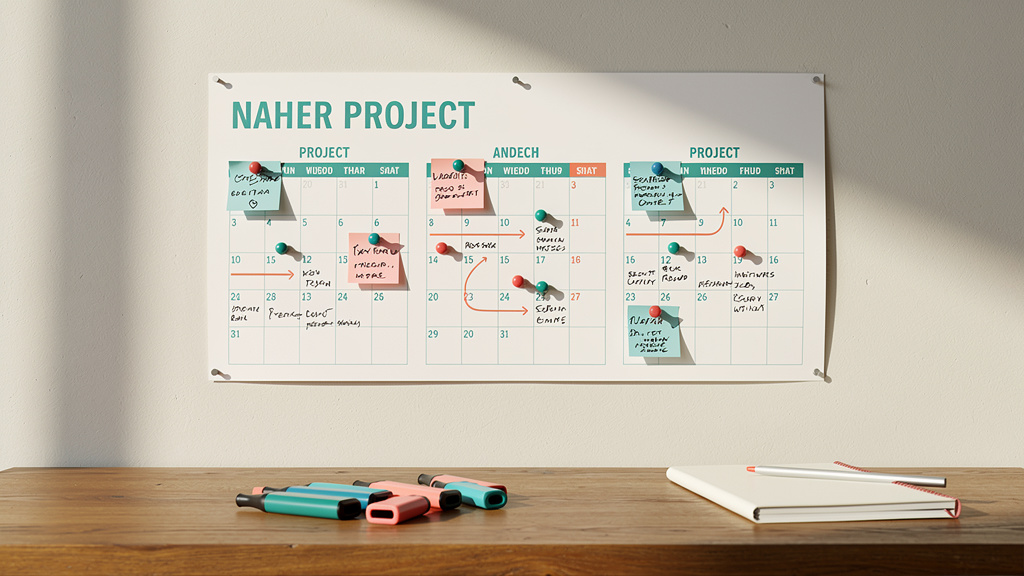
Moving from manual control to serious ad automation does not have to be risky. With a clear plan and tight feedback loops, most teams can make real progress in about 90 days using three phases: Assess, Pilot, Scale.
Phase 1 (Days 1–30): Assess
- Map how campaigns are created, monitored, and reported.
- Audit tracking, naming, and current performance (CPA, ROAS, time spent per account).
- Rank automation opportunities by impact and safety—e.g., smart bidding on evergreen campaigns, automated reports, or basic alert rules.
Phase 2 (Days 31–60): Pilot
- Pick a small set of steady campaigns with clear goals.
- Apply ad automation in a controlled way (Target CPA on one search campaign, a dynamic retargeting flow, automated weekly reports).
- Review weekly: watch results and team workload, then tweak rules or targets.
“Without data, you’re just another person with an opinion.” — W. Edwards Deming
Phase 3 (Days 61–90): Scale
- Expand winning pilots to more campaigns, products, or regions.
- Wire automation into workflows (alerts into chat channels, approvals tied to project boards).
- Keep at least one manual benchmark campaign per key area to compare against automated ones.
Across all phases, change management matters. People should know:
- Why ad automation is being added
- What will change in their day
- How success is measured
Short training sessions, shared dashboards, and written playbooks reduce fear and keep everyone aligned.
Common Automation Mistakes That Kill ROI (And How to Avoid Them)
Used well, ad automation boosts both performance and workload efficiency. Used poorly, it erodes money and trust. Most failures trace back to a few repeat mistakes:
- Switching too early: Turning on smart bidding for brand‑new or very low‑volume campaigns, then blaming tools for wild swings.
→ Build baseline performance first; move proven campaigns into full automation. - Unrealistic targets: Forcing CPA or ROAS targets far below current levels overnight.
→ Start near reality and tighten in steps while watching how algorithms react. - Account‑wide flips: Moving every campaign to new settings at once.
→ Test changes on a small group of campaigns, then roll out in waves. - Ignoring learning periods: Making big edits before systems settle, constantly resetting learning.
→ Plan changes, let them run a full cycle, then adjust only if numbers stay off‑target. - “Set and forget” thinking: Assuming automation will fix everything.
→ Run weekly or biweekly reviews of search terms, audiences, and creative. Humans still guard the steering wheel. - Bad or missing data: Broken conversion tracking or missing offline revenue leads algorithms astray.
→ Audit tags, events, and CRM links regularly. When in doubt, run clean A/B tests comparing manual vs. automated setups. - Stale creative: Even the sharpest targeting cannot save tired ads.
→ Watch frequency, CTR, and conversion rates for fatigue. Keep a simple creative refresh calendar and an organized asset library.
Measuring Success: KPIs That Actually Matter for Automated Campaigns

When ad automation takes over button‑pressing, your scorecard needs to evolve. You still care about leads, sales, and revenue, but you should also track how efficiently humans and machines work together.
Key metrics include:
- Efficiency ratio: Results vs. hours of human effort. If you get the same revenue from half the manual work, that is progress—even before ROAS improves.
- CPA and ROAS trends: Track over several weeks, not days, since automated systems need time to adjust.
- Time‑to‑optimization: How long it takes a new campaign to reach stable, acceptable performance under automation.
Secondary but valuable:
- Test velocity: How many creative, audience, or bid experiments run each month.
- Budget utilization: How much of planned spend actually reaches target audiences instead of sitting unspent or going to weak segments.
- Error reduction: Fewer broken links, wrong locations, or disapproved ads.
“The goal is to turn data into information, and information into insight.” — Carly Fiorina
During the switch to ad automation, some numbers may look odd for a short stretch. For example, cost per click may rise while CPA falls if the system finds better traffic. Clear communication with stakeholders about these patterns prevents panic.
To prove that automation is doing more than riding normal trends:
- Run holdout tests where similar campaigns or regions stay manual.
- Compare performance and workload of manual vs. automated groups.
- Use those differences to decide what to scale next.
The Future of Ad Automation: What’s Coming Next
Ad automation has already reshaped how media is run, and the next wave will push deeper into planning, creative, and cross‑channel decisions.
Trends to watch:
- Predictive budget allocation: Systems will project where the next dollar is most likely to hit goals and move spend almost in real time, making manual pacing less practical at scale.
- Privacy‑first targeting: With third‑party cookies fading, automation will lean more on first‑party data and contextual signals—CRM events, on‑site behavior, store systems, and page topics—while keeping personal details protected.
- Generative creative support: AI tools can draft copy and image concepts from prompts. Tied to ad automation, they may suggest new variants when performance dips, then feed them straight into structured tests. Humans keep control of brand and guardrails; machines help with volume and speed.
- Conversational assistants: Marketers will increasingly talk through plans with AI assistants that configure campaigns, tests, and reporting structures, while automated checks watch brand safety and compliance.
- Smarter attribution: As data pipes mature, automation will focus less on last‑click wins and more on the touch‑mix that drives long‑term value.
Some of this is ready for daily use; some is still noisy. The safest stance is to test new ad automation capabilities when they support clear needs and when your data and workflow basics are solid.
Conclusion
The gap between teams that thrive with ad automation and those that struggle is growing. With more signals, more channels, and faster auctions, running everything by hand is no longer a badge of honor—it is a hidden tax on results and on people.
Winning with automation does not mean removing humans from the loop. It means moving their focus from clicks and sliders to goals, offers, and market insight. The marketers who multiply ROI let machines handle repetitive, rules‑based work while they think, plan, and create.
That shift takes more than flipping a few smart‑bidding switches. It needs clean data, careful pilots, and a workflow setup that keeps approvals, tasks, and reporting under control. When ad automation inside platforms runs on top of strong productivity systems, the whole engine runs smoother.
This is where VibeAutomateAI comes in. Our work centers on testing and explaining the tools that keep teams organized and focused, so they can get full value from automation instead of drowning in it. We look at what holds up in real production use—not just in marketing decks.
Your next step is practical: use the 90‑day roadmap, pick the highest‑impact and lowest‑risk areas to automate, and measure both performance and time saved. From there, refine, expand, and keep tuning your stack. Automation is not a one‑time project; it is a steady practice that, done well, turns long nights in dashboards into clear, steady growth.
FAQs
Question: How Much Ad Spend Do I Need Before Automation Makes Sense?
For most platforms, ad automation starts to pay off around $1,000+ per month per channel. The more important factor is conversion volume, not just spend. Aim for at least 30–50 meaningful conversions per month for each key campaign so algorithms have enough data to learn from. For very small, stable campaigns with low volume, careful manual management can still work well.
Question: Will Automation Replace the Need for Marketing Strategists?
No. Ad automation replaces repetitive execution, not thinking. It moves work from constant bid and budget tweaks into systems that react on their own. Human strategists still choose targets, offers, audiences, and creative angles. The skill shift is from button‑pressing to designing, monitoring, and guiding automation. Top marketers use the saved time to test sharper positioning, new funnels, and bigger experiments that machines cannot plan alone.
Question: How Long Does It Take to See ROI From Ad Automation?
Most platforms need a learning period of about 7–14 days after you turn on serious ad automation. Measurable gains in CPA and ROAS often appear within 30–45 days if tracking and data are solid. Full optimization for a stable program can take 60–90 days. Early signs of success include steadier performance, fewer manual tasks, and more tests running without chaos, even before headline metrics peak.
Question: Can I Use Ad Automation With a Limited Budget?
Yes, but you should move in stages. Start with native ad automation features that come built into platforms, such as smart bidding or simple rules, and pair them with light workflow automation. Focus on features that give the biggest lift for small budgets, like sharper targeting and basic bidding support. VibeAutomateAI offers guidance on productivity tools that help teams get more from every hour, no matter the media spend. Extra third‑party automation layers tend to make more sense once budgets and channel counts grow.
Question: What Happens If Automated Campaigns Underperform?
When ad automation underperforms, run a structured check:
- Confirm conversion tracking is accurate.
- Make sure goals are realistic for current performance.
- Verify that the learning period has finished.
Common causes include weak creative, too little data, or targets that are so strict they starve delivery. If performance stays poor after fixes, pause automation for that campaign and move back to manual or lightly assisted control while you reset. Keeping a manual benchmark campaign alive in each key area helps you see when automation is adding real value.
Question: How Do I Maintain Brand Safety With Automated Ads?
Brand safety with ad automation starts with strong placement settings and exclusion lists before you scale. Use built‑in brand safety tools and third‑party alerts to scan where ads appear and how they are worded. Balance reach with control by testing broader settings in small pilots before rolling them out. Run regular placement and search‑term reviews, even under automation, and adjust settings based on what you find.
Read more about 5-Minute Multi-Factor Authentication Setup: Secure Now!
[…] 25 minutes ago 21 min read […]