

Introduction
Picture this. It is the end of the month, the inbox is full of update requests, and a blank slide deck is staring back. We have spreadsheets open in one window, an analytics tab in another, and a half-finished report in a third. By the time the report is ready, three to five hours have vanished and decisions are already waiting in line — this is exactly where an AI report generator could save time and streamline the process.
We see this pattern again and again. Manual reporting turns smart people into copy‑paste machines. Data is there, but collecting it, formatting it, and turning it into a clear story takes far too long. One decent sales update or marketing recap can eat half a day. That is time that could go into clients, strategy, or product work instead.
This is where an AI report generator changes the game. Instead of starting from a blank page, we give the tool a prompt or connect our data. In minutes, it creates a polished draft with charts, structure, and clean wording. Anyone, even without technical skills, can ship professional, data‑driven reports much faster. Many teams first try a free AI report generator plan to see how well it fits their reporting needs before moving to paid tiers.
In this guide, we walk through what an AI report generator is, how it works, which features really matter, and how to plug it into a real workflow—similar to how specialized 7 Best AI Document generation tools have transformed document creation across industries. We also share prompt formulas, example use cases, and best practices for getting real business value, not just a cool demo. At VibeAutomateAI, we do not sell a generator of our own. Instead, we act as a hands‑on guide to help teams pick the right tools, connect them to their data, and build reporting systems that actually stick.
Key Takeaways: What Every AI Report Generator User Should Know
- An AI report generator can cut reporting time by around ninety percent. Hours of copy‑paste work shrink to a few minutes of review. That shift gives teams back whole days each month.
- These tools bring data together, write the first draft, and handle layout and design. We move from wrestling with formatting to focusing on clear insights and smart next steps.
- Interactive AI‑built reports keep readers engaged much longer than static files. They often see around seventy percent higher engagement and far more reports read from start to finish.
- The strongest platforms combine data integrations, templates, brand automation, and real‑time analytics. That mix turns reporting into a repeatable, reliable process across the whole team.
- Good results still depend on clear prompts, solid data, and human review. We treat AI as the heavy lifter, while people check accuracy, polish the story, and approve what goes out.
“Without data, you’re just another person with an opinion.” — W. Edwards Deming
What Is an AI Report Generator and How Does It Work?

An AI report generator is software that turns raw information and simple instructions into complete reports with text, visuals, and structure. Instead of building every slide and paragraph by hand, we describe what we need, connect data sources, and let the tool produce a full draft for us. The goal is simple: take the manual grind out of reporting while keeping insight quality high.
Under the hood, several types of AI work together:
- Natural language processing (NLP) helps the tool understand our prompts and any reference documents we provide.
- Machine learning models look for patterns in our data, such as trends in revenue or changes in engagement.
- Generative AI then writes explanations, headlines, and summaries in plain language.
- Design engines arrange charts and layouts so the report is readable and clear.
The workflow usually follows four clear steps:
- Define the objective and scope.
We decide who the report is for, what questions it should answer, and which data sets it should use. This is also when we connect tools like a CRM, analytics dashboard, or spreadsheets, or upload PDFs and notes the AI can read. - Let the AI build a draft.
The AI report generator creates sections, adds charts, and writes commentary around the numbers based on our instructions and data sources. - Review and customize.
We step in to adjust. We review the draft, change the tone, add context only humans in the business know, and fine‑tune visuals. Some tools support chat‑style editing, so we can say things like “make this section shorter” or “explain this for executives.” - Publish and track.
Reports can go out as PDFs, slide decks, or live links that record views and clicks. Over time, these stats show what people actually read.
The biggest shift is where our time goes. Instead of spending hours on layout and copy‑paste, we spend minutes reviewing and interpreting. That is why we see AI report generators as core business infrastructure, not a nice extra. They free space for higher‑level thinking while keeping reporting steady and accurate.
Key Benefits of Using AI Report Generator for Your Business

The first, and most visible, benefit of an AI report generator is time. For many teams, a decent report takes three to five hours. By automating data pulls, layout, and first‑draft writing, we regularly see that time drop to fifteen or twenty minutes. When a manager produces several reports a week, that shift easily returns ten or more hours back into the calendar.
Those hours matter. Instead of copying numbers from spreadsheets, people can talk with customers, plan campaigns, or refine offers. In small businesses and lean teams, extra time often means faster deals closed or projects finished sooner. When we map this across a month for an entire team, the regained time alone often justifies the cost of a paid AI report generator plan.
The second major benefit is engagement. Static PDFs are easy to ignore. Modern AI tools can build interactive reports with scrolling sections, clickable charts, and clear navigation. Data from leading platforms shows that these formats can drive around seventy percent higher reader engagement, forty‑plus percent more reports read in full, and noticeably longer reading time. When leadership or clients actually read the details, decisions improve.
Personalization is the third big win. Connecting an AI report generator to a CRM or database lets us produce hundreds of customized client or department reports in one run. The tool can swap in each person’s name, region, metrics, and industry examples without extra manual work. What once required a full team of analysts can now be done by one person supervising an automated batch.
Brand consistency is another area where AI shines. Many generators include brand kits that store colors, fonts, and logos, then apply them across every report. We no longer worry about off‑brand charts or slides. Everything lines up with the rest of our materials, which keeps communication looking professional without design skills.
Quality also improves. Built‑in checks catch grammar slips, awkward phrasing, and inconsistent formatting. Templates give reports a solid structure, so sections appear in a logical order and nothing vital is missed. AI suggestions help break writer’s block, which keeps projects moving even when the team is tired or busy.
Many vendors offer a free AI report generator tier with limits on volume or branding. That is often enough for early trials and simple reports. As usage grows and more teams rely on the tool, paid plans add the scale, controls, and analytics most organizations expect.
At VibeAutomateAI, we help organizations reach these benefits faster. We compare tools, map them to specific reporting needs, and design workflows that match each team’s size and skill level. That way, the AI report generator does not become another unused subscription, but a working part of everyday operations.
Essential Features to Look For in an AI Report Generator
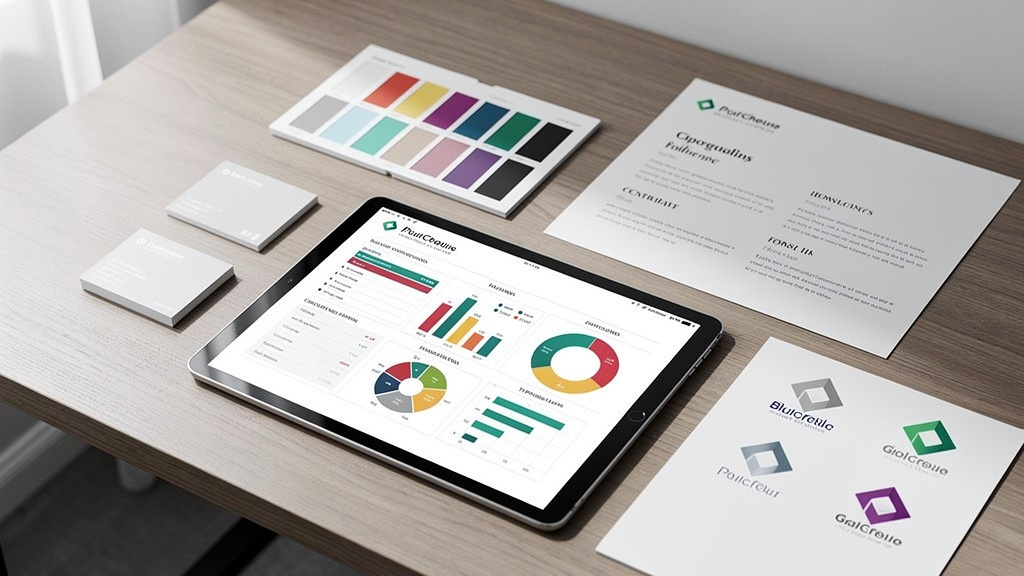
Not every AI report generator offers the same depth or ease of use. When we help teams pick a tool, we look for a specific set of features that keep reporting fast, flexible, and safe. Starting with the right foundation saves a lot of pain later.
Key features we focus on include:
- Strong AI generation
The tool should be able to create a complete report from a simple, clear prompt, not just short snippets. It should also help rewrite, shorten, or expand sections on request, and adjust tone from informal to executive as needed. When this engine is strong, the draft feels close to something a human writer would prepare. - Data integrations
The best platforms connect smoothly to CRMs, analytics tools, data warehouses, and cloud storage. They should pull in fresh data from sources such as Salesforce‑style systems, web analytics, and spreadsheets without clumsy exports and imports. When integrations are solid, reports stay current with almost no manual input. - Template libraries
Ready‑made layouts for marketing, sales, finance, HR, and project updates give teams a head start. Good templates cover structure, not just design, with sections for goals, insights, and actions. Over time, teams can adapt these templates to match their standard way of reporting. - Interactive content
A strong AI report generator lets us insert charts that readers can explore, along with videos, forms, or embedded dashboards. This turns reports from static files into living documents that encourage clicks and follow‑up. - Brand automation
The tool should store brand colors, fonts, logos, and preferred styles, then apply them automatically. Bonus points if it can generate matching icons or illustrations from text prompts, so visuals feel aligned with the rest of the brand. - Flexible export options
Export needs to fit daily work. We look for smooth export to PDF, Word, Excel, and PowerPoint, plus the option to share a live link. That covers offline and online use, and lets each stakeholder view reports in the format they prefer. - Analytics and tracking
A modern AI report generator should show who opened a report, which sections they read, and where they dropped off. These insights guide improvements in future reports and highlight which content people care about. - Collaboration tools
Real‑time co‑editing, version history, approvals, and shared asset libraries make it easier to keep everyone on the same page. This is especially helpful for agencies, distributed teams, or any group where several people revise one report. - Security and compliance
Features such as data encryption, SOC 2 or ISO‑style standards, SSO options, and GDPR support matter when reports include revenue, health, or personal data. We always treat this as a non‑negotiable area.
VibeAutomateAI reviews AI report generators through this full checklist. We test how each tool behaves with real business cases, then recommend options that match a client’s stack, budget, and risk level.
AI Report Generator: Step-by-Step Guide to Creating Effective Reports
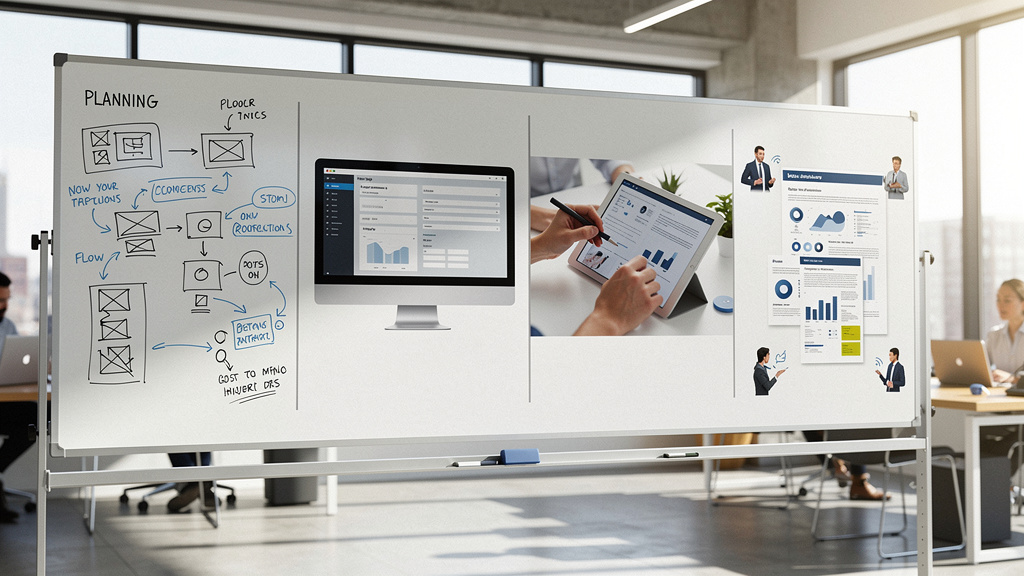
Once a team picks an AI report generator, the next step is building a repeatable process around it. A clear sequence keeps quality high and makes it easier for others to join in. We usually split the work into four main stages.
- Set the objective and scope.
We decide who needs the report, what they must learn from it, and how often it will go out. We name key metrics such as revenue, leads, churn, or delivery times. At this point, we also connect the right data sources, whether that is a CRM, analytics platform, or a set of spreadsheets or documents. The clearer this step is, the better the AI output becomes. - Generate the draft.
Depending on the case, we either write a detailed prompt, start from a template, or have the AI build from existing content. For example, we might say “create a monthly sales performance report for the US team” and specify the date range and fields. Within minutes, the AI report generator returns a structured document with text and visuals. - Review and refine.
We read through the draft, check numbers against source data, and adjust language to match our brand voice. This is also when we add interactive elements, replace generic charts with better ones, and adjust layout to line up with how our leaders or clients prefer to read. We treat the AI output as a first draft, not a final product. - Share, track, and learn.
We choose the right format for each audience, whether that is an attached PDF, a slide deck, or a live link with analytics. Then we watch the engagement data. Over time, these insights show which sections people ignore, which visuals help, and where we should simplify.
At VibeAutomateAI, we wrap this process in checklists and templates so teams do not need to figure it out from scratch. Our focus is on repeatable workflows with clear human review points, rather than one‑off experiments that no one can maintain.
Writing Powerful Prompts for AI Report Generation
Good prompts are the secret sauce behind any strong AI report generator result. When our input is vague, the output feels generic. When our input is clear and detailed, the report is sharper, closer to what a skilled analyst would prepare. We teach teams to think of prompts as mini briefings.
When writing prompts, we focus on five parts:
- Report type.
Instead of asking for “a report,” we say “quarterly sales performance report,” “annual marketing ROI analysis,” or “weekly operations dashboard.” This tells the AI report generator what shape the document should take. - Metrics and data points.
We spell out the numbers we care about. For example, we might request revenue by product line, top five products, new customers added, customer acquisition cost, and churn rate. For a marketing report, we could request impressions, clicks, conversions, and cost per lead across main channels. The more specific we are, the less guesswork the AI has to do. - Time frame.
We clearly state “for Q3 2024,” “for the last thirty days,” or “for the week ending October 26.” That way, the AI report generator knows exactly which period to cover when pulling numbers or summarizing trends. - Audience and tone.
We tell the tool if the report is for executives, front‑line staff, or clients, and we specify whether the style should be formal, casual, or focused on high‑level highlights. Reports for leadership might call for short sections with clear actions, while internal team reports can go deeper into detail. - Structure and visuals.
We can suggest that we want a section for summary, a section for insights, a section for recommendations, and specific charts like trend lines, bar charts by region, or a pie chart for channel mix.
Here are three quick prompt examples:
- Weekly sales report:
Ask for a weekly sales performance report for a certain region, listing total revenue, top ten deals, win rate, key pipeline movements, and a short action list for the next week. - Annual marketing analysis:
Request an overview of all campaigns in the year, with focus on spend, leads, sales, and profit by channel, plus three data‑backed suggestions for budget shifts next year. - Customer satisfaction review:
Request a quarterly report that covers survey scores, response rates, common feedback themes, and suggested fixes sorted by impact and effort.
At VibeAutomateAI, we build and share prompt libraries like these so teams start with proven patterns instead of trial and error. Over time, each company refines them further as they learn what works best for their data and culture.
Common Types of Business Reports You Can Automate With AI

One pleasant surprise with an AI report generator is just how many report types it can cover. Once data connections and templates are in place, many parts of the business can move away from manual report building.
Common examples include:
- Marketing reports
Marketing teams can automate social media performance summaries, campaign ROI reviews, content dashboards, and even competitor activity recaps—while research-focused teams increasingly rely on Elicit: AI for scientific literature reviews and data synthesis. The AI report generator pulls numbers from tracking tools, then writes commentary on which channels or pieces are winning and which need attention. This keeps marketers focused on ideas and experiments, not spreadsheets. - Sales reports
Sales teams can rely on AI for weekly pipeline reviews, monthly revenue summaries, and territory comparisons. The tool can highlight top performers, at‑risk deals, and trends in deal size or sales cycle length. It can also produce client‑ready updates that reps can send before check‑in calls. - Finance and operations reports
Finance and operations groups can use AI for quarterly financial statements, expense summaries, inventory reports, and daily logistics updates, while academic and research teams benefit from tools like ResearchRabbit: AI Tool for literature analysis and citation management. The AI report generator can turn dense tables into graphs and plain‑language explanations that non‑finance stakeholders understand. - HR and people reports
HR and people teams can create consistent performance review packets, training completion dashboards, recruitment funnel reports, and policy incident summaries. - Project and delivery reports
Project managers can produce status updates, milestone dashboards, resource allocation views, and retrospectives after delivery, while researchers use platforms like Paper Digest – AI-Powered research tools to generate summaries of academic papers and technical reports. - Executive and board reports
Leaders and boards can benefit from executive dashboards that combine sales, marketing, finance, and operations metrics into one view. Nonprofits can share donor impact reports, program outcome summaries, and yearly community updates generated by the same core system.
At VibeAutomateAI, we often start pilots with just two or three of these report types, then expand as teams see the gains. One tool, used well, can support nearly every department.
Best Practices for Implementing AI Report Generators in Your Workflow
Picking an AI report generator is only half the story. The other half is rolling it out in a way that people trust and actually use. Over many projects, we have seen a few practices make the difference between a one‑time test and a lasting change.
“In God we trust; all others must bring data.” — W. Edwards Deming
Here are practices we rely on:
- Start with a focused pilot.
Instead of trying to automate every report at once, we pick two or three high‑volume, repetitive reports such as weekly sales and monthly marketing. This keeps scope small enough to manage, while still proving value quickly. - Agree on data quality.
We help teams agree on which systems act as the single source of truth for each metric. Basic validation checks and simple naming rules avoid confusion. When the AI report generator pulls from clean, agreed‑upon sources, trust in the output grows much faster. - Keep human review in the loop.
We design workflows where a person always checks key numbers, insights, and recommendations before reports go out. This is not about second‑guessing the AI. It is about combining machine speed with human context and judgment. - Build template and prompt libraries.
By saving winning layouts and prompts, the team avoids reinventing the wheel for every report. This brings consistency for readers and speeds up work for creators. - Provide training and support.
Short, hands‑on sessions using real company data help people see the benefits for their own tasks. We also help leaders set clear expectations, so staff know when and how to use the AI report generator. - Measure impact.
We track time saved per report, error rates, and reader engagement. These numbers show whether the new process is working and give leaders evidence for expanding AI use.
VibeAutomateAI wraps all of this in an eight‑step rollout framework, from pilot design through scaling. Our goal is simple: turn AI reporting from a side experiment into a stable, trusted part of everyday work.
Conclusion
Manual reporting drains time and energy from teams that already have plenty on their plate. An AI report generator flips that pattern. Instead of spending hours piecing together numbers, charts, and paragraphs, we let AI build the first version and spend our time on review, insight, and action.
This shift is no longer limited to large enterprises with big data teams. With the right tools and guidance, small businesses, solo operators, and lean departments can work at a level that once needed full reporting staffs. Faster reports and clearer insights lead to quicker, better decisions, which adds up over months and years.
Success does not come from a tool alone, though. It comes from choosing a generator that fits our stack, connecting solid data sources, writing clear prompts, and keeping human review in the loop. With that structure in place, AI reporting becomes a steady advantage rather than a risky experiment.
At VibeAutomateAI, we help organizations walk this path with less guesswork. We compare tools, map integrations, share prompt and template libraries, and guide pilot programs that prove value early. The future of reporting is already here. The real question is whether we use it to move ahead or watch competitors move faster while we stay in manual mode.
FAQs
Can I Customize the Reports Generated by AI?
Yes, AI‑generated reports are meant to be edited. The AI report generator gives us a strong starting point, and we change wording, reorder sections, and fine‑tune charts to match our needs. We can also adjust branding, swap in different visuals, and add extra context before sharing.
How Accurate Are AI-Generated Reports?
Accuracy depends mainly on data quality and workflow design. When an AI report generator pulls from clean, validated systems, it can reach very high accuracy for numbers and basic summaries. At VibeAutomateAI, we still build review steps where humans check key figures and conclusions, so strategy and final decisions stay in human hands.
Are AI Report Generators Secure for Sensitive Business Data?
Serious platforms treat security as a core requirement. A good AI report generator uses strong encryption for data in transit and at rest, supports industry standards such as SOC‑style controls and GDPR rules, and offers SSO options plus role‑based access. We help clients review these features and set internal data rules, which is especially important in finance, health, and other regulated fields.
How Much Do AI Report Generators Cost?
Most AI report generator tools follow a tiered pricing model. Many offer a free tier or trial with limits on report volume, branding, or analytics. Paid plans, often in the tens of dollars per user each month, add bulk generation, deeper customization, collaboration, and better tracking. We often see that even modest plans pay for themselves once teams save ten or more hours per month. VibeAutomateAI provides simple worksheets to help estimate payback for each team.
Can AI Report Generators Integrate With My Existing Tools?
Yes, modern platforms are built with integrations in mind. A strong AI report generator can connect to CRMs, analytics tools, cloud drives, and other core systems, often through direct connectors or APIs. Some also work with middleware such as Zapier‑style hubs for custom flows. At VibeAutomateAI, we map these connections so data moves cleanly between your current stack and the new reporting setup.
Read more about Ai Document Automation: Ultimate Hack You Need
[…] Read more about AI Report Generator: The Best Free Tool for 2026 […]
[…] Read more about Workflow Optimization for Lean Teams: A Complete Guide to Success […]