

Introduction
Picture this. It is 2 AM, a critical server starts behaving erratically, and your phone lights up with a flood of alerts. The on-call analyst is asleep, the team chat is quiet, and valuable minutes slip away while the threat moves across the network. In that moment, the limits of a manual incident response plan become painfully clear. That is exactly where automated incident response changes the story.
Instead of waiting for someone to log in and piece things together, automated incident response uses rules, orchestration, and AI agents to watch your environment, connect the dots, and take smart action in seconds. It can isolate a suspicious endpoint, block a malicious IP, start forensic collection, and notify the right people while humans are still waking up. The response moves at machine speed, around the clock.
Modern teams drown in alerts. Large organizations see ten thousand or more per day, and each one can take ten to forty minutes to check by hand. alert fatigue sets in, burnout follows, and real threats hide inside the noise. Research from IBM shows that organizations with full security automation cut breach costs by more than sixty percent. That is not a small improvement; it is the difference between a contained event and a headline incident.
VibeAutomateAI exists to make this shift practical. Instead of vague talk about AI, it breaks the work down into clear playbooks, no-code workflows, and AI agents that plug into the tools you already use.
By the end of this guide, you will understand what automated incident response is, how the six-stage framework works, which technologies matter, and seven proven strategies you can start using. With that roadmap, you can cut mean time to respond, reduce false positives, and move closer to resilient, semi-autonomous security operations.
Key Takeaways
-
Automated incident response cuts detection and response times by a large margin, because it monitors, enriches, and acts on threats every hour of every day. This reduces the window attackers have to move. It also keeps your team from firefighting the same simple incidents over and over.
-
Organizations that invest in full automation see far lower breach costs, since incidents are contained faster and impact fewer systems. Shorter dwell time means less data loss and downtime. Financial risk and stress on leadership both drop as a result.
-
Effective programs follow a clear six-stage loop that runs from detection through post-incident review. When you treat it as a cycle, every incident feeds new insight back into your rules and playbooks. Over time, the whole system becomes sharper and more reliable.
-
Success depends on more than a tool. You need clear playbooks, strong integrations, careful guardrails, and a mindset of workflow optimization. VibeAutomateAI helps with all of that through no-code automation, expert-vetted playbooks, and AI assistants that refine your workflows.
As NIST SP 800-61 notes, having automated mechanisms wired into incident handling can significantly improve both speed and accuracy during a security event.
What Is Automated Incident Response? Moving Beyond Manual Security Operations
Automated incident response is the use of software, orchestration, and AI models to detect, analyze, and remediate security incidents with minimal human effort. Instead of a person reviewing every alert and deciding what to do, you define rules and playbooks that the platform follows in real time. It watches logs, network traffic, endpoints, and cloud services, then takes action when certain conditions appear.
Traditional manual response depends on analysts to stitch data together from several consoles, decide on impact, and carry out steps such as blocking, isolating, or restoring. That approach is slow, inconsistent, and limited by human attention. During a surge of alerts, important signals are easy to miss, and even skilled analysts can make mistakes when pressure is high.
Automated incident response treats security operations more like a factory line:
- Detection feeds triage
- Triage feeds decision
- Decision triggers standard actions
- Every step is logged and reviewable
The system can run dozens or hundreds of incidents at once, something no human team can match. Just as important, it does not stop at quick fixes. A mature setup gathers data for review, supports root cause analysis, and feeds lessons learned back into playbooks and monitoring rules.
Think of it as essential infrastructure for your security program rather than an optional add-on. The comparison below highlights the difference.
| Aspect | Manual Incident Response | Automated Incident Response |
|---|---|---|
| Speed | Minutes or hours per incident | Seconds for detection and first actions |
| Consistency | Varies by analyst and time of day | Standard playbooks applied the same way every time |
| Scale | Limited by team size and shift coverage | Handles many incidents at once |
| Human error risk | High during busy or stressful periods | Lower, since repeatable steps run the same way on every incident |
Why Automated Incident Response Is No Longer Optional: The Security Imperative
Attackers move faster and use more advanced tactics than ever before. Research from Check Point showed a jump of almost thirty percent in global attacks in a single year, and that trend has not slowed. At the same time, your environment keeps growing with cloud security, remote work, and new apps, which means more places to watch and more ways to attack.
Alert volume is a big part of the problem. A large organization can see tens of thousands of security alerts every day. If each one needs ten to forty minutes of manual review, there is no way a human team can keep up. Analysts become numb to constant alarms, a condition often called alert fatigue, and important signals slip past because everything blurs together.
The human cost is heavy. Reports from incident response teams show that roughly two-thirds of practitioners feel burned out and have thought about leaving their roles. At the same time, there is a shortage of skilled staff, so hiring more people is difficult and expensive. Manual processes stretch teams thin, extend dwell time for threats, and raise the chance of an expensive breach that damages trust and operations.
Automation does not replace analysts; it supports them. When automated incident response takes over repetitive checks, enrichment, and simple containment, humans can focus on complex investigations and longer term defense work. Faster, consistent response directly reduces downtime, data loss, and regulatory risk. VibeAutomateAI supports that shift with step-by-step implementation playbooks, so you can connect automation plans to business goals instead of chasing random scripts.
The SANS Institute often reminds teams that incident response is a process, not a single event. Automation makes that process repeatable, measurable, and far easier to improve over time.
How Automated Incident Response Works: The Complete Six-Stage Framework

At a high level, every automated incident response program follows the same pattern. Data flows in, alerts are refined, decisions are made, actions happen, and then you learn from the result. You can think of it as a six-stage loop that runs continuously rather than a one-off checklist.
Stage 1: Identification And Detection
In the first stage, your automation platform connects to SIEM tools, endpoint agents, firewall protection, cloud logs, identity systems, and threat intelligence feeds. It gathers this telemetry in real time and watches for signs of trouble, such as strange outbound connections, abnormal login patterns, or suspicious file activity. The platform acts like a central nervous system, sensing what is happening across your environment every second.
Stage 2: Triage, Analysis, And Enrichment
Once a possible issue appears, the system moves from raw alert to enriched context. It pulls asset details, user history, threat reputation scores, and vulnerability scanning related to the alert. AI and machine learning models then look for patterns that match known attack behaviors and estimate severity. This step filters out a large amount of noise, since low risk or false positive alerts can be closed automatically before they ever reach an analyst.
Stage 3: Decision And Prioritization
With context in place, the platform decides whether the event is worth action and how urgent it is. It weighs factors such as how critical the asset is, how confident the threat data appears, and whether similar cases have led to real incidents before. High risk items move to the top of the queue or trigger full automation, while lower priority cases can be grouped, delayed, or handled with lighter actions.
Stage 4: Containment
When the system confirms a real threat, the next move is to keep it from spreading. Playbooks define what should happen for different incident types. That might mean:
- Isolating an endpoint from the network
- Blocking a domain at the firewall
- Disabling a user account
- Moving a suspicious file into quarantine
Automation can perform these steps in seconds, which sharply limits the attacker’s window to move laterally across your network.
Stage 5: Remediation And Eradication
After containment, the focus shifts to cleaning up and returning systems to a safe state. The platform can start patch jobs, remove known malicious files, restore clean data from backups, and call rebuild scripts for damaged systems. It may also create tickets in your IT service platform so that infrastructure teams have everything they need to finish any manual recovery tasks. The aim is a thorough clean, not a quick bandage.
Stage 6: Post-Incident Analysis And System Hardening
The final stage closes the loop. Every action the system took is recorded, along with timing, outcomes, and related data. That record supports detailed reports for leaders, auditors, and compliance teams. More importantly, you can use it to run security audits, find weak points in processes or controls, and update playbooks and monitoring rules. Over time, this feedback loop makes your automated incident response sharper, leaner, and better aligned with the way your business actually works.
If you sketch this out, it looks like a circle rather than a straight line. Detection feeds triage, triage feeds action, action feeds learning, and learning updates how you detect and respond the next time.
Essential Technologies Powering Automated Incident Response

Strong automated incident response depends on the tools underneath it. No single product can see everything or act everywhere, so the key is how well your platform connects and coordinates across several core technologies.
Security Orchestration, Automation, And Response (SOAR) sits at the center. This is the engine that ties tools together, runs playbooks, and carries out actions. It usually works alongside a SIEM platform, which gathers and correlates logs from across your environment and passes high value alerts into your workflows.
Endpoint Detection And Response (EDR) tools watch what happens on laptops, servers, and other devices, so your automation can isolate hosts or kill processes when needed. Threat intelligence feeds supply reputation data about IP addresses, domains, and file hashes. AI and machine learning in security engines sit on top of this stream to score risk, find subtle patterns, and refine decisions over time. Case management features keep every incident, piece of evidence, and action in a single place. Communication and ticketing integrations connect your playbooks to tools such as Slack, Microsoft Teams, ServiceNow, and Jira so that people stay informed and manual work stays organized.
VibeAutomateAI focuses on making this whole stack workable without heavy coding. Its no-code platform offers many ready-made connectors and a flexible API, so you can plug in SIEM, EDR, identity, and ticketing tools quickly. That means you can move from high level plan to working automated incident response and measurable time savings in weeks, not long projects that stall.
Here is a simple view of how platforms differ.
| Feature | Traditional SOAR Platform | AI-Powered Platform Such As VibeAutomateAI |
|---|---|---|
| Playbook logic | Fixed rules set by admins | Rules plus adaptive recommendations from AI agents |
| Alert handling | Basic filtering and routing | Risk scoring, enrichment, and smart prioritization |
| Learning from incidents | Manual tuning by engineers | Continuous model updates based on outcomes |
| Setup effort | Heavy scripting and long projects | No-code builders and guided templates |
7 Proven Strategies To Implement Automated Incident Response Successfully
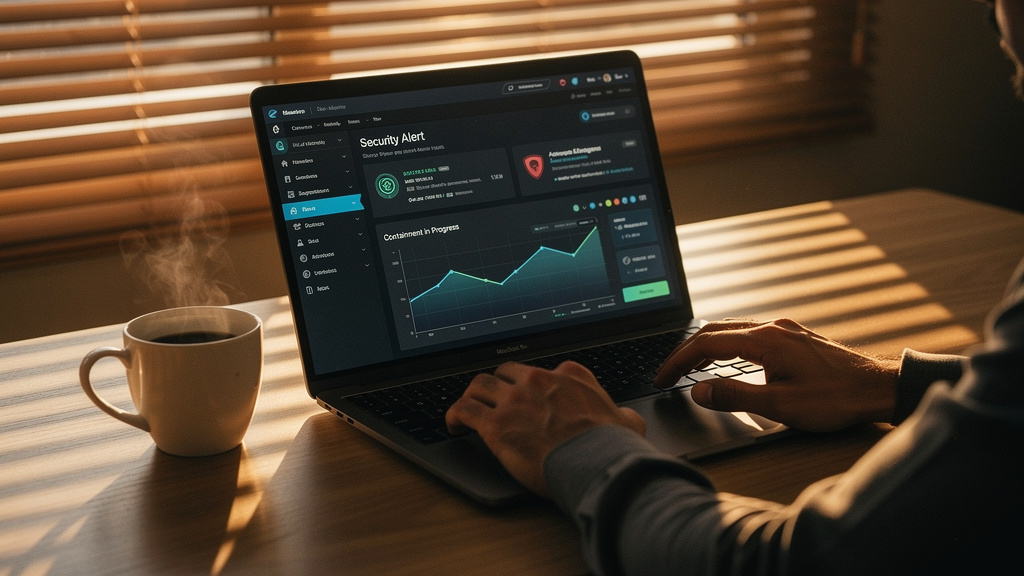
Tools on their own do not fix slow response or alert fatigue. Success with automated incident response comes from a practical rollout plan that starts small, proves value, and expands with clear guardrails. These seven strategies come from patterns that work across many teams and industries.
As one Fortune 500 CISO put it, “Our turning point was stopping heroic, one-off saves and starting to automate the boring, noisy work first.”
Strategy #1: Start With High-Volume, Low-Complexity Use Cases (And Use No-Code Platforms)
The easiest way to begin is to target task automation. Phishing reports, failed login alerts, and basic malware detections usually fit this pattern and often consume a large share of analyst time.
A practical starting point:
- List your top three incident types by volume
- Map each manual step from alert to closure
- Choose one use case with clear success metrics (for example, cutting phishing investigation time from twenty minutes to two)
With VibeAutomateAI, you can build this first workflow in a no-code builder, plug it into your email gateway and EDR tools, and go live within days. The result is a rapid drop in time spent on routine cases and a clear story to share with leaders about hours saved every week.
Strategy #2: Build Custom Playbooks For Your Own Environment
Generic playbooks from a vendor or training slide often miss important context in your environment. A production database, for example, cannot be isolated as lightly as a test server, and regulated data needs special handling.
Start by mapping your most important assets and rating how sensitive they are. Write down how much risk your organization accepts, what actions can run without approval, and where compliance rules such as HIPAA or PCI set hard limits. Then risk mitigation strategies so that it treats systems differently based on this map. VibeAutomateAI includes governance checklists that help with this mapping, so your automated incident response runs fast without breaking business processes or rules.
Strategy #3: Implement Continuous Enrichment And Threat Intelligence Integration
A raw alert often tells you very little. When your system sees an odd outbound connection, you need to know whether that IP is a harmless cloud service or a known command and control server.
To get there, configure your automation to enrich every alert with:
- Threat reputation
- Asset details
- User behavior history
- Recent vulnerability scan results
Pull this data through APIs from tools such as threat intel platforms, configuration databases, and UEBA systems. When every alert arrives with this context already attached, your playbooks can make better choices, false positives drop, and analysts get clearer timelines when they do step in.
Strategy #4: Deploy Layered Guardrails And Human-In-The-Loop Controls
A common fear with automated incident response is that one bad rule might take down a key system. You can reduce that risk by grouping actions into tiers based on impact.
For example:
- Low impact: Blocking a confirmed malicious IP or quarantining a known malware hash can run without human checks.
- Medium impact: Isolating a workstation might auto execute but still send instant notifications.
- High impact: Isolating a critical cluster or changing core identity groups should wait for explicit analyst approval.
VibeAutomateAI builds these guardrails into agent design, with strong role-based access, fine-grained permissions, and simple rollback options, so you gain speed without gambling with uptime.
Strategy #5: Establish Comprehensive Monitoring And Continuous Improvement
Automation is not something you set once and forget. Attackers change techniques, new tools enter your stack, and business priorities shift. Treat your automated incident response program as a living system that needs regular review.
Track metrics such as:
- Mean time to detect (MTTD)
- Mean time to respond (MTTR)
- Number of incidents handled without human help
- False positive rates
Hold brief weekly checks on these numbers, then deeper monthly reviews of playbooks and missed detections. After major incidents, run digital forensics that include both technical and process findings. Assign a clear owner for automation health so playbooks do not fall out of date.
Strategy #6: Use AI And Machine Learning For Adaptive Response
Rule-based playbooks handle known patterns well but struggle when attackers change small details to slip past static checks. AI and machine learning can close that gap by learning what normal looks like in your environment and flagging subtle shifts.
A staged approach works well:
- Start by using AI to score and rank alerts so that your team sees the highest risk items first.
- Expand to AI-assisted investigations where the system suggests likely root causes or next steps based on past incidents.
- Over time, allow models to recommend better playbook actions by watching how your analysts handle edge cases.
VibeAutomateAI includes AI assistants that scan your automation framework, point out weak spots, and propose updates, so your response improves without constant manual tuning.
Strategy #7: Prioritize Seamless Integration And API Connectivity
Automation is only as strong as the connections it has into your tools. If your platform cannot pull from SIEM, EDR, firewalls, cloud services, and ticketing systems, you end up with blind spots and manual copy and paste work.
When you evaluate platforms, ask about:
- Ready-made connectors for your top tools
- How they handle authentication and permissions
- Whether data can flow both ways through the API
Run a proof of concept that shows a single playbook collecting data from SIEM, checking threat intel, isolating with EDR, updating network security, and opening a ticket in your service desk. VibeAutomateAI offers many tested connectors and a clear API layer, which means you can reach this level of orchestration without a long integration project.
Real-World Use Cases: Automated Incident Response In Action

High level talk about frameworks is helpful, but it really clicks when you see automated incident response in real situations. The following examples show how a manual process that once took hours can shrink to minutes or seconds once automation is in place.
Use Case 1: Automated Phishing Response At Scale
In this scenario, an employee reports a phishing attack. Manually, an analyst would open the message, check headers, test links and attachments in a sandbox, search the mail platform for matching copies, delete them one by one, update block lists, and then document the case. That can take close to an hour, and many teams receive dozens of such reports every day.
With automated phishing response, the reported email is ingested automatically, links and files are checked, other copies are found and removed in one sweep, and blocks are updated across email and web gateways. The entire process finishes in a few minutes with no analyst time spent, and staff can focus on more complex threats.
Use Case 2: Ransomware Containment And Eradication
Here, an endpoint security detects rapid file encryption on a laptop, a strong sign of ransomware. In a manual setup, someone must notice the alert, isolate the machine, start forensics, and coordinate with IT for rebuilds, a process that can take valuable time.
With automated incident response in place, the alert triggers instant network isolation for that device, collection of memory and process data, and a temporary lock on the associated user account. The malware hash is pushed out to blocklists on all endpoints, and ticketing systems receive a full summary for follow-up rebuild work. Containment happens in seconds instead of minutes, which often stops the attack before it reaches shared drives or servers.
Use Case 3: Blocking Malicious Infrastructure Communication
In this case, your intrusion prevention systems outbound traffic to a suspicious IP. A manual response would involve checking threat intel, editing firewall rules, searching logs for other hosts that connected, and then isolating any affected systems.
An automated workflow does this in a tightly linked chain. The alert is enriched with multiple reputation feeds, the IP is confirmed as a command and control host, rules update across all firewalls, SIEM queries reveal past connections, and EDR isolates those endpoints as needed. Within a minute, the threat is cut off across the network, and you have a clear list of systems to inspect further.
Choosing The Right Automated Incident Response Platform: Essential Features
Once you decide to move ahead with automated incident response, choosing the right platform becomes one of the most important decisions. Marketing claims often sound the same, so it helps to use a concrete checklist rather than broad promises.
Must-Have Platform Capabilities
A strong platform should let your security team build and tune automation without living in code editors. A low-code or no-code playbook builder with drag-and-drop steps, clear conditions, and tested templates lets analysts express their knowledge directly. This shortens the time between idea and working workflow and reduces your dependence on scarce developer time.
automation pipelines is just as important. You want many ready-made connectors for common tools such as Splunk, Microsoft security products, major EDR vendors, and cloud platforms, along with an open API for homegrown systems. Without that range, you end up filling gaps with manual work or writing custom bridges for every new tool.
Dynamic case management turns the platform into a single system of record. Every alert, enrichment step, action, and note should live in one place where team members can collaborate, track progress, and satisfy audit needs. Custom dashboards and reporting views help you track metrics like mean time to respond and show executives clear trends over time rather than anecdotal stories.
Scale and resilience matter as your data grows. The platform should support millions of events per day without delays and offer strong availability and recovery options. Built-in AI governance take things further by ranking alerts, spotting patterns, and suggesting refinements to playbooks. VibeAutomateAI brings all these elements together, pairing strong integration, no-code design, and AI assistants so you can reach value quickly instead of wrestling with a heavy project.
A simple summary of platform levels looks like this.
| Capability | Basic SOAR Platform | AI-Powered Platform Such As VibeAutomateAI |
|---|---|---|
| Playbook creation | Manual, script heavy | Visual builder with guided templates |
| Integration coverage | Limited set of common tools | Broad connector set plus open API |
| Case management | Basic ticket tracking | Full timelines, evidence handling, and collaboration |
| AI features | Little or none | Alert scoring, pattern finding, and playbook advice |
Conclusion
Manual incident response cannot keep pace with the volume and speed of modern attacks. Human analysts will always play a central role, but when they spend most of their day checking repetitive alerts and doing copy and paste work, real risks slip by and burnout spreads. In contrast, teams that adopt automated incident response see faster containment, lower breach costs, and staff who can tackle more interesting work.
The data backs this up. Organizations with mature automation see mean time to respond fall by large percentages and total breach costs drop by more than half. They also gain better visibility and more consistent handling of incidents, because every case follows defined playbooks instead of ad hoc steps. Automation should not be seen as a one-time project but as an ongoing program that starts small, proves value, and grows in scope and sophistication.
The seven strategies in this guide give you a clear path forward. Start with high-volume, low-complexity use cases, build playbooks that respect your business context, add enrichment and guardrails, and then bring in AI for smarter triage and response. Along the way, keep a close eye on metrics and continue to refine what you automate.
At VibeAutomateAI, the focus is on turning these ideas into working systems. Its no-code platform, expert-vetted playbooks, and AI assistants help you move from concept to real automated incident response in a matter of weeks. If you begin by mapping your top three repetitive incident types and the manual steps they require, you already have the blueprint. The next step is to let automation handle the busywork so your team can protect what matters most.
FAQs
Question 1: How Long Does It Take To Implement Automated Incident Response?
The timeline depends on scope, team size, and platform choice, but it is much shorter than many expect. With a modern no-code platform, you can connect core tools such as SIEM, EDR, and firewalls within the first couple of weeks. During the next few weeks, you can design, test, and refine one or two priority playbooks, often starting with phishing response. The following months focus on adding more use cases and tuning AI models. Traditional, code-heavy projects can take most of a year, while VibeAutomateAI aims for real production automation in about one month. The key is to start with one high-impact use case instead of trying to automate everything at once.
Question 2: Will Automated Incident Response Replace Security Analysts?
No, automated incident response is not a replacement for security analysts. Instead, it shifts the balance of what they spend time on. Automation takes over the high-volume, repeatable tasks such as basic alert enrichment, standard containment steps, and routine notifications. That frees analysts to focus on complex threat hunting, deeper investigations, security architecture work, and training efforts. Many organizations find that job satisfaction goes up once automation is in place, because staff can do more interesting, higher value work. The better way to think about it is as a partnership where machines handle speed and scale while humans handle strategy and judgment.
Question 3: How Do I Make Sure Automated Responses Do Not Cause Business Disruption?
The safest approach is to build automation with clear risk tiers and guardrails. Low risk actions, such as blocking a known malicious IP or quarantining a verified malware hash, can run automatically. Medium risk actions, such as isolating a workstation, might still run on their own but send instant alerts so humans can review results. High risk actions, such as touching core production systems, should require explicit approval each time.
Before you move playbooks into full production, test them in a lab or against recorded data, and keep detailed logs so you can review what happened. VibeAutomateAI includes built-in controls, role-based access, and easy rollback features to keep your environment safe while you gain speed.
Question 4: What Is The ROI Of Automated Incident Response?
Return on investment comes from several angles. First, faster containment directly reduces data loss, downtime, and legal exposure, which can save large amounts of money when breaches occur. Second, you gain back analyst hours by cutting routine incident handling from tens of minutes to just a few, across many cases per day. That reclaimed time lets the same team handle more work without burnout or added headcount. Third, automated documentation and reporting reduce effort for audits and compliance checks. Many organizations see payback within a year, and large ones with high alert volume often see it even sooner. Tracking time saved per incident type is a simple way to show value to leadership.
Question 5: Can Small And Mid-Sized Businesses Benefit From Automated Incident Response?
Yes, small and mid-sized businesses can benefit greatly from automated incident response, sometimes even more than large enterprises. Smaller teams often face similar types of attacks but have fewer people to handle them. A cloud-based, no-code platform means you do not need a large infrastructure or in-house development team to get started. You can connect a focused set of tools, such as one SIEM, one EDR, and one ticketing system, then automate two or three high-volume use cases. Many smaller organizations see a sharp drop in alert handling load and gain enough breathing room to cover nights and weekends effectively. VibeAutomateAI is designed with this focused model in mind, so you can gain strong benefits without a complex stack.
Question 6: How Does AI-Powered Incident Response Differ From Traditional SOAR?
Traditional SOAR platforms run fixed playbooks using if-then rules. They are very good at repeatable tasks that have clear conditions but need constant manual updates when attackers change tactics or when your environment shifts. AI-powered incident response adds learning on top of this. Models study behavior over time, understand what normal looks like, and score alerts based on many contextual factors at once. This reduces false positives and helps surface the most important issues first.
Over time, AI can also suggest changes to playbooks based on what has worked well in past incidents. VibeAutomateAI blends classic orchestration with these AI features, so you get the reliability of structured workflows plus the flexibility of systems that improve as they see more data.
Read more on paloaltonetworks.com
[…] 3 days ago 24 min read […]