

Introduction
Every year, businesses throw away about 8 percent of their inventory, worth around 163 billion dollars. Some of that shows up as spoiled goods in a warehouse. Some of it hides as “missing” stock that only appears during a painful count. At the center of most of this waste sits one lever you can control: Automated Inventory Management. By handling inventory smartly with automation, you can reduce losses, prevent stock issues, and keep your business running smoothly.
If you still rely on spreadsheets, clipboards, and memory, you feel this every week. Overstock ties up cash you would rather spend on people or growth. Understock means stockouts, angry customers, and late-night “where did it go?” hunts. Manual updates lead to mismatched numbers between systems, and every mismatch chips away at trust inside the team.
Automated inventory management steps in as a smarter way to run stock. It uses barcode scanners, RFID tags, and connected software to track every movement in real time, trigger reorders, and spot problems before they hit customers. Instead of reacting to fires, you work with live data and clear alerts, so stock issues stop running the show.
In this guide, you see what automated inventory management really is, how it works behind the scenes, and how it fixes your biggest stock problems. You get a checklist of must-have features, a view of who benefits the most, and a practical plan to roll it out without chaos. Along the way, VibeAutomateAI steps in as your honest guide, cutting through marketing noise and pointing to what actually works in real inventory automation.
Key Takeaways on Automated Inventory Management
-
Automated inventory management cuts manual errors by a huge margin. It replaces key data entry with barcode or RFID scans, so your stock records start to match what sits on the shelf.
-
Real-time tracking ends stock surprises across channels. You see what you have, where it is, and what is selling fast, so you can fix issues before customers feel any pain.
-
Smart reordering rules keep stock in the sweet spot. You avoid cash frozen in slow items and lost sales from stockouts, improving both cash flow and storage costs.
-
Detailed reporting turns gut feel into data-backed planning. You see top sellers, slow movers, and supplier issues in clear numbers, which lets you adjust pricing, buying, and promos with confidence.
-
New tech such as AI, robotics, and IoT pushes inventory automation even further. These tools help predict demand and speed up physical work, so your operation stays ready for the next wave of change.
-
VibeAutomateAI helps you sort real value from empty claims. You get plain-spoken reviews, comparisons, and playbooks, so you choose automation tools that fit your business, not a vendor pitch.
What Is Automated Inventory Management And Why Does It Matter?
Automated inventory management is a way of running stock that leans on technology instead of manual effort. Barcode scanners, RFID tags, and connected inventory software track every item from receiving through picking, packing, shipping, and returns. The system holds live data for raw materials, work in progress, finished goods, and even simple consumables, across every site you manage.
Manual inventory work looks very different:
-
You update spreadsheets and paper forms.
-
You run periodic physical counts to catch up.
-
Staff type every sale, return, and transfer by hand.
Numbers lag behind reality, and different systems often disagree. As orders increase or you add new channels, small errors turn into big gaps that are hard to spot until something breaks.
Those gaps are not just annoying. Inaccurate stock levels cause canceled orders and backorders, which damage trust with customers and partners. Panic buying after a stockout leads to overstock, which eats cash, storage space, and insurance, and raises the chance that items expire or become obsolete. At the same time, your team spends hours counting, checking, and fixing data instead of focusing on quality, service, or process improvement.
Automated inventory management flips this from reactive to proactive. The system updates stock in real time, raises alerts when items fall below set points, and predicts demand based on history and seasonality. In a market where speed and reliability decide who wins, this is not a nice upgrade. It is a basic requirement if you want steady margins and happy customers at scale.
“Inventory is money sitting around in another form.”
— Rhonda Abrams, small business columnist
How Automated Inventory Management Systems Actually Work (Behind the Scenes)
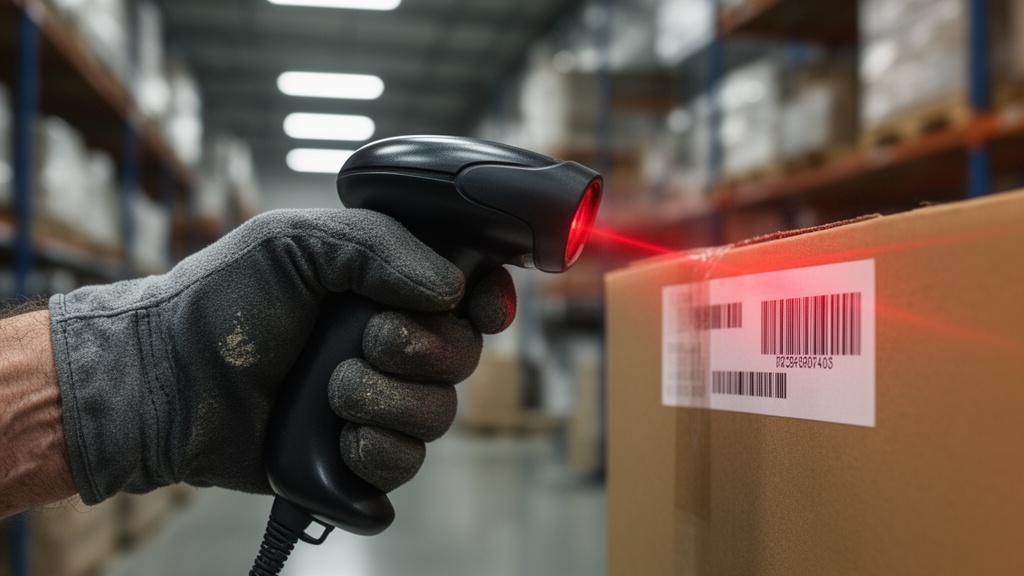
At a high level, an automated inventory setup joins hardware and software into one connected system. The hardware identifies and tracks items as they move. The software collects that data, keeps stock counts current, and uses it to drive rules for reordering, alerts, and reporting.
The first piece is data capture:
-
With barcode scanning, each item or case has a printed code. When you receive, move, or ship that item, staff scan the code and the system updates counts right away. Barcode scanners are simple, low cost, and work well for most small and mid-sized operations that want quick wins from automated inventory management.
-
RFID technology goes a step further. Tiny tags hold an ID and respond to radio waves from a reader. The reader does not need direct line of sight, so you can pass a pallet through a gate and read dozens of tags at once. This works well in high-volume or high-value environments, where speed and accuracy matter more than tag cost.
All that scan data flows into a central software platform that acts as the brain. That platform might be a focused inventory management app, a warehouse management system, or part of a larger ERP. The key is that it keeps one live record of stock levels, tied into sales, purchasing, finance, and even CRM, so every team looks at the same numbers.
From there, automated functions do the heavy lifting:
-
Real-time monitoring keeps counts up to date across all sites and channels.
-
Alerts warn you about low stock, mismatched counts, or delayed purchase orders.
-
Reorder rules watch levels and fire off new purchase orders when items dip below a set point.
-
Forecasting tools study past demand, seasonality, and lead times to suggest better reorder points and safety stock.
-
Some systems also handle automatic stock transfers by moving surplus items from one site to cover demand at another.
In a typical day, a truck arrives, goods are scanned into the system, and stock increases. Orders flow in from your store, website, and marketplaces. The system reserves stock, creates pick lists, and staff scan items as they pick and pack. Shipping updates reduce stock again and feed tracking back to customers. Every scan keeps the database in sync with real life.
VibeAutomateAI helps you make sense of all these choices. Instead of guessing between a lightweight app and a large platform, you get side-by-side, real-world comparisons based on business size, tech stack, and inventory complexity, so you adopt automated inventory management in a way that actually fits.
The Real Benefits of Automated Inventory Management: How It Eliminates Your Biggest Stock Issues
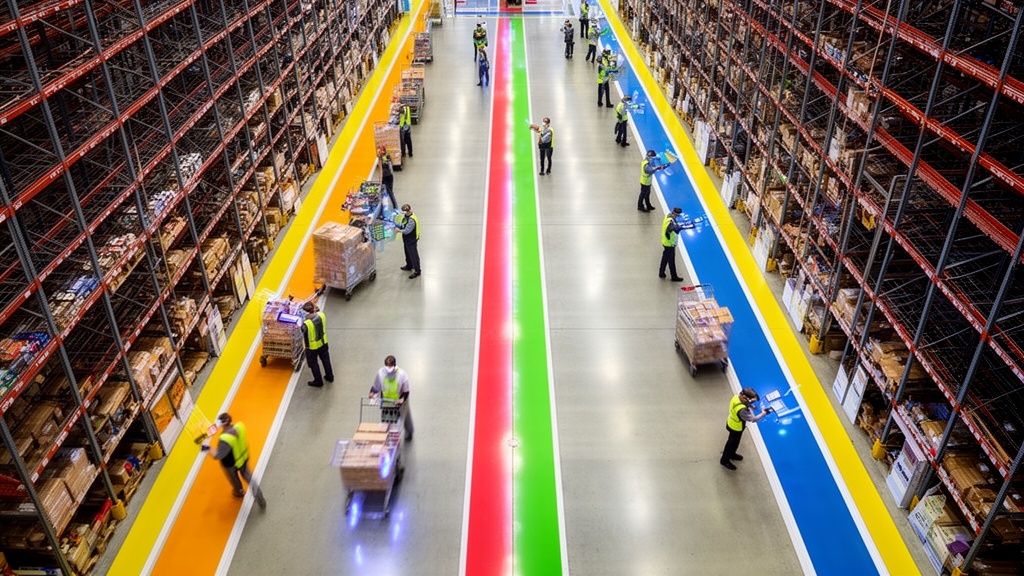
When you talk about automated inventory management, it is easy to focus on features and miss the real point. The real point is simple: you want fewer stock issues, lower costs, and less chaos. This section ties the technology back to the problems you face every day.
Eliminates Costly Errors And Inaccuracies
Manual typing and paper notes invite mistakes, even with careful staff. Barcode and RFID scanning remove most of that risk because each scan links to a specific item and action. Stock counts update as work happens, not days later. Many companies see inventory discrepancies fall by 90 to 95 percent once they move to automated inventory management. With that level of accuracy, you finally have a single version of the truth that everyone can trust.
Dramatically Increases Operational Efficiency
Think about how much time your team spends counting, spot-checking, and updating sheets. Automation clears most of that. Counts update on every scan, purchase orders generate from rules, and pick lists come straight from the system. Warehouse staff find items faster because locations stay current and clear. Work that took hours each week, such as monthly counts or reorder planning, drops to minutes of review and approval.
Provides Real-Time Visibility Across Your Entire Operation
With automated inventory management, you stop flying blind. You see stock across warehouses, stores, and online channels in one place. Dashboards show top sellers, slow movers, and items at risk of stockout. Reports highlight trends in demand and supplier performance, so you can adjust buying and pricing with data, not guesses. Compared to manual reports that lag by weeks, this live view changes how you make decisions every day.
“You can’t manage what you don’t measure.”
— often attributed to W. Edwards Deming
Reduces Costs In Multiple Ways
Better inventory control shows up fast on the cost side:
-
You keep stock closer to the ideal level, so you spend less on storage, insurance, and handling.
-
You cut waste by spotting items close to expiry and acting in time.
-
You avoid lost sales from stockouts, which protects revenue and brand reputation.
-
You lower expensive rush freight because you no longer need last-minute emergency orders to fix planning mistakes.
Boosts Customer Satisfaction And Loyalty
Few things annoy customers more than “out of stock” after an order goes through. Automated inventory management keeps product availability accurate on your site and in your systems, so this happens far less often. Orders ship faster because pick, pack, and ship steps follow a clear workflow with fewer errors. Support teams can see real-time stock and shipment data, which lets them give clear answers instead of vague promises. That steady, reliable experience builds repeat purchases and positive reviews.
Enables Scalable Growth
Manual inventory processes might feel fine when order volumes are low. Once you add new channels, products, or locations, they turn into a wall you keep running into. Automated inventory management removes that wall. The system handles thousands of daily transactions, updates all channels in real time, and adds new sites without a drop in accuracy. In practice, it acts as core infrastructure for growth, not just a tool for cleaning up current messes.
Essential Features to Look for in an Automated Inventory Management System

Every vendor claims to fix stock issues with one tool. You need a clearer way to judge them. When you assess options for automated inventory management, these features matter far more than shiny add-ons:
-
Multilocation and multichannel management. Your system should track stock in real time across warehouses, stores, and any third-party locations. It should keep quantities in sync across your own site, marketplaces, and point-of-sale systems, so a sale in one place updates counts everywhere.
-
Barcode and RFID support. The software needs smooth connections to the scanners you choose, with fast responses when staff scan items. If you handle high volumes or complex pallets, support for bulk RFID reads can shave hours off daily work and raise accuracy at the same time.
-
Automated reordering and replenishment. Good systems let you set custom reorder points per SKU, based on demand and lead time. The software then creates purchase orders or draft orders for review when stock drops, so you spend time approving, not calculating.
-
Strong integrations. Look for inventory platforms that connect cleanly to your e-commerce tools such as Shopify, Amazon, or BigCommerce, and to accounting tools like QuickBooks, Xero, or NetSuite. Ties into CRM and POS systems help sales and service teams see the same numbers. An open API gives your developers room for custom flows when needed.
-
Forecasting and analytics. Advanced demand prediction looks at history and trends to suggest smarter reorder points. Reporting on turnover, carrying costs, lead times, and fill rates helps you spot issues before they cost real money.
-
Automated order management. The system should pull in orders from all channels, create pick lists and packing slips, and connect to shipping carriers for labels and tracking numbers. That end-to-end flow reduces errors and speeds up fulfillment.
-
Multiuser access and permissions. Role-based permissions keep data safe while teams work together. Warehouse, purchasing, finance, and support can all use the same system, while you control who can view, edit, or approve key tasks.
VibeAutomateAI gives you straight talk on which platforms deliver these features well for different company sizes and tech stacks. Instead of reading dozens of glossy pages, you can use our comparisons and field notes to narrow your shortlist in a fraction of the time.
Who Benefits Most From Automated Inventory Management?
Automated inventory management does not just help the warehouse. It supports almost every role and industry that touches stock.
By role:
-
Warehouse staff feel the impact first. They spend less time on manual counts and more time on smooth receiving, accurate picking, and layout improvements.
-
Operations managers gain real-time dashboards and reports, so they can tune processes instead of chasing yesterday’s numbers.
-
Customer service teams see live stock and shipment data, which lets them answer “Do you have it?” and “Where is it?” with confidence.
-
Purchasing and supply chain leaders get clearer demand signals and supplier performance data. That means better order timing, fewer surprises, and stronger supplier relationships.
-
Finance and accounting enjoy cleaner data for stock valuation, better cash flow planning, and fewer write-offs from expired or missing items.
By industry:
-
Retailers benefit from synced stock across stores and online channels, so they avoid both overselling and “ghost” stock.
-
Manufacturers use automated inventory management to keep raw materials, work in progress, and finished goods in balance, which keeps production lines running.
-
Food and beverage companies rely on expiry tracking and FIFO rules to cut waste and stay compliant.
-
Healthcare providers use these systems to track critical supplies and medicines, where a shortage can be life threatening.
-
E-commerce businesses get real-time updates across marketplaces, faster fulfillment, and fewer stock-related support tickets.
If your work touches physical goods in any serious way, automated inventory management gives you a quieter, more predictable day.
Implementing Automated Inventory Management: What You Need to Know Before You Start

Putting automated inventory management in place is not just a software install. It is a change in how your operation runs, so a bit of planning up front pays off fast.
Think about implementation in stages:
-
Assessment and planning. Map how stock moves through your business today, from purchase order to put-away to shipment and returns. Call out pain points such as frequent stockouts, write-offs, or angry customer calls. Set clear goals, like cutting stockouts by 80 percent or reducing carrying costs by a quarter, so you know what success looks like.
-
Choosing the right type of system. Some teams do well with a focused inventory app that plugs into existing tools. Others need a warehouse management system or ERP that connects inventory, orders, and finance in one place. Think about your current tech stack, in-house skills, number of SKUs, and growth plans when you decide.
-
Integration planning. You want automated inventory management that talks smoothly with your store platform, marketplaces, accounting system, and any shipping or POS tools. Poor connections lead to data gaps and extra manual work, which defeats the purpose of automation.
-
Data migration strategy. Clean your existing data before you import it. Standardize SKUs, units of measure, and locations. Run test imports and spot checks, and plan the final switch for a lower-volume period so you have room to fix small issues.
-
Staff training and change management. Train every group that will use the system, from warehouse to support to finance, and explain why the change helps them, not just how to click buttons. Pick a few internal champions who can answer questions and spot early problems during the first weeks.
VibeAutomateAI backs you through this whole process with honest tool comparisons, step-by-step implementation guides, and real examples from automation projects. You get practical checklists and decision frameworks that help you move from idea to live automated inventory management without guessing your way through.
The Future of Automated Inventory Management: Trends You Can’t Ignore
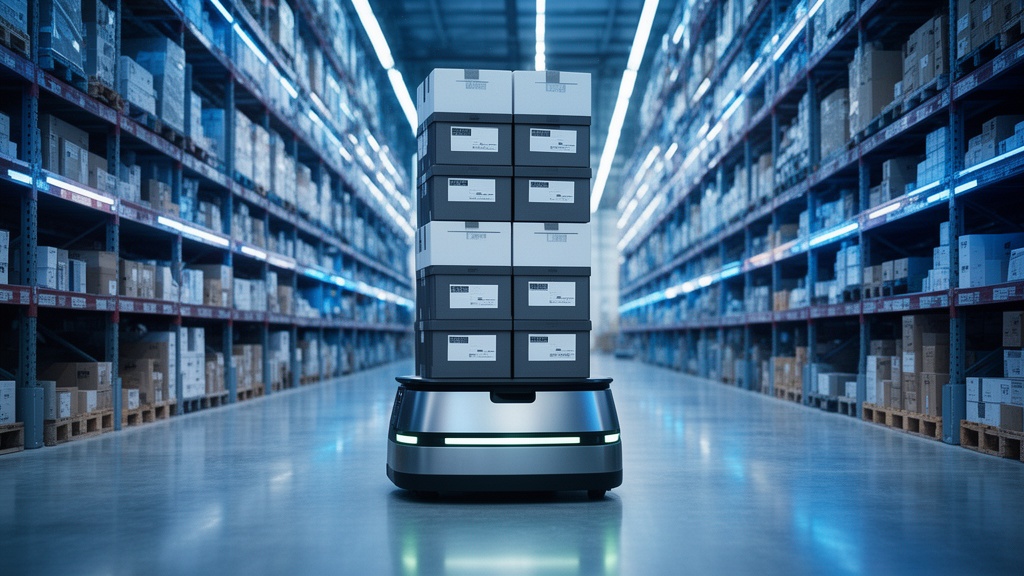
Automated inventory management is already a big step up from clipboards, but the tech around it keeps moving. Keeping an eye on a few key trends helps you avoid dead ends and pick tools that will still make sense in a few years.
-
Artificial intelligence and machine learning push inventory from reactive to predictive. AI models study past sales, promotions, weather, and even social buzz to forecast demand more accurately than simple rules. They can adjust reorder points on the fly and flag odd patterns that hint at a supply problem before it hits your shelves.
-
Robotics and physical automation change how work happens inside the warehouse. Autonomous guided vehicles move pallets between docks and racks with little human input. Collaborative robots help staff pick and pack at high speed with consistent accuracy. That combination makes round-the-clock operations more realistic, even for mid-sized firms.
-
Internet of Things devices add more real-time data to automated inventory management. Smart shelves and bins sense weight or movement and signal when levels drop. RFID readers at doors and checkpoints track items as they move, without manual scans. For cold chain and pharma, sensors also record temperature and humidity to protect product quality.
-
Blockchain-based tracking offers a secure way to follow products from origin to customer. Each step in the supply chain writes a record to a shared ledger, which is hard to change after the fact. This is valuable for fighting counterfeits in luxury goods and drugs, and for proving sourcing and handling standards in food.
-
Faster networks and cloud tech tie all this together. 5G gives more reliable wireless links for busy warehouses full of sensors and robots. Cloud inventory systems stay reachable from any site or home office, which supports distributed teams and multi-country operations.
-
Sustainability goals push inventory teams to waste less and move goods in smarter ways. Better demand forecasts mean fewer expired items in the trash. Route optimization tools cut fuel use. Visibility into sourcing helps you favor local or lower-impact suppliers, which supports broader ESG targets.
“The best way to predict the future is to create it.”
— Peter Drucker
VibeAutomateAI tracks these trends with a simple filter. We test which tools and ideas actually lower errors, cut costs, or speed up work. Then we share those findings in plain language, so you can invest in technology that pays off instead of getting lost in buzzwords.
Conclusion
Manual inventory methods create the same pattern over and over. Stock data drifts away from reality, staff scramble to fix surprises, and customers feel the impact through delays and canceled orders. Cash sits in the wrong products, and you never feel fully in control.
Automated inventory management offers a far better path. With real-time tracking, smart alerts, and demand forecasting, you can keep stock where it needs to be and stop most stockouts before they start. Accuracy goes up, waste goes down, and teams spend time on higher-value work instead of endless counting and chasing.
Getting there takes planning, the right platform, clean data, and focused training, but the payoff touches every corner of the business. You gain better service levels, lower carrying costs, and a setup that can handle growth without breaking.
If you are ready to take control of inventory instead of reacting to it, start by mapping your current process and spotting the biggest gaps. Then use VibeAutomateAI tool comparisons, implementation guides, and automation playbooks to choose and roll out an approach that fits your operation. With the right automated inventory management in place, stock issues stop being a constant fire and become just another well-run part of your business.
FAQs
What Is The Difference Between Inventory Management And Automated Inventory Management?
Traditional inventory management leans on manual work, such as spreadsheets, handwritten notes, and periodic physical counts. Staff enter sales, returns, and receipts by hand, so updates lag behind real stock movements. Automated inventory management uses barcode scanners, RFID tags, and connected software to keep counts current in real time. That shift brings far higher accuracy, faster updates, much better visibility, and a system that can handle more orders and locations without falling apart.
How Much Does An Automated Inventory Management System Cost?
Costs vary a lot based on company size, feature depth, and how you deploy the system. Many small businesses start with cloud tools in the range of fifty to five hundred dollars per month. Mid-market platforms often fall between five hundred and five thousand dollars per month, while large ERP or warehouse systems can run to tens of thousands in setup plus monthly fees. You also need to budget for scanners, RFID gear if needed, setup work, and training. Most teams that move to automated inventory management see a payback within six to eighteen months through lower errors, less waste, and fewer lost sales, and VibeAutomateAI can help you model that return before you commit.
Can Small Businesses Benefit From Automated Inventory Management?
Yes, small businesses often see the biggest step change when they move away from pure manual tracking. Cloud-based automated inventory management tools give you real-time counts, simple barcode scanning, and basic forecasting without big upfront costs. That means less time spent fixing spreadsheets, fewer painful mistakes on key orders, and a smoother path to higher volume. Many platforms offer starter plans with the features a smaller operation needs, and you can add more as the business grows.
How Long Does It Take To Implement An Automated Inventory System?
The time line depends on your size, data quality, and how many systems you connect. A small shop that adopts a cloud tool with basic integrations can often go live in one to four weeks. Mid-sized businesses that link automated inventory management to multiple sales channels and accounting usually need one to three months. Large projects that include a full WMS or ERP can take several months to a year. Clean data, clear scope, and strong training plans all help keep the schedule on track.
What Happens If My Automated Inventory System Goes Down?
Well-designed cloud platforms work hard to avoid downtime and often promise very high uptime backed by redundant servers. Many tools also support limited offline modes, so staff can keep scanning and picking while the network is out, then sync changes once service returns. As a safety net, you should keep a simple backup process and a short, written plan for system issues. When you choose a vendor, ask about past uptime, support response times, and backup routines, so you know your automated inventory management will stay reliable when you need it most.
Read more about it in What is automated inventory management.
[…] 1 day ago 19 min read […]