
Introduction

Imagine a single forgotten test server sitting in a corner of the network. It was spun up for a quick project, never patched, and left with a default password. Without Automated vulnerability scanning , that server stays invisible—quietly waiting. One weekend, an attacker finds it, slips in, and uses it as a stepping stone into customer data and production systems. No zero-day exploit, no nation-state actor—just a very ordinary oversight that automated vulnerability scanning could have detected long before it became a breach.
This kind of story is far more common than dramatic Hollywood-style hacks. The real problem is that manual checks and one-off audits cannot keep up with how fast systems change. New cloud resources, code pushes, third-party tools, and remote endpoints appear every week. Without automated vulnerability scanning, dangerous gaps stay hidden until someone else finds them first.
Automated scanning flips that script by constantly checking your networks, applications, and cloud setups against known weaknesses. It turns security from an occasional project into a steady safety net. At VibeAutomateAI, this idea sits at the core of our approach: automation is only safe and reliable when the systems underneath it are solid and tested.
By the end of this guide, you will know what automated vulnerability scanning actually is, why it matters to your business, which tools and features to look at, and how to build a practical scanning program. You will also see how to connect scanning with DevOps and automation so your workflows move faster without putting your data, customers, or brand at risk.
“Security is a process, not a product.”
— Bruce Schneier
Key Takeaways on Automated Vulnerability Scanning
Before diving deeper, it helps to see the big picture of what this guide covers and why it matters. These points show how automated vulnerability scanning fits into your broader security and automation plans.
-
Automated vulnerability scanning is the use of software to regularly check your systems, networks, and applications for known security weaknesses without constant manual effort. It compares what you have running with public databases such as CVE lists and the CISA Known Exploited Vulnerabilities catalog. This turns hidden security issues into visible, trackable items and gives you an ongoing early warning system instead of relying only on occasional audits.
-
The main benefit is simple to explain and hard to replace: scanning helps you find and fix security gaps before attackers can use them. That means fewer breaches, fewer outages, and fewer sleepless nights. It also supports compliance programs and makes it easier to show auditors that you have a repeatable process for spotting and handling risk. Over time, this kind of steady visibility reduces both day-to-day risk and long-term costs.
-
Vulnerability scanning is not the same as penetration testing, and both have a clear role. Scans cast a wide net and list potential issues, while pen tests dig deep to prove what can really be broken. Choosing a scanner is not only about features or brand names; it is about coverage, automation, useful reports, and how well the tool fits your current workflows. The real value shows up when scanning is tied into ticketing, CI/CD, and patching so that findings quickly turn into fixes instead of just another report.
What Is Automated Vulnerability Scanning?
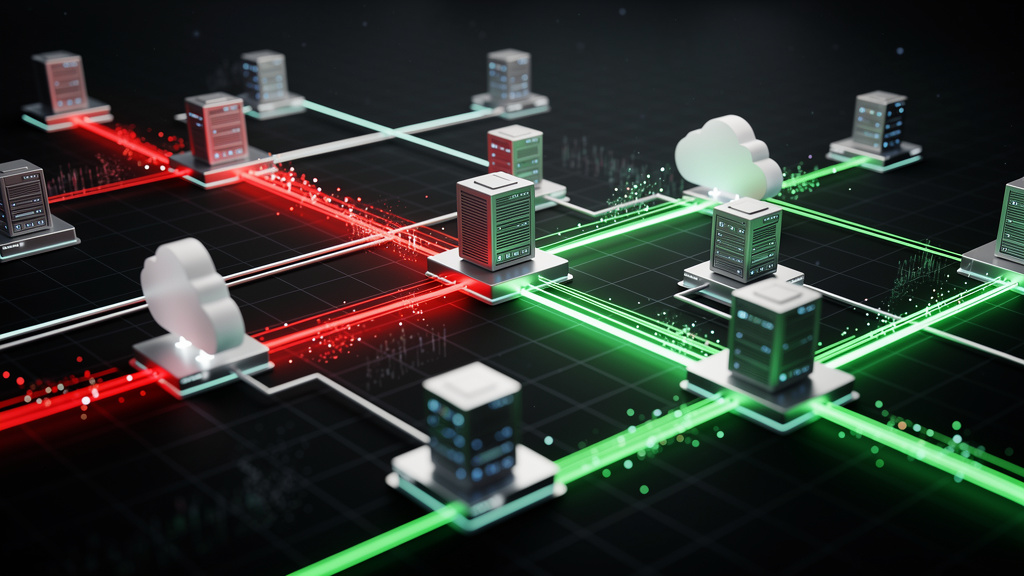
Automated vulnerability scanning is the practice of using software tools to regularly examine your IT environment for known security weaknesses. Instead of relying on one-time manual checks, you set up scanners to run on a schedule or continuously. They review your networks, servers, web applications, databases, cloud resources, and endpoints to spot problems such as:
-
Missing patches
-
Unsafe or default configurations
-
Outdated or unsupported software
-
Exposed services that should not be reachable
These tools work by comparing what they find in your systems with large, frequently updated vulnerability databases. Examples include public CVE lists and the CISA Known Exploited Vulnerabilities catalog. When there is a match between your software version or configuration and a known issue, the scanner flags it as a vulnerability and usually assigns a severity rating.
It is important to separate scanning from fixing. Automated vulnerability scanning tells you where the problems are, but it does not patch servers or rewrite code by itself. That part is remediation, which might involve your IT, DevOps, or development teams. Even so, scanning is the step that makes wise action possible, because you cannot fix what you do not know about.
From VibeAutomateAI’s point of view, this is also a foundation for safe automation. If you build complex automated workflows on top of unpatched servers and misconfigured cloud storage, you only speed up the impact of each mistake. Strong scanning practices give your automation a stable, trusted base.
Why Automated Vulnerability Scanning Matters For Your Business

Most modern organizations depend on a wide mix of systems: on-premises servers, multiple cloud platforms, SaaS tools, dev environments, remote workers, and third-party connections. Every new service, container, or integration becomes another place where a missed patch or weak setting can give attackers a path inside. Manual checklists and rare audits cannot reliably keep up with that growth.
New vulnerabilities appear almost every day, and exploit code often follows quickly. Trying to track them all by hand, match them to your asset list, and decide what matters most is not realistic once you pass even a small number of servers and apps. Automated vulnerability scanning takes on the repetitive discovery and matching work so that your experts can focus on deciding what to fix and how to fix it.
The business case is strong. Data breaches now cost many organizations millions of dollars when you add together incident response, legal action, fines, downtime, lost deals, and damaged trust. Regular automated scanning cannot promise that nothing bad will ever happen, but it sharply lowers the chance that a simple, well-known issue will be the cause.
Key benefits include:
-
Risk reduction: Find exposed systems and high-severity flaws before attackers do.
-
Cost control: Reduce the odds of expensive incidents, outages, and emergency work.
-
Compliance support: Generate repeatable, timestamped reports for frameworks such as PCI DSS, HIPAA, GDPR, SOC 2, and ISO 27001.
-
Business continuity: Limit the chance that a missing patch on a core system will disrupt operations.
-
Speed with confidence: Move faster with new features, cloud projects, and automation while keeping visibility into risk.
Compliance pressure adds another layer. Many security standards expect regular vulnerability assessments and proof that you act on the findings. Automated scans produce reports that you can share with auditors to show consistent practice, not just one-time efforts.
There is also a clear link to business continuity and speed. When you spot weaknesses early, you are less likely to lose key systems at the worst possible moment. That makes it safer to move quickly with new features, new cloud projects, and new automation. At VibeAutomateAI, we see this in nearly every engagement: teams that invest in scanning and basic security hygiene can ship and automate faster because they have confidence in the ground they are standing on.
“You can’t protect what you can’t see.”
— Common security maxim
Automated Vulnerability Scanning: Essential Scanner Types
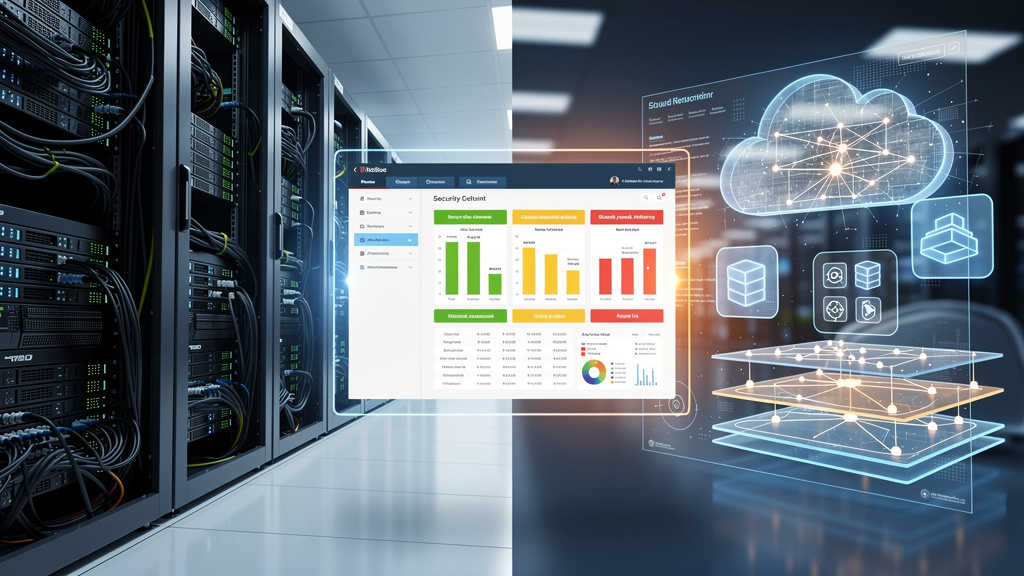
Not all scanners look at the same parts of your environment. To cover your real attack surface, you usually combine several types of tools or one platform that includes multiple scanning methods.
Network Scanners
Network vulnerability scanners focus on the backbone of your environment. They probe routers, switches, firewalls, servers, workstations, and other devices to see which ports and services are open and which protocols are in use. From there, they match what they find against known weaknesses in operating systems and network software. The main goal is to reduce the ways an attacker could get in or move laterally once inside.
Typical findings include:
-
Unpatched operating systems
-
Weak or default credentials on network devices
-
Exposed management ports (for example, SSH or RDP)
-
Insecure protocols such as outdated SSL/TLS versions
Web Application Scanners (DAST)
Web application scanners, often called dynamic application security testing (DAST) tools, look at running web apps and APIs. They send crafted requests to your sites and services and study how they respond to unsafe input. This helps find problems such as SQL injection, cross-site scripting, and broken authentication. Any organization with customer portals, internal web apps, or public APIs benefits from this type of scanning.
Database Scanners
Database vulnerability scanners protect your most sensitive information. They connect to systems such as SQL Server, Oracle, PostgreSQL, or MySQL and review settings, user roles, patch levels, and network access. They flag issues like weak or shared passwords, over-privileged accounts, unpatched engines, and unencrypted connections. For teams handling financial data, health records, or trade secrets, this layer is hard to ignore.
Cloud Environment Scanners
Cloud environment scanners focus on platforms such as AWS, Azure, and Google Cloud. Instead of only poking ports, they use APIs to read your cloud configuration. They look for items like publicly exposed storage buckets, overly broad IAM roles, missing encryption, and risky security group rules. These tools often fit inside a wider cloud security posture management strategy so you can keep up with fast-moving cloud changes.
Container And Code Scanners
Container scanners look at Docker images and Kubernetes setups before and after deployment. They search for vulnerable libraries, unsafe base images, bad file permissions, and risky runtime settings.
Code scanners come in two main forms:
-
Static application security testing (SAST) tools read source code or bytecode without running it and point out insecure patterns early in development.
-
Dynamic application security testing (DAST) tools test running applications to find flaws that only appear at runtime.
When you combine container and code scanning with automated vulnerability scanning across your stack, you cover both what you build and where you run it. VibeAutomateAI often helps teams tie these checks into their automation pipelines so new workflows do not spread the same vulnerability into every container or microservice.
Automated Vulnerability Scanning: Essential Features to Look For
Choosing a vulnerability scanner is not just about brand recognition. It is about how well the tool fits your mix of assets, your team size, and your current workflows.
Look for:
-
Coverage: The scanner should see your whole stack, including on-premises servers, endpoints, cloud platforms, web apps, containers, and databases. Blind spots are where attackers live.
-
Credentialed and non-credentialed scanning:
-
Non-credentialed scans show what an outsider can see from the internet or from an untrusted network.
-
Credentialed scans log in with service accounts and pull detailed data on installed software, patch levels, and local settings. That deeper view is usually far more accurate.
-
-
Automation and scheduling: Strong scanners let you define repeatable scan templates, assign them to groups of assets, and run them on a schedule or continuously. In fast-moving environments, continuous or near real-time scanning of cloud and container assets gives you far better coverage than monthly one-off runs.
-
Quality of the vulnerability database: Look for frequent updates from vendors, security researchers, and threat feeds so that newly disclosed issues show up in your reports quickly. Good tools also do more than throw out raw severity scores; they rank findings based on exploitability, current attack activity, business impact, and asset importance.
-
Reporting and integrations: Reporting should turn technical data into clear next steps. That means human-readable summaries for management plus detailed evidence and guidance for engineers. Direct integration with ticketing systems, SIEM platforms, patch tools, and CI/CD pipelines saves time and keeps everything flowing. Built-in compliance views for PCI DSS, HIPAA, GDPR, SOC 2, and ISO 27001 are also helpful when you face regular audits.
From the VibeAutomateAI point of view, the most useful scanner is the one that fits into how you already work. A tool that demands its own special process and never talks to your automation, monitoring, or ticketing quickly becomes another dashboard nobody checks.
Top 10 Automated Vulnerability Scanning Tools (2026 Comparison)
There are many tools in this space, from long-standing commercial platforms to powerful open-source projects. Here is a focused look at ten options, starting with how VibeAutomateAI fits into your security and automation plans.
1. VibeAutomateAI Security Framework Integration
VibeAutomateAI is not a traditional scanner that probes ports or parses banners. Instead, it acts as a strategic layer that weaves security into your automation rollout. Deployment consultations map your infrastructure, data sensitivity, and expected scale so that unsafe plans are flagged before they go live. Our frameworks also let your workflows trigger security checks or alerts when key states change, which is especially helpful for teams without a big security department. We help you judge open-source automation tools with simple, security-focused scorecards so you do not rely only on marketing claims.
2. Nessus (Tenable)
Nessus is one of the best-known names in automated vulnerability scanning. It covers networks, operating systems, applications, and parts of cloud environments through a large plugin library. The interface is accessible, and the reports are detailed enough for both engineers and managers. It is a strong fit if you want broad, dependable scanning across many asset types.
3. Qualys VMDR
Qualys VMDR is a cloud-based platform that focuses on ongoing asset discovery, scanning, and risk ranking at scale. It works well across globally spread environments and supports both on-premises and cloud resources through lightweight agents and connectors. Many teams favor it when they want a single place to see assets, vulnerabilities, and basic remediation workflows for large networks.
4. Rapid7 InsightVM
Rapid7 InsightVM offers live risk dashboards and continuous collection of vulnerability data. It ties tightly into the wider Rapid7 family, which can be helpful if you also use their detection or response tools. InsightVM works best for organizations that want to track risk in close to real time and connect findings with other security events.
5. Acunetix
Acunetix focuses on web applications and APIs. It scans for issues like SQL injection, cross-site scripting, and other common web flaws. Many development teams like its support for CI/CD integration, which makes it easy to run security checks alongside functional tests. It is a strong choice if web security testing is your main concern.
6. Burp Suite Professional (PortSwigger)
Burp Suite Professional is a favorite among penetration testers and application security engineers. Its automated scanner can find many classes of web issues, but the real power comes from its manual testing features. That combination makes it well suited for detailed investigations of high-risk apps rather than quick checks across a huge portfolio.
7. OpenVAS
OpenVAS is a widely used open-source scanner that offers many of the same basic functions as commercial network scanning tools. It can examine servers, network devices, and some applications for known issues, and its community keeps the checks updated. It works best for teams with enough technical skill to manage their own scanning infrastructure and who want to control costs.
8. Invicti (Formerly Netsparker)
Invicti focuses on web applications and is known for its proof-based approach. When it reports some classes of vulnerabilities, it also provides evidence that the issue is truly exploitable, which helps cut down on false positives. This can save your security and development teams a lot of triage time when they already feel buried in alerts.
9. Intruder
Intruder is a cloud-hosted scanning service that aims to keep setup and management simple. It pays close attention to your external attack surface, watching for new exposures and newly disclosed threats that affect your internet-facing assets. It is often a good fit for small and mid-sized businesses that want steady coverage without running their own heavy scanning infrastructure.
10. ZAP (OWASP Zed Attack Proxy)
ZAP is a free, open-source web application scanner backed by the OWASP community. It can work as both a proxy for manual testing and an automated scanner in pipelines or scheduled jobs. Many development teams use it to shift security checks earlier in the software life cycle, especially when budgets are tight but web security still matters a great deal.
Automated Vulnerability Scanning: How to Implement an Effective Program
Buying a scanner is the easy part. The real gains come from turning it into a steady, repeatable program that fits how your teams already build and run systems.
Step 1: Define Scope And Inventory Your Assets
Start by building a clear list of what you need to protect. That list should include:
-
On-premises servers
-
Cloud accounts and subscriptions
-
Web applications and APIs
-
Databases and data stores
-
Network devices
-
User endpoints and mobile devices
Group assets by business importance, such as customer-facing systems, data stores, and core internal services. Note any compliance needs attached to each group so you can match scan schedules and reports to those rules. Use tags or asset groups inside your scanner so you can target scans and reports easily.
Step 2: Choose The Right Tools For Your Environment
Once you know your asset types, match them with the right kind of automated vulnerability scanning. Network-heavy shops may focus on broad network scanners, while web-driven businesses lean on web application tools and code checks. Judge options based on coverage, automation, reporting strength, and how well they plug into your current tools. Include ongoing costs, training, and maintenance in your thinking, not just license price. Many teams do best by starting with one main platform and adding specialty tools only when clear gaps appear.
Step 3: Establish Scanning Schedules And Automation
With tools in place, define when and how often scans should run:
-
Plan an initial full scan to set a baseline for your environment.
-
Aim for weekly scans of critical or internet-facing systems.
-
Run at least monthly checks for lower-risk assets.
-
Use continuous or very frequent scans for cloud and container environments where resources change often.
Automate credential use and scan triggers as much as possible, and configure alerts for high and critical findings so they do not sit in a report unseen.
Step 4: Integrate Scanning Into Workflows (DevSecOps)
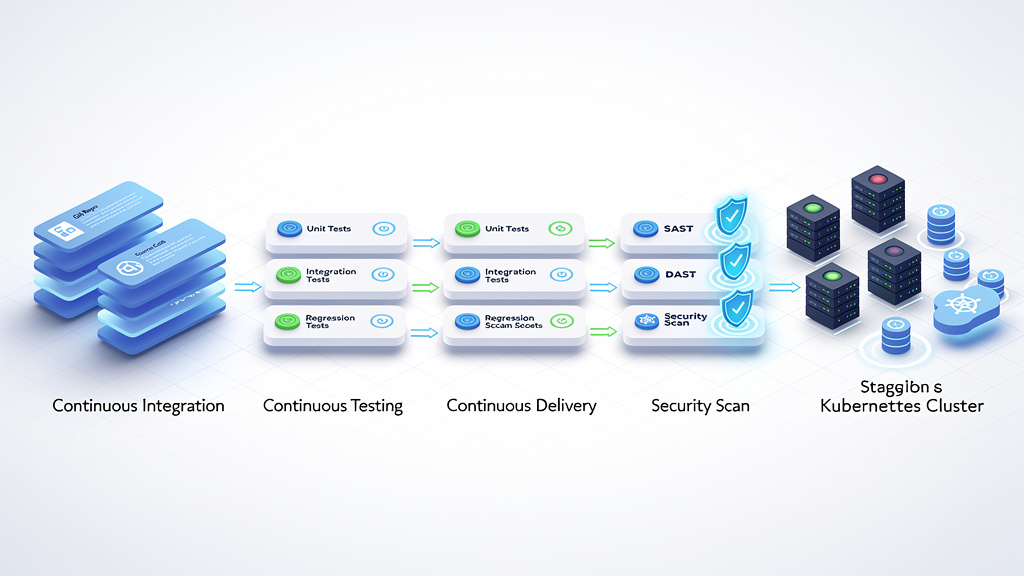
Security works best when it is built into daily work instead of bolted on afterward. Add static and dynamic application tests to your CI/CD pipelines so each new build gets basic security checks before deployment. Connect your scanners to ticketing tools such as Jira or ServiceNow so findings become tracked work items with owners and due dates. Feed vulnerability data into your SIEM so you can match known weaknesses with real attack attempts. VibeAutomateAI often helps teams design workflow rules that trigger extra checks when sensitive data, new integrations, or high-risk changes are involved.
Step 5: Prioritize And Remediate, Don’t Just Scan
A long list of findings means nothing unless it drives fixes. Use risk-based views to sort vulnerabilities by severity, exploit status, asset value, and business impact. Set clear service levels, such as one or two days for critical items, a week for high, and a month for medium issues. Make it obvious which team owns what, whether that is infrastructure, DevOps, or application developers. After patches or config changes, re-scan to confirm the fix worked. Track metrics such as mean time to remediate and repeated findings so that leadership can see progress and spot stuck areas.
“The goal is not to find every bug. The goal is to reduce real risk.”
— Common penetration testing principle
Automated Vulnerability Scanning: Authenticated vs. Unauthenticated Scanning
When you set up automated vulnerability scanning, one of the first choices is whether to run authenticated or unauthenticated scans. Both are valuable, but they answer slightly different questions about your security posture.
-
Unauthenticated scans run without logging in to the target systems. They look at what is visible from the outside, such as open ports, service banners, and public web pages. This gives you a clear view of your external attack surface and is fairly easy to set up, since you do not need to manage special credentials. The tradeoff is that these scans cannot see deeper system details and sometimes have to guess version information, which can lead to missed issues or extra noise.
-
Authenticated scans log in with a service account or key before they start checking. That access lets the scanner pull precise data on installed software, patch levels, configuration files, and local user permissions. As a result, the findings are usually far more accurate and complete, with fewer false positives. The main work on your side is safe credential management and making sure scanning accounts have the right level of access without being overly powerful.
In practice, you rarely choose only one. Unauthenticated scans help secure the outer shell of your environment, while authenticated scans show how strong things really are once inside. From the VibeAutomateAI angle, this pairing also supports automation projects. Authenticated scanning lets you confirm that the servers, containers, and services you are about to connect with new workflows are truly sound, not just neat on the outside.
A quick comparison:
|
Scan Type |
What It Sees |
Main Use Case |
Key Consideration |
|---|---|---|---|
|
Unauthenticated |
External ports, banners, public content |
Map and protect external attack surface |
Easier setup, less detail |
|
Authenticated |
Installed software, configs, permissions |
Deep assessment of internal system health |
Needs careful credential management |
Automated Vulnerability Scanning vs. Penetration Testing: Understanding the Difference
Vulnerability scanning and penetration testing often get mentioned together, but they serve different purposes. Knowing how they differ helps you plan the right mix of testing for your needs.
-
Automated vulnerability scanning is broad and frequent. Tools scan many systems against known vulnerability databases and produce lists of possible issues, usually with severity ratings and basic guidance. You run these scans often, such as weekly or monthly, or even continuously for certain asset groups. The focus is on wide coverage and repeatable checks across networks, servers, applications, and cloud resources.
-
Penetration testing is narrow and deep. Skilled testers take a smaller set of targets, such as a key web app or network segment, and try to actually break in using real attack methods. They chain vulnerabilities, misconfigurations, and weak processes together to see how far they can reach and what data they can access. Because this work is more hands-on and time-consuming, it usually happens a few times a year rather than every week.
The two approaches support each other. Regular automated scanning feeds pen testers with likely entry points and known weaknesses to focus on. Penetration tests then confirm which issues matter most, uncover complex attack paths that scanners miss, and test how people and processes respond. A healthy program uses both, with scanning as the steady heartbeat and pen tests as periodic deep health checks.
Automated Vulnerability Scanning: Common Challenges and How to Overcome Them
Even with good tools, vulnerability programs often hit real-world obstacles. Knowing these ahead of time helps you design a more realistic and effective approach.
-
Alert fatigue and false positives: Scanners can produce thousands of findings, and teams may start to tune them out. You can reduce this by using risk-based views, turning off low-value checks, and favoring tools that verify certain issues with clear proof. A simple triage process that quickly drops known noise also helps keep focus.
-
Lack of remediation resources: Security teams may spot problems but cannot patch servers or change code themselves. Assigning clear owners for different asset types and linking scans to ticketing systems makes it easier to turn findings into accountable work. Sharing basic metrics with leadership often helps secure more time and support for high-risk fixes.
-
Fear of production impact: Some teams worry that scanning will harm production systems or slow them down. Modern scanners are far more gentle than older ones, but the concern is still understandable. You can start by testing scan settings in non-production environments and scheduling heavier scans outside business hours. For very sensitive systems, use lighter scan profiles and increase frequency only after you see the real impact.
-
Credential management challenges: Managing scanning credentials across many servers and applications can feel painful. You can cut this risk by using privileged access management tools, creating dedicated scanning accounts with only the needed permissions, and rotating passwords or keys on a regular schedule. Clear internal rules about who can view and handle these credentials also matter.
-
Fast-changing environments: Many environments change so fast that periodic scans miss important windows. Cloud resources come and go, and containers may live for only minutes. To handle this, combine continuous scanning with automatic asset discovery and hooks in your deployment pipelines. VibeAutomateAI often treats any automation plan that lacks this kind of feedback loop as high risk, because it turns scanning into a one-time show instead of steady protection.
Automated Vulnerability Scanning: Summary and Next Steps
Automated vulnerability scanning turns security from a periodic fire drill into an ongoing habit. Instead of waiting for attackers or auditors to point out missed patches and misconfigurations, you give your teams a steady view of where the weak spots are and how they change over time.
The speed and scale of modern systems mean that manual checks alone are no longer enough. automation, tied into ticketing, patching, CI/CD, and monitoring, let you keep pace without burning out your staff. The real win comes when scanning is linked tightly to clear ownership and measurable remediation, not just stored as another monthly report.
If you are pushing hard on automation, this matters even more. New workflows and AI agents can widen security gaps just as fast as they close them if the base layer is shaky. At VibeAutomateAI, we like to say that the only way to move fast is to move safely. A well-run vulnerability scanning program helps you prove that the systems you automate on top of are ready for that speed.
A simple next step is to review where you already scan, where you do not, and how findings move through your teams. From there, you can decide which tools, integrations, and process changes will give you the biggest boost in real risk reduction.
FAQs
Automated Vulnerability Scanning: How Often Should You Run Scans?
For internet-facing and other critical systems, aim for weekly scans at a minimum, and consider continuous checks where possible. Internal servers and endpoints should usually be scanned at least once a month. Always run fresh scans after major changes such as new deployments or big upgrades. Some standards, such as PCI DSS, also set minimum scan frequencies that you need to follow.
What’s The Difference Between A Vulnerability Scan And A Security Audit?
A vulnerability scan is a technical check that looks for known weaknesses in systems, applications, and configurations. It is mostly automated and focused on the state of your infrastructure. A security audit is broader and reviews policies, procedures, controls, and documentation as well as technical findings. Audits often support compliance programs and look at how the whole security program operates, not just what the scanners detect.
Can Vulnerability Scanners Detect Zero-Day Vulnerabilities?
By design, scanners focus on known vulnerabilities that appear in public or vendor databases, so they cannot directly identify true zero-day issues. Some advanced tools may spot odd behavior or suspicious patterns that hint at deeper problems, but that is not the same as a confirmed new vulnerability. Threat hunting, behavior analytics, and strong monitoring are better suited for catching attacks that use unknown bugs.
Do I Need Different Scanners For Cloud vs. On-Premises Infrastructure?
Many modern platforms support both cloud and on-premises assets through agents and cloud connectors, which keeps management simpler. That said, cloud environments add needs such as API-based checks, configuration reviews, and support for multi-account setups. In some cases, you might pair a general scanner with a more cloud-focused tool to get deeper coverage. The important thing is that you can see both sides of your hybrid environment in a consistent way.
How Does VibeAutomateAI Approach Security In Automation Deployments?
VibeAutomateAI brings security thinking into your automation plans from the start instead of tacking it on later. Deployment consultations map your infrastructure, data types, and growth plans so that unsafe designs are challenged early. Our frameworks support automated checks and alerts inside workflows, which helps smaller teams keep watch without a full security staff. We also share clear, practical guidance that shows how to combine scanning, testing, and human review. The goal is simple to state and powerful in practice, since safe foundations let you adopt automation with far more confidence.
Read more about SOC Automation: What Security Teams Need in 2026
Stay connected