
Introduction
My first serious automation felt brilliant right up until it crashed on a Friday night. I had stitched together a beautiful set of workflows that moved data between a CRM, billing, and support tools with zero human clicks. What I did not think about was Automation Maintenance at all. Two silent failures and one expired API token later, I spent the weekend rebuilding trust with a very unhappy client.
That was the moment I learned a hard truth most glossy automation articles skip. Building workflows is the easy part. Keeping them fast, reliable, and safe month after month is where the real work lives. Without a clear approach to Automation Maintenance, even clever workflows turn into expensive digital clutter that nobody wants to touch.
Over the last eight years, I have maintained automation systems for solo founders, growing SaaS teams, and larger operations teams. I have watched self-hosted setups eat entire weeks of DevOps time. I have also seen simple cloud-hosted n8n environments quietly run hundreds of thousands of executions with only a few hours of care each month. The gap was never magic tools. It was maintenance strategy.
In this article, I will walk through the framework I now use in my work at VibeAutomateAI. We will look at what Automation Maintenance really means, the hidden costs vendors rarely mention, the four pillars that keep workflows healthy, and how to choose between cloud-hosted and self-hosted setups. If you read to the end, you will walk away with a clear, practical playbook to keep your automations useful a year from now instead of cleaning up preventable messes.
Key Takeaways
- Automation Maintenance is the difference between dependable scale and fragile chaos. When there is no maintenance plan, every new automation quietly adds risk, confusion, and support work. A simple maintenance habit turns the same workflows into reliable building blocks that the whole team trusts.
- For most small and mid-size teams, cloud-hosted platforms such as n8n Cloud are the sane default. They remove most infrastructure headaches and free up engineering time. Self-hosted automation looks cheap on paper but often hides an ongoing maintenance tax in staff hours, late-night incidents, and constant patching. The smarter move is starting simple and only taking on extra control when the value is clear.
- Healthy automation systems rest on four pillars: proactive monitoring, lightweight documentation, regular health checks, and sensible architecture. With good alerting, most failures are caught before users feel them. As the business grows, the maintenance strategy should grow as well, shifting from one person watching a few workflows to a shared practice supported by playbooks and expert help from partners like VibeAutomateAI.
What Automation Maintenance Actually Means (And Why Most Definitions Get It Wrong)

Search for Automation Maintenance and many results talk about factories, robots, and physical equipment. That work matters, but it does not match what a software team or operations manager deals with when a CRM webhook fails. Business process automation lives in a different world, where the main moving parts are APIs, triggers, and logic running inside tools like n8n, Zapier, or Make.
In my experience, Automation Maintenance is the ongoing work of monitoring, updating, troubleshooting, and improving digital workflows so they keep delivering business value. It is less about fixing broken machines and more about protecting outcomes such as leads captured, invoices sent, or tickets routed. A workflow that once saved ten hours each week can start wasting time if an API changes, a field moves, or a rate limit kicks in and nobody notices.
When I look at an automation stack, I think about maintenance on three layers that sit on top of each other:
- The infrastructure layer covers the servers, containers, and databases that keep the automation platform running. When this layer is messy, the platform feels slow, goes down without warning, or loses data during a crash. Good Automation Maintenance at this level means stable hosting, working backups, and someone who checks logs before trouble turns into outage reports.
- The platform layer is the automation tool itself, such as n8n, Zapier, or Make. Maintenance here includes version upgrades, plugin and node updates, permission reviews, and feature changes that may break older workflows. If nobody owns this layer, you end up stuck on old versions or rushing through risky upgrades when something finally forces a change.
- The workflow layer is where individual automations live, each tied to specific triggers and business rules. Maintenance work here involves updating logic when processes change, swapping out tools when vendors change pricing, and cleaning up old flows that nobody uses. Without care at this level, workflows drift away from how the business actually works and begin causing quiet, hard-to-see damage.
This three-layer view matters because failures rarely show up where they start. A tiny shift in a third-party data structure can break a mid-layer node, which then stops a top-layer workflow that sales depends on every morning. Good Automation Maintenance connects those dots on purpose instead of waiting for angry messages when numbers do not match.
The Real Costs Of Automation Maintenance (From Someone Who’s Paid Them)
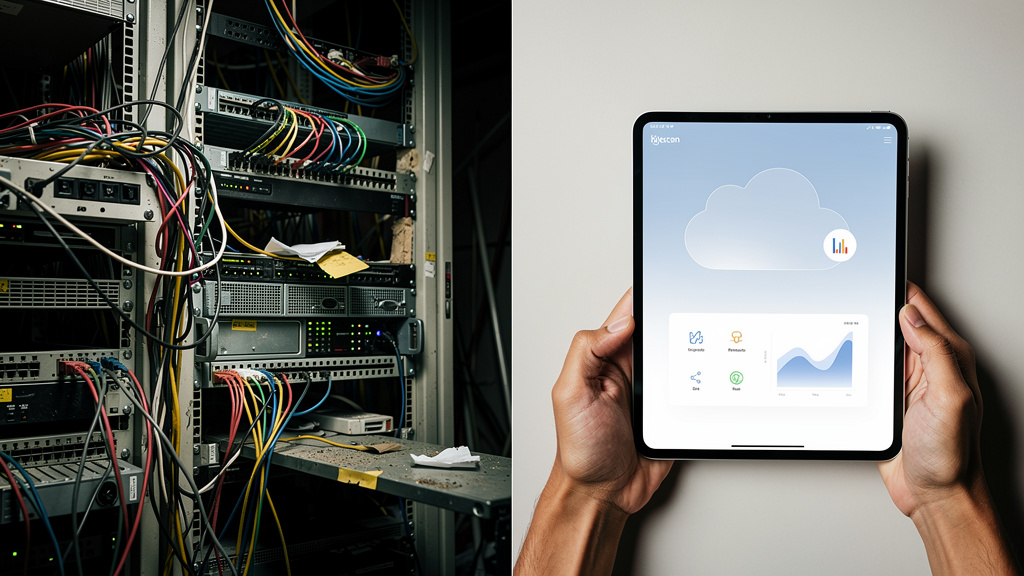
The first time I set up a self-hosted n8n instance, the server cost less than a dinner out. It felt like I had beaten the system. Three months later, the same setup had eaten several late nights, two weekend patch windows, and more DevOps time than any of us had planned. The cheap server was only about twenty percent of the real bill. The rest was maintenance.
When people budget for Automation Maintenance, they often count tool subscriptions and maybe a few hours for setup. They rarely count the time to chase intermittent errors, investigate slow downs, or recover from a bad Docker image. They also do not count the opportunity cost when the best engineer spends half a day fixing internal workflows instead of shipping features for paying customers.
“The bitterness of poor quality remains long after the sweetness of low price is forgotten.”
— Benjamin Franklin
That quote applies perfectly to automation. The “cheap” setup often turns out to be the most expensive once maintenance is honest.
The Self-Hosted Maintenance Tax
Self-hosted automation platforms give full control and can be the right move, but they bring an ongoing maintenance tax that many teams underestimate:
- Servers need security updates, kernel patches, disk monitoring, and careful firewall rules.
- Databases need backups that are tested, not just configured once, plus tuning and scaling as workflow volume grows.
- Access and security need regular reviews so old accounts and tokens do not linger.
Each of these jobs might sound small, but together they add a steady stream of work.
On top of that, there is Docker and orchestration. Images need updates, containers need restarts without hitting running flows, and logs need review when something behaves strangely. A simple change like moving from one version of n8n to another can require testing in a separate environment, rollback planning, and time to watch behavior after the switch. Someone also has to be on call for the three-in-the-morning problem when a certificate expires or a disk fills up.
I worked with one client who spent around two hundred dollars each month on infrastructure for self-hosted automation. On paper that looked efficient. In practice, they were burning close to two thousand dollars each month in DevOps time just keeping that stack alive and safe. Self-hosting can make sense when there are strict security rules, private AI models, or compliance needs, but it is rarely the cheap option people imagine at the start.
The Cloud-Hosted Trade-Off
Cloud-hosted automation platforms flip the cost structure. You pay a clear subscription and give up some control in exchange for fewer maintenance headaches:
- You do not worry about server patches, database scaling, or keeping containers online during a version upgrade.
- The vendor handles uptime targets, many performance issues, and disaster recovery planning that would take you weeks to copy on your own.
- You gain predictable costs and fewer “hero nights” from engineers trying to keep critical workflows alive.
The trade-off is real. You may give up the ability to run heavy custom code inside the platform, choose an exact data center, or integrate with internal-only services without extra work. For most small and mid-size teams, that trade is still more than fair.
A plan on n8n Cloud in the twenty to fifty dollar range often replaces self-hosted setups that cost one hundred fifty to three hundred dollars each month once staff time is counted honestly. My standing advice is simple: start in the cloud, then move to self-hosted only when you hit a clear, specific limit and the business case for extra maintenance work is strong.
The Four Pillars Of Sustainable Automation Maintenance (My Framework)

Most painful automation stories I see share one pattern: maintenance is reactive. Someone builds a clever workflow, nobody owns it, and the team only touches it when users complain. After too many rounds of that, everyone begins to fear changes. To escape that cycle, I built a simple four-pillar framework that I now use with clients and inside VibeAutomateAI.
These four pillars are not fancy. They are boring by design, and that is why they work. When monitoring, documentation, audits, and architecture all support each other, Automation Maintenance stops being a string of emergencies and turns into a normal, planned part of operations.
“You build it, you run it.”
— Werner Vogels, AWS CTO
That principle applies just as well to automations as it does to application code.
Pillar 1 – Proactive Monitoring And Alerting
If a critical automation fails and you hear about it from a customer, the maintenance plan is broken. Proactive monitoring means every important workflow has clear error alerts.
For me, that often means:
- n8n error workflows sending messages into Slack or email for lower-priority flows.
- SMS or pager tools for anything tied to revenue, compliance, or customer experience.
- Clear tags in alerts so people know which system and workflow are affected.
The goal is simple: I want to know about problems before they ripple into the rest of the business.
Performance monitoring is the second half of this pillar. I watch execution times and queue delays so I can spot slowdowns before they turn into timeouts. Dependency monitoring matters as well, such as watching for:
- API rate limits
- Near-full quotas
- Tokens that are about to expire
I use tools like Sentry for deeper error tracking and UptimeRobot for checking important endpoints. My rule is that any critical automation failure should reach me within fifteen minutes, not at the next team standup.
Pillar 2 – Documentation That Actually Helps

Most teams hate documentation because it feels heavy and no one reads it. For Automation Maintenance, I keep the bar low and focused on what helps during a failure.
Each workflow gets a short record that covers:
- Its purpose
- What triggers it
- The key tools and data it touches
- Any known sharp edges or failure modes
- The main owner or team contact
I usually keep this as a small markdown file in the same repo as the workflow exports.
Treating workflows a bit like code helps a lot. I store versions in Git so I can see what changed and when, and I can roll back if a new version behaves badly. During a two-in-the-morning incident, that small amount of writing makes a huge difference.
I also use a simple test called the bus factor check: if I were out sick, could someone else understand and fix this automation from the notes I left?
Pillar 3 – Regular Health Audits
Workflows age just like codebases. Without review, small issues stack up until the whole system feels fragile. I run short, regular audits to keep that from happening.
- Once a week I spend about thirty minutes checking the most critical workflows to review execution counts, error rates, and any new warnings from integrations.
- Once a month, I block two hours for a broader review across the whole automation portfolio.
During the monthly review, I look for workflows that nobody uses anymore, or ones that could be merged or simplified. I also scan for security risks such as old credentials and checks around access rights.
I think about automation debt the same way developers think about technical debt. If I never clean it, the cost of each new change rises over time. Short, routine audits keep that debt in check.
Pillar 4 – Scalable Architecture From Day One
The last pillar is about design choices that make Automation Maintenance easier instead of harder. I try to keep workflows modular, splitting very large chains into smaller building blocks that can be reused and tested on their own. That makes it much easier to adjust one part of a process without worrying about every edge case in a giant, tangled flow.
I also build in error handling from the start, with retry logic, fallbacks, and clear failure paths so workflows can degrade gracefully instead of crashing mid step. I keep development, staging, and production flows separate, and I never hardcode secrets or tokens; instead I use proper secret storage.
The mindset here is simple: I design each workflow assuming it will break one day, and I want that bad day to be boring rather than dramatic.
Choosing Your Automation Infrastructure And The Decision Framework I Wish I Had
Choosing where your automations run shapes your maintenance work for years. It is tempting to chase control, save a few dollars, or copy what a favorite blog post shows. In practice, the right choice depends on your risks, skills, and the kind of automations you plan to build. This is where I often step in through VibeAutomateAI, because a few hours of clear thinking here can save dozens later.
When Cloud-Hosted Is Your Best Choice
Cloud-hosted automation is a strong fit when your team has little or no DevOps depth. If nobody on the team enjoys reading Docker logs or tuning databases, offloading that work is smart.
Cloud-hosted tends to win when:
- Your workflows follow standard patterns (CRMs, billing tools, help desks, basic AI, etc.).
- You do not rely heavily on private internal APIs or on-prem-only services.
- Your compliance rules allow processing through third-party platforms.
- You want to move quickly with fewer infrastructure decisions.
I saw this with a fifteen-person SaaS company that called me before hiring a full-time DevOps engineer just to run internal tools. Instead, we set them up on n8n Cloud, added good monitoring, and documented a few core workflows. That avoided a sixty-thousand-dollar-per-year hire and gave the team time to focus on their product.
When I guide teams through this choice at VibeAutomateAI, we map their real risks against how much control they think they need. That often shows that cloud-hosted Automation Maintenance is the saner option for the next few years.
When Self-Hosted Makes Strategic Sense
Self-hosted automation makes sense when the platform sits close to your core intellectual property or strict data rules. For example:
- You are building custom AI models that must never leave your own network.
- You must keep data within a specific country for rules like GDPR.
- You deal with health data under frameworks such as HIPAA where cloud storage feels unsafe or forbidden.
- You need deep integration with internal-only services or private networks.
It also fits when you want to write and maintain custom code nodes that change the platform itself. In those cases, you probably already have DevOps staff and stable infrastructure in place, so the extra Automation Maintenance is part of normal work rather than a surprise.
One of my healthcare clients had to go this route for patient data. For them, the extra effort was non-negotiable. I often help teams follow a hybrid pattern, starting in the cloud while they grow, then planning a clean path to self-hosted when the business case and internal skills line up.
The Migration Reality Check
The good news for anyone using n8n is that workflows travel fairly well between cloud and self-hosted. The tricky parts live around:
- Environment variables
- Webhook URLs
- How credentials and secrets are stored
Those details need a careful plan, testing, and time to switch with minimal downtime. My usual advice is to start where you can move fastest, which is often cloud, then review that choice every six to twelve months.
When a switch does make sense, I treat it as a small project:
- Document the current state in plain language.
- Rebuild core workflows in the new home.
- Run both paths in parallel for a while.
- Compare outputs and logs, then switch traffic.
“If it hurts, do it more often.”
— Jez Humble
Running in parallel for a short time turns one scary big move into a series of smaller, safer changes. At VibeAutomateAI, I provide migration playbooks and checklists that cut down on surprises during that process so teams do not trade one set of maintenance problems for another.
The Maintenance Tasks Nobody Warns You About (Until It Is Too Late)
When people think about Automation Maintenance, they often picture checking server status or disk usage. Those matter, but the nastiest failures I have seen came from small, quiet changes outside the server. These are the tasks nobody talks about on marketing pages, yet they are the ones that hurt the most when they are ignored:
- Third-party API changes and version sunsets can break a huge slice of your workflows at once. Vendors often change endpoints, rate limits, or request shapes with short notice and uneven documentation. If no one tracks these changes, you may wake up to multiple flows failing in strange ways. I now keep a short watch list of key tools and follow their change logs so I can plan updates before a deadline hits.
- Authentication and tokens never last forever, even when they feel stable at first. OAuth tokens expire, API keys get rotated, and service account passwords change when staff turn over. Without renewal workflows and reminders in place, flows keep failing while everyone wonders why data stopped moving. A simple calendar of token lifetimes and automations that test key connections each day saves hours of guessing later.
- Data structures inside tools like CRMs and help desks are not fixed in stone. Someone adds a field, renames a stage, or changes a picklist, and the automation that maps records downstream starts putting data in the wrong place. When volume is high, that kind of quiet drift can corrupt thousands of rows before anyone notices. Regular spot checks of sample records from end to end make these issues much easier to catch.
- Workflows can buckle under growth. They feel fast with one hundred records and then fall over at one thousand. As your business grows, automations may hit rate limits, timeouts, or simple performance walls. I have seen a single slow step back up queues and block three other workflows that depended on its output. Watching volume trends and building in batching or queueing patterns early helps prevent this kind of cascading trouble.
My worst failure in this area was a workflow that processed customer data into a client database. A token expired, error handling was weak, and the flow failed silently for two weeks while still touching records. By the time we caught it, we had to clean and rebuild large parts of the database.
Since then, I run a monthly maintenance review that takes about forty-five minutes. I check for changes in key APIs, test critical credentials, spot check data samples, and review logs for silent errors. That simple habit now catches about ninety percent of issues before they can grow into another disaster.
Building Your Automation Maintenance Team (Even If It Is Just You)

One of the biggest gaps I see is around ownership. Many businesses assume they need a full-time automation engineer from day one or, on the other end, that automations take care of themselves. The truth sits in the middle. The shape of your Automation Maintenance team should match where your company is in its growth.
You can think about it in three stages:
- Stage One: Solo Or Very Small Team (1–10 People)
At this point, one curious and technical person is enough, and that person does not have to be a full developer.- Use a cloud-hosted platform such as n8n Cloud.
- Budget two to four hours each week for monitoring, light tweaks, and small improvements.
- Keep workflows simple, set up strong error notifications from the start, and avoid self-hosted setups unless there is a strict rule that forces it.
- Stage Two: Growing Business (10–50 People)
Here you need a clear automation owner who spends maybe twenty to forty percent of their time on Automation Maintenance.- This person coordinates with operational owners for each workflow so that changes in the business process reach the automations quickly.
- Time needs rise to around four to eight hours each week, including audits and documentation.
- At this stage, some teams begin testing self-hosted for narrow needs, but most still keep a cloud core.
- Stage Three: Scaling Organization (50+ People)
Now it makes sense to think about a dedicated automation or integration role, or even a small team.- Automation Maintenance becomes a full-time job that includes platform upgrades, new internal tooling, and closer collaboration with security and compliance staff.
- The stack often becomes a mix of cloud and self-hosted services, backed by formal processes for reviews and change control.
The mistake I see most often is treating automation work as a one-off project that never needs attention again. Instead, it should be treated as an ongoing capability.
When teams do not want or cannot afford full-time staff, this is where I position VibeAutomateAI. I step in as an outside advisor, providing guidance on maintenance strategy, helping plan implementations, and running quarterly reviews. That borrowed expertise model lets teams get high-level support without paying for another full salary.
My Automation Maintenance Tech Stack (What Actually Works)
People often ask me for a master tool list. The honest answer is that I keep my Automation Maintenance stack small and focused, and I add tools only when a clear need appears. What matters most is that the tools work well together and are easy enough that the team wants to use them.
- Core Automation Platform:
My default choice is n8n. Pricing is fair, there is a strong self-hosted option when needed, and the feature set covers most business workflows without extra services. Error handling is strong, the editor is clear, and the team behind it ships steady improvements, including useful AI-related nodes.
For about eighty percent of use cases, I start clients on n8n Cloud so they get the benefits without running servers. When they have strict data policies, heavy custom AI models, or tricky private integrations, we switch to self-hosted. - Monitoring And Alerting:
I keep a few key tools:- Sentry for deeper error tracking and performance patterns, especially when automations call custom services.
- UptimeRobot for external checks on important webhooks or endpoints, wired into alert channels.
- Built-in n8n error workflows that catch failures and send structured alerts. Those internal flows are powerful and often underused.
- Documentation And Version Control:
Git repositories are my base. I export workflows and store them with small markdown files that explain purpose, triggers, and owners. For higher-level documentation that the whole team can see, tools like Notion or Confluence work well. I write short README-style pages so that new staff can understand the automation map in a few minutes. - Communication And On-Call:
Communication is the glue. I route most alerts into Slack or Microsoft Teams, grouped into channels by importance. For very sensitive systems, adding something like PagerDuty makes sense so on-call staff get woken up when they must act.
“In God we trust; all others must bring data.”
— W. Edwards Deming
Monitoring tools and clear alerts give you the data you need to act before users feel pain.
You do not need this whole stack on day one. Start with an automation platform, basic notifications, and minimal documentation. As your Automation Maintenance workload grows, that is the moment to ask for help. At VibeAutomateAI, I match stacks to real needs and budgets instead of handing out generic tool lists.
Conclusion
Automation Maintenance is not the annoying cost that comes after the fun part. It is the reason the fun part keeps paying off. The pattern I see again and again is simple. Teams pour energy into building clever workflows, then badly underestimate the care those workflows need over the next year. When failures start, trust fades and people quietly move back to manual work.
The good news is that this is fixable without huge teams or giant budgets. With the right infrastructure choice, clear monitoring, small doses of documentation, and regular health checks, maintenance work becomes manageable. A cloud-hosted platform with sane limits, backed by the four-pillar framework, is enough for most businesses to run a serious automation practice without drowning in support tasks.
When you pick an automation platform, you are not only choosing features. You are choosing the maintenance reality you will live with for years. My advice from years of mistakes is to start with the simplest setup that meets your real needs, usually cloud-hosted n8n, then add complexity only when the business value is clear. Treat Automation Maintenance as part of normal operations, not an afterthought.
If you take one path from this article, let it be this: assess where you are now, pick infrastructure that matches your skills, put a basic monitoring and audit rhythm in place, then review that setup every quarter. If you want help thinking through those decisions, this is exactly where I focus my work at VibeAutomateAI. The best automations are the ones that still run smoothly a year from now. Plan for that from day one and your future self will be very grateful.
FAQs
Question 1: How Much Time Should I Budget For Automation Maintenance Each Month?
For a cloud-hosted setup with around five to ten active workflows, I tell teams to plan two to four hours each month. That covers checking logs, handling small fixes, and running a quick monthly review.
For self-hosted or more complex stacks, the range climbs to eight to fifteen hours because you add server care and deeper troubleshooting. The more workflows, external tools, and custom code you have, the more time you need.
As a rule of thumb, I budget about ten percent of the original build time as monthly maintenance for anything important.
Question 2: What Are The Warning Signs That My Automation Infrastructure Needs Attention?
There are several early red flags that your Automation Maintenance needs more focus:
- Workflows start failing more often, even if you can fix them each time.
- The time to debug issues slowly grows.
- You see more authentication and connection errors.
- Automations run much slower than they used to.
- People build manual workarounds or side automations because they no longer trust the main ones.
If two or more of these signs are present, it is time for a focused maintenance audit. This is one of the areas where I often step in through VibeAutomateAI with short diagnostic engagements.
Question 3: Should I Hire A Full-Time Automation Engineer Or Use Consultants?
A full-time automation or integration hire makes sense once you have more than fifty workflows, heavy self-hosted use, or critical operations that stop when automations fail. At that point, you probably need someone to own architecture, maintenance, and new builds every day.
If you are under thirty workflows, run mainly in the cloud, and mostly need help with direction and a few complex builds, a consultant is often a better fit. A hybrid model also works well, where a staff member owns daily work and an outside expert supports strategy and tricky issues.
A full-time engineer can cost eighty to one hundred forty thousand dollars per year, while fractional guidance from VibeAutomateAI often sits in the one to three thousand dollar per month range.
Question 4: How Do I Migrate From One Automation Platform To Another Without Breaking Everything?
Moving platforms is rarely fun, but it does not have to be chaos. The first step is to document every existing workflow in plain language so you know what it does and why it matters.
Then:
- Rebuild the most important flows in the new platform, starting with the simpler ones so the team gains confidence.
- Run both systems in parallel for two to four weeks.
- Compare outputs carefully and fix any mismatches.
- Only then turn off the old one.
With n8n, import and export features and the visual editor make this work less painful than code-heavy tools. At VibeAutomateAI, I provide migration playbooks for common switches so teams follow a steady path instead of guessing.
Question 5: What Is The Single Most Important Maintenance Practice I Should Implement Today?
If I had to pick one practice, it would be error notifications on every workflow. If a flow fails and nobody hears about it, there is no real Automation Maintenance, only hope.
In n8n, that means:
- Setting up error triggers that send clear messages into Slack or email.
- Including enough detail (workflow name, error snippet, link to logs) so someone can act quickly.
- Adding escalation rules when the same error repeats.
It takes about fifteen minutes per workflow to wire this in. That small effort has saved my clients from many silent failures that would have corrupted data or lost revenue without any warning.
Question 6: Can I Use AI To Help With Automation Maintenance?
Yes, and this area is growing fast. Right now, AI is already helpful for:
- Scanning logs and spotting failure patterns.
- Summarizing long error traces.
- Writing draft documentation for workflows.
- Generating realistic test data for new automations.
What it cannot reliably do yet is repair broken workflows alone, because business rules still need human judgment.
Tools such as n8n already offer AI-related nodes that make it easier to add smart checks or anomaly detection into workflows. At VibeAutomateAI, I often wire external AI models into monitoring flows so they can flag strange behavior early. Over the next year or two, I expect AI-driven maintenance assistants to become a normal part of many automation stacks.
Read more about Automation Deployment: Steps You Need for Reliable Workflows
[…] tools have low run‑time cost but high automation maintenance. AI‑driven tools trade higher run cost for much lower […]