
Introduction
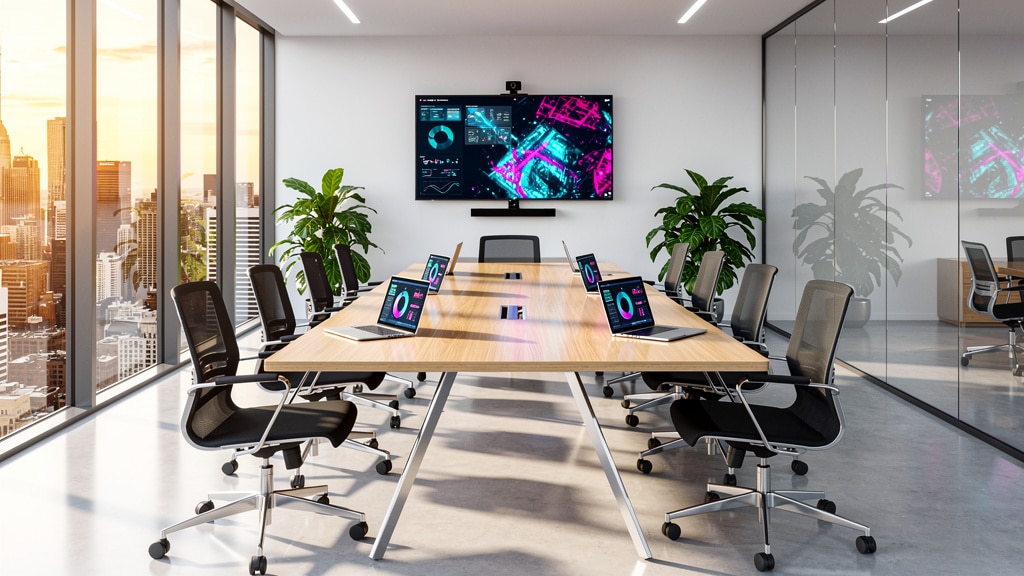
Most teams treat meetings like gravity. They keep pulling time away, even when nobody is sure what got decided. If you often walk out of a call thinking, “So…who is doing what?”, you are not alone. Research shows employees attend around 62 meetings a month and lose about 31 hours to unproductive ones. That is exactly why the right software for meeting management has moved from “nice to have” to board-level topic.
Instead of just adding another video app, modern meeting management platforms cover the full cycle. They help schedule, share agendas, run the live session, capture notes, and track follow-ups in one place. When this works well, meetings stop being black holes and start acting like predictable workflows the business can measure and improve.
In this guide, we walk through what meeting management software is, the features that matter most, and how leading tools compare. We also explain how we at VibeAutomateAI use AI automation around meetings to cut manual work by double-digit percentages. By the end, you get a clear view of which kind of software for meeting management fits your organization and how to roll it out without overwhelming your teams.
Key Takeaways
Busy leaders often scan before they read deeply. This quick summary highlights what matters most before we dive into the details of software for meeting management and AI automation.
- Meeting management software can cut 40–50 percent of admin time by handling scheduling, agenda prep, note capture, and follow-ups automatically. This frees assistants, managers, and project leaders to spend more time on strategy, clients, and decisions rather than calendar chasing and document updates.
- The most effective software for meeting management covers agenda creation, live transcription, clear action item tracking, and video conferencing in one connected flow. When these features live together, nobody wastes time hunting for files, retyping notes, or guessing who owns which task after the call.
- Integration with existing tools such as calendars, CRM, and project management systems is key for real return on investment. Leading options range from all-in-one platforms like Zoom or Google Meet to specialized governance tools such as Diligent, each serving different meeting types and risk levels.
- Security, scale, and mobile access are now baseline expectations rather than extras. Strong encryption, clear permission controls, and reliable mobile apps all matter if teams meet across locations, time zones, and devices, especially when sensitive topics are on the agenda.
- AI automation, guided by a clear strategy, can push software for meeting management far beyond simple scheduling. With the right stack, teams gain automatic summaries, action syncing into work systems, sentiment signals, and data-driven insights about how meetings help or hurt performance.
What Is Meeting Management Software?

Meeting management software is a class of tools built to plan, run, and follow up on meetings across in-person, remote, and hybrid teams. Where a simple video app focuses on the live call, software for meeting management covers the full cycle from invite to archived minutes and tasks.
Before a meeting, these platforms handle scheduling, send invites, manage RSVPs, and share agendas with attached documents. During the session, they provide video, chat, shared notes, and sometimes automatic transcription so discussion is captured in real time. Afterward, they help turn decisions into tasks, distribute minutes, and store everything in an organized archive.
Because everything sits in one place, teams gain a single source of truth for what was discussed, decided, and assigned. That central view improves communication, keeps expectations clear, and makes it much easier to hold people accountable for agreed actions across status updates, one-on-ones, project reviews, and board meetings.
Why Meeting Management Software Matters For Business Success
Unplanned, vague meetings cost serious money. If each employee wastes 31 hours a month in unproductive sessions, a company with 500 people throws away thousands of paid hours monthly. Software for meeting management attacks that waste by structuring how meetings are planned and run.
Case studies show agenda preparation time dropping by 40–50 percent when organizations move from email chains and spreadsheets to a dedicated platform. That time goes back into higher-value work such as customer conversations, analysis, or coaching team members. For lean businesses, that shift can be the difference between treading water and pulling ahead.
Good meeting management software also builds a culture of accountability. When decisions, votes, and action items are documented inside a shared system, follow-through is far more likely. As we see with our own clients at VibeAutomateAI, early adopters of this approach tend to move faster, make cleaner decisions, and support remote and hybrid work with far less friction.
“Meetings are a symptom of bad organization. The fewer meetings, the better.”
— Peter Drucker
The answer is not to cancel every meeting, but to make each one matter. Meeting management tools help keep only the sessions that truly move work forward.
1. VibeAutomateAI: AI-Powered Meeting Optimization Strategy
At VibeAutomateAI, we do not sell a single app and walk away. Instead, we help leaders design an AI-powered meeting workflow and then choose the right software for meeting management plus a small set of focused AI tools to support it. Our goal is simple: fewer manual steps, clearer decisions, and better use of your team’s time.
We usually guide clients toward three to five core tools that cover scheduling, video, transcription, and task follow-up, rather than a crowded stack nobody loves. With AI in the mix:
- meetings generate automatic notes and summaries
- action items flow straight into systems like CRM or project boards
- transcriptions are searchable for later review
- recap emails and status updates can be drafted automatically
Pre-meeting prep, such as agenda builds and document sharing, also becomes semi-automated instead of a last-minute scramble.
We follow a human-in-the-loop philosophy. AI drafts notes, tags owners, and suggests follow-ups, but people approve and adjust. That keeps control with your team while still gaining around 40 percent or more productivity improvement and often ten or more hours saved per person each month.
We also run vendor and security checklists that cover SOC 2, ISO 27001, and data policies so your meeting data stays protected. Our eight-step rollout plan, governance framework, and tracking of manual hours saved help small and large organizations gain real business value instead of just another tool on the shelf.
Core Features Every Meeting Management Platform Should Have
Not all software for meeting management is equal. The strongest platforms support the entire meeting lifecycle instead of focusing only on the call itself. It helps to think in three stages: before, during, and after the meeting.
Pre-Meeting Features
Pre-meeting features set the stage for a focused session. Strong platforms sync with Google Calendar or Outlook, handle recurring meetings, and make it simple to find a time across time zones. They offer shared agenda templates so every recurring meeting follows a predictable format and allow team members to suggest topics ahead of time.
Centralized document management is another key part of software for meeting management. Organizers can upload files, manage versions, and keep access controlled so the right people see the right material. Many tools also give attendees personal portals where they can review materials, take private notes, and arrive prepared instead of guessing what the meeting is about.
During-Meeting Features
During the meeting, the software should support clear communication and active collaboration. HD video, stable audio, and flexible views help people stay engaged on calls with many participants. Screen sharing and digital whiteboards let presenters walk through reports, roadmaps, or design work while others ask questions in chat.
Real-time note spaces and simple interfaces for logging motions or informal decisions also matter. In stronger systems, those notes line up directly with agenda items so there is no confusion later. When recording and live streaming are included, teams can share sessions with those who could not attend without re-running the whole conversation.
Post-Meeting Features
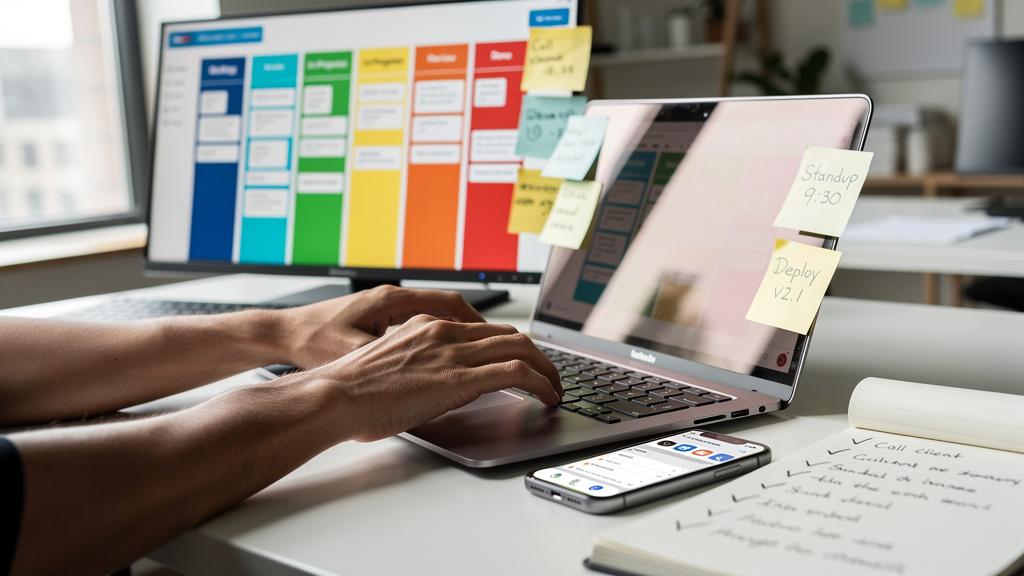
After the meeting, the real test of value appears. Good software for meeting management turns raw notes and transcripts into structured minutes that can be reviewed and approved quickly. Some tools let you create both internal and public versions with a few clicks, which helps boards and public bodies follow legal rules.
Action item tracking links each task to an owner, due date, and status. That data can sync to project management or CRM tools so follow-ups actually reach people where they work every day. Finally, long-term archives with strong search capabilities, similar to Paper Digest – AI-Powered research tools, make it easy to pull past decisions, recordings, or documents when audits, reviews, or new projects need them.
Advanced Capabilities That Differentiate Leading Platforms
Once core features are covered, advanced capabilities start to separate basic tools from best-in-class software for meeting management:
- Hybrid workspace coordination. Organizations with hybrid offices often need room booking, interactive floor plans, and hot desk reservations tied into their meeting system. Automated check-ins free unused rooms and keep physical space usage clear.
- Accessibility features. Accessibility has grown in importance as teams spread across regions and abilities. Closed captions, screen reader support, high-contrast modes, and multilingual interfaces help every participant follow along without extra friction.
- AI-powered insights and analytics. Similar to how Top 11 Apps for researchers enhance academic productivity, some platforms summarize meetings, highlight sentiment trends, and track who speaks and who stays quiet. Others provide dashboards for meeting length, attendance, and action completion rates. Much like Research Paper Software Tools that enhance research productivity, at VibeAutomateAI, we help clients decide which of these extras actually supports their goals instead of buying features that look impressive but never get used.
“What gets measured gets managed.”
— Peter Drucker
When you can measure meeting quality and follow-through, it becomes much easier to adjust formats, cut low-value sessions, and double down on the ones that drive results.
Critical Evaluation Criteria For Software Selection
Choosing the best software for meeting management starts with a clear checklist. Without one, it is easy to chase demos and marketing claims instead of real needs.
- Ease of use. The user interface should be simple enough that executives, admins, and frontline staff can use it with little training. Clean layouts, clear labels, and low click counts drive adoption much faster than long manuals or complex menus.
- Integration depth. Integration depth matters more than flashy extras. Look for strong links to Google Workspace or Microsoft 365, Slack or Microsoft Teams, project tools such as Asana, Monday.com, or Trello, and core systems like Salesforce, BambooHR, or Workday. Single sign-on through Okta or OneLogin keeps access safer and smoother.
- Security and compliance. Security and compliance need careful review when meetings cover finances, staff, or customer data. End-to-end encryption, waiting rooms, per-user permissions, clear data retention, and certifications such as SOC 2 and ISO 27001 all reduce risk and keep auditors happier.
- Scalability and flexibility. The platform should scale from small teams to large groups without performance issues. Flexible pricing, reusable templates, and configurable workflows help different departments use the same base system while adjusting it to their style of work.
- Mobile and reliability. Strong mobile apps for iOS and Android let people join, share screens, and read documents from anywhere. Uptime guarantees, responsive support, and honest total cost numbers, including setup and training, round out a smart evaluation. At VibeAutomateAI, we often help clients score tools against this list before they sign contracts.
Top Meeting Management Software Tools Compared
The market for software for meeting management spans from general video apps to highly specialized board platforms. Rather than ranking them, we group leading options by the types of meetings they serve best. In many organizations, VibeAutomateAI sits across these tools as the automation and governance layer that ties them together.
All-In-One Video Conferencing Platforms
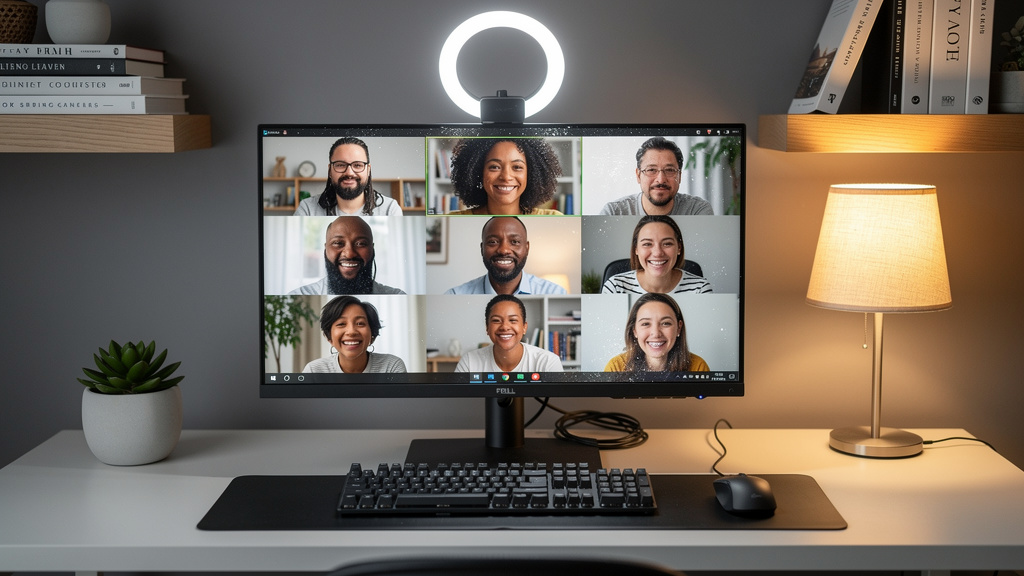
Many of our clients at VibeAutomateAI start by picking a core video platform and then plug it into their broader meeting workflow.
- Zoom remains a top pick for organizations that run large, frequent online sessions. It supports big audiences, has a friendly interface, and offers Zoom Rooms for conference spaces.
- Google Meet fits best for teams living in Google Workspace, with tight links to Calendar, Drive, and Docs plus generous meeting limits.
- GoTo Meeting focuses strongly on clear recordings and automated transcripts, which helps teams who review calls later or build training libraries.
- BlueJeans emphasizes high-quality audio through Dolby Voice and strong accessibility features, making it helpful for global teams with different needs.
Collaborative Agenda And Productivity Tools
Some tools focus more on structure and follow-through than video. Alongside VibeAutomateAI’s automation work, teams often adopt one of these agenda-focused apps to give everyday meetings more shape:
- Fellow offers a handy one-on-one assistant with Slack integration that collects talking points before meetings and feedback afterward.
- Infinity gives teams meeting calendar views tied to Kanban-style boards, so notes and tasks stay together across projects.
- Teaming leans on mobile and multimedia, letting people share photos and short videos inside agendas and notes, which is powerful for field work, design reviews, or service visits.
Specialized Board And Governance Platforms
For boardrooms and formal committees, standard software for meeting management may not be enough, which is why specialized Board Management Software has become essential for organizations with formal governance requirements.
- Diligent is widely used for secure board books, structured agendas, minute taking, and formal evaluations. As The only AI-powered board management solution in its category, it focuses on keeping sensitive documents in a controlled space while leveraging advanced technology for efficiency.
- CivicPlus and Tyler Technologies support city councils and other public bodies with agenda automation, public portals, live streaming, and tools that help meet open meeting rules.
These platforms suit high-stakes decisions where public access, legal compliance, and meticulous records matter.
Hybrid Workspace Solutions
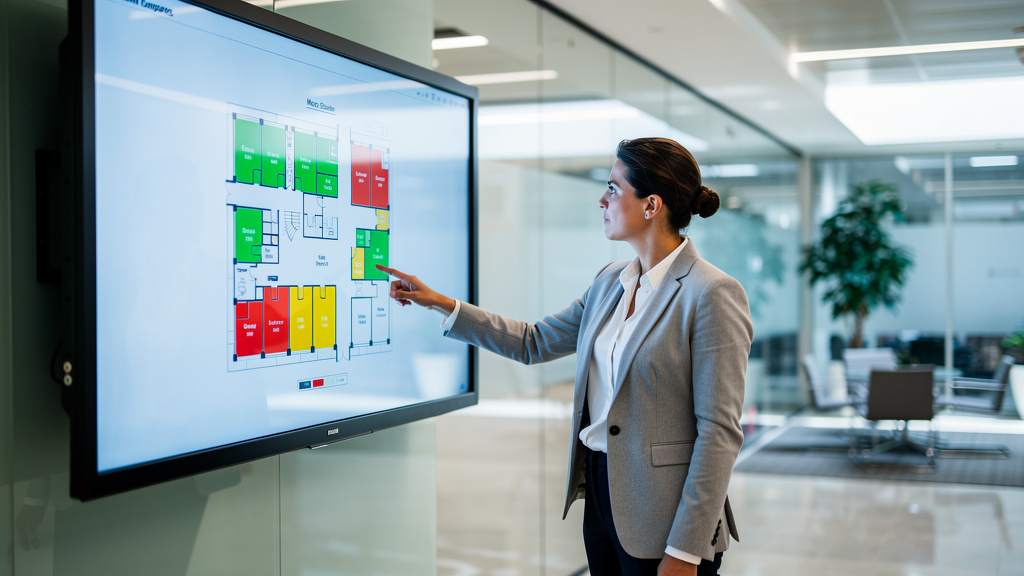
Hybrid office setups bring physical space into the picture.
- Clearooms helps companies book rooms and desks through interactive floor plans, automate check-ins, and attach services like catering or audio equipment to reservations.
- Zoho Meeting, part of the broader Zoho suite, offers secure web conferencing linked with Zoho CRM and Projects. For teams already using Zoho products, this can become the central video and meeting hub while keeping cost under control.
VibeAutomateAI often helps connect these workspace and conferencing tools so calendar reservations, meeting links, and follow-up tasks all live in one coherent flow.
How To Implement Meeting Management Software Successfully
Even the best software for meeting management fails if rollout is rushed or unclear. To give new tools a real chance, treat implementation as a series of deliberate steps:
- Assess the current state. Start with an honest assessment of current pain points. Map how meetings are scheduled, which tools people already use, where information gets lost, and what goals they care about, such as time saved, fewer cancellations, or higher action completion rates.
- Wire up integrations early. Set up strong integrations before asking everyone to switch. When calendars, chat tools, CRM, and project boards connect smoothly, adoption feels natural instead of forced.
- Run a pilot. A phased rollout with a pilot group lets you test real workflows, train early champions, and refine templates before going company-wide. Use this stage to spot gaps and refine agenda structures.
- Train by role. Training should be role-based, not generic, with fast cheat sheets for organizers, note takers, and regular attendees. Short video clips and examples from real meetings help new habits stick.
- Measure and refine. Track usage, time savings, and follow-through on actions so the business can see real gains. Our eight-step framework at VibeAutomateAI follows exactly this pattern and helps organizations avoid common adoption traps.
Conclusion
Meetings do not have to drain time and energy. With well-chosen software for meeting management and a clear AI strategy, organizations often see 40–50 percent cuts in prep work, better follow-through on decisions, and smoother collaboration across locations. The key is matching platform features to real needs and treating implementation as a managed change, not just a new login.
AI now takes this further with automatic summaries, task suggestions, and insight into how meetings support or slow down progress. At VibeAutomateAI, we help leaders weave meeting tools into a wider automation plan so the gains show up in hours saved, faster moves, and stronger outcomes. For any organization serious about reclaiming time, the next logical step is reviewing both the software for meeting management in use today and the AI automation that could sit around it. In a business climate where time may be the sharpest edge, better meetings are not a luxury; they are a strategic choice.
FAQs
Question 1: What Is The Difference Between Meeting Management Software And Video Conferencing Tools?
Video conferencing tools focus on live communication through audio and video. Meeting management software covers the entire lifecycle, which includes scheduling, agenda creation, document sharing, and automated notes. It also tracks action items and stores searchable archives of past meetings. Many modern platforms combine both functions so the live call and the surrounding workflow sit in one place.
Question 2: How Much Does Meeting Management Software Typically Cost?
Costs vary based on features, user count, and meeting types. Basic video platforms often range from free tiers up to around twenty dollars per user each month. Mid-tier collaborative tools usually sit between ten and fifty dollars per user. High-end board and government platforms tend to use custom enterprise pricing. When budgeting, remember to include setup, integration work, and training time, not just license fees.
Question 3: Can Small Businesses Benefit From Meeting Management Software, Or Is It Only For Enterprises?
Small businesses often see the biggest impact from software for meeting management because every saved hour matters. We regularly see small teams cut admin time by one-third when agendas, notes, and tasks move into a single system. Many tools offer free or low-cost plans that grow with the business. The real win is redirecting time from coordination work to sales, service, and product improvements. VibeAutomateAI also helps small firms avoid tool overload by focusing on a tight stack.
Question 4: What Security Features Should I Look For When Handling Sensitive Meeting Information?
Security starts with end-to-end encryption for meetings and stored files. Look for password-protected sessions, waiting rooms, and granular permissions that control who can view, edit, or download documents. Single sign-on connections with platforms like Okta or OneLogin help keep access consistent. It is wise to prefer vendors with SOC 2, ISO 27001, or similar certifications and clear data retention policies. Our vendor review checklists at VibeAutomateAI cover all these points.
Question 5: How Do I Get My Team To Actually Adopt New Meeting Management Software?
Adoption depends more on people than features. Executive sponsorship signals that the change matters. Clear messages about benefits for each role reduce resistance. Start with a pilot group that is open to change, gather feedback, and share quick wins with the wider team. Integrate the new system with existing tools to avoid extra steps. Ongoing training, simple help guides, and a place to raise questions all keep momentum. We also suggest framing AI and automation as support for staff, not a threat to their jobs.
Question 6: Can Meeting Management Software Integrate With Our Existing Tools And Systems?
Most modern software for meeting management offers deep integrations. Common connections include Google or Microsoft calendars and email, chat tools such as Slack or Teams, project boards like Asana or Monday.com, and CRM platforms such as Salesforce. Many tools also support HR systems and automation services like Zapier. An open API is useful when you need custom links to in-house systems. At VibeAutomateAI, we help clients test and design these integrations so information flows smoothly instead of sitting in silos.
Stay connected