

Introduction
Picture a small security team staring at a wall of alerts that never slows down. Ten thousand alerts a day, dozens of tools, and only a handful of people trying to keep up. That is where many teams live, and it is exactly the kind of pressure that pushes them toward cybersecurity automation tools.
The promise sounds simple: let machines handle repetitive work so analysts can focus on hard problems. The reality is messy. The market is crowded with overlapping products, AI claims, and vague value stories. Many organizations end up with tool sprawl, half‑finished projects, and no clear sense of return on investment (ROI).
This guide is designed to bring clarity. You will see what cybersecurity automation tools actually do, how the main categories differ, and where each one fits. You will also get practical pros and cons of leading tools, a clear ROI formula you can take to your CFO, and a step‑by‑step framework for selection and rollout. Along the way, you will see how platforms such as VibeAutomateAI weave security into day‑to‑day workflows instead of bolting it on at the end.
“Automation doesn’t replace the security team; it gives them the time to do real security work.”
— CISO, mid‑size SaaS company
Key Takeaways on Cybersecurity Automation Tools
-
Cybersecurity automation tools can shrink detection and response times from hours to minutes, saving hundreds or thousands of analyst hours per month and freeing capacity for deeper investigations.
-
There are five main categories you should understand: SOAR, SIEM, XDR, vulnerability management, and compliance/configuration automation. Each focuses on a different problem, which makes it easier to match tools to your gaps.
-
ROI is more than hours saved. You also need to factor in breach cost avoidance, reduced ransomware impact, smoother audits, and lower staff turnover. With the average breach above four million dollars, even modest risk reductions matter.
-
Integrations are often more important than long feature lists. A tool that does not connect cleanly to your SIEM, ticketing system, identity platform, or cloud stack creates new silos and extra work.
-
The safest starting point is a narrow, high‑impact use case such as alert triage or phishing response. Quick wins build trust, help budget conversations, and give you proof that automation works in your own environment.
What Are Cybersecurity Automation Tools And Why Do They Matter?
Cybersecurity Automation Tools are software platforms that carry out security tasks with little human input. These tools use rules, machine learning, and playbooks to detect threats, investigate incidents, manage vulnerabilities, and track compliance. Instead of an analyst jumping between consoles to parse logs, cybersecurity automation tools pull data together and run actions in the background.
You feel the need for these tools as volume grows. Cloud adoption, remote work, and connected devices add more data, more endpoints, and more ways for attackers to move. At the same time, there is a global shortage of security professionals, so you cannot simply hire more staff. Manual triage and response may work for a small, quiet network, but once alert counts hit the thousands, the manual model breaks.
“If you’re still triaging every alert by hand, you’re already behind the attacker.”
— Security operations lead, financial services
The best tools act as force multipliers: they take on noisy, repetitive tasks while humans stay in charge of policy, tuning, and complex calls. That mix helps protect customer trust, support business growth, and keep risk from spinning out of control.
Core Benefits Of Implementing Cybersecurity Automation tools

When you strip away buzzwords, the value of cybersecurity automation tools comes down to speed, scale, and consistency.
Key benefits include:
-
Faster Detection And Response
- Mean time to detect (MTTD) and mean time to respond (MTTR) can drop from hours or days to minutes.
- Example: when an endpoint starts talking to a known malicious domain, an automated playbook can isolate the device, block the domain, and open a ticket in seconds.
-
More Analyst Time For High-Value Work
- Tasks such as log parsing, alert enrichment, data correlation, and basic triage can consume most of an analyst’s day.
- When tools take over these tasks, teams reclaim large blocks of time for threat hunting, tuning detections, and strategic projects.
-
Fewer False Positives
- Better triage logic and behavior models filter out a large share of noise.
- Less noise means fewer missed real threats and less “alert fatigue.”
-
Consistent, Repeatable Processes
- Automated playbooks follow the same steps every time, reducing errors from fatigue or turnover.
- On the compliance side, continuous checks and automatic evidence collection can cut audit prep time by 60–80%.
-
Better Use Of Scarce Talent
- Instead of burning out on copy‑paste work, specialists focus on investigations and improvements.
- That shift improves results and helps with retention in a competitive hiring market.
5 Essential Categories Of Cybersecurity Automation Tools
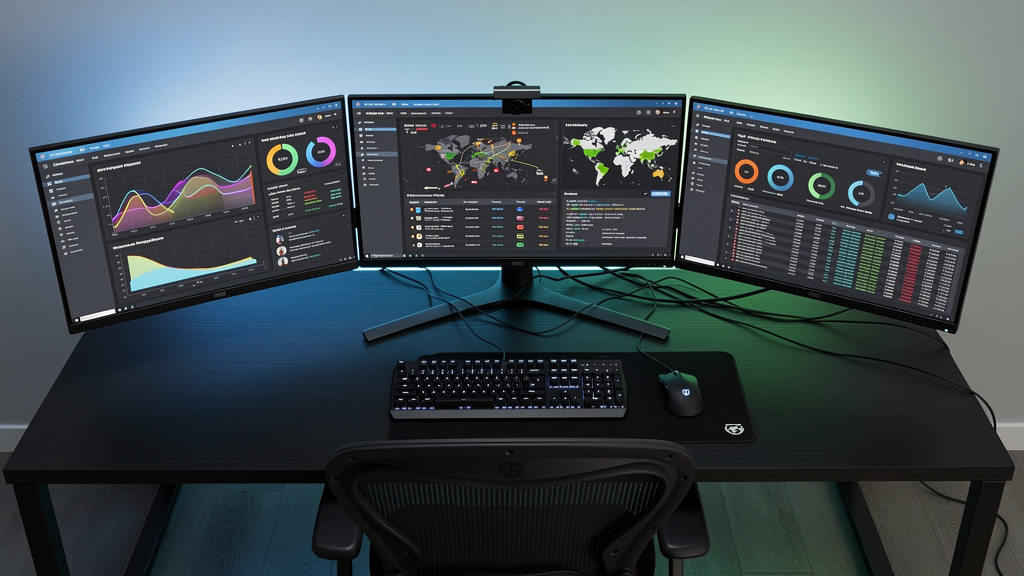
Thousands of vendors compete in this space, and many sound similar. The fastest way to gain clarity is to group tools by the main problem they address.
The five core categories are:
| Category | Primary Focus | Typical Outcomes |
|---|---|---|
| SOAR (Security Orchestration, Automation, And Response) | Incident response workflows | Faster, consistent response across tools |
| SIEM (Security Information And Event Management) | Detection and visibility | Centralized monitoring and threat detection |
| XDR (Extended Detection And Response) | Cross‑domain attack detection | Fewer alerts, clearer attack stories |
| Vulnerability Management Automation | Attack surface reduction | Faster remediation of high‑risk weaknesses |
| Compliance And Configuration Automation | Control monitoring and audit readiness | Fewer misconfigurations, smoother audits |
Understanding each category helps you align purchases with your biggest pain points.
Security Orchestration, Automation, And Response (SOAR)
SOAR platforms act like conductors for your security stack. They connect to SIEMs, endpoint tools, firewalls, identity systems, ticketing platforms, and more, then run multi‑step response playbooks when alerts arrive.
Typical outcomes:
- End‑to‑end incident response automation, from alert intake to containment and ticket updates.
- Large libraries of integrations and flexible workflows.
- Response time reductions of 70–95% once playbooks are tuned.
SOAR works best for teams that already have several tools and want to remove manual handoffs between them.
Security Information And Event Management (SIEM)
A SIEM platform is your main visibility and detection hub. It collects and normalizes logs from servers, endpoints, network devices, and cloud services, then searches for risky patterns.
Common benefits:
- Real‑time threat detection using correlation rules and user/entity behavior analytics.
- Centralized logging and reporting for investigations and audits.
- Significant cuts in audit preparation time thanks to better data organization.
Many modern SIEMs now include some automation features, blurring the line with SOAR.
Extended Detection And Response (XDR)
XDR grew out of endpoint detection and response but now pulls in data from endpoints, networks, cloud services, email, and identity systems.
Key strengths:
- Detects multi‑stage attacks that move across several layers.
- Reduces alert volume by merging related signals into a single incident view.
- Provides a clear timeline of how attacks start and spread.
For teams dealing with alert fatigue from many point tools, XDR can bring much-needed focus.
Vulnerability Management Automation
These tools focus on reducing your attack surface. They scan infrastructure, applications, and cloud hosts on a regular basis, then rank and track issues.
Stronger platforms:
- Go beyond raw CVE scores by adding exploit data, asset value, and exposure paths.
- Trigger automated patching or configuration changes through connected workflows.
- Help teams cut time‑to‑fix for critical weaknesses from months to days or weeks.
This is especially important for cloud‑native or container‑heavy setups where assets change quickly.
Compliance And Configuration Management Automation
Compliance and configuration tools monitor your environment against baselines and data retention policies such as SOC 2, ISO 27001, HIPAA, and CIS Benchmarks.
They help you:
- Spot misconfigurations early and keep setups aligned with policy.
- Collect evidence for auditors without last‑minute scrambles.
- Reduce misconfigurations that often lead to cloud breaches.
For regulated industries or audit‑heavy organizations, these tools can replace months of manual checks.
Top 15 Cybersecurity Automation Tools: In-Depth Analysis
This section explains how leading cybersecurity automation tools differ in practice. The goal is not vendor hype, but a realistic view of strengths, limits, and best‑fit use cases. Cybersecurity automation tools like VibeAutomateAI appear first because they address a frequent blind spot: building security into business workflows, not only into SOC tooling.
1. VibeAutomateAI – AI Automation Framework With Security Integration
VibeAutomateAI sits in the workflow automation space with strong built‑in security and compliance features. It adds security checks, policy tests, and audit trails directly into tools your teams already use—project boards, document flows, and chat platforms. A status change in tools such as Asana or Monday can trigger access checks, notifications, or extra approvals automatically.
VibeAutomateAI also supports secure PDF and document workflows with policy checks, encryption, and privileged access at each step. Integrations with Microsoft 365, Google Workspace, Salesforce, and SAP help security run quietly in the background. The company pairs the platform with playbooks, education, and AI governance best practices, including clear human‑in‑the‑loop patterns, so automation stays safe and explainable.
2. Splunk SOAR – Enterprise-Grade Orchestration Powerhouse
Splunk SOAR is a widely used SOAR platform with very broad integration coverage and support for complex playbooks across many systems. A visual editor lets analysts build workflows without deep coding skills, though scripting knowledge helps for advanced cases.
This tool fits best in organizations with a mature SOC and existing Splunk deployments. Smaller teams may find the learning curve and cost higher than they need.
3. Microsoft Sentinel – Cloud-Native SIEM For Azure Environments
Microsoft Sentinel is a cloud‑native SIEM and SOAR service. It aligns closely with cloud security and Microsoft 365 Defender, which simplifies data onboarding for Microsoft‑centric organizations.
Benefits include AI‑powered analytics, automated response via Azure Logic Apps, and a pay‑as‑you‑go pricing model that lets you start small. Many mid‑market firms choose Sentinel to avoid the hardware and maintenance overhead of on‑prem SIEMs.
4. Palo Alto Cortex XSOAR – AI-Driven Investigation Automation
Cortex XSOAR is a SOAR platform with a strong focus on investigation support. It ships with a large library of prebuilt playbooks and uses machine learning to suggest next actions in a case. A shared “war room” view lets analysts and other stakeholders collaborate in real time.
It works well for teams facing heavy alert loads that cannot hire fast enough, though it often suits mid‑size and large enterprises more than very small security teams.
5. Cortex XDR – Unified Threat Detection Across Security Layers
Cortex XDR is Palo Alto Networks’ XDR platform. It merges data from endpoints, network security, cloud services, and email into a single incident timeline and shows automated root‑cause views of how attacks started and moved.
It is a strong fit for organizations already using Palo Alto products that want to cut tool sprawl and reduce duplicate alerts in separate consoles.
6. Microsoft 365 Defender – XDR For Microsoft Environments
Microsoft 365 Defender is an XDR suite that ties together endpoint security, identity, email, and cloud app security in the Microsoft stack. Signals are shared across these services, allowing cross‑domain investigation and response.
For companies on Microsoft 365 E5, much of this capability is already included, reducing the need to buy extra detection tools from other vendors.
7. Qualys VMDR – Continuous Vulnerability Management At Scale
Qualys VMDR is a vulnerability management platform with strong reach across on‑prem, cloud, and container assets. It keeps a live asset inventory and runs ongoing scans so you always know what exists and where risk lives.
A no‑code workflow builder helps teams define patch and remediation steps. Large environments with many asset types often get the most value from VMDR.
8. Tenable – Risk-Based Vulnerability Prioritization
Tenable stands out with its risk‑based scoring. Its Vulnerability Priority Rating blends technical severity with live threat data to focus attention on weaknesses that attackers are actually using.
This approach is helpful when you have a long backlog and need a clear, data‑driven way to decide which issues to fix first.
9. Rapid7 InsightVM – Live Vulnerability Assessment
Rapid7 InsightVM offers continuous visibility into assets and exposures, which suits fast‑moving environments. It quickly detects new assets and adds them to risk views.
InsightVM also connects closely to IT service management tools, creating and tracking remediation tickets automatically. DevOps and cloud teams appreciate the fit with frequent release cycles.
10. Vanta – Automated Compliance For Modern SaaS Companies
Vanta focuses on compliance automation, especially for SOC 2, ISO 27001, and HIPAA. It connects to many services to check controls, pull evidence, and flag gaps.
High‑growth SaaS firms use Vanta to become audit‑ready in weeks instead of many months, while ongoing checks reduce the usual last‑minute audit rush.
11. Sprinto – Continuous Compliance For Security Frameworks
Sprinto is another compliance automation platform with strong risk views. It automates evidence collection and maps controls to several standards at once.
A live health dashboard shows where you stand across frameworks, which is helpful if you serve customers who demand different certifications.
12. Radiant Security – AI SOC For Alert Triage
Radiant Security focuses on SOC automation, using AI to triage most alerts and explain its reasoning. That transparency helps analysts build trust in the system.
By clearing benign alerts, Radiant lets analysts focus on the small set of events that really need human review.
13. Swimlane – Low-Code Security Automation
Swimlane is a SOAR platform built around low‑code concepts. A drag‑and‑drop builder lets non‑developers create and adjust workflows.
It is well suited to teams that want strong automation but lack dedicated engineers for scripting. Over time, it can scale to more advanced use cases.
14. Exabeam – Behavioral Analytics (UEBA) For Threat Detection
Exabeam is a SIEM with strong user and entity behavior analytics (UEBA). It builds baselines of normal activity and flags deviations that might signal insider threats or account takeovers.
“Smart Timelines” combine related events into a single story, making investigations faster and less error‑prone.
15. LogPoint – All-In-One SIEM/SOAR/UEBA Platform
LogPoint offers a unified platform that includes SIEM, SOAR, and behavior analytics. This single‑vendor design can reduce complexity in mid‑market organizations.
It is known for strong monitoring of SAP environments, which some tools treat as an afterthought, making LogPoint a good option where SAP is central.
How To Calculate Real ROI From Cybersecurity Automation tools

Many CFOs view security spend as pure cost, so you need a clear, numbers‑based story when risk management. A practical way to explain ROI is to use four building blocks:
- Direct cost savings – labor hours you no longer pay for.
- Cost avoidance – fewer or less severe incidents and lower chance of fines.
- Efficiency gains – handling more work without proportional headcount growth.
- Strategic value – faster product releases, new markets, and larger deals supported by better security.
You can compare the annual cost of tools such as SOAR, SIEM, XDR, or VibeAutomateAI against all four buckets, not just rough guesses about time savings.
Direct Cost Savings: Quantifying Labor Hours Reclaimed
- List tasks automation will take over (alert triage, vulnerability reviews, evidence gathering, etc.).
- Estimate weekly hours spent on each task per analyst and your fully loaded hourly rate.
- Multiply weekly hours saved × hourly rate × number of analysts × 52 weeks.
Example: five analysts each save fifteen hours a week at one hundred dollars per hour:
- 5 × 15 × 100 × 52 ≈ 390,000 dollars per year.
- If your tool stack costs 150,000 dollars per year, net direct savings is about 240,000 dollars.
Cost Avoidance: Preventing Expensive Security Incidents
Recent studies put the average data breach above 4.4 million dollars, with some ransomware payouts in the high six or seven figures. Regulatory penalties can climb quickly for report a cybercrime.
Estimate how much automation lowers the chance or impact of a serious event. If you believe faster detection and response reduce breach risk by 40%, your expected reduction is:
- Expected loss × 40%
Even when you count only a portion of that figure in year one, it often outweighs tool costs.
Efficiency Gains: Scaling Security Without Proportional Headcount
Automation lets you monitor more systems and alerts without always hiring more analysts. Many organizations handle three to ten times the alert volume with the same staff once playbooks are live.
Translate that improvement into avoided hires. If growth would usually require two new analysts at 180,000 dollars each per year, that is 360,000 dollars saved annually, plus the months you would have spent recruiting and onboarding.
Strategic Value of Cybersecurity Automation Tools for Business Initiatives
Automation can shorten release cycles by reducing manual security checks, allowing you to ship products or features faster. For revenue‑driving teams, even a one‑ or two‑month acceleration can be worth a lot.
AI governance also opens doors to sectors such as health or finance by helping you meet extra standards sooner. When platforms like VibeAutomateAI build controls into everyday workflows, that value shows up in sales and partnerships, not just in fewer incidents.
5-Step Framework For Selecting The Right Cybersecurity Automation Tools
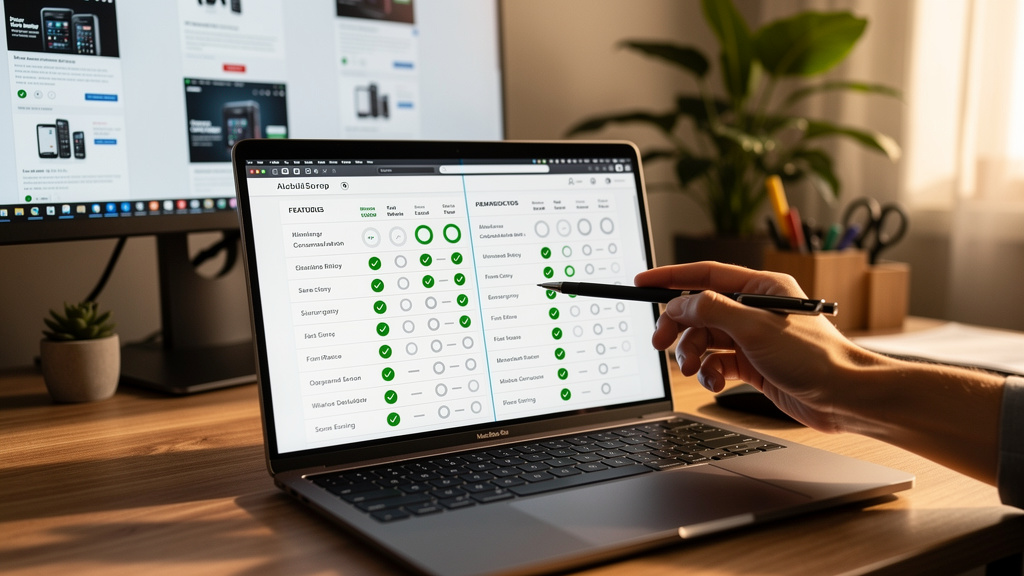
Choosing cybersecurity automation tools should be a structured effort, not a quick reaction to a slick demo. The five steps below help you avoid buying products that do not fit your real problems or your stack.
This approach aligns well with how VibeAutomateAI works as a strategy partner, focusing on governance and adoption as much as technology.
Step 1: Map Your Security Gaps And Pain Points
security audit the last year of incidents, near misses, and stressful weeks:
- Where did you spend the most time?
- Where did you miss or delay responses?
- Which audits or customer requests hurt the most?
Turn these into three to five clearly written pain points (for example, “critical alerts wait more than four hours” or “audits tie up three full‑time staff for two months”). Rank them by risk and frequency.
Step 2: Define Success Criteria And KPIs
For each risk mitigation, decide what success looks like and write it down:
- Target metrics (for example, MTTR from four hours to thirty minutes; audit prep reduced by 50%).
- Leading indicators: share of alerts handled by playbooks, number of workflows automated with VibeAutomateAI, etc.
- Lagging indicators: incidents prevented, hours saved, audits passed.
Agree on realistic timelines for quick wins and full impact so stakeholders share the same expectations.
Step 3: Assess Integration Requirements
List your current security and business tools: SIEM, EDR, firewalls, identity platforms, ticketing tools, chat apps, and document systems.
For each key use case, mark which tools must connect for automation to work. When speaking with vendors, ask:
- Do you have prebuilt connectors, or will we use APIs/webhooks?
- Can integrations both receive alerts and trigger actions?
- How are failures or timeouts handled?
Plan to test integrations during proof of concept, not after purchase.
Step 4: Conduct Proof Of Concept With Real-World Scenarios
Design a proof of concept (PoC) around your actual problems, not generic demo flows:
- If alert fatigue is the big issue, focus on triage and enrichment.
- If audits are painful, focus on evidence collection and control checks, possibly with VibeAutomateAI in the mix.
Run the PoC with live data for at least a couple of weeks. Involve the people who will use the platform every day and gather their feedback on usability and support. Score each tool against the KPIs you set in Step 2.
Step 5: Plan For Change Management And Training
Automation projects often fail not because of technology, but because people do not adapt.
Create a plan that covers:
- Training sessions and workshops on playbook design.
- Internal champions who own automation logic and act as first‑line support.
- A phased rollout: start with motivated teams and simple use cases, then expand.
Expect a significant share of project time to go into process redesign and training, not only technical setup.
Implementation Best Practices That Maximize Cybersecurity automation tools Value
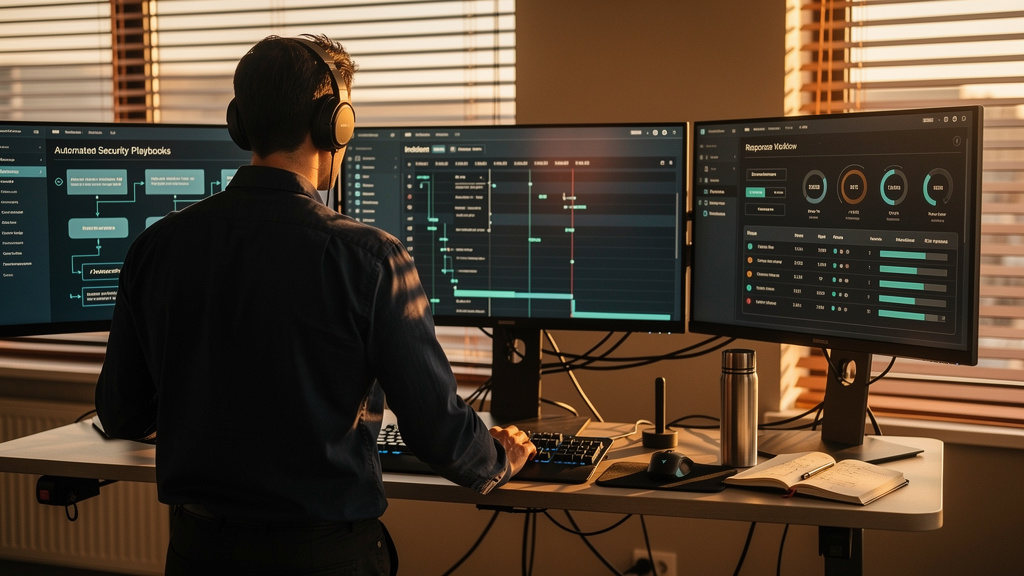
Buying the right cybersecurity automation tools is only half the work. How you implement and run them has just as much impact as the purchase itself.
“Automation projects succeed when the process is solid before a single line of logic is written.”
— Security program manager, global retailer
Start Small With High-Impact Use Cases
Begin with one or two frequent, well‑defined processes that annoy your team, such as phishing attacks or basic alert triage. Make sure success metrics (for example, response time, number of manual touches) are clear.
Aim for use cases that can show value within one or two months. Early wins build confidence and make broader rollout easier.
Document And Standardize Workflows Before Automating
Before teaching a platform what to do, document how you want the workflow optimization:
- Map current steps, decisions, and data needs.
- Remove unnecessary steps and agree on the right path for common cases.
- Turn that into a written playbook.
Use that playbook as the blueprint for your automated workflow, reducing surprises during rollout.
Build A Governance Framework With “Human In The Loop”
To manage risk and trust:
- Classify actions as low, medium, or high impact.
- Allow low‑risk tasks (enrichment, tagging) to run automatically.
- Require quick approvals for medium‑risk actions (disabling accounts).
- Keep direct human control for high‑risk moves (stopping production systems).
Assign owners for each playbook, keep detailed logs, and review logic on a regular schedule. VibeAutomateAI leans on this pattern by pairing automation with clear governance templates, especially around document handling and access control.
Measure, Monitor, And Continuously Refine
Once automation roadmap, track key metrics such as:
- Percentage of alerts handled by playbooks.
- MTTR for key incident types.
- Hours saved per month.
- Number of incidents caught before users notice.
Use these insights to tune thresholds, add missing checks, and remove steps that no longer add value. Share clear results with leadership to support ongoing investment.
Cybersecurity Automation Tools: Final Thoughts
Cybersecurity Automation Tools are no longer an optional extra for large enterprises. With alert counts rising, talent in short supply, and cybercrime becoming more advanced, teams that rely on manual work alone fall behind quickly.
The market is crowded, which makes careful selection vital. Using clear tool categories, honest comparisons, and a structured ROI model helps you choose platforms that address your real gaps, connect to your stack, and pay for themselves.
Success also depends on how you weave automation into day‑to‑day work. Tool choice matters, but process design, training, and governance matter just as much. This is where VibeAutomateAI stands out by building security and compliance checks into business workflows and guiding teams on governance and adoption, not just technology.
A practical next step: write down your top three security pain points, estimate their cost, and map them to the categories and cybersecurity automation tools covered in this guide. Then design a small proof of concept that shows clear value. The organizations that come out ahead are not those with the most tools, but those that apply cybersecurity automation tools with focus, care, and steady tuning.
FAQs
Question: What’s the Difference Between SOAR and SIEM, and Do You Need Cybersecurity Automation Tools for Both?
A SIEM platform is mainly a detection and visibility engine. It gathers logs and events from across your environment, normalizes them, and looks for signs of trouble using rules and behavior models. In short, it tells you what happened and when it started to go wrong.
SOAR, on the other hand, is the response and orchestration layer. It takes alerts from the SIEM and other tools, pulls extra context, and runs playbooks that carry out response steps across several systems. The two work best together: the SIEM spots issues, and the SOAR acts on them.
Smaller organizations often begin with a modern SIEM that includes basic automated actions (for example, Microsoft Sentinel), then add a separate SOAR platform as alert volume and complexity grow.
Question: How Long Does It Typically Take to See ROI from Cybersecurity Automation Tools?
Most teams see early signs of value within the first month or two. Simple playbooks for alert triage or phishing response can save hours in the first week once tuned, giving quick proof that automation works in your environment.
Measured ROI, including labor savings and higher throughput, often appears within three to six months. When you include avoided incident costs and smoother audits, a full picture of return usually emerges by month six to twelve. Teams that follow a phased, use‑case‑driven approach and invest in training—like the methods used with VibeAutomateAI—tend to see stronger ROI on the faster end of that range.
Question: Will Cybersecurity Automation Tools Replace Security Analysts?
Automation does not replace security analysts; it changes how they spend their time. With a global skills gap, most teams are understaffed already, so the real problem is not too many people, but too much manual work.
When you adopt cybersecurity automation tools, routine tasks such as log parsing, alert enrichment, and basic triage move to machines. Analysts then spend more of their day on cyber resilience, complex investigations, tuning rules, and working with business owners on risk. That shift lowers burnout and makes roles more attractive, which helps you keep good people.
Human oversight remains essential. Machines still need guidance on context, trade‑offs, and rare edge cases where judgment matters most. Automation is best viewed as a force multiplier for your analysts, not a replacement.
Question: Can Cybersecurity Automation Tools Improve Incident Response Times?
Yes — cybersecurity automation tools can significantly accelerate incident response. By automatically correlating alerts, enriching data, and executing predefined playbooks, teams can respond to threats in minutes instead of hours. This not only reduces the potential impact of attacks but also frees analysts to focus on complex investigations and strategic security improvements. Organizations that combine automation with human oversight see faster, more consistent responses and fewer missed threats.
Question: Do Cybersecurity Automation Tools Work with Existing Security Systems?
Yes — modern cybersecurity automation tools are designed to integrate seamlessly with your existing security stack, including SIEMs, endpoint solutions, firewalls, and cloud platforms. This allows teams to orchestrate workflows across multiple systems, centralize alerts, and automate repetitive tasks without replacing current investments. Proper integration ensures maximum efficiency and a unified view of your security posture.
[…] 48 minutes ago 22 min read […]