
Introduction
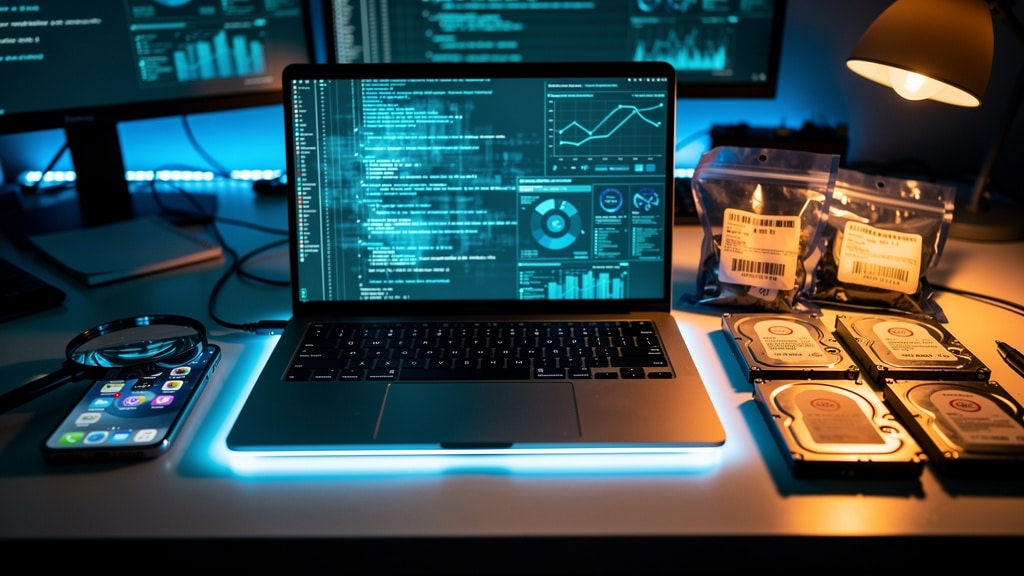
The office feels calm until the first alert appears on a screen and everything stops. Files are missing, systems are locked, and a strange note demands payment. At that moment, Digital Forensics is the difference between blind panic and a clear plan.
Digital Forensics is a structured way to recover, examine, and analyze data from computers, phones, servers, cloud accounts, and other devices. Done well, it answers four hard questions: what happened, how it happened, who was involved, and what evidence proves it—without damaging that evidence.
“If it’s not documented, it didn’t happen.”
This saying is common among forensic examiners and incident responders for a reason.
This work is no longer just for law enforcement. Any organization that stores customer data, processes payments, runs cloud services, or manages employee devices now depends on Digital Forensics to support incident response, risk management, compliance, and business continuity.
At VibeAutomateAI, we focus on turning deep technical topics into clear, practical playbooks. This guide walks through Digital Forensics basics, the full investigation process, specialized branches, legal rules, and Digital Forensics and Incident Response (DFIR). By the end, you should feel ready to speak with forensic experts, shape your own policies, and build forensic readiness into your wider security plans.
Key Takeaways
-
Digital Forensics gives businesses a repeatable way to investigate cyberattacks, insider activity, and policy violations using structured evidence from devices and logs instead of guesswork.
-
A four‑phase investigation model—collection, examination, analysis, and reporting—keeps evidence clean and defensible so courts, regulators, and insurers are more likely to trust the findings.
-
Because environments use many device types, Digital Forensics spans computer, mobile, network, cloud, IoT, memory, and media analysis, each important for different use cases.
-
Chain of custody and evidence handling procedures sit at the heart of any forensic effort; without them, even strong technical work can fail in court or internal reviews.
-
DFIR blends Digital Forensics with incident response so teams can contain threats while preserving strong evidence, helping IT teams prepare better and improve security posture over time.
What Is Digital Forensics And Why Does Your Business Need It?
Digital Forensics is a branch of forensic science focused on data stored or transmitted through digital devices, with specialized teams providing comprehensive digital forensics services to support investigations. Investigators collect, preserve, examine, and analyze that data so its integrity remains intact and the work can stand up in court or formal reviews. The focus is on repeatable, testable facts—not opinion.
People often mix up Digital Forensics and computer forensics. Computer forensics focuses on desktops, laptops, and servers. Digital Forensics has a wider scope that includes smartphones, tablets, cloud platforms, network devices, Internet of Things hardware, and almost any system that holds or sends digital information.
From a business perspective, Digital Forensics supports far more than criminal cases. It helps after data breaches, ransomware attacks, account takeovers, insider activity, compliance checks, intellectual property disputes, and employment investigations where email, chat, or document histories matter.
This is where forensic readiness comes in. Forensic readiness means planning ahead so useful logs exist, access is controlled, and staff know how to preserve systems when something looks wrong. At VibeAutomateAI, we build guides that help leaders and IT teams turn these ideas into step‑by‑step policies that work in real environments, not just on paper.
The Evolution And Growing Importance Of Digital Forensics
Digital Forensics began to take shape as personal computers entered homes and offices in the late nineteen‑seventies and early nineteen‑eighties. Early cases often fell under broad computer crime laws such as the Florida Computer Crimes Act of nineteen seventy‑eight and the United States Computer Fraud and Abuse Act of nineteen eighty‑six. Many investigators were hobbyists who learned by trial and error.
As more incidents involved computers and networks, the field matured. Law enforcement agencies built dedicated forensic teams, and courts started asking hard questions about how digital evidence was handled. Groups such as the Scientific Working Group on Digital Evidence (SWGDE) and standards bodies working on ISO 17025 brought formal methods and lab standards, giving investigators repeatable procedures and judges more confidence in digital evidence.
Meanwhile, cloud platforms, smartphones, and Internet of Things devices produced massive volumes of potential evidence. Incidents became more common and more complex. Hiring trends now show steady demand for Digital Forensics professionals across law enforcement, consulting, and private companies. For many organizations, Digital Forensics now sits beside cybersecurity and risk management as a core business function.
Key Applications How Businesses Use Digital Forensics
Digital Forensics touches many parts of business life, even when no one calls it that by name. Common use cases include:
-
Cybercrime and fraud investigations
Logs, emails, access records, and disk images help trace ransomware, payment card theft, business email compromise, and harassment over digital channels. Without a forensic approach, this evidence can vanish before law enforcement even gets involved. -
Civil litigation and eDiscovery
Contract conflicts, intellectual property disputes, and wrongful termination claims often depend on what people wrote, sent, or accessed. Digital Forensics supports eDiscovery by finding, preserving, and reviewing relevant emails, chats, shared documents, and archived system data. -
Internal investigations and insider threats
Forensic review of laptops, phones, and cloud accounts can show whether trade secrets were copied, harassment occurred over chat tools, or policy violations took place on corporate systems. -
Attribution, intent, and security improvement
By building timelines from logs, file metadata, and network traces, investigators can link actions to accounts and devices, support accountability, and feed threat intelligence that guides long‑term security improvements.
The Four‑Phase Digital Forensics Investigation Process
When Digital Forensics works well, it follows a structured process. The National Institute of Standards and Technology (NIST) model describes four main phases that guide most cases and give a shared language for legal teams, executives, and technical staff:
-
Data collection (acquisition)
-
Examination
-
Analysis
-
Reporting
A core idea is separating evidence collection from evidence study. Investigators first create exact copies of drives, memory, and logs so all deeper work happens on those copies. This protects original data, supports chain of custody, and preserves integrity for court or regulatory review.
Phase 1 Data Collection Acquisition
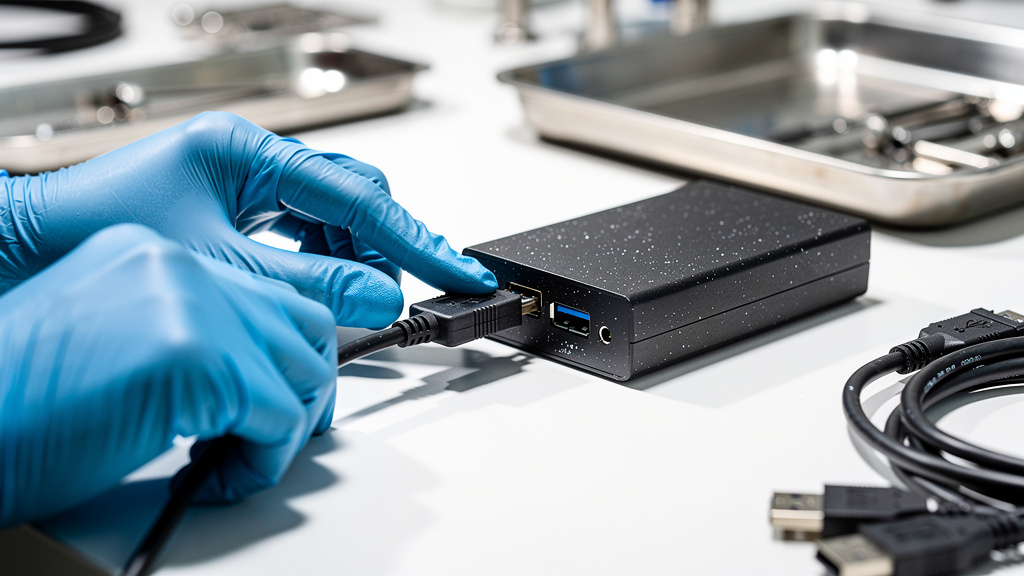
Data collection starts the moment a situation might need Digital Forensics. Typical steps include:
-
Identifying devices, accounts, and storage that may hold evidence (laptops, phones, servers, cloud drives, network gear).
-
Securing those items so no one can use, reset, or wipe them.
-
Creating forensic images—bit‑for‑bit copies of drives or volumes—using write blockers to prevent changes.
-
Calculating cryptographic hashes such as MD5 or SHA‑1 for both source and copy and comparing them to confirm a perfect match.
-
Capturing volatile data such as memory snapshots, running processes, and active log streams, especially for cloud workloads and live servers.
For businesses, a solid incident response plan should include simple instructions for staff on how to isolate systems and call in help so this phase starts quickly and correctly.
Phase 2 Examination
Once clean copies exist, investigators begin examination. They scan the data methodically to find:
-
Current and deleted files, plus fragments in unallocated space
-
Browser histories, email stores, chat archives
-
Operating system artifacts such as registries and event logs
-
Application caches and configuration files
Specialized forensic tools track every examiner action to keep a clear audit trail and preserve evidence structure. The aim is to collect all artifacts that might shed light on the incident, without altering them.
Phase 3 Data Analysis
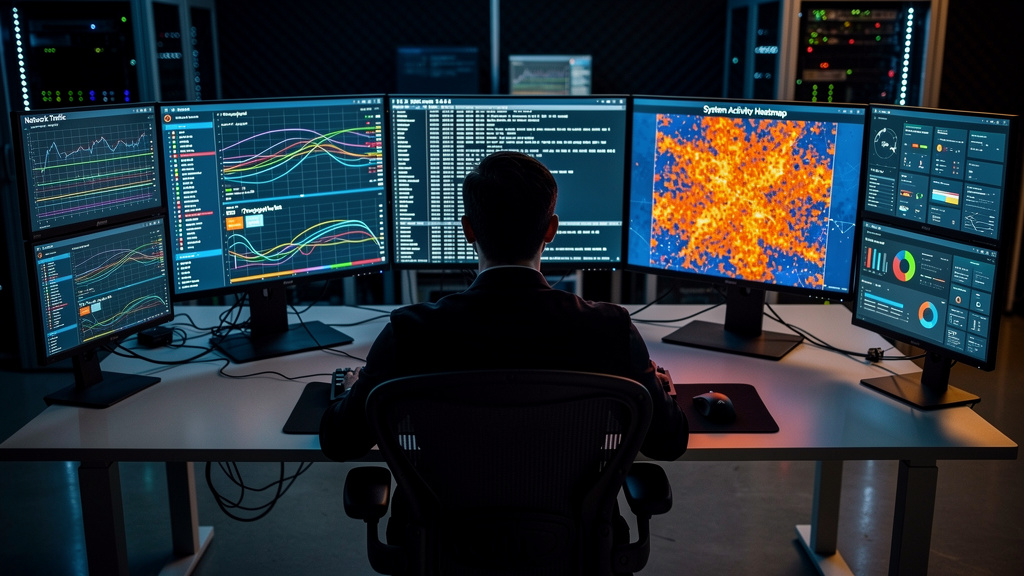
Analysis turns piles of artifacts into a coherent story. Investigators:
-
Align timelines from multiple systems to see what happened first and what followed
-
Determine which data was viewed, modified, or stolen
-
Map attacker movement through the network
Advanced techniques often include:
-
Memory forensics to view running processes, active network connections, and sometimes decrypted data that never appears on disk
-
Detection of hidden content, such as data embedded inside images or documents
-
Use of threat intelligence and known malware signatures to link activity with known tools or groups
-
Pattern and anomaly detection, for example large transfers at odd hours or logins from unusual locations
Analysis often loops back to collection or examination as new clues appear, until the picture is clear enough for sound decisions.
Phase 4 Reporting
Reporting is where Digital Forensics meets decision makers. A strong forensic report explains:
-
Why the investigation began
-
What evidence was collected and how it was handled
-
What methods were used
-
What investigators found and how confident they are in those findings
-
What limits or uncertainties exist
For corporate incidents, reports often include recommended actions such as password resets, network changes, user training, or policy updates. They may also support insurance claims, regulatory notices, and long‑term security planning.
Specialized Branches Of Digital Forensics
Modern environments run on many types of devices and platforms, so Digital Forensics has several specialized branches. They often overlap during real investigations:
-
Computer forensics – Desktops, laptops, servers, and storage devices: file systems, operating system artifacts, log files, and user data. Common in employee misconduct and server intrusion cases.
-
Mobile device forensics – Smartphones and tablets: call logs, messages, photos, app content, and location histories. Vital in employee cases, account takeovers, and harassment investigations.
-
Network forensics – Traffic flowing over internal networks and internet connections: packet captures, firewall logs, and intrusion alerts. Key for tracing attacker movement and data exfiltration.
-
Database forensics – Structured data stores such as customer or financial databases: contents, configuration, and transaction logs. Important for fraud, billing disputes, and mass data exposure.
-
Memory forensics – System RAM: running processes, encryption keys, network sessions, and short‑lived malware that never touches disk.
-
File system forensics – How operating systems organize and track files: recovering deleted or hidden data, studying file changes, and spotting traces of external drives.
-
IoT forensics – Connected devices such as cameras, sensors, wearables, and industrial controls. Their logs can link physical events with digital activity.
-
Digital image and video forensics – Verifying whether media is genuine by examining metadata, compression, and visual artifacts; used against edited images and deepfakes.
-
Cloud forensics – Evidence spread across virtual machines, containers, storage buckets, and software‑as‑a‑service platforms. Requires close cooperation with providers and knowledge of logging and jurisdiction.
Essential Tools And Techniques In Modern Digital Forensics
Early forensic work often happened directly on suspect machines with standard system tools, which risked changing evidence. That experience led to the idea of working from verified copies instead of live systems.
Key developments include:
-
Imaging tools
Early tools such as IMDUMP and SafeBack allowed verified drive copies. Later, commercial platforms like EnCase and Forensic Toolkit (FTK) combined imaging, search, recovery, and reporting in one interface. -
Open‑source environments
Distributions such as CAINE (Computer Aided Investigative Environment) provide a Linux‑based toolkit that boots from external media, letting investigators examine systems without starting the suspect operating system. -
Specialized hardware
Write blockers protect original drives, duplicators speed up copying, and Faraday bags shield mobile devices from wireless signals to prevent remote wipes. -
Common software techniques
Keyword searches across drives, file carving to rebuild fragments, registry analysis for Windows systems, and timeline building from multiple timestamp sources are standard practice, with comparative analysis of forensic tools helping practitioners select the most effective methods. -
Domain‑specific tools
Examples include WindowsSCOPE for memory forensics, Cellebrite for mobile extraction, and Wireshark or NetworkMiner for network analysis. Newer tools apply artificial intelligence and machine learning to scan large datasets far faster than manual review.
“Tools come and go, but sound methodology is what makes evidence stand up in court.”
When assessing a forensic service provider or planning in‑house capability, it helps to ask which tools they use, how they validate them, and how they document procedures. VibeAutomateAI focuses on giving readers clear explanations of these tool categories so they can ask better questions and choose partners who follow defensible practices.
Legal And Ethical Considerations Every Business Must Understand
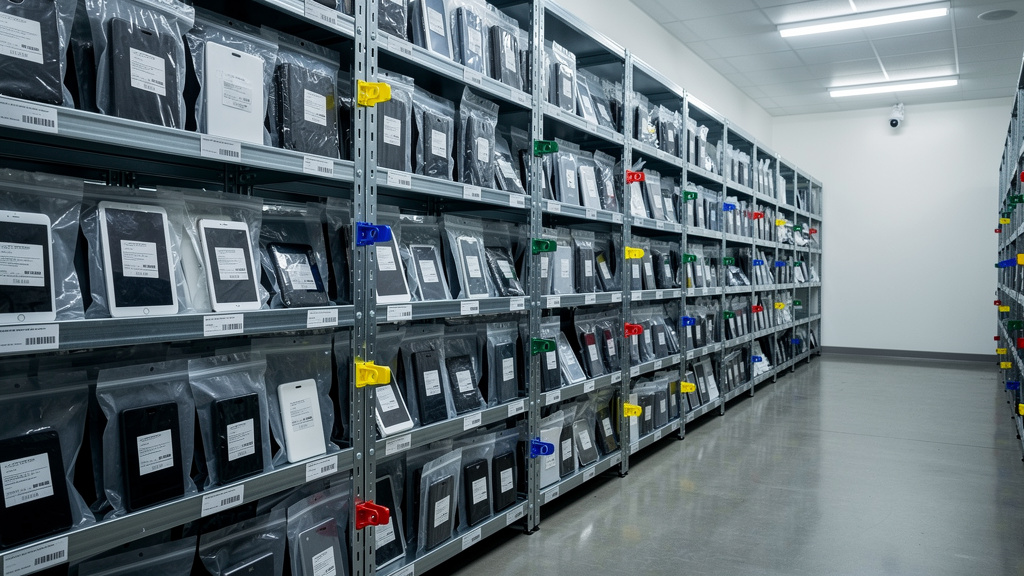
Digital Forensics must respect both legal rules and privacy rights. Even excellent technical work has limited value if a court will not accept the evidence.
Key concepts include:
-
Admissibility and reliability
Digital evidence falls under the same Federal Rules of Evidence as physical items. Courts often look for standards similar to the Daubert test: has the method been tested, peer reviewed, had its error rate studied, and gained broad acceptance? -
Chain of custody
From the moment a device or dataset is seized, every transfer, access, and change must be logged with names, dates, and reasons. Gaps in this record allow attorneys to challenge evidence as altered or mishandled. -
Integrity and authenticity
Integrity means evidence did not change between collection and presentation. Authenticity means it really relates to the incident and people involved. Forensic imaging, hash comparisons, and detailed notes about context help prove both. -
Privacy and data protection laws
In the United States, the Electronic Communications Privacy Act (ECPA) limits access to some communications. In Europe, the General Data Protection Regulation (GDPR) sets strict rules for collecting, storing, and using personal data. Internal investigations must be designed with legal counsel so they do not over‑collect or misuse personal information. -
Encryption and legal limits
Strong encryption protects data but can also block forensic access when keys are unknown. Some regions allow courts to require suspects to share keys; others do not. Experts who testify need to explain clearly where technical limits arise and avoid speculation.
For corporate teams, it is vital to know when internal review is enough and when to involve law enforcement. Employee privacy rights, monitoring policies, contracts, and cross‑border data issues all shape what is allowed. VibeAutomateAI encourages leaders to set clear policies in advance, with legal support, so investigations can proceed quickly without crossing legal lines.
Digital Forensics And Incident Response DFIR The Integrated Approach

For years, Digital Forensics and incident response often pulled in different directions. Response teams wanted to shut down attacks fast, even if that meant rebooting systems or wiping drives. Forensic specialists wanted to freeze everything, which could slow containment and let threats spread.
Digital Forensics and Incident Response (DFIR) brings these views together. Forensics becomes part of the response process instead of a separate, later activity.
In a DFIR model:
-
Responders isolate affected systems in ways that preserve their state as much as possible.
-
They collect memory images, system logs, and initial disk copies while they work, maintaining chain of custody even under time pressure.
-
Early findings guide containment, while preserved evidence supports deeper post‑incident analysis, legal cases, and insurance reviews.
After the immediate threat is contained, DFIR teams rebuild the full timeline, study attacker techniques, and map which controls failed or worked. This review shapes better defenses, training, and monitoring so similar attacks are harder next time.
Building DFIR capability does not require every business to run a full forensic lab. Instead, organizations can:
-
Weave forensic awareness into incident response runbooks
-
Choose EDR and SIEM tools that preserve rich data
-
Line up external forensic partners in advance
VibeAutomateAI helps organizations understand which DFIR practices fit their risk profile and resources.
Challenges Facing Modern Digital Forensics
Modern Digital Forensics faces several serious hurdles that leaders should understand before an incident hits:
-
Data volume
Multi‑terabyte drives, large log archives, and expansive cloud storage can turn a simple case into a mountain of information. Investigators often focus on targeted collection rather than imaging every device. -
Encryption barriers
Full‑disk encryption, secure messaging apps, and encrypted cloud storage protect users but can also block forensic access when keys are unknown. Memory snapshots and live captures sometimes provide the only window into activity. -
Cloud and distributed systems
Evidence may sit across several providers and regions, each with its own tools and legal rules. Gathering logs and snapshots requires planning, clear contracts, and cooperation. -
Anti‑forensic tactics
Attackers delete logs, hide data inside normal files, or use short‑lived malware that runs only in memory to reduce traces. -
Internet of Things complexity
Many devices offer limited storage, weak logging, or closed firmware, which complicates extraction while increasing the number of potential evidence sources—though research on the forensic value of Exif data shows how metadata from images can still provide crucial evidence. -
Skills gap and changing case law
Trained Digital Forensics professionals are in short supply, and courts continue to refine how they treat new technologies and privacy questions. Many organizations rely on a mix of basic in‑house readiness and trusted external experts.
Building Forensic Readiness Practical Steps For Your Organization
Forensic readiness means preparing your environment and people so Digital Forensics can work effectively when incidents occur. It is far cheaper than trying to rebuild evidence after the fact and helps everyone stay calm during stressful events.
Practical steps include:
-
Create clear incident response and evidence policies
Define who can start an investigation, how to isolate affected systems, and which actions staff must avoid so they do not destroy evidence. -
Enable strong logging and secure storage
Systems, applications, network devices, and cloud services should record meaningful events and send them to protected storage that attackers cannot easily alter. Aim for logs that support timeline reconstruction and behavioral analysis. -
Set thoughtful data retention rules
Keeping everything forever is costly and can conflict with privacy laws, but keeping too little makes investigations harder. Work with legal and compliance teams to set retention windows that balance investigation needs with regulations. -
Train staff on basic evidence handling
Teach IT staff not to reboot suspect systems without guidance, how to label and store devices safely, and how to record time, date, and observers for each action. -
Pre‑select forensic partners and practice
Identify and vet forensic service providers before trouble starts. Ask about tools, methods, certifications, and response times. Run tabletop exercises where teams walk through mock incidents. VibeAutomateAI provides checklists and guides that support these preparations and make forensic readiness part of normal security planning.
Conclusion
Digital Forensics has moved from a niche topic to a core business capability. It touches every major security and risk decision, helping organizations respond to incidents with facts instead of guesses and giving them the evidence needed for legal, regulatory, and insurance processes.
By learning the four‑phase investigation process, the main branches of Digital Forensics, and the basics of DFIR, leaders and IT teams can make smarter choices about logging, chain of custody, and when to involve external experts. Even without building a dedicated lab, this awareness makes collaboration with forensic providers faster and more effective.
Forensic readiness is one of the best security investments an organization can make. It supports quicker recovery, reduces the impact of attacks, and turns messy events into structured lessons. VibeAutomateAI’s mission is to connect advanced forensic concepts with real‑world steps you can apply.
Now is a good time to review your current state. Check your logging, incident response plans, legal guidance, and external partners. Then use the ideas in this guide to close gaps so that when an incident happens you are ready to support strong Digital Forensics from the first alert to the final report.
FAQs
What Is The Difference Between Digital Forensics And Cybersecurity?
Cybersecurity focuses on stopping attacks and protecting systems in real time using tools such as firewalls, access controls, and monitoring. Digital Forensics focuses on what happens after an incident (or during an investigation), using data from devices and logs to rebuild events and gather evidence. In practice, both fields work best together. DFIR combines them so response actions preserve evidence while defenses block and remove threats.
Do Small Businesses Really Need Digital Forensics Capabilities?
Most small businesses will not run full forensic labs, but they still benefit from basic Digital Forensics awareness. Smaller organizations face ransomware, phishing, insider theft, and legal disputes just like larger ones. By setting logging policies, defining simple evidence preservation steps, and building relationships with outside forensic firms, small businesses can shorten recovery time and limit financial and legal damage.
How Long Does A Digital Forensics Investigation Typically Take?
Timing depends heavily on scope and complexity. A case involving a single workstation and a clear event might take a few days. Large breaches touching many servers, cloud systems, and user accounts can take weeks or months to study in full. Data volume, number of devices, encryption, and the spread across providers all affect the timeline, but early findings often arrive within the first few days.
Can Deleted Files Really Be Recovered?
Often, yes. When an operating system deletes a file, it usually removes only the pointer to the data, leaving the content on disk until new data overwrites that space. Forensic tools scan unallocated areas, temporary files, caches, and backups to find these remnants. Secure deletion, full‑disk encryption, and some solid‑state drive features reduce or remove this chance, which is why quick action after an incident matters so much.
What Should I Do Immediately If I Suspect A Security Breach That Might Require Forensic Investigation?
If a breach seems likely:
-
Isolate affected systems from the network without shutting them down if possible. Disconnect network cables or disable interfaces instead of powering off.
-
Document what you see, when you saw it, and any actions taken.
-
Contact your forensic service provider, legal counsel, and cyber insurance contact if you have one.
Avoid running cleanup tools or deep scans on your own, since those can change or destroy evidence. Follow your incident response plan as closely as you can.
Is Digital Evidence Really Admissible In Court?
Courts accept digital evidence regularly when it is collected and handled using recognized Digital Forensics practices. The key requirements are that the evidence remains unchanged from collection to presentation and that it clearly connects to the case. Investigators rely on forensic imaging, hashing, and careful chain of custody records to show this. For any incident that might lead to legal action, working with qualified experts gives your organization the best chance that digital evidence will stand up under challenge.
Stay connected