

Introduction
An hour of system downtime can cost a small company thousands of dollars and a large enterprise more than seven hundred thousand. For many teams, that is more than an annoying glitch; it hits payroll, customer trust, and long‑term growth at the same time. Disaster Recovery (DR) is the safety net that helps keep those numbers from turning into a headline about a business that never reopened.
Disaster Recovery covers far more than a nightly backup file. It is the set of policies, tools, and clear steps used to restore systems after a major disruption. That disruption might be a flood, a regional power cut, a ransomware attack, or a simple mistake that deletes data. When we treat Disaster Recovery as business survival, not just an IT chore, we protect revenue, staff, and customers together.
Many people still think strong Disaster Recovery belongs only to huge corporations with spare data centers and large budgets. That may have been true a decade ago, but cloud services, automation, and smarter planning now bring serious protection within reach for almost any organization. In this guide we walk through clear, tested strategies that owners, IT managers, and school leaders can apply without a massive team. At VibeAutomateAI, we focus on turning complex technology topics into step‑by‑step playbooks, so by the end of this article you will have a practical Disaster Recovery roadmap that fits real‑world budgets and real‑world risks.
Together we will define key terms, map the main types of threats, and build a simple five‑step plan. We will look at practical metrics like recovery time and recovery point, so it is clear what to aim for. We will also compare traditional and cloud‑based options, and point to government programs that support businesses after large‑scale events.
Key Takeaways
This quick list sums up the value of Disaster Recovery in plain terms. Use it as a reference while you read.
- Disaster Recovery protects both systems and daily operations. When critical apps stay available, staff keep serving customers and revenue keeps moving. Planned spending on DR often avoids far larger emergency bills later.
- Two core numbers guide every Disaster Recovery plan. The recovery time objective (RTO) shows how long each system may stay down. The recovery point objective (RPO) sets how much recent data loss the business can accept.
- Cloud‑based backup and Disaster Recovery services change the game for small firms. The five‑step framework in this guide turns that access into a simple playbook. Regular practice keeps that playbook ready when real trouble appears.
“By failing to prepare, you are preparing to fail.” — Benjamin Franklin
What Is Disaster Recovery? The Complete Definition
Disaster Recovery is the organized way we bring technology back to life after something knocks it offline. It covers the servers, applications, data, and networks that support every part of the business. A real Disaster Recovery program is not a single backup job; it is a mix of clear policies, tested tools, and written steps that staff can follow even under stress. When those pieces work together, they restore access to critical systems fast enough to keep operations moving.
Disaster Recovery sits inside the wider topic of business continuity. Business continuity planning covers everything a company needs to keep running during a disruption, from office space and phones to suppliers and staff safety. Within that bigger picture:
- Business Continuity Planning (BCP) focuses on keeping the organization functioning during and after a disruption.
- Disaster Recovery (DR) focuses on restoring IT systems, data, and infrastructure.
- IT Service Continuity looks at how networks and communications keep operating.
When these three views line up, we get a clear picture of how people, processes, and systems support each other during a crisis.
For many years, full Disaster Recovery demanded a spare data center with duplicate hardware waiting for the worst case. Cloud-based disaster recovery has transformed this landscape, making enterprise-grade protection accessible to organizations of all sizes. That model was expensive and out of reach for most schools, clinics, and local businesses. Cloud services now let us copy data and even complete server images to secure remote platforms without buying a second building full of gear. Combined with automation and clear alerts, this moves teams from a purely reactive scramble to a more proactive style where outages are shorter and less painful.
Disaster Recovery is sometimes sold as an enterprise luxury, yet smaller teams have the most to lose when systems fail. A single long outage can close a small shop for good, while a sensible plan can keep doors open and customers served. At VibeAutomateAI we see Disaster Recovery as a practical habit, not a pricey add‑on. By turning vendor options, industry standards, and real incidents into clear checklists, we help decision makers treat resilience as part of everyday operations.
Why Your Business Cannot Afford to Ignore Disaster Recovery
The cost of ignoring Disaster Recovery shows up fast when systems fail. Studies estimate that one hour of downtime can cost a small company about eight thousand dollars and a large enterprise more than seven hundred thousand. Research on deciphering technological advancements shows how modern tools can significantly reduce these costs through faster recovery capabilities. Add lost sales, overtime pay, and damage to reputation and the bill keeps rising. FEMA data also suggests that every dollar spent on hazard preparation, including Disaster Recovery planning, can save about four dollars in later response and repair.
When we invest in Disaster Recovery, we buy more than peace of mind. We keep vital services running so staff can continue to work and customers can still place orders or access records. Regular backups and replication protect data, so a hardware failure or attack does not erase months of effort. A well‑prepared response also shows partners and clients that the business is reliable, which protects long‑term trust. Many modern Disaster Recovery designs add extra security controls by default, such as encryption and separate admin accounts, which makes it harder for attackers to cause damage.
Regulators now expect formal Disaster Recovery measures in many sectors. Laws and standards such as:
- GDPR (European privacy rules)
- HIPAA (health privacy rules in the US)
- SOX (financial reporting rules)
all include clear expectations around data protection and continuity. A documented plan, supported by regular tests, is often the difference between a short investigation and a painful fine after an incident. Long outages also trigger complaints on social media, loss of key contracts, and press coverage that can take years to repair, even if the initial event lasted only a few hours.
This is why Disaster Recovery acts as a competitive tool, not only as risk insurance. Teams that recover quickly win deals, keep classes and clinics open, and respond calmly when others panic. When leaders commit to clear recovery goals and modern methods such as cloud backup and automation, they send a strong signal that reliability matters. At VibeAutomateAI we help map these ideas to real steps, so Disaster Recovery becomes part of how the business wins, not just how it survives a bad day.
“Resilience is a strategy, not just an insurance policy,” as one CIO told his board during a post‑incident review.
Understanding The Disaster Risk Environment: What Threats Does Your Business Face?

Disaster Recovery only works when we understand what we are defending against. Not every threat is a hurricane or a headline‑making cyber attack. Some dangers are regional, others are global, and some come from inside the building. When we map these risks in plain language, it becomes much easier to design a plan that fits our actual situation instead of copying a generic template.
- Natural hazards arise from weather and other physical forces outside our control. Depending on location, that might mean hurricanes, floods, wildfires, earthquakes, tornadoes, or long winter storms. These events can block access to offices, damage data centers, and cut off power and internet for days at a time. Even if systems survive, staff may not be able to reach them, which still feels like an outage to customers.
- Technological hazards come from failures in the systems we depend on every day. Examples include extended utility outages, network provider failures, storage device crashes, and building infrastructure problems such as broken cooling systems. These issues rarely make national news, but they can stop a factory line, a clinic, or an online store just as completely as a storm. Good Disaster Recovery planning treats these events as likely, not rare surprises.
- Human‑caused threats now account for many of the most damaging incidents. Cyber attacks such as ransomware, phishing, and denial‑of‑service floods can lock up data or knock public sites offline. Insider actions, whether malicious or accidental, may expose sensitive records or misconfigure key systems. Plain human error, like deleting the wrong database, still ranks as one of the most common triggers for Disaster Recovery work.
The 5-Step Disaster Recovery Planning Framework
We use a five‑step framework at VibeAutomateAI when we help teams design Disaster Recovery plans. The steps move from risk review through to testing the finished plan on a regular schedule. Each step builds on the last one, so the final document is clear enough to follow during a stressful event.
Step 1: Conduct A Comprehensive Risk Assessment
Step one is to understand what could go wrong and what that would touch. We start by listing all key assets, such as servers, laptops, cloud apps, and network links. For each one we ask what hazards might affect it, from flooding in the office to ransomware in the email inbox. Then we rate how likely each event is and how much damage it could cause.
We record these ratings in a risk matrix that shows high, medium, and low items at a glance. That view helps us focus on the threats that matter most instead of rare edge cases. Simple spreadsheet templates or risk modules inside project tools can speed up this work and keep it consistent.
Tip: Involve people from different departments in the assessment. Staff on the front line often know failure points that do not appear on asset lists.
Step 2: Perform A Business Impact Analysis (BIA)
Next we connect technology to real business outcomes through a business impact analysis (BIA). In this step we ask which processes stop if a system goes down and how that pause affects revenue, safety, and legal duties. Customer‑facing apps, payment systems, and health records usually rank at the top, while tools for monthly reports may tolerate more downtime. By labelling systems as critical, important, or “nice to have,” we decide what must come back first.
A BIA produces targets and insights such as:
- Recovery time objective (RTO) and recovery point objective (RPO) for each system
- Which teams and customers are affected by each outage
- Dependencies such as shared databases, network links, or third‑party services
We also record those dependencies so we do not try to restart a system before the pieces it relies on are ready.
Step 3: Develop Your Formal DR Plan
With risks and impacts clear, we write the Disaster Recovery plan document. This plan lists the systems in scope, the order they must be restored, and who is responsible for each action. We add contact details for the DR team, executives, vendors, and key partners, plus a short note on how to reach people if normal tools like email are unavailable. Clear ownership prevents confusion when time matters most.
We also record control measures in the plan:
- Preventive steps reduce the chance of a disaster, such as surge protection, offsite backups, and improved access controls.
- Detective steps spot trouble in progress through system monitoring, security alerts, and log review.
- Corrective steps describe how to restore each system from backup, fail over to a secondary site, or switch to manual workarounds.
We keep digital and printed copies of this plan in safe locations, and we update version numbers so staff always know which copy is current.
Step 4: Implement Your DR Infrastructure
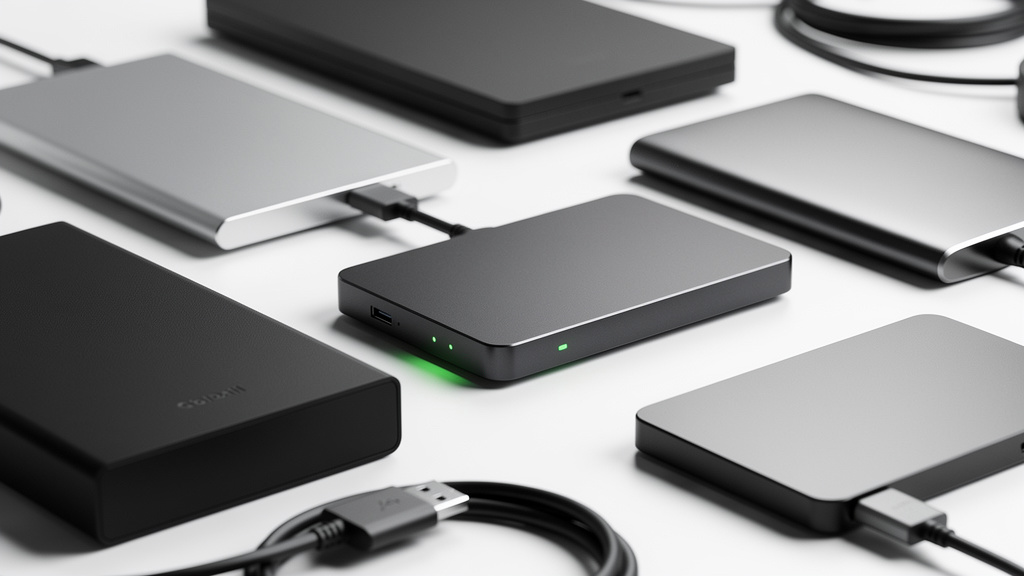
Once the plan is written, we need technology that can make it real. Comprehensive disaster recovery documentation serves as the blueprint that connects planning to implementation, ensuring every team member knows their role. Implementation starts with backup and replication systems set to meet the RTO and RPO targets we defined. A common guideline is the 3‑2‑1 rule: keep three copies of data, on two types of storage, with at least one copy stored offsite.
Some teams choose a physical secondary site, while many now use a cloud provider for remote capacity. We also configure:
- Failover steps for key applications
- Health checks and monitoring
- Alert channels (email, SMS, chat) so that issues are spotted quickly
Clear owners and timelines are assigned to each technical task so progress does not stall halfway through.
Step 5: Test, Validate, and Maintain Your Plan
Testing keeps a Disaster Recovery plan from becoming a dusty binder. We schedule regular exercises that match our level of risk, from simple tabletop reviews for low‑impact systems to full failover drills for high‑impact services. During these tests we track how long each step takes and compare the result, known as recovery time actual (RTA), to our recovery time objective.
After each exercise we:
- Capture what worked well
- Note what slowed the team down
- Update the plan and contact lists
- Adjust RTO or RPO targets if they no longer fit reality
Short notes about lessons learned give clear guidance before the next test or a real incident.
“Practice in calm times is what lets you stay calm when it counts,” one operations manager told us after her team’s first full DR drill.
Critical Metrics: Understanding RTO and RPO

Once we know which systems matter most, we need clear targets for how fast to restore them and how much data to protect.
- Recovery Time Objective (RTO) is the maximum amount of time a service can be down before the business takes serious damage. For a payment gateway or student learning portal that window might be minutes, while for an internal reporting tool it could be several hours. We build our Disaster Recovery design around these time limits, from backup frequency to the type of failover site we choose.
- Recovery Point Objective (RPO) sets how much recent data loss we can tolerate when we bring a system back online. An RPO of fifteen minutes means we expect to lose no more than fifteen minutes of new transactions or records, so our backups or replication jobs must run at least that often. Less critical systems might accept a daily backup with a twenty‑four‑hour RPO.
During tests we also measure recovery time actual (RTA), the real time it takes to restore a service, and compare it with our RTO to see whether the plan holds up.
Tighter RTO and RPO values often require faster storage, more frequent replication, and extra standby capacity, all of which raise costs. The right balance comes from comparing these technology costs with the losses that downtime and data loss would cause for each system. A public ordering site or electronic health record may justify near real‑time protection, while an archive of old invoices may not. By setting different targets for different services, we avoid spending heavily in areas that add little real value.
Modern Disaster Recovery Approaches: From Traditional to Cloud-Based

Disaster Recovery methods have changed significantly in the last two decades. Industry experts at the Disaster Recovery Journal track these evolutions, documenting how organizations adapt their strategies to emerging threats and technologies. Older models were built around tapes, spare servers, and distant office space, while newer ones rely heavily on virtualization and cloud services. Knowing the main options helps us choose a mix that fits our risk, budget, and skills.
Traditional DR Approaches
Traditional Disaster Recovery starts with basic backups stored on separate media. Many teams still follow the 3‑2‑1 rule with a mix of local disk and some form of offsite storage, plus point‑in‑time snapshots to recover from deletion or data corruption.
Larger organizations may add a dedicated recovery site, choosing between:
- Cold site – Low ongoing cost; hardware and data are not ready. Start‑up is slow.
- Warm site – Hardware is ready; data still needs to be restored. Recovery is faster but not instant.
- Hot site – Almost mirrors the primary data center with live replication; fast recovery but higher cost.
These models can be effective but often demand significant capital spending and hands‑on management.
Cloud-Based DR Approaches
Cloud‑based Disaster Recovery uses virtual machines and remote storage instead of duplicate physical data centers. With virtual DR, we replicate server images, configuration, and data into a cloud platform, where they can be started when our main site fails. Backup as a service (BaaS) takes over the daily work of copying data offsite, which is a major help for small teams. Disaster Recovery as a service (DRaaS) goes further by copying full environments and then managing failover and failback steps for us during an incident.
Cloud approaches usually run on pay‑as‑you‑go pricing, so we avoid buying hardware that sits idle most of the time. Capacity scales up and down with our needs, which is valuable for seasonal businesses and growing teams. Strong providers also include encryption, role‑based access control, and regular security audits, often at a level far beyond what a small organization can manage alone. At VibeAutomateAI we help compare these options and choose a mix that matches real‑world RTO and RPO targets.
Best Practices for Cloud DR Implementation
Cloud‑based Disaster Recovery still needs clear rules and regular checks. Good practice includes:
- Defining who may trigger failover, who can reach backup data, and who approves changes to the recovery setup, using strict role separation.
- Documenting how to restore a single file, a single server, or the entire environment, so staff are not forced to improvise under pressure.
- Running tests in the cloud environment at least once a year.
- Confirming that data is encrypted in transit and at rest, and that access logs are reviewed.
Written runbooks that combine technical steps with contact details make it much easier to act quickly when needed.
Additional Resources: Federal Disaster Assistance for US Businesses
Internal Disaster Recovery plans are vital, but in the United States there is also outside help when a major event hits a region. After a presidential disaster declaration, agencies such as FEMA and the Small Business Administration (SBA) step in to support recovery for families, communities, and businesses. For companies, one of the most important tools is the SBA disaster loan program, which offers low‑interest financing to repair or replace damaged property.
These loans can cover:
- Repairs to buildings
- Replacement of machinery and equipment
- Furniture and inventory
- Some working capital to keep staff paid while operations restart
Both small and large businesses, plus many private non‑profits, may qualify if they are in a declared disaster area. There are time limits for applications, often around sixty days from the date of declaration, so knowing the basics now helps leaders move quickly if they ever need to apply.
To prepare ahead of time, you can:
- Bookmark DisasterAssistance.gov and FEMA.gov
- Keep offsite copies of important financial and legal records
- Note which local banks or advisors can help with applications
Then if a major storm, fire, or other event triggers a federal declaration, you already know where to start. These programs are meant to work beside your internal Disaster Recovery plan, not replace it, but together they give the business a much better chance of returning to normal.
Conclusion
Disaster Recovery is not a luxury for big tech firms; it is a basic requirement for any organization that depends on data and software. Downtime costs rise into the thousands of dollars per hour, and long outages can close smaller companies for good. Careful preparation pays off, with research suggesting that every dollar invested in mitigation can save about four dollars in emergency response and repair. When we treat Disaster Recovery as core business protection, we defend our people, our customers, and our future revenue at the same time.
This guide has walked through the main building blocks of a strong Disaster Recovery approach. We started with risk assessment and business impact analysis, then turned those findings into a written plan with clear roles and contact lists. We looked at recovery time and recovery point goals, which guide choices about backups and cloud‑based services. We also reviewed federal assistance that can support US businesses when large events strike.
The best time to improve Disaster Recovery is before the next outage, not during it. A simple first step is to hold a short risk discussion, then run a basic business impact analysis for your most important systems. From there you can apply the five‑step framework, set realistic RTO and RPO targets, and choose a mix of on‑site and cloud tools that fits your size and budget. VibeAutomateAI provides practical guides and checklists so Disaster Recovery becomes a calm, planned response instead of a late‑night scramble.
FAQs
Questions about Disaster Recovery often appear once people start mapping their own risks and systems. This short section tackles some of the most common concerns we hear from owners, IT managers, and school leaders. Use it as a quick reference, then adapt the ideas to your own environment.
Question 1: How Much Does a Disaster Recovery Plan Cost to Implement?
The cost of a Disaster Recovery plan depends on company size, system complexity, and how tight your RTO and RPO targets are. A small business might begin with basic cloud backup and simple runbooks for as little as one to five thousand dollars per year. Larger environments that need near real‑time failover cost more, but still tend to be cheaper than even one serious outage.
Question 2: What Is the Difference Between Backup and Disaster Recovery?
Backup means keeping extra copies of data so we can restore files or databases after loss or corruption. Disaster Recovery uses those backups but also covers servers, networks, applications, people, and processes. A full DR plan defines who does what, where systems run during a failure, and how everything returns to normal.
Question 3: How Often Should We Test Our Disaster Recovery Plan?
Most organizations benefit from at least one full Disaster Recovery test per year. For highly critical services or regulated industries, aim for:
- Quarterly tabletop exercises
- Semiannual partial failover tests
- An annual full simulation
Any major change to infrastructure, office location, or key vendors should also trigger an extra test to make sure the plan still works.
Question 4: Can Small Businesses Afford Disaster Recovery?
Small businesses often feel they cannot afford Disaster Recovery, yet they are the ones who most need it. Cloud backup, simple runbooks, and managed DR services now provide options at prices that used to cover only hardware. Start with the few systems that directly touch revenue or safety, then improve coverage over time. Compared with the risk of closing after a major incident, the investment is modest.
Question 5: What Is the Most Common Cause of Business Disasters?
While big storms and fires draw the most attention, cyber attacks and human error now trigger more Disaster Recovery events for many organizations. Ransomware, phishing, and misconfigurations can block access to data just as effectively as a flood. A strong cybersecurity program is therefore one of the best forms of disaster prevention.
Stay connected