
Introduction
A single successful cyberattack can wipe out months of revenue. In 2025, the average data breach is expected to cost several million dollars once legal fees, lost sales, and recovery work are counted. Very often that story starts the same way: a weak or misconfigured firewall gives an attacker the first opening.
A firewall acts as a security checkpoint between a trusted network and everything outside it. Even as attackers lean on AI, automation, and social engineering, a well-chosen, well-managed firewall still forms the front gate of network security. Without it, every server, laptop, and cloud app is exposed.
Many business leaders know they “need a firewall” but feel stuck after that. Should it be a hardware box, a cloud service, or something built into the router? What is the difference between a basic firewall and a Next-Generation Firewall (NGFW), and which one actually fits the business and budget?
This guide walks through the essentials in plain language. We explain what a firewall is, how it works, how firewall technology has changed, and the main types on the market. We then share a practical framework for choosing the right firewall for a small office, fast-growing startup, school district, or enterprise network. At VibeAutomateAI, we focus on turning complex security and automation topics into clear, tested steps, and this article follows that same approach.
Key Takeaways
Time is limited, so here is a fast overview to frame deeper conversations with an IT team, vendor, or board.
-
A firewall is a security system that sits between trusted and untrusted networks. It inspects every packet and follows a set of rules to decide what to allow or block — like a smart security guard that never sleeps.
-
Modern Next-Generation Firewalls (NGFWs) go far beyond simple packet filtering. They understand applications and users and can spot known attack patterns in real time. For most organizations, this level of visibility and control is now a baseline requirement.
-
Firewalls come as hardware appliances, software, virtual machines, cloud-native services, and Firewall as a Service (FWaaS). Different models work better for offices, data centers, cloud workloads, or remote teams.
-
Choosing a firewall is not only about raw speed or price. Key factors include threat protection performance, scalability, centralized management, and how well the firewall connects with the rest of the security stack. Total cost also includes subscriptions and day-to-day effort.
-
Even a strong firewall fails when rules are messy or out of date. Sound configuration, regular reviews, patching, logging, and change control matter as much as the brand on the box. Many breaches trace back to one overly broad rule that nobody revisited.
What Is A Firewall? Core Definition And Purpose
A firewall is a network security device or software system that sits between a trusted internal network and untrusted networks such as the public internet. Its main purpose is to control which traffic is allowed in or out based on a defined set of rules. Every time data tries to cross that boundary, the firewall checks whether the traffic follows those rules.
The firewall watches packets, the small chunks of data that move across a network. For each packet, it looks at information such as the source, destination, and service being used. Based on its rule set, the firewall decides to allow, block, or silently drop the packet.
Firewalls come in several forms:
-
Hardware firewall: a dedicated device at the edge of a network, such as an office or school.
-
Software firewall: runs on an individual host and protects that single device.
-
Virtual firewall: delivered as a virtual machine in platforms like VMware or Hyper-V.
-
Cloud-delivered firewall / FWaaS: traffic is routed through a provider’s cloud where inspection happens.
We also talk about:
-
Network-based firewalls, which protect an entire segment or site.
-
Host-based firewalls, which live on one machine and control traffic just for that device.
Most organizations benefit from both layers so that a gap at one level does not expose everything.
It is easy to confuse firewalls with antivirus tools, but they solve different problems:
-
A firewall controls network traffic, keeping risky connections from reaching sensitive systems.
-
Antivirus focuses on files and processes on each device and tries to detect malware that has already landed.
A strong security program uses both — like a building that has guards at the doors and alarms inside.
How Firewalls Work: Core Technologies And Mechanisms
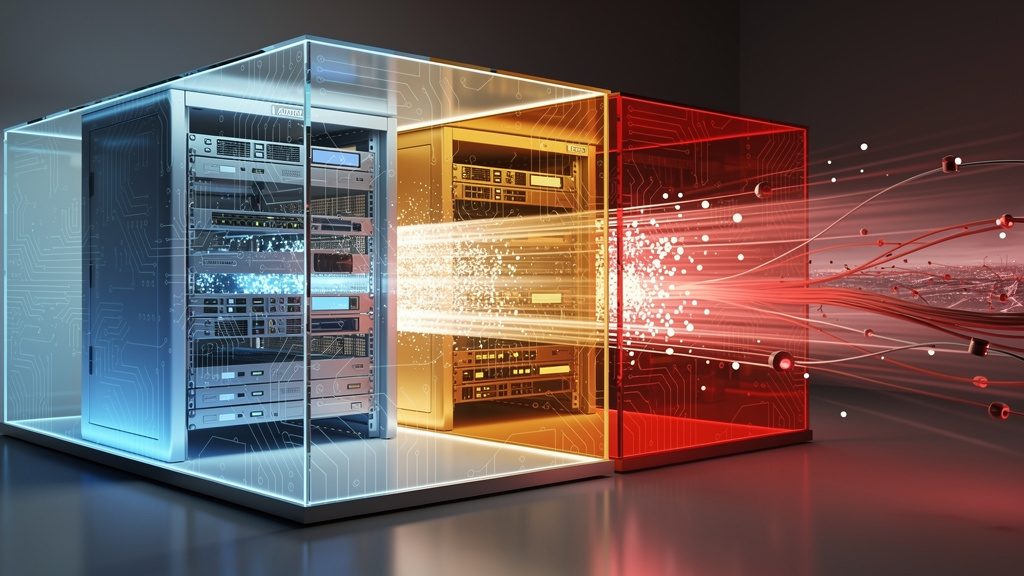
To see how a firewall protects a network, picture how data moves. When a user loads a web page or sends an email, that action is broken into many small packets. Each packet carries a header with routing details and, often, a payload with actual content such as a web request or part of an attachment.
The simplest check a firewall performs is on the packet header. It looks at:
-
Source and destination IP addresses
-
Port numbers (which hint at the service being used)
-
Protocol (such as TCP, UDP, or ICMP)
If a rule says web traffic from the office to the internet is allowed, packets that match pass through while others are blocked.
Most modern firewalls combine three inspection methods, as explored in research on firewall technology and its application:
-
Packet header analysis: Treats each packet on its own and bases decisions only on addresses, ports, and protocol. Fast and simple, but blind to content and session context.
-
Stateful inspection: Tracks the state of each connection in a table and knows which packets belong to which session. Replies to internal requests are allowed back in; unsolicited packets from outside are blocked.
-
Deep Packet Inspection (DPI): Examines packet payloads, not just headers. This lets the firewall inspect HTTP traffic, spot malware, detect policy violations, and identify applications even when they try to hide on standard ports. DPI is a key building block of NGFWs.
Under the hood, every packet is compared against an ordered list of rules (policies). The firewall checks each rule in sequence until it finds a match, then applies the linked action. If no rule matches and a default deny posture is in place, the firewall drops the packet — so rule order and clean design matter.
Many firewalls also handle:
-
Network Address Translation (NAT): Lets many internal devices with private IPs share one or a few public addresses. This hides internal addressing schemes and makes direct targeting harder.
-
Virtual Private Network (VPN) endpoints: A VPN creates an encrypted tunnel between a remote user or site and the main network. The firewall decrypts the traffic, inspects it, and forwards it only if it meets policy.
-
Security zones: Networks are often divided into zones such as LAN (internal), WAN (internet), and DMZ (public-facing servers). Rules control how traffic moves between zones, following the principle of least privilege — only clearly needed traffic is allowed.
The Evolution Of Firewall Technology: From Packet Filtering To AI-Powered Protection
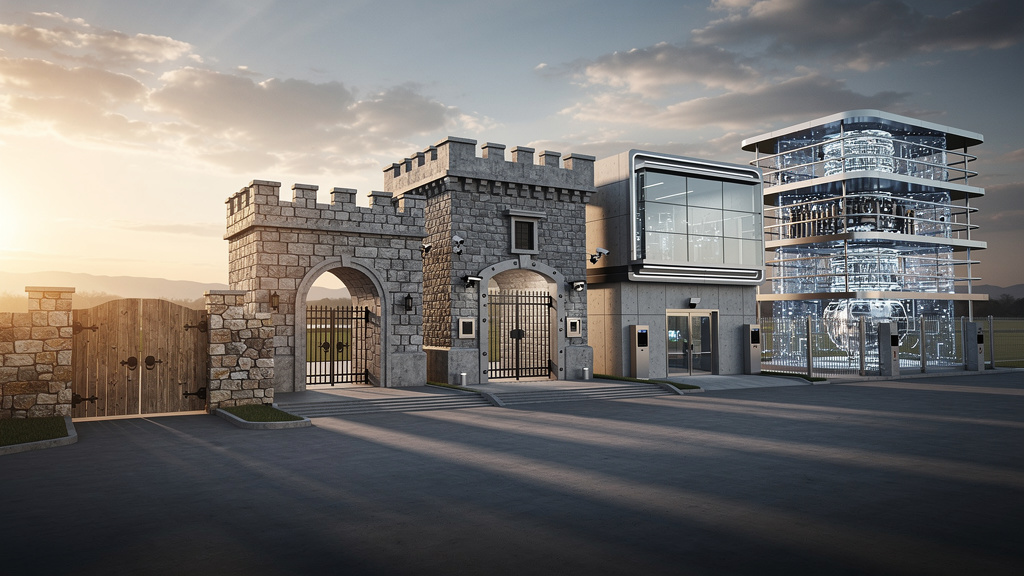
Firewall technology has changed a lot since the late 1980s, when the first packet filters appeared. Early devices focused on simple, fast checks. As attackers became more skilled and applications grew more complex, firewalls added new layers of intelligence.
-
First-generation firewalls relied on basic packet filtering. They looked only at header fields like source and destination addresses and port numbers. They were quick but had limited security value.
-
Second-generation firewalls introduced stateful inspection. Instead of treating each packet alone, the firewall tracked entire sessions and could tell a valid response from an unwanted probe.
-
Third-generation firewalls moved inspection to the application layer. Often called proxy firewalls or application gateways, they understood specific protocols such as HTTP, FTP, and DNS. Web Application Firewalls (WAFs) grew from this idea and focus on HTTP-based attacks like SQL injection.
-
Fourth-generation firewalls / NGFWs combined these concepts. They perform stateful inspection, understand applications, integrate intrusion prevention, user identity awareness, and web filtering, and connect to threat intelligence feeds and sandboxes.
-
An emerging fifth wave uses artificial intelligence and machine learning. These firewalls study huge volumes of traffic data to notice patterns and odd behavior that can signal new or targeted attacks, adapting policies much faster than manual tuning alone.
For decision makers, this history explains why a basic packet filter from years ago is no longer enough. The threat environment and heavy use of cloud services and remote work demand deeper inspection and more context.
Types Of Firewalls: A Comprehensive Classification
The word firewall covers a wide range of technologies. To compare options fairly, it helps to group them by deployment, inspection capability, and form factor.
Classification By Deployment Method
Deployment describes where the firewall sits and what it protects:
-
Network-based firewall: Placed at the edge of a network, such as between an office LAN and the internet provider. It examines traffic between whole segments and is often the main gate for a site or data center.
-
Host-based firewall: Installed as software on a single device (laptop, desktop, server). It controls which applications on that host can talk to which networks and on which ports. Many operating systems ship with a built-in host firewall.
Most environments use both: the network firewall sets broad rules; host firewalls add extra protection around important systems and mobile devices.
Classification By Functionality And Inspection Capability
Functionality focuses on how deeply the firewall analyzes traffic:
-
Packet filtering firewalls: Decide using only header fields and no memory of previous packets. Fast, but best suited for low-risk roles.
-
Stateful inspection firewalls: Track active sessions so they understand which packets belong together and make more informed decisions.
-
Proxy / application-level firewalls: Act as intermediaries that understand specific protocols and can block harmful commands inside what looks like normal traffic.
-
Web Application Firewalls (WAFs): Sit in front of web servers and watch for patterns that match common web attack families such as those in the OWASP Top Ten.
-
Unified Threat Management (UTM) devices: Combine a traditional firewall with intrusion prevention, antivirus scanning, and content filtering in one box.
-
Next-Generation Firewalls (NGFWs): Add application awareness, user-based policies, and integrated threat prevention.
-
AI-driven firewalls: Use machine learning to study behavior and adjust controls more dynamically.
Classification By Form Factor
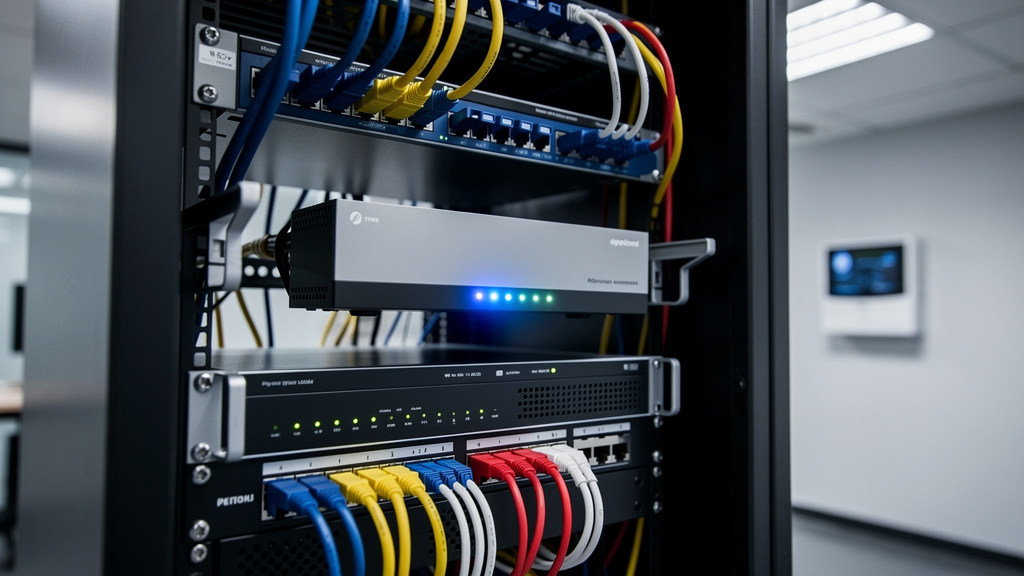
Form factor refers to how the firewall is delivered:
-
Hardware appliances: Purpose-built devices with dedicated processing and network ports. Common in offices, campuses, and data centers.
-
Software firewalls: Applications running on general-purpose servers for flexible deployment.
-
Virtual firewalls: Delivered as virtual machines inside platforms such as VMware or Hyper-V, often used inside private clouds.
-
Cloud-native firewalls: Integrate tightly with providers like AWS, Azure, or Google Cloud and use the provider’s networking features.
-
Firewall as a Service (FWaaS): The firewall runs entirely in the provider’s cloud and is delivered as a managed service.
Emerging Architecture
Hybrid mesh firewalls describe an architecture where hardware appliances, virtual firewalls, cloud-native services, and FWaaS instances work together under unified management. Security teams define policies once and push them across many sites, clouds, and remote users.
For organizations with branches, cloud workloads, and remote staff, this model helps keep policies consistent and gives administrators a single view of firewall activity.
Next-Generation Firewalls (NGFWs): Essential Capabilities For Modern Threats
Next-Generation Firewalls are now the standard choice for most mid-sized and larger organizations. They merge classic firewall functions with deeper inspection and a wide set of built-in security features.
Key capabilities include:
-
Deep Packet Inspection (DPI): Looks inside the content of traffic, not just headers. It can inspect HTTP requests, identify suspicious payloads, and apply policies based on the data being sent.
-
Integrated Intrusion Prevention System (IPS): Watches for patterns linked to known exploits and attack techniques. When it sees matching traffic, it blocks it in real time.
-
Application awareness: Identifies traffic based on the application, even when it uses non-standard ports or encryption. Policies can allow a business app while limiting or blocking social media or peer-to-peer tools.
-
User identity awareness: Ties traffic to named users and groups instead of just IP addresses by syncing with directory services like Active Directory or cloud identity platforms.
-
Advanced threat protection: Combines sandboxing and live threat feeds. Suspicious files are detonated in a safe environment; reputation data identifies new malware and dangerous sites.
-
Web and URL filtering: Applies policy based on site categories and reputation, blocking known malicious domains and controlling access to risky content. TLS/SSL inspection lets the firewall decrypt HTTPS traffic, scan it, and re-encrypt it.
-
Data Loss Prevention (DLP): Scans outbound traffic for patterns that match sensitive data such as payment cards or personal identifiers, then blocks or flags those transfers.
Because these capabilities sit in one platform, an NGFW reduces gaps between separate tools. With a single policy engine and shared logs, security teams see patterns more clearly and manage changes with less friction. At VibeAutomateAI, we often see organizations simplify their security stack and gain better insight when they move from older devices to thoughtfully deployed NGFWs.
Firewall Policies And Rules: The Foundation Of Effective Protection

Even the most advanced firewall fails if its rules are poorly designed. Policies are the instructions that tell the firewall how to treat different kinds of traffic. Each packet is compared against the rule set, and one decision is made based on the first matching rule.
A typical rule considers:
-
Source network or user
-
Destination network or server
-
Service or port and protocol
-
Direction (inbound or outbound)
-
Sometimes application and user identity
The rule then defines an action such as allow, deny with response, or drop silently.
Network segmentation into zones gives structure to these policies. Common zones include:
-
LAN for internal devices
-
WAN for the public internet
-
DMZ for systems that must be reachable from outside, such as public web servers
Administrators create rules that manage how traffic flows between these zones.
-
Source and destination fields narrow where traffic can originate and where it can go.
-
Service / port and protocol fields describe what kind of communication is happening.
-
Application and user attributes (in modern firewalls) let you write policies such as “only finance users may access the tax system.”
“A misconfigured firewall is more dangerous than no firewall at all” is a common saying among network engineers — and it reflects hard-earned experience.
The principle of least privilege says traffic should be denied by default and only allowed when there is a clear, documented need. Over time, rules pile up and get too broad, so regular audits are essential. Misconfigurations and stale entries are a frequent cause of breaches, which is why we stress rule hygiene in every VibeAutomateAI guide.
Best Practices For Firewall Management And Maintenance
Setting up a firewall is only the first step. Keeping it effective over time takes steady attention and good habits. The goal is to maintain strong protection without breaking business processes.
“Security is a process, not a product.” — Bruce Schneier
Treat firewall management as an ongoing process:
-
Start with a conservative baseline
Begin with a default deny posture for new segments, then add specific allows only after confirming the real need and owner for each flow. Document why each rule exists. -
Review rules regularly
Schedule policy reviews at least quarterly. Remove rules that no longer match current systems, and tighten any that are too broad. Use a simple change process so every update is tracked and approved. -
Keep software and signatures current through Managed Firewall Services or internal processes
Subscribe to vendor alerts and plan maintenance windows to apply and test updates. This reduces the chance that an old flaw in the firewall itself becomes an entry point. -
Log and monitor
Enable detailed logging and send logs to a central platform such as a SIEM. Watch for repeated blocks, strange connection patterns, or sudden spikes in specific traffic types. -
Train administrators
Make sure admins understand both the product and common attack methods. Keep diagrams and inventories of rules with business contacts so troubleshooting and audits are smoother. -
Prepare for failure
Maintain recent backups of firewall configurations and clear recovery steps. Monitor CPU, memory, and throughput so you can plan upgrades before performance issues appear.
How To Choose The Right Firewall: A Strategic Selection Framework
With so many brands and models, buying a firewall is easy; choosing the right firewall is harder. A simple framework keeps the focus on security needs and business results rather than just feeds and speeds.
-
Clarify What You Must Protect
-
List your key assets: payment systems, patient data, student records, critical SaaS platforms, and so on.
-
Consider likely attack paths: phishing staff, scanning public servers, abusing remote access tools.
-
Map compliance requirements such as PCI DSS, HIPAA, or GDPR that set minimum expectations.
-
-
Understand Your Environment
-
Do you have one main office, or many branches and data centers?
-
How much do you rely on public cloud and remote work?
-
Estimate traffic volumes today and expected growth over three to five years; this guides firewall sizing.
-
-
Compare Products On The Right Criteria
Key points to examine:
-
Threat protection performance with all security features enabled, not just raw forwarding speed.
-
Security effectiveness in independent tests (for example, from CyberRatings dot org).
-
Application and user control, which determines how much insight you gain into what people actually do on the network.
-
Centralized management, especially when you mix physical, virtual, and cloud deployments.
-
Integration with your stack, including SD-WAN, SASE, Zero Trust access, and endpoint security.
-
-
Evaluate Total Cost Of Ownership
Look beyond the purchase price and include:
-
Subscriptions for security services and threat feeds
-
Support contracts
-
Power, rack space, and network upgrades
-
Staff time to run and monitor the system
Sometimes a higher upfront price is worth it if operations are simpler and require fewer hours.
-
-
Match Styles To Use Cases And Test In Your Network
-
Small branches may work well with compact UTM or entry-level NGFW devices.
-
Large data centers may need high-end hardware that supports very high-speed links.
-
Cloud workloads often fit better with virtual or cloud-native firewalls, while organizations with limited IT resources may benefit from Managed Firewall Services that handle day-to-day operations.
-
A heavily remote workforce may benefit from FWaaS as part of a SASE design.
-
Whenever possible, run a proof of concept (PoC) with top candidates using your own traffic and policies. At VibeAutomateAI, we often guide readers through checklists for these tests so they can make confident, data-backed choices.
Conclusion
Firewalls remain one of the basic building blocks of network security. Even as attackers use automation, social engineering, and advanced malware, a carefully chosen and well-managed firewall still stands between a trusted network and a hostile internet. Without that barrier, every other control has a harder job.
The gap between an old packet-filtering device and a modern Next-Generation Firewall is wide. NGFWs know which applications are in use, which users are behind each session, and whether traffic matches known attack patterns. Staying on legacy gear often means accepting blind spots that attackers quickly exploit.
The right firewall depends on size, industry, technical skills, and where systems live. Technology choice and day-to-day management both matter. Strong policies, regular reviews, and disciplined updates turn a good device into real protection.
Firewall planning should sit inside a wider security program that also covers endpoints, identity, backups, and incident response. At VibeAutomateAI, we will keep sharing practical guides that connect these trends to real-world decisions. A good next step is to review your current firewall, compare it against the ideas in this article, and decide where to strengthen your defenses.
FAQs
Question 1: What Is The Difference Between A Firewall And Antivirus Software?
A firewall controls network traffic that flows between devices and networks. It checks incoming and outgoing connections and blocks those that break defined rules. Antivirus software runs on each device and scans files and processes for malicious code. They work together, with the firewall guarding the perimeter and antivirus guarding the inside.
Question 2: Do I Need A Hardware Firewall If I Have Software Firewalls On All My Computers?
Host-based firewalls on each computer are an important layer of defense. A hardware or network-based firewall adds another layer at the edge and protects every device behind it at once. It usually offers higher performance, richer logging, and centralized control. In business environments, using both types together is considered safer.
Question 3: What Is Firewall-As-A-Service (FWaaS) And When Should I Consider It?
Firewall as a Service (FWaaS) delivers firewall functions from a vendor’s cloud rather than from a box you own. It suits organizations with many branches, heavy remote work, or strong interest in SASE and Zero Trust models. FWaaS removes hardware maintenance, keeps features current, and applies the same policies wherever users connect. It does rely on stable internet links and a subscription-based cost model.
Question 4: How Often Should Firewall Rules Be Reviewed And Updated?
A formal review every quarter is a good starting point for most organizations. Rules should also be revisited after major changes such as mergers, new applications, or security incidents. Without regular clean-up, rule sets grow large and messy, which creates hidden security gaps. A simple change management process with documentation and approvals helps keep things under control.
Question 5: Can A Firewall Slow Down My Network Performance?
Any firewall adds some processing overhead, since it must inspect traffic before forwarding it. Properly sized devices with well-tuned rules keep this impact small enough that users rarely notice. When evaluating products, pay attention to threat protection throughput with all security features active, not just raw speed numbers. Modern firewalls use specialized hardware and smart software design to handle high volumes while still providing strong inspection.
Stay connected