

Introduction
We once reviewed an incident at a mid‑sized manufacturer where a single fake invoice email triggered a six‑figure wire transfer. The attacker copied the real supplier’s logo, tone, and signature so closely that the message looked routine. Fifteen minutes after the email arrived, the money was gone.
Stories like this are why phishing attacks remain a top entry point for criminals. Firewalls and antivirus can be strong, but attackers still focus on people—using fear, urgency, curiosity, and misplaced trust to drive quick clicks and rushed approvals.
At VibeAutomateAI, we work with security and technology leaders who want clear, practical steps, not vague warnings. This guide walks through concrete layers of phishing protection—from user awareness and verification rules to email security, MFA, endpoint controls, and response plans—so you can build defenses that fit real organizations.
“Amateurs hack systems, professionals hack people.”
— Bruce Schneier, Security Technologist
Key Takeaways
- Think in layers, not silver bullets. Technical controls block many bad emails before users see them; simple human checks catch the rest.
- User awareness matters as much as tools. When people know what to look for and feel safe reporting, attacks are often stopped in seconds.
- Multi-factor authentication (MFA) limits damage. Even if a password is stolen through phishing, a second factor can stop account takeover.
- Fast, structured response changes outcomes. Clear incident response playbooks help contain accounts, protect money, and feed lessons back into training and controls.
Understanding Phishing Attacks Types and Tactics
Phishing is a form of social engineering where criminals pretend to be someone trusted to steal data or money, and according to a Study of Phishing Attack and their Prevention Techniques, these attacks continue to evolve with increasingly sophisticated tactics. They copy logos, writing styles, and sender names, then use pressure or curiosity to push quick action instead of careful thinking.
Common types include:
- Standard phishing: Bulk, generic messages pretending to be from banks, cloud services, delivery firms, or payroll providers.
- Spear phishing: Focused messages aimed at specific people or teams, using research on roles and projects to sound convincing.
- Whaling: Targeted attacks on executives or board members, often tied to deals, legal threats, or urgent payments.
- Smishing: Text messages with fake delivery alerts, sign‑in notices, or rewards that try to grab clicks or codes.
- Vishing: Phone calls or voice messages from fake “IT,” “bank,” or “partner” staff asking for passwords or payment data, sometimes using deepfake audio.
- Business email compromise (BEC): Abuse of a real, stolen mailbox to request invoices, change bank details, or ask for gift cards.
Most phishing campaigns follow a simple flow: a lure message, a call to action (click, open, reply), a fake site or file, then data theft or account misuse, and research on Phishing Attacks in the Age of Generative Artificial Intelligence shows how AI tools are now being weaponized to make these campaigns even more convincing. Newer tricks—AI‑written emails, voice deepfakes, QR codes—still follow that pattern, which means understanding the steps makes it much easier to design defenses.
How to Recognize Phishing Attempts Warning Signs and Red Flags
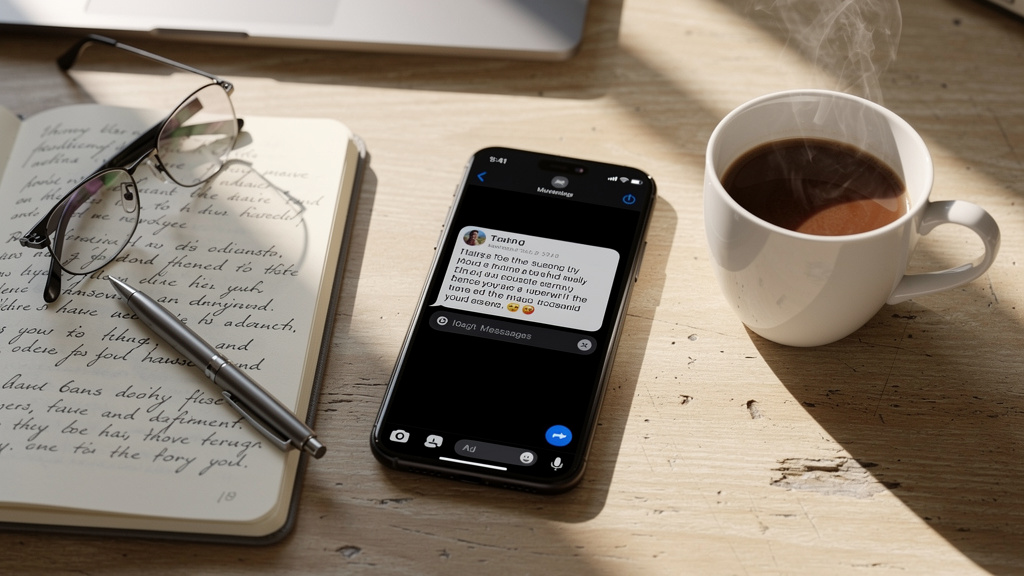
Knowing How To Prevent Phishing: Essential Strategies starts with spotting suspicious messages quickly, as even the strongest filters cannot catch every malicious email. Even with strong filters, some dangerous emails, texts, or DMs will reach staff.
Key red flags include:
- Pressure and urgency. Messages claiming accounts will close, payroll will fail, or legal trouble is coming if you do not act right now. Pressure itself is a warning sign.
- Odd sender details. Display names that look right but email addresses with extra letters, misspellings, strange domains, or unusual country codes.
- Suspicious links. Links where the hover‑preview domain does not match the brand in the email, is misspelled, or feels unrelated to the topic.
- Risky attachments. Unexpected files—especially those asking to “enable macros” or using uncommon extensions—can carry malware or fake login prompts.
- Requests for sensitive data. Real banks and providers do not ask for full passwords, one‑time codes, or complete card numbers over email or text.
We teach staff to build a habit of pause and verify: take a breath, ask whether the message fits normal process, and confirm through another trusted channel before clicking, replying, or paying.
Technical Controls Implementing Email Security Controls
People are the last line of defense, but strong email security controls dramatically reduce how often they are tested, which is why the IT Admin’s Guide to Protecting against phishing emphasizes layered technical defenses.
Helpful measures include:
- Advanced spam and phishing filters. Tune beyond default settings so risky content, bad sender reputations, and strange attachment behavior are quarantined or flagged.
- SPF, DKIM, and DMARC. These authentication standards help mail servers verify that messages really come from domains allowed to send on their behalf, cutting down spoofed email.
- Secure email gateways. These tools can rewrite links for click‑time checks, sandbox attachments, and apply machine‑learning models that adapt to new attack patterns.
- Visual warning banners. Clear banners on mail from outside the company help users spot higher‑risk messages at a glance.
- Integrated monitoring. Feed email logs into central monitoring so security teams can see patterns and adjust rules. VibeAutomateAI often helps teams break this work into small, safe steps that do not disrupt mail flow.
“Email is still the most common path for phishing attacks.”
— Adapted from CISA guidance
Combined with user training, these controls block many phishing emails outright and make the rest stand out more clearly.
Deploy Multi-Factor Authentication Across All Systems
Multi-factor authentication (MFA) is one of the strongest defenses against account takeover triggered by phishing. If an attacker steals a password but cannot satisfy the second check, the account usually remains safe.
Common factors are:
- Something you know: A password or PIN—easy to steal through phishing or reuse.
- Something you have: A phone with an authenticator app, hardware key, or smart card.
- Something you are: Biometrics such as fingerprints or face scans.
Most organizations use passwords plus app‑based codes, push approvals, or hardware keys. App‑based or hardware methods are far safer than SMS codes, which can be redirected.
Rolling out MFA well means:
- Clear explanations of why MFA protects against real phishing cases.
- Simple enrollment guides and recovery options if someone loses a device.
- Conditional access rules that ask for MFA more often when risk is higher, such as new devices or unusual locations.
CISA frequently advises that “using multi-factor authentication is one of the best ways to protect accounts from compromise.”
Start with high‑value targets: admin accounts, remote access, VPNs, and email.
Security Awareness Training Building Your Human Firewall

Technical controls help, but a single rushed click can still cause trouble, which is why organizations must Teach Employees to Avoid Phishing through comprehensive security awareness programs. Security awareness training turns staff from easy targets into active defenders.
An effective program:
- Focuses on real risks such as phishing, unsafe browsing, and password reuse, using screenshots from tools people actually use—Outlook, Gmail, Teams, or mobile apps.
- Delivers short, regular refreshers instead of one long annual session—think 10–15 minutes monthly or quarterly.
- Uses simulated phishing exercises to provide practice and instant, friendly feedback when someone clicks or reports, though research shows that Anti-Phishing Training Does Not Work in isolation and must be combined with technical controls and organizational culture changes.
- Adapts content to roles: executives, finance staff, and admins see more targeted scenarios; public‑facing teams get examples that match their daily contacts.
“Security is not a product, but a process.”
— Bruce Schneier
Over time, you should hear more “Does this look right to you?” from staff. VibeAutomateAI supports security leaders with ready‑to‑use guides and materials so they can run these programs without needing a full‑time training team.
Establish Clear Verification and Reporting Procedures
Even well‑trained employees need simple rules for what to do when something feels off. Clear verification and reporting procedures turn that uneasy feeling into concrete protection.
- Out‑of‑band checks for money movement. Any request to move funds, change bank details, or add a vendor should be verified using known contact information (company directory, established phone numbers, internal chat), never numbers or links inside the email.
- Strict paths for access changes. Password resets, MFA changes, or new access rights should go through official portals or the help desk, not email links. Help desk staff should confirm identity before making changes.
- Simple reporting routes. Provide an easy “Report Phishing” button or a dedicated mailbox. Security teams can review samples, block senders, and send consistent guidance back to all staff.
Reporting must feel safe. No one should be blamed for asking questions or reporting a false alarm. Quick, calm updates after confirmed phishing attempts build trust and reinforce good habits.
Implement Endpoint Security and Browser Protections
Once someone clicks a bad link or opens a malicious file, endpoint and browser protections form the final technical barrier.
Key practices:
- Endpoint detection and response (EDR). These tools watch for strange processes, file activity, and network calls. They can isolate infected devices and show how far an attack spread.
- Browser safety features. Safe‑browsing lists, anti‑phishing extensions, and pop‑up warnings can block known bad sites. URL filtering helps block risky site categories.
- Consistent patching. Keeping operating systems, browsers, office software, and plugins updated closes many holes that phishing payloads try to use.
- Secure configurations. Disable unneeded plugins, restrict local admin rights, and block automatic downloads. On mobile devices, use management tools to enforce screen locks, updates, and app controls.
Aligned with email filtering and MFA, these layers make it much harder for a single mistake to become a serious breach.
Immediate Response Actions If a Phishing Attack Succeeds
Even strong defenses will not stop every phishing attack. What you do in the first minutes and hours often matters more than the initial click.
When someone falls for a phishing message:
- Report and document. The user should note what happened (time, message, any data entered) and contact IT or security through a known channel.
- Contain accounts. Reset passwords, force sign‑outs, tighten or enable MFA, and check for new inbox rules or suspicious admin changes. Rotate shared keys or tokens if they may be exposed.
- Protect money. If payments or financial data might be involved, contact banks, card issuers, or payment providers at once to try to stop or recall transfers.
- Check devices. Run full scans, review EDR alerts, and isolate or re‑image devices if anything suspicious appears. Review logs to see whether the attacker moved laterally.
- Handle notifications and compliance. For significant incidents, consider legal and regulatory duties, plus notifications to affected customers or staff. Offer support such as credit monitoring when appropriate.
- Review and improve. After containment, run a short post‑incident review: what worked, what failed, and which training, playbooks, or controls should change.
At VibeAutomateAI, we advise documenting these steps as clear playbooks and rehearsing them through tabletop exercises so teams are ready when real incidents occur.
Continuous Monitoring and Threat Intelligence

Phishing tactics change quickly, and attackers copy what works for others. Continuous monitoring and threat intelligence help you stay ahead instead of reacting only when users complain.
Security information and event management (SIEM) tools combine logs from email, identity systems, endpoints, and firewalls. Well‑tuned rules can flag suspicious sign‑ins after phishing, sudden inbox rule changes, or similar messages hitting many users at once.
Additional measures:
- Threat intelligence feeds. Use feeds that list known bad domains, IPs, and phishing kits, and connect them to email filters, DNS filtering, and EDR tools so known threats are blocked automatically.
- Brand and dark web monitoring. Watch for fake sites that mimic your brand and for company credentials appearing in underground markets. Reset exposed accounts and focus extra training where patterns appear.
- Information sharing. Participate in industry groups or formal sharing centers so you hear about new phishing themes early and can brief executives and staff.
An old security saying goes: “You can’t defend what you can’t see.”
VibeAutomateAI tracks phishing trends and publishes practical guidance so security leaders can adjust defenses without drowning in raw data.
Conclusion
Effective phishing prevention is about building layers, not hunting for a miracle product. Email controls cut down what reaches inboxes, MFA limits account takeover, endpoint tools help contain malware, and clear processes guide people through safer choices.
People sit at the center of this picture. Regular training, simple verification rules, and a healthy reporting culture often decide whether an attack fizzles out or turns into a breach. Because attackers keep changing tactics, defenses need steady attention—reviews, updates, and practice.
If this guide sparked ideas, map these layers against your own environment and identify gaps. Start with high‑impact steps such as broad MFA coverage, strong email authentication, and focused phishing awareness for high‑risk roles. VibeAutomateAI will keep sharing practical advice so security leaders can reduce phishing risk while still letting teams get real work done.
FAQs
Question What Is The Most Effective Single Defense Against Phishing Attacks
No single control stops every phishing attempt, and a layered approach is always best. If we had to pick one measure that most often changes outcomes, it would be multi-factor authentication. With MFA in place, stolen passwords alone usually are not enough to take over accounts. Studies from major cloud providers show that strong MFA blocks most automated account takeover attempts. That protection is strongest when combined with good email filtering and ongoing user awareness training.
Question How Often Should We Conduct Phishing Simulation Training For Employees
For most staff, running phishing simulations at least quarterly strikes a good balance between practice and fatigue. Higher‑risk groups—finance, executives, and IT admins—benefit from monthly tests. Vary the themes and difficulty so people learn to spot subtle attacks, not just obvious scams. When someone clicks in a simulation, provide immediate, respectful coaching that highlights the warning signs they missed. Over time, you should see higher reporting rates, not just lower click rates.
Question Can Artificial Intelligence Help Detect Phishing Emails More Effectively
Yes. Modern email security tools use artificial intelligence and machine learning to study sender behavior, message structure, wording patterns, and links. This helps them flag new phishing styles that simple rule‑based filters would miss. At the same time, attackers use AI to write more convincing lures and to adapt quickly. That means AI is a powerful helper, not a replacement for human judgment, strong policies, or other technical controls.
Question What Should I Do If I Accidentally Clicked A Phishing Link But Did Not Enter Any Information
If you clicked a suspicious link, act quickly even if you did not type anything:
- Close the browser tab or app right away.
- If possible, disconnect from the network briefly (for example, turn off Wi‑Fi).
- Run a full security scan with your company’s approved tools, because some sites try to install malware silently.
- Inform your IT or security team so they can watch for related alerts and block the source.
- Change passwords for important accounts and monitor banking and email for unusual activity over the next few days.
Fast reporting gives defenders more options and time to contain any damage.
Question How Can Small Organizations With Limited Budgets Implement Effective Phishing Defenses
Smaller organizations may not match enterprise security budgets, but many strong phishing defenses cost more attention than money:
- Start with clear policies, basic training sessions, and a culture where people feel safe reporting suspicious messages.
- Turn on MFA for email, VPNs, and key cloud services—features often already included in existing platforms.
- Use built‑in spam and phishing filters from your mail provider and tune them carefully.
- Add simple controls like external sender banners and basic DNS or URL filtering where possible.
VibeAutomateAI recommends prioritizing staff awareness, MFA, and core email security first, then adding more advanced layers as time and budget allow. The cost of these steps is usually far smaller than the impact of a single serious phishing incident.
Stay connected