

Introduction
Picture a small business that closes at 6 p.m. and comes back the next morning to locked systems and a ransom note on every screen. No one clicked anything strange after hours, yet the attack still slipped in through the network. That kind of silent break-in is exactly what an Intrusion Prevention System (IPS) is built to stop.
An Intrusion Prevention System is not just another security gadget that sends alerts and waits for humans. It sits directly in the line of network traffic, watches every packet in real time, and blocks attacks before they touch servers, laptops, or cloud apps. For many teams, the hard part is not the idea of an IPS, but turning dense technical documentation into clear, practical steps.
In this guide, we walk through what an Intrusion Prevention System is, how it works, how it differs from IDS and firewalls, main detection methods including Intrusion Detection and Prevention techniques, deployment types, and the key attacks it can prevent. We then share best practices that we at VibeAutomateAI use when we design real-world playbooks for small and midsize teams. By the end, readers should feel ready to have a grounded conversation about IPS choices, instead of guessing or relying only on vendor slides.
Key Takeaways
-
An Intrusion Prevention System is an inline security control that watches network traffic and blocks threats in real time. It does more than send alerts and acts as an active shield for servers, apps, and users. This shift from detection to prevention changes how security teams handle attacks.
-
IPS tools use several detection methods at once to stay effective. Signatures catch known attacks, anomaly models spot strange behavior, and policy checks stop rule violations. Advanced platforms can also use reputation data and deep learning models for new or hidden threats.
-
Firewalls, IDS, and IPS each play a different security role. Firewalls focus on who can talk to what based on ports and addresses. IDS watches copies of traffic and alerts on suspicious activity. IPS sits in the traffic path and blocks attacks before they land.
-
Different Intrusion Prevention System types match different environments and risks. Network IPS protects entire segments, host IPS guards single devices, wireless IPS protects Wi‑Fi, and network behavior tools watch traffic patterns. Many organizations combine more than one type for stronger coverage.
-
A well-planned IPS blocks real ransomware, network scans, denial-of-service floods, command-and-control channels, and protocol abuse. It also provides virtual patching that shields unpatched systems from known exploits. This adds a safety net when patching is delayed.
-
Strong IPS results depend on smart deployment and ongoing care. Teams need planned placement, careful tuning, frequent updates, integration with SIEM and firewalls, and regular testing. VibeAutomateAI focuses on these practical steps so teams can apply IPS guidance with confidence.
“Security is a process, not a product.” — Bruce Schneier
That idea sits at the heart of good IPS programs.
What Is An Intrusion Prevention System (IPS)?
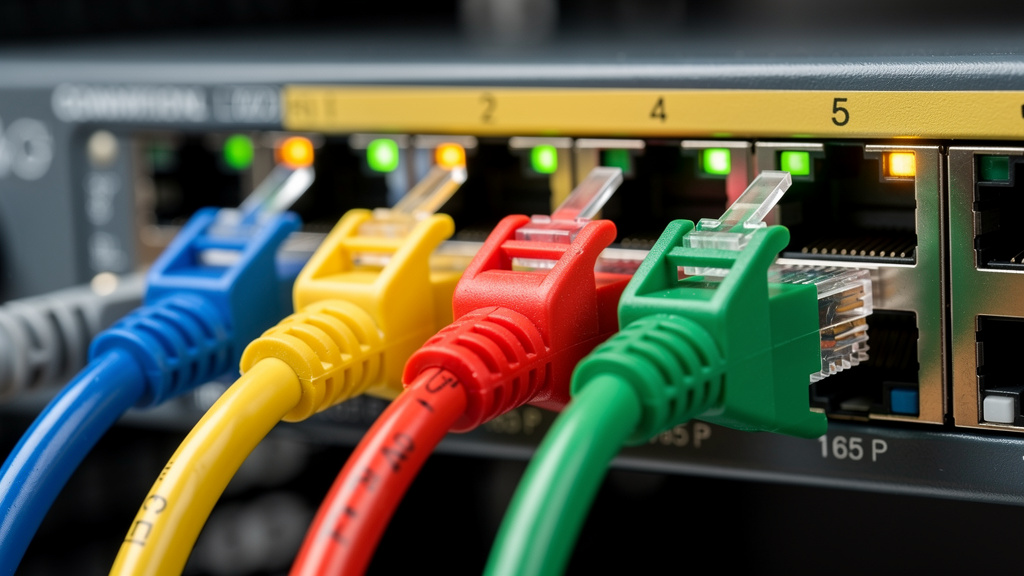
An Intrusion Prevention System is a network security control that continuously inspects traffic and automatically blocks suspicious activity. Instead of only watching from the side, an IPS sits inline between users and the resources they access. Every packet passes through the Intrusion Prevention System, which checks it against rules, signatures, and behavior models before letting it move on.
This inline position is what separates IPS from classic monitoring tools. A system that only observes, such as a traditional Intrusion Detection System (IDS), can alert a team but cannot stop an attack on its own. An IPS, on the other hand, can:
-
Drop packets
-
End connections
-
Block an attacking address
-
Strip dangerous content from a stream
That active role turns it into a gatekeeper rather than a security camera.
The main functions of an Intrusion Prevention System include:
-
Real-time traffic analysis
-
Detection of known and unknown attacks
-
Automated blocking of suspicious activity
-
Enforcement of security policies such as allowed protocols or access patterns
IPS technology grew directly from IDS, keeping the same detection engines but adding prevention actions. Over time, many vendors combined both features into IDPS platforms so teams can choose monitor-only or block mode per rule.
From a business angle, an Intrusion Prevention System lowers the chance of data breaches, ransomware impact, and service downtime. It also cuts noise for security teams, since many low-level attacks are blocked and logged without manual work. For regulated industries that must show active monitoring and protection, such as payment card environments, an IPS supports compliance requirements. At VibeAutomateAI, we focus on making these technical pieces clear enough that any serious team, not just large enterprises, can apply them.
IPS vs. IDS vs. Firewall: Understanding The Critical Differences

Many security stacks already include a firewall and sometimes an IDS, so it helps to see exactly where an Intrusion Prevention System fits. The simplest way is to compare how each tool sits on the network and what it is allowed to do when it sees suspicious traffic.
An IDS watches a copy of traffic, usually from a span port or tap. It looks for bad patterns and then sends alerts to a console or SIEM. Because it does not sit in the live path, it cannot block packets in real time. An IPS sits directly in the flow, often right behind the firewall, so it can stop a request before it touches the target server. Many modern products can run in either detect-only or prevention mode, which lets teams switch from IDS style to IPS style as confidence grows.
A firewall is like the front gate at a building. It checks who is allowed in based on address and port and then lets approved flows pass. An Intrusion Prevention System is more like a guard at that gate who opens each package, checks for hidden tools or weapons, and refuses anything risky:
-
The firewall focuses on access control (who can talk to what).
-
The IPS focuses on content inspection (what that traffic is actually doing).
Classic firewalls cannot see deep into application content, while IPS engines perform deep packet inspection (DPI). Next-Generation Firewalls and UTM platforms often combine these roles and include built-in IPS features. At VibeAutomateAI, we always look at these tools as layers that support each other, rather than as either-or choices.
How An Intrusion Prevention System Works: Detection Methods Explained
The power of an Intrusion Prevention System comes from how it decides what is safe and what is dangerous, with Network-based intrusion detection using advanced algorithms to analyze traffic patterns. Under the hood, an IPS is a collection of detection engines that analyze each packet and each flow in different ways. By combining several methods, the system can stay accurate without drowning teams in false alarms.
Signature-Based Detection
Signature-based detection relies on patterns that describe known attacks. When researchers or vendors study an exploit or a piece of malware, they create a repeatable pattern that an IPS can match against traffic. These signatures might focus on very specific exploit details or on the broader behavior of a class of attacks:
-
Exploit-facing signatures are narrow and target one known exploit.
-
Vulnerability-facing signatures focus on a weakness in a service or application and can stop several related attack forms.
This approach works very well for threats that have been seen and documented. It is fast, clear, and usually easy to tune. The risk is that brand-new or heavily changed attacks may not match any existing pattern, so the Intrusion Prevention System needs other methods as backup. Regular signature updates and strong threat research support are therefore vital parts of any IPS program.
Anomaly-Based Detection

Anomaly-based detection does not start from known attack patterns. Instead, it learns what normal traffic looks like for a given network and then flags activity that strays too far from that picture. Machine learning models might watch:
-
Typical bandwidth per host
-
Usual ports and protocols
-
Common access paths to internal applications
When behavior shifts sharply — for example, a quiet server starts sending large amounts of data to an unknown address — the IPS can raise an alert or block the flow.
This style of detection is very useful for catching zero-day attacks and new attack styles that have no signatures yet. The trade-off is that not every strange event is malicious, so some harmless spikes or rare activities may be blocked. Careful tuning, time to learn, and clear review processes make anomaly-based detection a strong partner to signature checks. At VibeAutomateAI, we pay special attention to how these models tie into AI and automation plans across the wider business.
Policy-Based Detection
Policy-based detection reflects the organization’s own rules about allowed behavior. Administrators define policies that describe:
-
Which users can reach certain servers
-
What data may cross certain segments
-
Which protocols are not permitted
The Intrusion Prevention System then watches live traffic and stops anything that breaks those rules. For example, a policy may forbid database traffic from guest Wi‑Fi, or file transfers of certain sizes to external destinations.
This method gives teams very fine control over network behavior and lets them embed business rules directly into the security layer. The flip side is that the initial design takes time and needs careful thinking across security, network, and business owners. Once in place, policy-based rules can sharply reduce risk from insider actions or misconfigurations, not just outside attackers.
Additional Detection Techniques
Many enterprise-level Intrusion Prevention System products add extra detection layers to close remaining gaps:
-
Reputation-based detection checks IP addresses and domains against known bad lists and threat feeds and blocks traffic from sources with a history of attacks. This helps stop mass attack campaigns before they even reach deeper checks.
-
Stateful protocol analysis looks at how protocols behave over time, not just single packets. It can spot denial-of-service patterns, such as a flood of half-open connections, or protocol misuse that hints at scanning or tunneling.
-
Some IPS platforms also bring deep learning models that can process huge amounts of traffic data and identify subtle signs of advanced attacks with fewer false alarms.
Together, these methods help an Intrusion Prevention System stay effective as attackers change tactics.
Types Of Intrusion Prevention Systems: Choosing The Right Deployment
Not every Intrusion Prevention System looks the same or protects the same layer. The right mix depends on network design, cloud usage, remote work patterns, and business priorities. We usually think in terms of where the IPS runs and what piece of the environment it watches.
Network-Based Intrusion Prevention System (NIPS)
A Network-Based Intrusion Prevention System (NIPS) sits at key points in the network, such as behind the perimeter firewall or in front of a data center segment. It watches traffic for many devices at once and checks packets as they pass between zones. This broad view makes NIPS strong for stopping external attacks, blocking lateral movement, and protecting shared services.
For many companies, a NIPS at the main edge and another in front of critical assets provides a solid foundation. It gives centralized visibility and makes it easier to apply consistent rules and virtual patches across large groups of systems.
Host-Based Intrusion Prevention System (HIPS)
A Host-Based Intrusion Prevention System (HIPS) lives on a single device, such as a web server, file server, or sensitive workstation. It monitors traffic in and out of that host and can also watch system calls, processes, and file access. If malware reaches the device from a USB stick or bypasses network defenses, HIPS can still spot and stop malicious behavior right on the host.
We often recommend combining NIPS and HIPS for high-value assets:
-
NIPS handles broad network attacks.
-
HIPS adds a final shield for the most important systems where even one breach would be costly.
Wireless Intrusion Prevention System (WIPS)
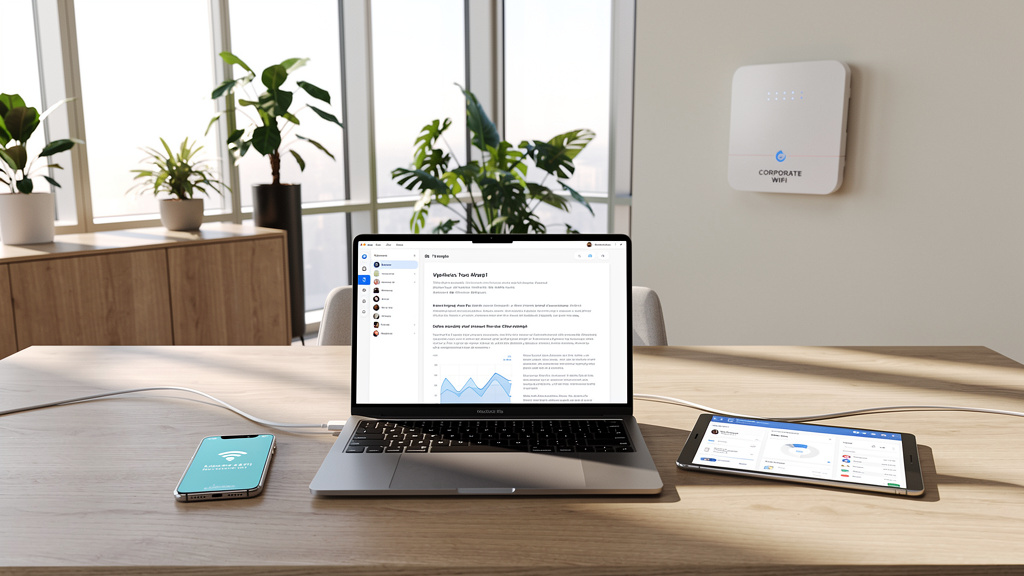
A Wireless Intrusion Prevention System (WIPS) focuses on Wi‑Fi networks. It listens to wireless traffic, watches for rogue access points, and blocks unknown devices that try to join protected networks. It can also spot attempts to trick users into connecting to fake hotspots that mimic the company network.
Any organization that relies heavily on laptops, tablets, or mobile devices should see WIPS as part of its core plan. Office spaces, schools, and retail locations gain extra safety because attackers can no longer quietly set up their own access points and ride the airwaves into internal systems.
Network Behavior Analysis (NBA)
Network Behavior Analysis (NBA) focuses less on individual packets and more on traffic flows and patterns across the network. It looks for sudden changes, such as:
-
Large outbound data transfers at odd hours
-
Many failed logins
-
Unusual communication between internal systems and outside servers
These signs often point to command-and-control activity, insider misuse, or early stages of a denial-of-service event.
NBA-style tools are common in larger or more complex environments, but the same ideas are moving into mid-market IPS products as well. At VibeAutomateAI, we encourage teams to think about how NIPS, HIPS, WIPS, and NBA-style monitoring work together so that gaps are as small as possible.
Key Threats An IPS Can Prevent: Real-World Attack Scenarios
The value of an Intrusion Prevention System becomes clear when we connect it to attacks that hit businesses every week, with research on (PDF) An Intrusion Detection And Prevention System In Cloud Computing showing how critical these protections are in modern environments. Instead of only speaking in abstract terms, it helps to look at concrete threat categories and how IPS actions change the outcome.
Vulnerability Exploitation
Attackers often scan for known weaknesses in web frameworks, email servers, and remote access services. An Intrusion Prevention System recognizes exploit patterns aimed at systems such as Apache Struts, Microsoft Exchange, or RDP and blocks them before they land. Virtual patching rules can close these holes at the network edge while teams schedule proper software updates.
Malware And Ransomware
Malware needs to reach devices through email, web traffic, or file shares. Stream-based inspection in an IPS looks inside these flows for malicious code or suspicious file behavior and stops it mid-stream. By blocking ransomware before it can execute or spread, the Intrusion Prevention System can be the difference between a routine alert and a full business outage.
Denial-Of-Service Attacks
Denial-of-service and distributed denial-of-service attacks try to overwhelm systems with traffic so real users cannot connect. An Intrusion Prevention System watches for patterns such as SYN floods, Smurf traffic, or malformed packets known from Ping of Death attempts. With the right rules, the IPS filters attack traffic while allowing normal requests, so services stay available.
Command-And-Control (C2) Communications
After malware gains a foothold, it often calls back to a command server to receive instructions or send out stolen data. An Intrusion Prevention System looks for telltale C2 patterns, including strange outbound connections, unusual domains, or encrypted tunnels that do not match normal use. Blocking these channels cuts off the attacker’s control and limits damage even if one device was compromised.
Additional Threat Categories
An Intrusion Prevention System can also:
-
Detect spoofing attempts such as ARP tricks that redirect traffic through an attacker’s device
-
Stop reconnaissance activity like port scanning or OS fingerprinting that often comes before a more serious attack
-
Apply protocol-focused rules that catch buffer overflow attempts or suspicious SMB probes aiming to steal credentials or move deeper into the network
At VibeAutomateAI, we map these threat types to business impact so teams know which protections to turn on first.
“The only truly secure system is one that is powered off, cast in a block of concrete, and sealed in a lead-lined room.” — Eugene H. Spafford
IPS will not reach that level of isolation, but it can sharply cut everyday attack risk.
Best Practices For Implementing And Managing An IPS

Buying an Intrusion Prevention System is only the first step. Real security gains come from how we place, configure, monitor, and maintain the platform over time. These best practices reflect what we see working well across many environments.
1. Strategic Deployment Planning
We start by mapping the network and listing critical assets, internet entry points, and sensitive data paths. From there, we choose IPS placements just behind key firewalls and in front of high-impact systems such as payment apps or core databases. Performance planning matters, so we match IPS capacity to peak traffic and allow for growth. A phased rollout, starting with one or two segments, keeps risk low while the team builds experience.
When planning placement, teams should:
-
Keep traffic symmetry in mind so both directions pass through the IPS
-
Avoid single points of failure by using high-availability pairs
-
Document which business services depend on each IPS segment
2. Initial Configuration And Tuning
When we first deploy an Intrusion Prevention System, we usually run it in detection-only mode. This lets us see alerts without blocking traffic and builds a baseline for normal behavior. Over time, we review alerts, tune or disable noisy rules, and then switch selected signatures or policies into block mode. This steady shift keeps outages rare while security strength grows.
Good early tuning focuses on:
-
Silencing rules that flag known safe internal tools
-
Tightening overly broad signatures
-
Prioritizing protections for internet-facing services first
3. Continuous Signature And Intelligence Updates
Attackers do not stand still, so an IPS cannot either. We enable automatic daily updates for signature databases and threat feeds wherever possible. For major zero-day issues, we ask teams to apply emergency rules as vendors release them, often before software patches are ready. Reputation feeds that track bad IPs and domains also add fast protection against mass campaigns.
To keep this manageable:
-
Assign clear ownership for IPS updates
-
Track which feeds are active and when they last refreshed
-
Test high-impact updates on lower-risk segments first, when possible
4. Integration With Security Ecosystem
An Intrusion Prevention System becomes far more helpful when it shares data with other tools. We connect IPS alerts and logs to a SIEM so analysts can see them beside firewall events, endpoint alerts, and authentication logs. We also integrate with firewalls and endpoint tools so that a serious IPS event can trigger blocking rules or host isolation. Clear incident response playbooks describe who responds to which IPS alert and how quickly.
Examples of helpful integrations include:
-
Sending IPS logs to SIEM for correlation and reporting
-
Triggering firewall rules from IPS detections on high-risk activity
-
Feeding IPS alerts into incident management platforms for tracking
5. Performance Monitoring And Optimization
We encourage teams to treat IPS performance as a regular metric, not a one-time check. That means watching throughput, latency, and packet drops during busy periods and after new rules are added. If false positives rise, we adjust or narrow specific signatures rather than turning off entire categories. Periodic reviews help decide when it is time to add capacity or tune inspection depth.
Key metrics to review:
-
CPU and memory usage on IPS appliances
-
Average latency added per connection
-
Rule sets that trigger the most alerts or drops
6. Team Training And Documentation
Even the best Intrusion Prevention System fails if staff do not understand it. We recommend regular training sessions on IPS features, alert types, and safe ways to move rules from alert to block mode. Written runbooks for common attack patterns help analysts respond quickly and in a consistent way. At VibeAutomateAI, we focus heavily on clear documentation templates so teams can keep track of configurations and policy decisions.
Helpful artifacts include:
-
A living diagram of IPS placements and traffic flows
-
A rule-change checklist with review and approval steps
-
Short guides for reading and interpreting IPS alerts
7. Regular Testing And Validation
Security controls should be tested just like backups or disaster recovery plans. We advise scheduling periodic penetration tests or red team exercises that include network attacks, exploit attempts, and command-and-control traffic. During these tests, we watch how the Intrusion Prevention System responds and adjust rules if anything slips through. After major network changes, such as new data centers or cloud moves, we review IPS coverage and update policies to match the new design.
Conclusion
An Intrusion Prevention System has moved from a nice-to-have to a core part of serious network defense for organizations of any size. By sitting inline and blocking threats in real time, IPS technology turns the network from a simple transit path into an active shield. This reduces the chance that a single missed patch or user mistake becomes a full-blown security incident.
We have looked at what an Intrusion Prevention System is, how it differs from IDS and firewalls, the detection methods it uses, and the main IPS types. We also covered real threats it prevents and the practical steps needed to deploy and manage it safely. The common thread is that success does not come from buying a device alone, but from thoughtful placement, tuning, constant updates, and tight integration with the rest of the security stack.
Attackers keep changing their tactics, so IPS programs must stay current through fresh threat intelligence and regular reviews. At VibeAutomateAI, we aim to make this ongoing work simpler with guides that focus on real deployments rather than theory. For teams planning their next security upgrades, exploring our other content on network security, threat prevention, and AI-driven automation can provide the next set of clear, actionable steps.
FAQs
Question 1: Do I Need An IPS If I Already Have A Firewall?
Yes. Both tools play different roles and work best together. A firewall controls which connections are allowed based on addresses, ports, and basic rules. An Intrusion Prevention System inspects the content of that allowed traffic and blocks hidden attacks. Without an IPS, many exploits and malware attempts can still pass through an allowed port.
Question 2: What’s The Difference Between NIPS And HIPS, And Which Do I Need?
A Network-Based Intrusion Prevention System (NIPS) watches traffic for many devices at once from a central network point. A Host-Based Intrusion Prevention System (HIPS) runs on a single server or workstation and protects that device directly. Most organizations gain the best coverage by using NIPS for broad protection and adding HIPS on critical servers. We usually suggest starting with NIPS, then adding HIPS where the business impact of a breach would be highest.
Question 3: Can An IPS Slow Down My Network Performance?
Any inline inspection adds a small amount of latency, but modern Intrusion Prevention System products are built for high throughput. Performance impact mainly depends on how much traffic you have, how powerful the IPS hardware is, and how many heavy rules you enable. By sizing the platform correctly, tuning rule sets, and watching performance metrics, most teams keep the effect very small compared to the security gain.
Question 4: How Often Should IPS Signatures And Rules Be Updated?
We recommend that signature databases update at least once per day through automatic feeds. For serious zero-day threats, teams should apply vendor emergency updates as soon as they appear. Policy rules that reflect business decisions should be reviewed every quarter or after major network changes. At VibeAutomateAI, we see continuous threat intelligence and regular policy reviews as key parts of any IPS program.
Question 5: What Is Virtual Patching, And Why Is It Important?
Virtual patching uses Intrusion Prevention System rules to block exploit attempts against known software flaws at the network layer. When a vulnerability becomes public, there is often a delay before patches are installed on every system. During that window, virtual patches give immediate protection without touching the affected servers or applications. This reduces pressure on IT teams, protects legacy systems that are hard to update, and lowers the risk that attackers will hit before formal patches go in.
Stay connected