
Introduction
A few years ago, most company devices stayed inside office walls. Now phones, tablets, and laptops sign in from homes, airports, client sites, and hotel lobbies. Without a clear strategy, every one of those endpoints can turn into a weak point. This is where mobile device management software acts as the quiet control center behind the scenes.
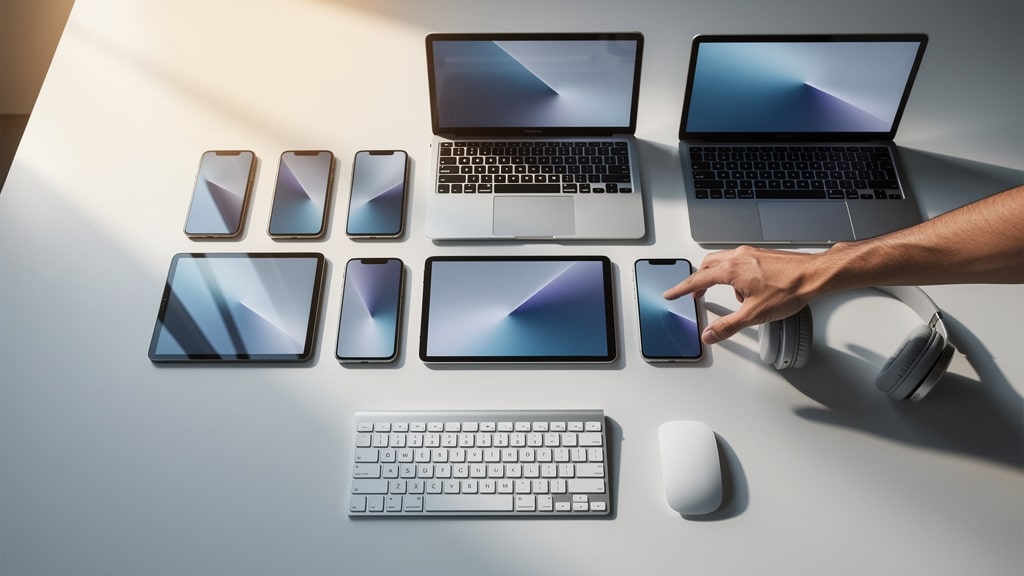
When we work with teams, we see the same pattern: devices multiply, people bring their own phones, and apps appear faster than IT can check them. Mobile device management software gives administrators one place to configure settings, roll out apps, and protect company data on all those endpoints, whether they are owned by the business or by staff.
Hybrid work and Bring Your Own Device (BYOD) policies raise hard questions. How do we protect sensitive data without spying on personal photos and messages? How do we keep devices compliant for audits while still giving people the freedom to work from anywhere? MDM tools answer those questions with repeatable rules instead of one‑off fixes.
In this guide, we walk through what mobile device management software is, how it works, its core capabilities, the security protections it adds, and how to choose a platform that fits. At VibeAutomateAI, we care about MDM because every AI workflow, automation, and dashboard still runs on real devices. When those devices are managed well, the rest of the tech stack becomes far easier to run safely.
Key Takeaways for Mobile Device Management Software
- Mobile device management software acts as a central command center for phones, tablets, laptops, and other endpoints, bringing settings, apps, and security rules into one console instead of scattered fixes.
- Strong security comes from policy rules, device encryption, and remote actions such as remote wipe, remote lock, and secure containers that protect corporate data even on personal devices.
- Modern MDM platforms support iOS, Android, Windows, macOS, and ChromeOS, so one console can cover mixed fleets as organizations add more device types and vendors.
- Core features include automated enrollment, application management, content delivery, and compliance monitoring, which cut manual setup work and help IT spot problems early.
- MDM is moving toward Unified Endpoint Management (UEM) and deeper Zero Trust models, bringing mobiles, desktops, and even IoT devices under one consistent access strategy.
- When picking mobile device management software, teams should weigh scalability, integrations, security depth, usability, and pricing, with cloud platforms often giving smaller firms strong features at a lower starting cost.
What Is Mobile Device Management Software?

Mobile Device Management overview shows how this software lets IT teams control, secure, and monitor mobile endpoints from a central console. Despite the name, it usually covers smartphones, tablets, laptops, desktops, and sometimes special‑purpose hardware that touches company data.
At its core, mobile device management software gives administrators both a rulebook and a remote control:
- The rulebook side focuses on security policies such as passcode strength, encryption, and which apps are allowed.
- The remote control side covers daily tasks like pushing Wi‑Fi settings, installing updates, and wiping data when a device is lost or retired.
Together, those functions keep data safer without constant hands‑on work.
The main goals of MDM are to:
- Protect corporate information from loss, theft, or careless sharing
- Keep devices in a healthy state with current software and safe settings
- Support compliance needs by proving that rules are actually applied
- Reduce manual effort so IT teams can focus on higher‑value projects
Ownership models shape how mobile device management software behaves. On corporate‑owned devices, IT may lock down almost every feature. On BYOD setups, the platform usually creates a secure work area, often called a container. Inside that area, the company controls apps and data; outside, personal photos, messages, and apps stay private.
MDM often gets mixed up with related tools:
- Mobile Application Management (MAM) focuses only on specific apps instead of the whole device.
- Enterprise Mobility Management (EMM) bundles device, app, and content controls into one package.
- Expert Mobile Device Management platforms like UEM go further and bring desktops, mobiles, and sometimes IoT devices under one umbrella.
Mobile device management software is the base many of these approaches build on.
From a technical angle, MDM follows a client‑server model. A central server holds policies and sends commands, while agents or built‑in OS frameworks on devices receive and apply them.
As a common security saying puts it, “You can’t protect what you don’t know you have or how it is configured.”
At VibeAutomateAI, we view this architecture as the base layer that keeps AI agents, automations, and other advanced tools running on trusted, well‑configured hardware.
How Mobile Device Management software Works

Even though mobile device management software deals with many platforms, the working model stays fairly simple. An organization runs an MDM server, either in the cloud or on‑premises. Each managed device uses a built‑in framework or a small agent to talk to that server over an encrypted channel.
We often describe MDM as having two main phases:
- Enrollment – bringing devices under management and linking them to user accounts
- Ongoing communication – devices check in, receive commands, and report their status
Once these two pieces are in place, the rest of the features make sense.
Device Enrollment Methods
Device enrollment is the handshake that brings a phone, tablet, or laptop into mobile device management software. Common methods include:
- Manual enrollment
An admin or user enters a server address, signs in with company credentials, and approves a management profile. This suits small teams or one‑off devices. - User‑driven enrollment
Staff receive an email, SMS, or portal link that guides them through the steps. They install the MDM profile and confirm a few permissions, reducing IT time spent on walkthroughs. - Automated or zero‑touch enrollment
With programs such as Apple Business Manager or Android Zero‑Touch, devices ship already linked to the organization. On first internet connection, they reach out to the MDM service and enroll themselves with base policies. - Directory integration
When MDM connects to systems such as Active Directory or Azure AD, it can tie each device to a user and group, so group‑based policies, app sets, and access rights apply automatically.
Across all methods, low friction at enrollment matters. Short, clear steps lead to fewer skipped devices and less pushback from busy staff. A small pilot group is a good way to test the process before wide rollout.
Communication and Synchronization
After enrollment, devices keep a light but steady connection to the MDM server. Mobile device management software sets a schedule where each device:
- Checks in
- Pulls new policies and apps
- Sends back status data and health details
Modern operating systems include their own management frameworks. Windows, iOS, Android, and others expose deep controls that third‑party vendors can use, so the on‑device agent can stay small.
Security for this channel is critical. Devices and servers use certificates and strong encryption so commands cannot be read or forged in transit. Some actions, like remote lock, can trigger almost in real time, while others wait for the next scheduled sync. Good policy design balances speed with battery and network use.
Core Capabilities of MDM Software
Once enrollment and communication are clear, it helps to look at the toolbox that mobile device management software gives administrators. Not every organization uses every feature from day one, but knowing what is available makes planning easier.
We group the main capabilities into three areas:
- Policy enforcement and configuration
- Application management
- Content and document management
Together, these move device management from one‑off fixes to repeatable, policy‑driven work.
Policy Enforcement and Configuration Management
Policy is where mobile device management software starts to feel powerful. Administrators define what a safe, compliant device looks like, then apply those settings to groups such as sales staff, executives, or shared kiosks.
Common policy types include:
- Access controls – passcode or PIN length, auto‑lock times, biometric use
- Feature limits – blocking the camera in secure areas, stopping screen capture, restricting USB use
- Network profiles – automatic Wi‑Fi, VPN, and email configuration
- OS posture checks – minimum OS version, required patches, encryption status
Compliance rules sit on top of these settings. The MDM platform can detect devices that:
- Fall below a target OS version
- Lack encryption
- Have disabled key security features
From there, it can send alerts or take direct action, such as removing company email from non‑compliant phones. That keeps policies from being just words on paper.
Application Management

Applications are where staff spend most of their time, so control in this area matters a lot. Mobile device management software lets IT teams:
- Push required apps to devices without asking users to hunt in app stores
- Offer a company app catalog so people see only approved apps
- Maintain allow and block lists to limit risky tools
- Assign and track licenses tied to real users
Configuration is part of the story as well. MDM can send app settings, server addresses, and login hints during install. Staff open an app and find it already pointed at the right environment.
At VibeAutomateAI, we see this as a key bridge between device management and AI or automation projects, since it keeps all the right tools wired into the right back‑end services.
Content and Document Management
Beyond apps, many teams need safe ways to send documents, slide decks, videos, and other files to mobile devices. MDM platforms often provide:
- Secure content containers, where files live in managed storage instead of personal folders
- Access rules that prevent copying sensitive files into unsanctioned cloud drives
- Version control, so staff always see the current approved copy
For remote and hybrid teams, this keeps handbooks, sales materials, and playbooks aligned without endless email resharing. Compliance teams also gain more confidence that sensitive documents are not spreading in untracked ways.
Security Features and Data Protection in Mobile Device Management Software
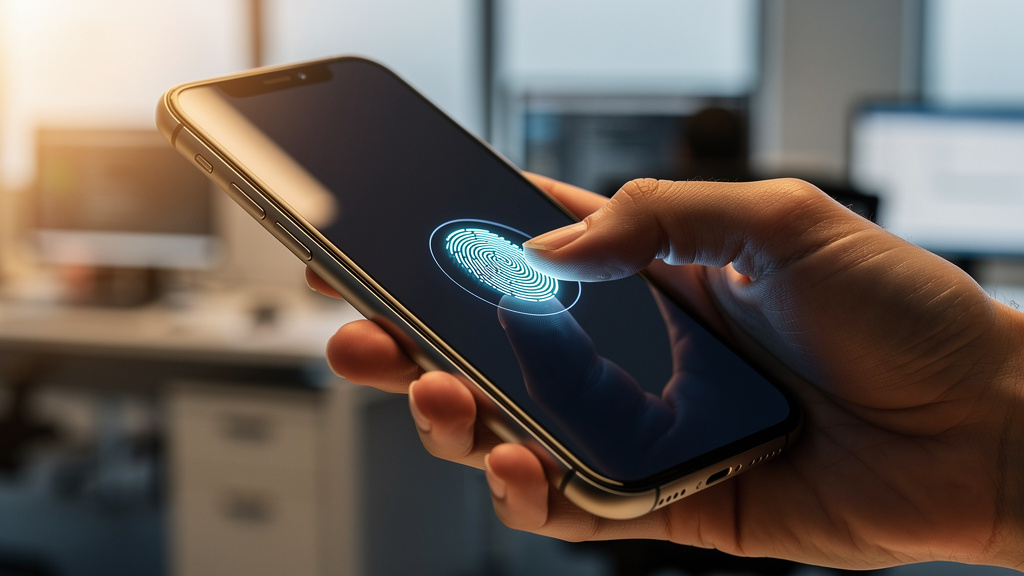
Security sits at the heart of mobile device management software. Every lost laptop, stolen phone, or out‑of‑date tablet is a risk for data theft, regulatory trouble, and downtime. At the same time, locking everything too tightly can frustrate staff and push them toward unsafe workarounds.
As many security leaders remind their teams, “Good security has to protect people without getting in their way all the time.”
The best use of MDM finds that balance: strong defaults for normal use, and fast remote actions when something goes wrong.
Foundational Security Controls
The first layer involves basic device hardening. Mobile device management software can require:
- Full storage encryption using tools such as BitLocker on Windows or FileVault on macOS
- Complex passcodes, shorter auto‑lock times, and biometric checks where supported
- Network profiles that send corporate traffic through VPNs or require certificate‑based Wi‑Fi
For BYOD setups, containerization helps balance security and privacy. Corporate apps and data live inside an encrypted work area governed by MDM rules. Personal photos, social apps, and messages stay outside that container and outside admin control.
Remote Security Actions
Even strong controls cannot prevent all incidents. Devices get lost, stolen, or left behind. Here is where emergency tools inside mobile device management software matter:
- Locate – ask a device to send back its most recent position
- Lock – force a screen lock with a new passcode and display a return message
- Wipe – clear data remotely
On corporate‑owned hardware, wipe usually means a full factory reset. On personal devices, a selective wipe removes only corporate data and managed apps inside the work container, leaving personal content untouched.
Clear workflows are key. Staff should know how to report a lost device, what happens next, and how their personal data is treated.
Compliance and Threat Defense
Many organizations face strict rules from regulators, clients, or partners. Mobile device management software helps by:
- Tracking device posture against defined standards
- Keeping detailed logs of changes and actions
- Blocking access from devices that fall out of compliance
Continuous checks can spot devices with old operating systems, disabled encryption, or removed agents. Policy rules can then block access to email or business apps until the issues are fixed.
MDM platforms also link with Mobile Threat Defense tools that watch for malware, phishing, and risky networks. Features such as device attestation can detect jailbroken or rooted phones before they touch sensitive data.
From an audit point of view, reporting inside mobile device management software supports frameworks such as GDPR, HIPAA, SOC 2, and PCI‑DSS, giving leadership clearer insight into real device risk.
Benefits of Implementing Mobile Device Management Software
The reasons to deploy mobile device management software go far beyond simple control.
Key benefits include:
- Lower breach risk – stronger, consistent policies cut down on weak passwords, missing patches, and casual data leaks. Remote lock and wipe limit damage when a device goes missing.
- Operational efficiency – zero‑touch or guided enrollment means new devices arrive almost ready to use. Admins can see health details, push settings, or remote in to help users.
- Cost control – tighter license management, fewer incidents, and faster responses reduce the chance of fines, legal costs, and lost productivity after security events.
- Better staff experience – devices arrive preconfigured, apps point to the right services, and BYOD containers build trust by keeping personal content private.
From the VibeAutomateAI point of view, MDM is the base layer that keeps AI agents, automated workflows, and analytics tools running on a safe foundation, especially as research on Optimizing mobile app design shows how critical well-managed devices are for user experience.
Specialized Mobile Device Management Software Use Cases
Beyond standard office devices, mobile device management software supports focused uses in retail, healthcare, field services, education, and more. These environments rely on devices that serve narrow, repeatable roles.
Kiosk Mode For Dedicated Devices
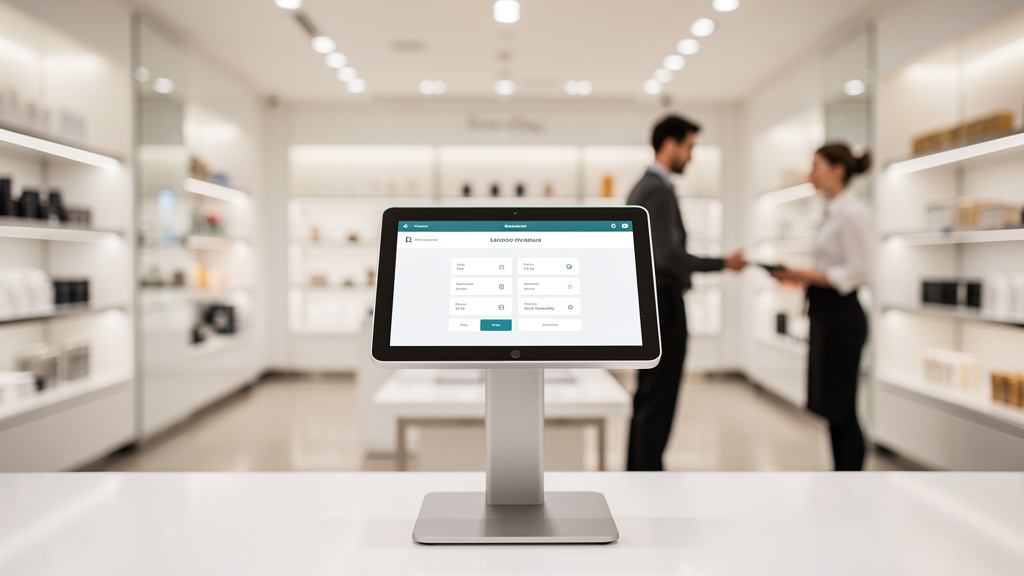
Kiosk mode turns a general‑purpose device into a single‑purpose tool:
- Single‑app mode – a tablet might run only a point‑of‑sale app, a digital sign, or a visitor check‑in screen. Users cannot exit the app, install games, or browse the web.
- Multi‑app mode – a field worker might see only a routing app, a time sheet tool, and a messaging app, with hardware buttons disabled or remapped.
We see kiosk setups across shops, hospitals, hotels, factories, and schools. Mobile device management software makes it practical to roll out many such devices, keep them locked down, and still push updates or new features when needed.
Location Tracking And Geofencing
For teams with field staff or mobile assets, location features inside mobile device management software add real value.
- Devices can report their last known position so dispatchers or managers can see where people and tools are in near real time.
- Geofencing lets admins draw zones around warehouses, hospitals, or secure campuses. When a device enters or leaves, the platform can send alerts or change settings, such as disabling the camera in sensitive areas.
Privacy must be handled carefully. Clear policies about what is tracked, when, and why help keep trust with staff while still supporting use cases in construction, delivery services, healthcare home visits, and public safety.
Choosing the Right Mobile Device Management Software for Your Organization
Choosing mobile device management software is a strategic decision rather than a quick purchase. We advise teams to start with a few simple questions:
- Which devices and operating systems do we need to manage?
For some, iOS and Android phones cover most needs. Others must also manage Windows, macOS, ChromeOS, Linux, or rugged and IoT devices. - How far will we scale?
A tool that works for a twenty‑device pilot may strain under several thousand endpoints. Cloud‑based platforms often grow more smoothly, though some industries still prefer on‑premises or hybrid models. - Is it easy to use?
Look at console layout, dashboard clarity, and role‑based access. Good mobile device management software makes zero‑touch enrollment and self‑service app installs straightforward for both admins and users, particularly as research on The impact of smartphone interface design demonstrates the importance of usability in mobile management. - How strong are the security features?
Review the granularity of policies, available remote actions, and support for containers in BYOD setups. Ask about integrations with Mobile Threat Defense, identity providers, and Zero Trust access tools. - Do reporting and compliance match our requirements?
Built‑in policy templates for GDPR, HIPAA, or SOC 2 save time. Strong audit logs help with internal reviews and external assessments. Remote support tools such as screen sharing can shrink support queues. - How well does it integrate?
MDM rarely stands alone. It needs to connect with directory services like Active Directory or Azure AD, IT service tools like ServiceNow or Jira Service Management, SIEM platforms, and sometimes AI workflow tools. VibeAutomateAI often steps in here to map these links so device state, identity, and business processes work together instead of fighting each other.
We strongly recommend running a proof of concept before committing. Pick a small but realistic group of users, define clear success measures, and test enrollment, policy behavior, and support flows. That trial will tell you more than any feature checklist.
Conclusion on Mobile Device Management Software
Mobile device management software is no longer a nice extra for large enterprises only. Any organization that lets staff read email, open files, or run key apps on phones and laptops needs a way to manage those endpoints safely. MDM brings order to that challenge with policies, visibility, and fast remote actions.
Across this guide, we covered what mobile device management software is, how it works, its core capabilities, and the business benefits it brings. Security improves because every device follows consistent rules and can be locked or wiped when something goes wrong. Efficiency improves because new devices arrive ready for work, and support teams can see what is happening without guesswork. Compliance becomes easier because logs and reports show real control, not just policy documents.
The field around MDM keeps moving, with UEM, Zero Trust strategies, and AI‑driven monitoring gaining ground. Rather than treat these as separate efforts, we see them as layers on the same base. At VibeAutomateAI, we apply the same thinking when we help clients roll out AI workflows: secure, well‑managed endpoints give those projects a stable, safe place to run.
Our advice is simple:
- Take stock of how devices are managed today
- List the main risks and pain points
- Decide what problems you want MDM to solve first
Start with a focused pilot, gather feedback, and grow from there. With the right mobile device management software and a clear plan, teams can support modern work styles with confidence instead of constant worry.
FAQs
Question 1: What Is The Difference Between MDM, MAM, EMM, And UEM?
MDM (Mobile Device Management) focuses on managing and securing the entire device, including settings, apps, and data.
MAM (Mobile Application Management) limits control to specific apps, which helps when full device control is not acceptable.
EMM (Enterprise Mobility Management) bundles device, app, and content tools into one broader package.
UEM (Unified Endpoint Management) extends these ideas to desktops and other endpoints so one platform can oversee almost every device type in the organization.
Question 2: Does MDM Work On Employee‑Owned Personal Devices (BYOD)?
Yes. Mobile device management software can support personal devices through secure containers. In this model:
- Work apps and data sit inside an encrypted workspace that IT can control.
- Personal photos, texts, and social apps stay outside that area and remain private.
If an employee leaves or a phone is lost, admins can remove only the corporate data while leaving personal content untouched, backed by clear BYOD and privacy policies.
Question 3: How Does MDM Impact Device Performance And Battery Life?
Modern MDM agents and management frameworks are built to be light on resources. They use short, periodic check‑ins rather than constant heavy traffic, so daily battery impact is usually small. In some cases, performance can even improve because risky or resource‑hungry apps are blocked. Admins can also tune sync intervals to balance data freshness with battery use.
Question 4: Can MDM Prevent All Mobile Security Threats?
No single tool can stop every threat, and that includes mobile device management software. MDM works best as one layer in a wider defense strategy that also includes Mobile Threat Defense, secure identity, and staff training. The platform shines at enforcing policies, keeping devices in a healthy state, and reacting quickly when something goes wrong. While it cannot block every social engineering attack or unknown exploit, it does shrink the overall attack surface in a meaningful way.
Question 5: What Happens If A Managed Device Goes Offline?
When a managed device goes offline, the last applied policies stay in place on that device. Remote commands such as wipes or locks wait on the server side until the device next connects. Once it comes back online, it syncs pending actions and updates its status. Many teams also set grace periods so that short outages do not trigger strict enforcement right away.
Read more about AI in Transportation: What Smart Cities Must See & Need Now
[…] Read more about How to Choose the Best Mobile Device Management Software […]