
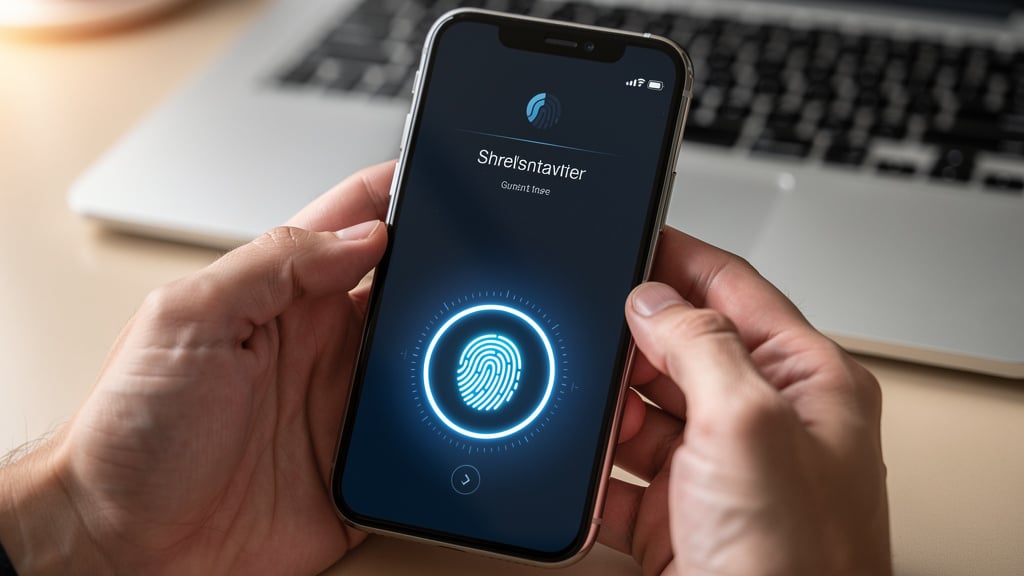
Introduction
Picture this. A finance manager opens email on Monday and sees dozens of “new login” alerts from the weekend. Attackers tried thousands of stolen passwords against company accounts. The only reason those accounts still belong to the business is simple multi-factor authentication (MFA). The extra step stopped about 99.9 percent of those automated attacks before they touched a single invoice or payroll record.
“Multi-factor authentication can block over 99.9% of account compromise attacks.” — Microsoft Security
That kind of story is no longer rare. Password-only security breaks under phishing, reused passwords, and massive data leaks. One weak password can put an entire organization at risk. That is why multi-factor authentication, often shortened to MFA, now sits at the center of access protection for companies of every size.
In this guide, we break MFA down into plain language and practical steps, covering everything from basic concepts to advanced implementation techniques that align with Microsoft Entra multifactor authentication standards. We walk through what it is, how the three factor types work, and what the login flow looks like for real users. Then we move into concrete setup guidance, policy design, best practices, and how MFA fits into a Zero Trust approach. At VibeAutomateAI, we spend our time turning tricky security ideas into clear action, and this article does exactly that for MFA.
By the end, you will have a clear plan for moving from simple passwords to strong, layered identity protection. The goal is not only to stop attackers, but to do it in a way that still feels smooth for employees, partners, and customers.
Key Takeaways
Before diving into the details, it helps to see the big picture that ties the sections together. These points show why multi-factor authentication matters and how to use it as a key security control.
- MFA slashes account takeover risk. It cuts account takeover risk by more than 99 percent compared with passwords alone, which turns stolen passwords from a crisis into a warning signal instead. Attackers can often guess or steal one factor, yet they rarely control two or three factors at once. That gap gives security teams room to react before serious damage occurs.
- MFA relies on three factor groups. Every setup uses:
- things the user knows,
- things the user has,
- and things the user is.
A strong design mixes at least two of those groups for any sensitive system. When we map logins to those categories, gaps in protection become much easier to spot.
- A clear implementation roadmap avoids chaos. Start with basic MFA for admin and finance accounts, then add adaptive checks and AI-driven risk signals over time. That staged approach keeps each change small while still heading toward strong protection.
- Role-based MFA policies balance risk and usability. High-risk users receive extra factors and tighter rules, while lower-risk users keep a lighter, faster login flow. This balance keeps both productivity and protection in focus.
- MFA is the front door of Zero Trust. It forms the first gate in a Zero Trust security model, where identity, device health, and context all matter at every access step. When MFA connects with Privileged Access Management (PAM), monitoring, and clear processes, the result is a much stronger identity perimeter and fewer rollout mistakes.
What Is Multi-Factor Authentication And Why Does It Matter?
Multi-factor authentication is a security method that asks for two or more separate proofs of identity before it grants access. Each proof must come from a different factor category, such as a password, a hardware key, or a fingerprint. Instead of betting everything on one secret, MFA stacks several checks, so a failure in one layer does not mean a full account breach.
Two-factor authentication (2FA) is a special case of MFA. It always uses exactly two factors. MFA is the broader term that covers any login flow that asks for two or more factors. In practice, most business systems use two factors for normal users and may add a third factor only for the most sensitive actions.
The main reason multi-factor authentication matters is the weakness of passwords. People reuse them across many sites, pick easy patterns, or fall for phishing links that trick them into typing credentials into fake pages. Attackers collect those passwords in huge databases and fire them at login forms through credential stuffing attacks. Once a password works, the attacker often walks right into email, payroll, cloud consoles, and customer data.
The business impact of a single successful break-in can include:
- data theft,
- wire fraud,
- ransomware,
- fines under rules like GDPR, HIPAA, and SOC 2,
- and long-term damage to trust with customers and partners.
Multi-factor authentication blocks many of these events by turning stolen passwords into only one small piece of the access puzzle.
From our view at VibeAutomateAI, identity now acts as the new security perimeter. People connect from home, from the office, and from phones on the road, so the old idea of a safe internal network no longer holds. MFA becomes the first and most important gate in that identity perimeter and sets the stage for stronger controls like Zero Trust design and Privileged Access Management.
The Three Core Authentication Factors: Building Blocks Of MFA

Every multi-factor authentication system builds on the same three categories of verification. These groups show up under different names across tools, but the ideas stay consistent. The power of MFA comes from combining at least two of these groups so that an attacker who breaks one line of defense still faces another that works differently.
The three factor types are:
- Knowledge factors – something you know
- Possession factors – something you have
- Inherence factors – something you are
When we design login flows, we always check that the factors come from separate groups. Two passwords are not multi-factor. A password plus a one-time code from a phone or a fingerprint scan does count, because the second factor lives in a different category.
Knowledge Factor: Something You Know
The knowledge factor covers secrets that only the user should know. Standard examples include:
- passwords,
- PIN codes,
- answers to security questions,
- and longer passphrases (sentences or strings of words that are easier to remember yet harder to guess).
This factor is easy to roll out but suffers from well-known weaknesses. People often reuse simple passwords, write them on sticky notes, or share them in chat messages. Attackers use phishing emails, fake login pages, and brute-force tools to guess or steal those secrets. Once a password leaks, anyone can reuse it.
For that reason, we never rely on knowledge alone for important business systems. At the same time, we still want strong basics in this area:
- clear rules about length and complexity,
- banning common patterns and breached passwords,
- strong support for password managers so users do not have to memorize dozens of random strings.
Possession Factor: Something You Have
The possession factor covers physical or digital items that the user controls. Typical examples include:
- hardware security keys,
- smart cards and USB tokens,
- mobile phones that receive codes or push prompts,
- authenticator apps that generate time-based one-time passwords,
- email addresses that receive short codes.
Time-based codes, often called TOTP codes, work by using a shared secret between the authentication server and the app on the device. Both sides use that secret and the current time to compute a short numeric code that changes every 30 or 60 seconds. Even if someone sees one code, it becomes useless within a short period.
Possession factors add a strong barrier because an attacker must gain control of a device, not just a password. That is much harder to do at scale. The main risks appear when a phone or token is lost or stolen, or when someone tricks a mobile carrier into a SIM swap and steals SMS messages.
We usually rank options this way:
- Strongest: hardware keys
- Strong: authenticator apps
- Basic: SMS or email codes — better than nothing, but not ideal as the only second factor.
Inherence Factor: Something You Are
The inherence factor focuses on traits that belong to the user. These traits may be physical, such as a fingerprint or the shape of a face, or behavioral, such as the rhythm of typing. Common examples include:
- fingerprint scans on phones,
- facial recognition on laptops,
- iris or retina checks,
- voice recognition during calls.
Biometric checks feel natural for users because the factor is always present, cannot be forgotten, and often unlocks a device with a quick glance or touch. At the same time, biometric data needs very careful handling. If a password leaks, we can change it, but no one can change their fingerprints or eyes.
Because of that, any system that stores biometric templates carries serious responsibility to protect that data with strong encryption and tight access rules. We also see growing interest in behavioral biometrics that watch for ongoing signs of the right user, such as usual typing speed or mouse movement, which supports continuous authentication beyond just the login moment.
How Multi-Factor Authentication Works: The Authentication Process
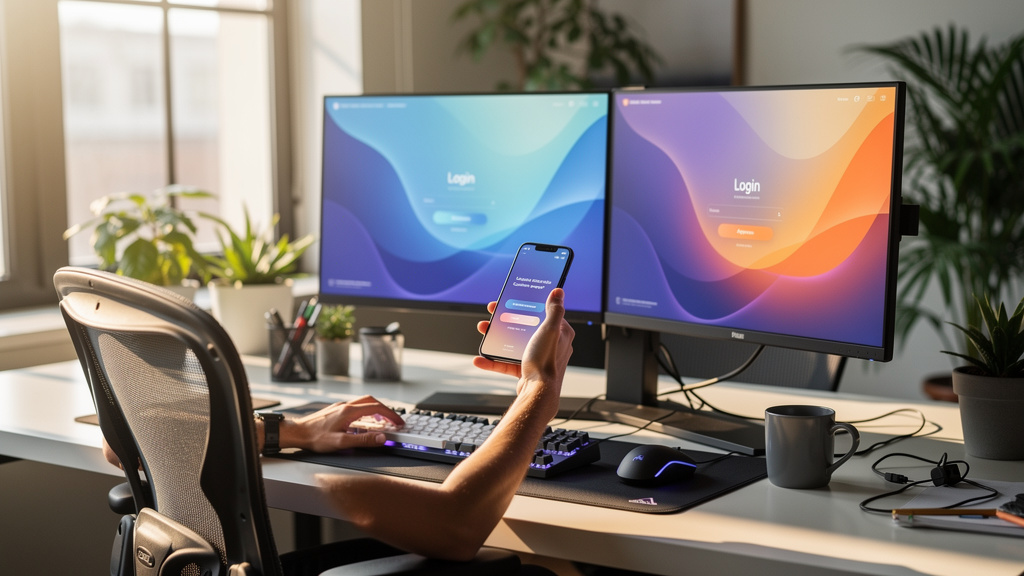
So how does multi-factor authentication feel in practice for a normal user at a small or mid-sized business? From our experience, the process follows a clear pattern. There is a one-time setup step, then a short series of checks each time someone signs in, with extra prompts only when something looks unusual.
Understanding this flow helps leaders plan training, support, and expectations before a rollout, and documentation resources like Multifactor authentication – Alliance provide additional implementation guidance for organizations. It also matters for compliance teams that need to explain to auditors how identity checks operate.
Initial Registration And Setup
The first step in multi-factor authentication begins when a user creates or updates an account. The system asks for basic credentials such as a username and password, then guides the user to add at least one more factor. This step may involve:
- entering a phone number,
- linking an authenticator app,
- or recording biometric data on a trusted device.
For authenticator apps, the setup often shows a QR code in the browser. The user opens the app, scans the QR code, and the shared secret moves into the phone without anyone typing it by hand.
Many systems also provide backup codes in case the main device is lost. We always urge teams to store those backup codes in a safe place, such as a password manager or secure vault, right away so they do not face lockouts later.
The Login Authentication Flow
Once setup finishes, the regular login flow becomes simple and quick:
- The user enters their username and password on the sign-in page.
- The system checks this first factor. If it matches, the process moves to the next step instead of granting access right away.
- The system sends or requests the second factor, which might be:
- a code in an authenticator app,
- a push prompt on a phone,
- a text message with digits,
- a biometric scan on the device,
- or a prompt to tap a hardware key.
- Many codes expire after 30 to 60 seconds so that old codes do not stay valid.
- When the user completes the second factor, the system verifies all factors and then grants access.
If any step fails too many times, the system can block the attempt, ask for extra checks, or notify security teams for review.
Device Trust And “Remember Me” Features
People often worry that MFA will slow them down at every sign-in. In real setups, that rarely happens. Most systems remember trusted devices through browser cookies or device fingerprints. After a user passes MFA on a device once, the system may skip the second factor for a set period on that same device.
Extra checks return when something changes, such as:
- a new device,
- a sign-in from a far-off location,
- login attempts at strange hours,
- or a password reset.
Security teams can tune how long a device stays trusted, such as one day, one week, or a month. This balance lets organizations keep strong checks for risky events without annoying people every time they open email.
Essential MFA Methods And Implementation Options
Not every multi-factor authentication method fits every situation, as shown in resources like Multi-Factor authentication – Progress that outline different implementation scenarios for various business contexts. Some options work best for fast rollout with minimal cost, while others aim at top-level security for admin and finance roles. When we plan a project, we usually map methods along two lines:
- security strength,
- ease of use.
By matching methods to user groups and systems, we get the right level of protection without creating needless friction. Below are the most common choices and how we see them used in real organizations.
SMS And Email-Based Codes
SMS and email-based codes send a short one-time code to a phone number or email address on file. The user enters that code after their password, and the system checks that the code matches and has not expired. This method is familiar to most people and works with devices they already carry.
The main weakness comes from attacks on the delivery path, and research such as (PDF) Issues and Challenges examines the vulnerabilities inherent in two-factor authentication algorithms that rely on SMS delivery. A criminal who tricks a mobile carrier into a SIM swap can steal text messages, and a mailbox without protection can also leak codes. For that reason, we treat this method as suitable for lower-risk accounts or as a backup when no better option is available. It remains far better than no MFA at all but should not protect admin consoles by itself.
Authenticator Applications: TOTP
Authenticator apps are our default recommendation for most business users. Tools such as Microsoft Authenticator, Google Authenticator, Authy, and Duo Mobile create time-based one-time passwords on the user’s phone. App and server share a secret, then both sides compute the same code based on time, so the user can type that code without any network link.
Setup usually involves scanning a QR code, which loads the shared secret into the app without manual typing. One app can hold codes for many services, so users have a single place to look when they sign in. This method resists most common attacks, since there is no SMS path to hijack and no static code to steal.
We still advise teams to:
- issue backup codes,
- and, when possible, register a second device such as a work phone or tablet.
That way, a single lost phone does not lock someone out of their tools. For cost, coverage, and security balance, authenticator apps form the baseline for multi-factor authentication in most VibeAutomateAI projects.
Hardware Security Keys: FIDO2 And WebAuthn

Hardware security keys offer the highest level of protection for login security. These small USB, NFC, or Bluetooth devices store private keys and answer challenges from websites or applications using public key cryptography. Standards like FIDO2 and WebAuthn allow browsers and identity providers to ask the key for proof without ever seeing the private part.
Since the key signs the challenge only for the real site, phishing pages cannot collect a code that works somewhere else. Attackers cannot copy the key over the network or guess it with software. This makes hardware keys extremely resistant to man-in-the-middle attacks and most other tricks we see in the field.
We reserve these devices for privileged users such as:
- cloud admins,
- finance leads,
- and staff in highly regulated areas,
because of the cost and handling overhead. To avoid lockouts, we always assign at least one spare key per person and store it in a secure location.
Biometric Authentication
Biometric authentication uses built-in device features such as fingerprint sensors or facial recognition cameras. Examples include Touch ID on phones, Face ID on tablets, and Windows Hello on laptops. When paired with other factors, biometrics provide fast, low-friction confirmation that the person at the keyboard matches the enrolled user.
These checks depend on specialized hardware and careful software design to store templates safely, often inside secure hardware zones on each device. We usually treat biometrics as a strong extra safeguard at the device level rather than the only second factor for high-value cloud services. Any organization that collects biometric data on servers must follow strict data protection rules and limit access to that information.
Step-By-Step Guide: Setting Up MFA For Your Organization

Rolling out multi-factor authentication across a business feels far easier with a clear plan. We like to follow an eight-step structure that moves from assessment to ongoing improvement, while keeping both people and technology in view.
- Conduct Security Assessment
Begin by listing every system that holds important data or controls access, such as:- cloud apps,
- VPNs,
- admin consoles,
- customer portals.
Then map user roles that touch those systems and score their risk. This map shows where multi-factor authentication is most urgent and where it will have the biggest effect.
- Choose MFA Methods
Pick one main method and one or two backup methods for each group of users. Authenticator apps usually serve as the standard second factor for most staff, with SMS as a backup and hardware keys for admin and finance roles. Check device support and user comfort levels so no one is stuck without a workable option. - Prioritize Deployment
Do not start with the easiest accounts; start with the most damaging if lost. Administrator accounts, shared service accounts, and finance roles sit at the top of that list. At VibeAutomateAI, we treat multi-factor authentication for admin access as non-negotiable for any serious security program. - Configure Identity Provider
With priorities in place, turn to the identity platform such as Azure AD, Okta, or Google Workspace. Enable MFA features, create policies based on role and risk, and define how trusted devices and sign-in sessions behave. This is also where you link MFA settings with Single Sign-On (SSO) so that one strong login covers many apps. - Pilot With A Small Group
Before turning on policies for everyone, test with a small group such as the IT team or security champions. They go through setup, daily use, and recovery paths, then share feedback. This pilot period often reveals confusing messages or missing guides that you can fix early. - Communicate And Train
Clear communication may matter as much as the technical setup. Explain why multi-factor authentication protects both the business and each person’s own data, show how long the process actually takes, and provide short guides or videos. Good training reduces anxiety and cuts support calls during rollout. - Run A Phased Rollout
After the pilot, turn on MFA in waves based on department, region, or risk level. Each wave should have:- a planned support window,
- extra help on chat, phone, or in-person sessions.
This staged rollout keeps support teams from drowning in requests on day one.
- Monitor And Optimize
Once MFA runs across the organization, keep watching it. Track:- how many users complete setup,
- where they struggle,
- which logins fail most often.
With VibeAutomateAI guidance, many teams also combine MFA with Privileged Access Management so admin rights last only as long as needed and every action is logged for later review.
Best Practices For MFA Management And Optimization
Turning on multi-factor authentication is only the first step, and studies like The Efficacy of Multifactor demonstrate that ongoing management and optimization significantly improve security outcomes. To keep risk low and users productive, you need strong policies, smart automation, and clear maintenance habits. This is where many organizations drift, and where VibeAutomateAI focuses a lot of our playbooks.
The goal is a setup that stays aligned with business changes, adjusts to risk in real time, and supports audits without constant manual work from already busy IT teams.
Implement Role-Based MFA Policies
Role-based policies make sure the right people face the right checks. We group users into categories such as:
- standard staff,
- power users,
- administrators,
- executives,
then connect each group to its own MFA rules. A front-desk worker who reads email and calendar should not have the same login requirements as a person who can create new cloud servers.
For example:
- A standard user might sign in with a password and an authenticator app.
- An administrator might need a password, a hardware security key, and an approval step for especially sensitive actions.
Alongside that, we apply the principle of least privilege so no account has more access than it truly needs. Regular access reviews every quarter help clean up old accounts, remove excess rights, and close gaps.
VibeAutomateAI combines these ideas with Privileged Access Management designs. That means powerful rights rise only when needed, always gated by MFA checks, and drop back down after the task finishes.
Enable Adaptive And Risk-Based Authentication
Static rules cannot cover every strange login pattern, so we add adaptive checks that change with risk. Adaptive multi-factor authentication looks at signals such as:
- location,
- device,
- IP reputation,
- time of day,
each time someone tries to sign in. It assigns a risk level and then decides how much friction to add.
If a user logs in from the same office laptop at the usual time, the system may ask for only one extra factor. If the same account suddenly appears on a new device from another country at 3 a.m., the system can demand several factors or deny the request.
When we add AI and machine learning on top, the system learns each person’s normal behavior and spots patterns that do not fit, such as many failed attempts or strange movement between locations.
VibeAutomateAI helps teams connect these signals with clear policies so high-risk events trigger extra controls, alerts, or both. This approach keeps the sign-in flow fast for real users while pushing attackers into a much tougher fight.
Maintain Strong Foundational Security
Multi-factor authentication makes passwords safer, yet it does not excuse weak basics. You still need:
- strong password rules with decent length and mixed character types,
- bans on reuse across systems,
- checks against known breached-password lists.
For sensitive roles, you may also set regular password changes, such as every three to six months, to limit damage if a password leaks quietly.
Password managers remove much of the pain by storing long random strings and filling them into login forms. Pair these with other layers such as endpoint protection on devices, safe network design, and encryption for important data.
VibeAutomateAI also supports AI-driven training platforms that deliver short, focused lessons, so employees stay aware of phishing tricks and other threats that try to get around MFA.
Prepare For MFA Failures And Recovery
Even the best setup runs into trouble when phones break, keys vanish, or people forget backup methods. Planning for those moments keeps the business running and prevents pressure that might lead someone to disable MFA.
Good practice includes:
- requiring every user to create and safely store backup codes during enrollment,
- designing clear recovery steps that may include identity checks with support staff, temporary access codes, or admin-approved resets,
- giving users simple instructions for what to do when a device is lost, how to report it, and how to replace their authentication factor,
- keeping alternate contact channels on file for out-of-band checks, such as a secondary email or a verified phone line.
During the first weeks after rollout, extra support coverage helps smooth out these rough spots. Periodic tests of recovery paths then make sure the process still works when needed.
Advanced Strategies: Integrating MFA Into Zero Trust Architecture
Multi-factor authentication does more than protect single logins, and research like The Role of Multi-Factor examines how MFA serves as a foundational component in comprehensive security architectures. It also anchors a broader Zero Trust approach, where no device, user, or network segment earns automatic trust. Access decisions rely on identity, device health, context, and data sensitivity at each step.
“Never trust, always verify.” — Summary of Zero Trust guidance, NIST SP 800-207
In this model, MFA stands as the first gate. Before any device reaches internal apps or data, the user proves identity with at least two factors. From there, other checks apply, such as:
- whether the device meets security baselines,
- whether the request comes from a safe network,
- and whether the user should reach that resource at all.
At VibeAutomateAI, we encourage a phased Zero Trust path that starts with multi-factor authentication on all cloud and admin accounts. Next, we add Privileged Access Management so admin rights exist only when needed and expire quickly, with every action logged. We then connect device health signals, fine-grained network segments, and continuous monitoring through AI-assisted analytics.
These analytics watch for strange behavior even after login, such as:
- access to data that does not match a person’s role,
- sudden spikes in downloads,
- new access paths that bypass normal entry points.
Combined with data protection features such as encryption and loss prevention, this creates several hurdles past the first MFA gate. Teams can then measure progress with metrics like:
- time to detect threats,
- time to respond,
- manual hours saved,
which helps show leaders the value of these efforts.
Conclusion
Password-only security no longer stands up to modern threats. Multi-factor authentication turns that weak single lock into a layered defense that blocks most automated attacks and slows down skilled intruders. For any organization that works with cloud services, remote teams, or sensitive data, MFA is no longer a nice bonus; it is a basic safety requirement.
We walked through what multi-factor authentication means, how the three factor types work, and how the login flow feels for users. We also covered how to roll out MFA step by step, keep it tuned with role-based and adaptive policies, and tie it into a wider Zero Trust strategy. Done well, these changes strengthen security while keeping the daily sign-in process fast and simple for most people.
VibeAutomateAI focuses on this mix of clarity and depth. Our frameworks combine MFA, Privileged Access Management, AI-assisted monitoring, and ongoing training so identity becomes a shield instead of a weak point. The next move is straightforward: review where multi-factor authentication already exists, find the gaps for admin and sensitive accounts, and start closing those gaps with a clear rollout plan.
Threats will keep changing, and attackers will keep trying fresh tricks. With adaptive, AI-aware MFA at the core of identity security, organizations can stay a step ahead instead of always catching up.
FAQs
Question 1: Is MFA Difficult For Non-Technical Users To Adopt?
Multi-factor authentication feels new at first, but modern methods keep the process simple. Authenticator apps show short codes or one-tap approvals, and biometrics let people sign in with a quick touch or glance. With short guides and a bit of practice, most users adjust in days, not months.
People also learn that they only see the extra step on new devices or when something about the login looks unusual. In our work, we see most resistance fade after the first few weeks once users notice that logins stay quick and their accounts feel safer.
Question 2: What Happens If A User Loses Their Phone Or Authentication Device?
When a device goes missing, a good MFA plan already has backup options ready. Users can fall back on one-time recovery codes that they stored safely when they first set up multi-factor authentication. Support teams can also follow documented steps to verify identity and help reset factors without making the process so simple that attackers can abuse it.
We often suggest registering more than one device for key users, such as a work phone and a tablet. Keeping contact details current for out-of-band checks also smooths this process when time is tight.
Question 3: Can MFA Be Bypassed Or Hacked?
No security control reaches absolute perfection, and multi-factor authentication is no exception. Attackers still try tricks such as:
- phishing for one-time codes,
- flooding users with endless push prompts to wear them down,
- stealing phone numbers with SIM swap scams.
Even so, MFA raises the cost of attacks sharply, which pushes many criminals to look for easier targets. Hardware security keys stand out as especially strong, since they resist phishing and cannot be copied over the network.
At VibeAutomateAI, we pair MFA with user training and AI-assisted monitoring that watches for strange access attempts and possible bypass efforts, then alerts teams before damage spreads.
Question 4: How Much Does MFA Cost To Implement?
The cost of multi-factor authentication depends on the mix of methods and the tools already in place. Many identity platforms such as Microsoft 365, Google Workspace, and popular Single Sign-On services include software-based MFA as part of existing plans, so the main cost comes from setup time and user training.
Hardware security keys add a per-user cost in the range of tens of dollars, but we usually reserve them for admin and high-risk roles. When we compare those numbers with the price of a breach that can run into millions through fines, cleanup, and lost business, MFA looks very affordable. For most organizations, the return on this investment appears as soon as it blocks the first serious attack.
Question 5: Should We Require MFA For Customer-Facing Applications?
Whether multi-factor authentication is mandatory for customers depends on the kind of data and actions inside the application. For banking, healthcare, or any service that holds sensitive personal or financial records, strong MFA is now standard and often required by regulators.
For general consumer apps with lower risk, many companies offer MFA as an option and strongly encourage it, while reserving mandatory checks for high-risk actions such as:
- password changes,
- money transfers,
- access from new locations or devices.
Adaptive policies can request MFA only when behavior appears risky, which keeps most sessions smooth while still raising the wall against attackers. As awareness grows, more customers see MFA as a sign that a company takes protection of their data seriously, rather than as a burden.
Stay connected