
Introduction
A single stolen password can feel like leaving the front door wide open with the lights on. Most data breaches still begin with weak or stolen credentials, so password‑only access is no longer safe. That is where multi-factor authentication (MFA) comes in, turning a simple lock into a layered security system that is much harder to break.
Many teams rush to buy an MFA tool, switch it on with default settings, and then wonder why people complain, adoption stalls, or gaps in coverage remain. The technology behind MFA is already strong; the hard part is designing clear policies, educating people, and fitting authentication into daily work so it protects the business without getting in the way.
At VibeAutomateAI, we focus on strategy rather than reselling MFA software. Our role is to give leaders practical frameworks so they can choose and roll out MFA in a way that fits their risks, workflows, and culture. This guide explains core MFA concepts, factor types, common methods, advanced capabilities like adaptive and passwordless access, and the metrics that show real business value.
Key Takeaways
- MFA sharply reduces account takeover risk. Adding checks beyond passwords makes it far harder for attackers to abuse stolen credentials, especially when methods are chosen and configured with care.
- The best MFA programs fit how people actually work. Strong setups connect cleanly to existing systems, offer several factor options, and apply stricter checks only when risk is higher.
- VibeAutomateAI treats MFA as part of a wider security strategy. We connect authentication with Zero Trust, password practices, secure AI adoption, and clear metrics so leaders can plan phased rollouts and avoid common pitfalls.
What Is Multi-Factor Authentication and Why It Matters
Multi-factor authentication (MFA) is a security method that asks a user for two or more independent proofs of identity before granting access. Instead of relying only on a password, MFA adds extra checks such as a phone code, a hardware key, or a fingerprint. An attacker now has to bypass several layers at once, which is far harder than guessing or stealing a single secret.
One factor may be compromised, but several different factors are far less likely to fail at the same time. Stealing a password is common; stealing a password and the phone that receives an approval prompt and copying a fingerprint is far less likely. This compounding effect lowers the risk from:
- Phishing and social engineering
- Credential stuffing using leaked password databases
- Malware and ransomware that try to hijack accounts
Two-factor authentication (2FA) uses exactly two factors; MFA is a broader term that covers any login with two or more checks. A typical flow starts with a username and password, then adds another step such as a six‑digit app code, a push prompt, or a biometric scan. Research on The Role of Multi-Factor authentication in modern security shows that MFA supports compliance frameworks like PCI DSS and HIPAA and is now a common condition for cyber‑insurance coverage.
“When implemented correctly, multi-factor authentication can greatly raise the security level of online services.” — NIST SP 800‑63‑3 (paraphrased)
The Four Pillars Of MFA: Understanding Authentication Factors
At the heart of MFA are different categories of factors that prove who a person is. Security improves when you mix factors from different groups instead of stacking many from the same one. Most frameworks describe four main categories.
Knowledge-Based Authentication (Something You Know)
Knowledge factors are pieces of information the user is supposed to know and keep private, such as passwords, passphrases, PIN codes, and answers to security questions. They still appear in almost every MFA setup as a first step.
The weakness is that knowledge can be guessed, stolen, or tricked out of people through phishing or social engineering. Attackers rely on reused passwords, leaked databases, and personal data from social media. This is why relying on knowledge alone is no longer acceptable; it should be paired with other factor types.
Possession-Based Authentication (Something You Have)
Possession factors depend on a physical item or device that the person must have at login time. In modern MFA deployments, the most common item is a smartphone running an authenticator app, receiving push prompts, or getting one‑time codes.
Other options include hardware security keys, smart cards, and employee badges. These methods are powerful because an attacker has to gain physical control of the item, which is much harder than stealing data over the internet. Some devices can also work without a network connection, which is useful in factories, plants, or labs.
Inherence-Based Authentication (Something You Are)

Inherence factors, often called biometrics, rely on physical or behavioral traits tied closely to a person. Examples include fingerprint scans, face recognition, and iris scans. Many phones and laptops now ship with sensors that support quick biometric checks.
Biometrics are popular in modern MFA programs because they combine strong security with ease of use. People do not need to remember anything or carry extra items, and copying a fingerprint or face is much harder than guessing a password. When paired with another factor, biometrics raise security without adding much friction.
Location and Context-Based Authentication
Location and context factors consider where and how a user is trying to log in: physical location, type of network, device health, and past behavior. A login from inside the company office on a managed laptop might pass with lighter checks, while a login from a new country on a personal device might trigger extra steps or a block.
Modern MFA platforms use this context to support adaptive decisions. Instead of asking for the same steps every time, the system raises or lowers the level of challenge based on risk. That keeps access smooth for normal use while tightening controls when something looks unusual.
Common MFA Methods From Authenticator Apps to Hardware Keys
Once you understand factor types, the next step is to look at real methods that MFA tools use every day. Each method brings a different mix of security strength, user comfort, and fit for various work settings. Good designs usually offer several options so people can choose methods that suit their role and risk level.
Authenticator Apps (TOTP/HOTP)
Authenticator apps generate one‑time codes using standards such as time‑based one‑time passwords (TOTP) or counter‑based one‑time passwords (HOTP). The app runs on a phone and shows short numeric codes that change every 30–60 seconds.
Popular examples include apps from Google, Microsoft Entra multifactor authentication, and other vendors. Many work even when the phone has no signal, which is a clear advantage over text messages. Some also support secure backup and use across several devices. For most employees, authenticator apps offer a strong balance of security and practicality.
Push Notifications
Push methods send an alert to a trusted device and ask the user to approve or deny a login attempt. Instead of typing a code, the person taps a button or enters a small number shown on the login screen. This flow is fast and simple, which encourages employees to accept MFA instead of avoiding it.
Push prompts can also show details such as location or device type, helping users spot suspicious attempts. With the right settings—like number matching and limits on repeated prompts—push methods combine strong protection with smooth daily use.
SMS, Email, and Voice One-Time Passwords
Codes sent by text message, email, or phone call are often the first MFA type people encounter. They are easy to deploy because nearly everyone has a phone and an email address, and they require little training.
However, these methods have known weaknesses. Attackers can:
- Trick carriers into moving a number to a new SIM
- Intercept messages or gain access to email accounts
- Abuse weak recovery processes tied to phone numbers
Because of these risks, SMS, email, and voice codes work best for lower‑risk use cases or as backup options, not as the primary method for admin or high‑value accounts.
Hardware Security Keys (FIDO2/WebAuthn)
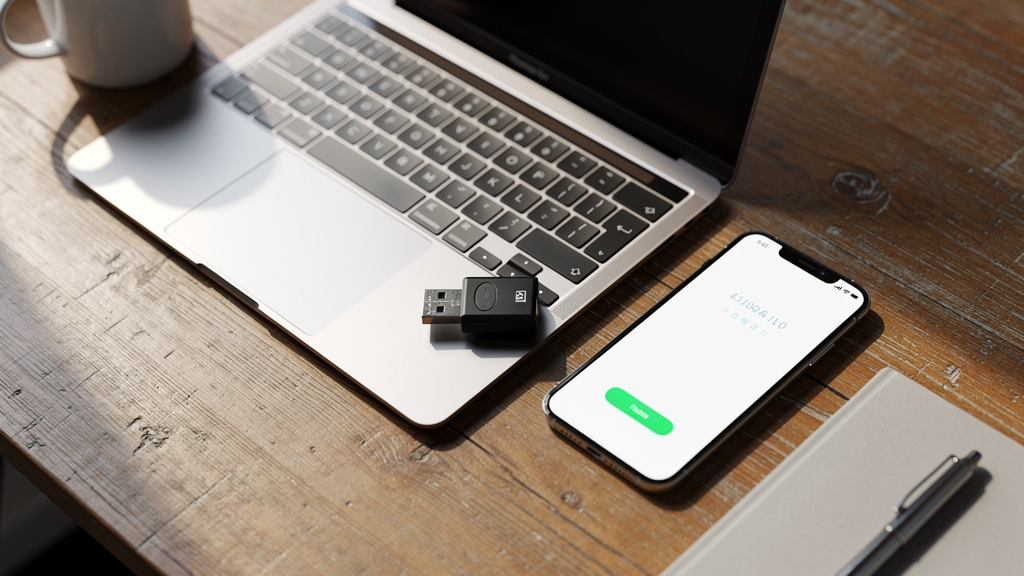
Hardware security keys are small physical devices that work with standards such as FIDO2 and WebAuthn. Users plug the key into a USB port or tap it on a device that supports NFC. The key stores secret material securely and never shares it directly with websites or apps.
For high‑value accounts—such as cloud admins, finance staff, and executives—hardware keys are often the strongest choice. They are very hard to phish because the device only responds to the real website, not a fake copy. Even if someone visits a clone site, the key will not complete the sign‑in.
Biometric Authentication
Biometric authentication uses fingerprint readers, face cameras, or other sensors built into phones and computers. Many systems now allow sign‑in with a face scan or fingerprint combined with a device‑level PIN, and the biometric data stays on the device.
As organizations move toward passwordless authentication, biometrics often take center stage. They provide fast access, no need to remember long strings, and stronger resistance to guessing or reuse. When backed by secure hardware and sound policies, biometrics give one of the best combinations of security, speed, and comfort.
Advanced MFA Capabilities Adaptive Authentication and Passwordless Access
Basic two‑step checks are a big improvement over passwords alone, but current threats call for smarter methods, with research on The Efficacy of Multifactor authentication showing that adaptive approaches significantly strengthen security postures. Advanced MFA platforms rely on context, risk scoring, and passwordless approaches to keep security high without drowning people in prompts. These features distinguish simple checkbox deployments from mature, strategic programs.
Risk-Based Adaptive Authentication
Risk‑based or adaptive authentication changes behavior based on each login attempt. Instead of applying the same rule everywhere, it studies details such as user role, device health, location, network reputation, time of day, and previous patterns. A login from a known laptop during normal hours looks very different from a login from a new browser in another country at 3 a.m.
Low‑risk attempts can move through with fewer steps, while higher‑risk attempts face extra challenges or a block. That might mean asking for a hardware key, requiring biometric confirmation, or forcing re‑authentication before letting someone change payroll bank details.
At VibeAutomateAI, we help teams define what counts as low, medium, and high risk, then map each level to specific responses. That way adaptive features follow a documented plan that leaders can explain to staff and auditors.
Passwordless Authentication
Passwordless access removes traditional passwords from the login process. Instead, users prove who they are with methods that are both stronger and easier to use, such as device‑based biometrics, passkeys stored on secure hardware, or physical security keys.
Well‑planned passwordless setups reduce many chronic password problems:
- No reuse across sites
- Almost no value for phishing pages
- Far fewer password reset calls to the help desk
Moving to passwordless models takes time. VibeAutomateAI guides clients through staged adoption, starting with high‑value accounts and expanding outward, while aligning identity providers, device standards, and user training.
Phishing-Resistant MFA
As attackers grow more skilled, they design tricks that can even beat basic MFA, such as token relay attacks or constant push spam. Phishing‑resistant MFA focuses on methods that stay strong even when someone clicks a fake link. Hardware keys using FIDO2 and WebAuthn are the leading approach because they confirm the real site before signing anything.
Other defenses include Bluetooth proximity checks between phone and laptop and number matching inside push prompts. For admin accounts and other high‑impact roles, phishing‑resistant methods should sit at the top of the policy.
“MFA is one of the most effective ways to prevent remote attacks on your accounts.” — CISA, Implementing Strong Authentication (paraphrased)
Integrating MFA Into Your Business Environment
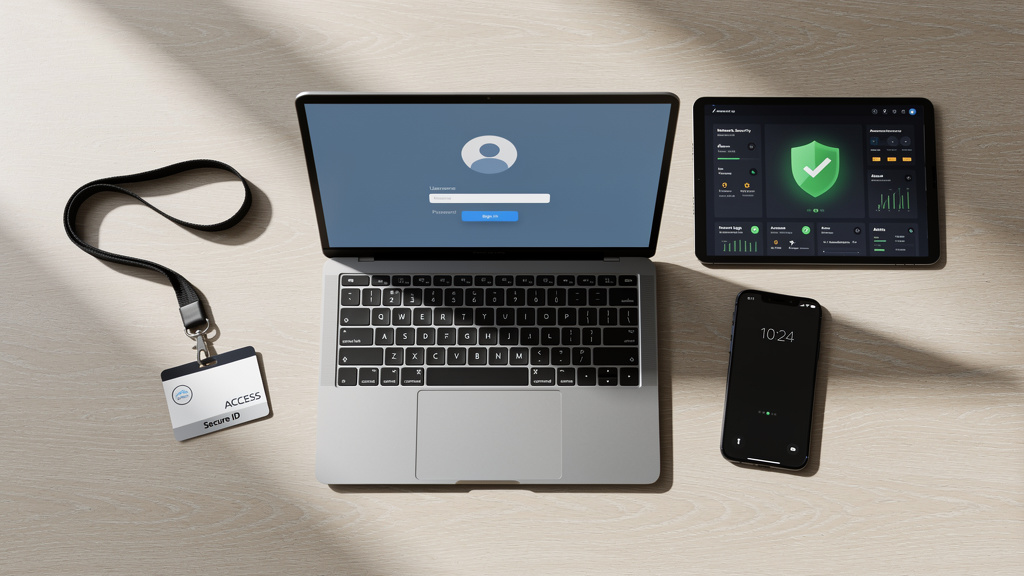
Even the best MFA tooling can fail if it covers only a few systems or sits off to the side. The real test is whether authentication weaves cleanly into the tools people already use, from cloud apps to VPNs and older internal platforms. Integration choices shape both protection and day‑to‑day usability.
Application and Platform Compatibility
Start by listing which applications and systems must be protected, then confirm whether your chosen MFA platform supports them. Modern organizations rely on a mix of cloud services, on‑premises software, VPN gateways, custom tools, and sometimes offline devices that sync later.
A strong approach brings broad support for standard protocols, pre‑built connectors for common services, and clear APIs for custom work. VibeAutomateAI works with clients to map every access path so they can see where MFA fits cleanly, where extra work is needed, and where gaps would leave obvious attack routes.
Single Sign-On (SSO) Integration
Single sign-on (SSO) lets users authenticate once and then access many applications without repeated logins. When SSO is combined with MFA:
- Users complete a strong MFA check at the start of the day
- They move through email, file sharing, CRM, and other apps under that secure session
- Security teams gain one main gate where they can enforce strict policies and monitor access
This mix often cuts help‑desk volume and reduces the temptation to reuse simple passwords.
Directory and Identity Management Integration
Most organizations already manage users in systems such as Active Directory, LDAP, or cloud identity platforms. The best MFA deployments tie directly into these directories. When HR onboards a new hire or removes a leaver, their MFA status updates automatically.
Directory integration also enables group‑based policies. Admins can set stronger methods for finance or engineering staff, lighter ones for seasonal workers, and special rules for shared kiosks or lab machines. Anchoring MFA rules to existing identity data makes the setup easier to manage and more reliable during change.
Choosing the Right MFA Solution for Your Organization
With so many platforms on the market, including options from the Top 10 Multi-Factor Authentication providers, it is tempting to start with feature grids or copy whatever another company uses. We recommend a different path: describe your business goals, risk profile, and technical limits first, then match MFA options to that picture. This keeps projects focused on outcomes instead of shiny features.
Key Evaluation Criteria
When we guide clients, we look at criteria such as:
- User Experience: Clear enrollment flows, simple prompts, and low friction in daily use; people who like the tool are far less likely to work around it.
- Method Coverage: Support for push prompts, authenticator apps, biometrics, hardware keys, and backup methods so different roles can use what fits them.
- Scalability and Flexibility: The ability to add users, protect new services, and adjust policies without major disruption.
- Integration Depth: Connectors for major software in use today plus strong APIs for custom or legacy systems.
- Administrative Controls: Granular rules based on role, device state, location, and risk scores rather than a single policy for everyone.
- Total Cost and Compliance: Licensing, setup time, support effort, and reporting features that can support PCI DSS, HIPAA, SOC 2, or other standards.
VibeAutomateAI brings simple checklists and scoring sheets so leaders can compare MFA platforms against real needs and avoid half‑finished deployments.
How VibeAutomateAI Turns MFA Implementation Into Strategic Advantage
VibeAutomateAI does not sell MFA software or hardware. Our work centers on guiding teams through the planning, design, and rollout of MFA programs so the technology they pick truly supports their goals. We speak in plain language, connect authentication to real workflows, and pair security controls with both human behavior and AI‑driven monitoring.
Our playbooks cover MFA and privileged access management for cloud and admin accounts. We help identify which roles need the strongest methods—such as hardware keys and phishing‑resistant flows—and which can use lighter but still safe options. This closes common gaps around shared admin accounts or older services with weak controls.
Because many clients are also adding AI tools, we look wider than MFA alone. We place authentication alongside data encryption, vendor certifications like SOC 2 and ISO standards, role‑based permissions, clear data‑handling rules, and strong audit logging. We also guide modern password practices backed by MFA and password managers, instead of frequent forced changes that push people toward weak patterns.
To support long‑term behavior, we outline AI‑assisted security awareness programs that enroll users, send short lessons, and track completion. These programs teach staff how phishing attempts target MFA prompts, password resets, and approval flows. Throughout, we keep people in the loop for high‑impact decisions while using AI to scan large data sets for odd sign‑in attempts or risky behavior.
Best Practices for Successful MFA Deployment
Rolling out MFA across a business is as much about people and process as it is about tools. Over time, a few practices stand out:
- Protect the highest‑risk accounts first: Start with admins, finance staff, and anyone who can access sensitive data.
- Offer more than one method: Combine push prompts, authenticator apps, hardware keys, and mobile‑free options so people can choose within safe limits.
- Use self‑service enrollment: Short guides and videos help staff set up MFA without long help‑desk queues.
- Plan for backup and recovery: Provide recovery codes or secondary devices so lost phones or keys do not block work for hours.
- Support phone‑restricted areas: In factories or certain healthcare units, rely on hardware keys, badges, or desktop authenticators instead of personal phones.
- Phase the rollout: Start with a pilot group, adjust based on feedback, then expand in waves rather than flipping a switch for everyone at once.
- Teach and measure: Explain why MFA matters, how attackers try to bypass it, and track adoption, support tickets, and incidents.
Common MFA Implementation Challenges and How to Overcome Them
Even with good tools, MFA projects can stumble. We often see the same patterns, which means they can be addressed in advance.
- User Resistance: People worry MFA will slow them down. Counter this with clear communication, leadership backing, and simple methods like push prompts or biometrics for most staff.
- MFA Fatigue Attacks: Attackers send repeated push prompts hoping someone taps “Approve” just to stop the noise. Use number matching, location details in prompts, and phishing‑resistant methods for high‑risk roles, and train users to report unexpected prompts.
- Legacy Systems: Older platforms may not support modern MFA directly. VibeAutomateAI uses structured assessments to map every access path and identify where standards work, where proxies or gateways are needed, and where upgrades should be planned.
- Balancing Security and Productivity: Combine adaptive authentication with SSO so daily activity feels smooth while riskier situations trigger extra checks.
- Recovery Processes: Lost devices are normal. Design clear, logged workflows with multiple checks (such as HR records and manager approval) before changing MFA settings, so attackers cannot abuse the reset path.
- Proving Value: Leaders want numbers. Track fewer password resets, reduced account‑takeover incidents, and better audit results to show that MFA is paying off.
The Role of MFA in Zero Trust Architecture and Compliance
MFA does not stand alone; it sits at the center of wider security models and compliance programs. When you connect MFA deployments to Zero Trust and regulatory needs, they become easier to justify and easier to design in a structured way.
MFA as the Foundation of Zero Trust
Zero Trust removes the idea of automatic trust based on being “inside the network.” Every access request must be verified, and that verification repeats often. Under this model, the network is treated as already mixed with safe and unsafe traffic.
MFA plays a central role by checking who a user is at each important step. On its own it is not enough, but when combined with device checks, least‑privilege access, small network segments, and steady monitoring, it forms a strong web of controls.
“Never trust, always verify” is the guiding principle of Zero Trust security models. — Common Zero Trust maxim
At VibeAutomateAI, we help clients build plans where MFA acts as a front door to this model instead of an add‑on at the end.
Meeting Regulatory and Insurance Requirements
Many laws and standards now expect or strongly recommend strong authentication. Payment rules such as PCI DSS, health rules like HIPAA, and data‑protection frameworks such as GDPR and SOC 2 all map neatly to MFA controls. State‑level privacy laws and industry guidelines follow the same direction.
Cyber‑insurance carriers also pay close attention to MFA. Many will not write or renew policies without proof that MFA protects key assets such as email, remote access, and admin consoles. Well‑documented deployments help organizations pass audits faster and may support better insurance terms. VibeAutomateAI works with teams to map detailed MFA settings to each requirement so leaders can show they meet both the letter and the spirit of the rules.
Measuring MFA Success ROI Metrics That Matter
Security tools are often judged by the bad events that do not happen, which can be hard to explain in board meetings. To keep support strong, it helps to measure how MFA changes both security and daily operations in ways leaders can see.
Useful metrics include:
- Time to detect suspicious access attempts and time to respond once a threat is flagged
- False positive rates and lockouts, which indicate hidden friction or mis‑tuned rules
- Help‑desk workload, especially password reset and account unlock requests
- Adoption rates across user groups and systems, showing whether rollout is complete or leaving pockets of risk
- Incident trends, such as reduced credential‑related breaches or near‑misses
- Audit and compliance outcomes, including fewer findings linked to access control
VibeAutomateAI encourages clients to define these metrics at the start of a project so dashboards and reports are ready as soon as the first rollout wave begins.
Conclusion
Password‑only access is no longer a safe choice. Attackers have too many ways to steal or guess static secrets, which means strong authentication is now a basic requirement rather than an optional extra. The real question for leaders is not whether to adopt MFA, but how to design and roll it out in a way that fits their people, systems, and goals.
Technology choices matter, but they are only part of the story. Planning, policy design, user communication, integration with existing tools, and steady improvement based on data are what turn MFA from a checkbox into a powerful shield. Done well, MFA supports broader moves toward Zero Trust, better compliance, and AI‑assisted threat detection.
VibeAutomateAI focuses on that bigger picture. We provide frameworks and clear guidance rather than pushing any single product. A good next step is to assess current authentication gaps, list critical systems and roles, and begin shaping a roadmap. Our strategic playbooks help turn that first assessment into a concrete plan for safer, smarter access across the whole business.
FAQs
What Is the Difference Between MFA and 2FA?
Two-factor authentication (2FA) uses exactly two different checks to verify a user, such as a password plus a phone code. Multi-factor authentication (MFA) is a broader term for any setup that uses two or more checks. All 2FA setups are forms of MFA, but some high‑security flows may add a third factor for very sensitive actions.
Is SMS-Based Authentication Secure Enough for My Business?
SMS codes are better than passwords alone and can be a useful first step for smaller or lower‑risk uses. However, they come with known issues such as SIM swapping, message interception, and weak binding to a specific device. For sensitive systems, admin accounts, and regulated data, we recommend stronger methods like authenticator apps, push prompts with extra checks, biometrics, or hardware keys.
How Do I Implement MFA for Employees Who Work in Mobile-Free Environments?
Some workplaces do not allow personal phones on the floor, such as manufacturing plants, certain healthcare units, and secure government areas. In these environments, MFA can rely on hardware security keys, NFC badges, smart cards, or biometric readers attached to workstations. Desktop‑based authenticators and offline methods can also help when network access is limited.
What Happens If an Employee Loses Their Authentication Device?
Lost phones and misplaced hardware keys are normal events and should be planned for from day one. Set up secure backup options such as printed recovery codes stored safely, secondary devices, or alternate factors that can be used during a reset. Admins should follow clear, logged steps to confirm identity—using HR systems or manager approval—before changing MFA settings.
How Does Adaptive Authentication Improve Security Without Frustrating Users?
Adaptive authentication looks at context so that it can be strict when risk is high and lighter when risk is low. A user signing in from their usual laptop, on a normal schedule, from a familiar network will face fewer prompts. The same account signing in from a new phone, distant country, or odd time may need extra checks or a hardware key. This keeps MFA from feeling heavy‑handed while still reacting strongly when something looks wrong.
Can MFA Completely Eliminate the Risk of Account Compromise?
No control can remove risk entirely, and that includes MFA. While MFA sharply reduces account takeover, advanced attackers may still try social engineering, fatigue attacks, or abuse of weak recovery flows. This is why MFA must sit alongside device management, security awareness training, monitoring, and clear incident‑response plans. Used in this layered way, MFA turns identity from an easy attack path into a far tougher barrier, even if it cannot promise perfect safety.
Stay connected