

Introduction
Selenium vs Cypress: Selecting a test automation tool feels a lot like choosing a long‑term partner for your team. Once you commit, that decision shapes hiring, workflows, release speed, and even how people feel about testing.
The Selenium vs Cypress comparison is central for engineering and QA leaders, with comprehensive resources like Selenium vs Cypress: Which Testing Tool Should You Use helping teams evaluate key differences. Selenium has powered browser tests for more than a decade, while Cypress has become a favorite on JavaScript projects. Neither is better in every situation; the right fit depends on your tech stack, team skills, browser and mobile needs, and release goals.
Selenium vs Cypress: What matters most is simple— which framework helps you ship safer releases faster, with fewer flaky tests and less stress. This guide looks at how both tools behave in day‑to‑day use, what experienced engineers prefer, and where each one clearly wins.
Selenium vs Cypress: AI is also reshaping how teams design, write, and maintain tests. As an AI automation education and strategy partner, VibeAutomateAI sees first‑hand how smart use of AI makes both Selenium and Cypress workflows more effective. By the end, you will have a clear, practical view of where each tool fits, when a hybrid approach makes sense, and how AI‑supported practices keep testing aligned with business needs.
Selenium vs Cypress: Key Takeaways You Need to Know
-
Selenium fits best when you need many languages, full browser coverage including Safari, and real mobile automation through tools like Appium.
-
Cypress shines for fast, reliable web tests in modern JavaScript or TypeScript stacks, especially when front‑end developers own a big share of testing.
-
The core architectural difference matters daily: Selenium drives browsers from the outside through WebDriver, while Cypress runs inside the browser, giving automatic waiting and a friendlier debugging experience.
-
Many strong teams use both: Cypress for quick end‑to‑end checks on core flows, Selenium for broad browser matrices and native mobile coverage.
-
Guidance from VibeAutomateAI helps either choice pay off by improving test design, reducing flakiness, and weaving AI code assistants into existing workflows.
What Is Selenium And Why Has It Dominated For Over A Decade?
Selenium vs Cypress: Selenium is an open‑source framework for automating web browsers through the WebDriver protocol. Tests are written in languages such as Java, Python, C#, JavaScript, Ruby, or PHP and send commands to browser‑specific drivers like ChromeDriver or GeckoDriver, which then control the real browser.
Selenium 4 added WebDriver BiDi, giving faster two‑way communication and features like network interception. Its main strengths are flexibility and reach: it supports Chrome, Firefox, Edge, Safari, and older browsers, integrates with common testing frameworks (TestNG, JUnit, PyTest), and runs smoothly in most CI/CD systems. That combination keeps Selenium a default choice for large organizations that need wide coverage and long‑term stability.
What Is Cypress And Why Are Modern Developers Embracing It?
Cypress is a JavaScript‑based, all‑in‑one testing framework aimed at modern web apps. Instead of driving the browser from the outside, Cypress code runs inside the browser, in the same event loop as the application. That design gives very fast feedback and more predictable timing.
Installation is a single npm install cypress command, which brings in the test runner, assertion library, and network mocking tools. The interactive Cypress Test Runner shows the app and command log side by side and reruns tests on every file save. Because tests are written in JavaScript or TypeScript, front‑end developers working on React, Angular, Vue, and similar stacks can add and maintain tests without switching languages or tools.
Selenium vs Cypress: The Fundamental Architectural Difference That Changes Everything
Under the hood, Selenium and Cypress behave very differently.
-
Selenium uses an external control model. Test scripts run outside the browser, talk to WebDriver bindings, and send commands over HTTP to a browser driver. This brings flexibility and cross‑browser reach but adds network hops and more timing risks, so teams must design good wait strategies.
-
Cypress runs test code inside the browser. It has direct access to the DOM, the
windowobject, and network calls. Commands run without extra network layers, and Cypress watches elements in real time before acting, which enables automatic waiting and makes tests less flaky.
The trade‑off is clear: Cypress trades language choice and some browser features for speed and built‑in stability, while Selenium trades convenience for broad reach and multi‑language support, as explored in detail by Cypress vs Selenium: Features, Pricing and More Compared.
Selenium vs Cypress: Language Support and Team Skillset Make-or-Break
Language support is often the first filter.
-
Selenium is polyglot: Java, Python, C#, JavaScript, Ruby, PHP, and more. QA specialists can stay in familiar languages, and test code can match the backend stack.
-
Cypress supports only JavaScript and TypeScript. For front‑end teams, that is a strong advantage: the same people who write UI code can also write tests in the same repo with the same tooling.
If your QA group has little or no JavaScript experience and no plans to add it, Cypress can feel like a stretch, though resources on Web Development fundamentals can help teams build the necessary foundation. At VibeAutomateAI, test strategy work often starts with a simple exercise: map current skills and hiring plans first, then choose the framework that aligns with the people who will own it.
Selenium vs Cypress: Setup and Installation for Day-One Developer Experience
The first few hours with a tool strongly influence adoption.
With Selenium, teams must:
-
Install and configure the chosen programming language.
-
Add Selenium WebDriver libraries.
-
Choose and set up a test framework (TestNG, JUnit, PyTest, etc.).
-
Manage browser drivers (helped by Selenium Manager, but still another concern).
With Cypress, setup is simpler:
-
Run
npm install cypress. -
Open the Cypress app, explore example tests, and start writing your own.
That “batteries included” approach lets many developers write a meaningful Cypress test within an hour. Selenium is not hard, but its flexibility comes with more up‑front design and configuration work.
Selenium vs Cypress: How Browser and Platform Coverage Impacts Testing
Browser coverage is where Selenium still leads.
-
Selenium supports Chrome, Firefox, Edge, Safari, and long‑lived legacy browsers.
-
Selenium Grid lets teams run the same suite across many browser and OS combinations in parallel.
-
With Appium, Selenium extends to native, hybrid, and mobile web apps on iOS and Android.
Cypress focuses on modern desktop browsers (Chrome, Edge, Firefox, Electron). WebKit support exists but is still limited, and there is no stable, production‑ready path to run tests in real Safari. Cypress can resize the viewport to mimic phone and tablet screens, but it cannot talk to device hardware or run native apps, and it has restrictions around multi‑tab and cross‑domain flows.
If Safari, legacy browsers, or real devices are central to your product, Selenium has a clear advantage.
Selenium vs Cypress: Daily Reality Check on Speed and Reliability
Day‑to‑day test runs highlight another difference.
-
Cypress is usually faster because commands execute inside the browser without extra network round‑trips. Every command includes built‑in waiting: before it clicks or asserts, Cypress keeps retrying until the element is ready or a timeout hits. That default behavior removes most brittle
sleepcalls. -
Selenium can be just as stable in experienced hands, but it demands explicit use of implicit, explicit, or fluent waits. Inconsistent patterns or poorly chosen timeouts often show up as flakiness.
Teams that switch from unreliable UI suites to Cypress often comment on how “it just runs.” With Selenium, the same level of reliability is very achievable, but it depends more on framework design and team discipline. VibeAutomateAI frequently uses AI helpers to suggest stronger wait patterns and highlight timing‑related failures in both stacks.
Selenium vs Cypress: How to Handle Test Failures Effectively
Debug speed is critical. Tests will fail; the question is how quickly you can understand why.
Cypress was built around this moment. The Test Runner:
-
Shows commands on the left and the app on the right.
-
Stores a snapshot for each command so you can scrub back and see page state at any step.
-
Captures clear error messages, screenshots, and optional video by default.
-
Includes powerful network stubbing, so you can fake API responses and test edge cases without waiting for backend changes.
Selenium relies more on the surrounding toolchain. Teams debug in an IDE with breakpoints and logging, and add their own code or third‑party tools for screenshots, videos, and rich reports. Strong Selenium frameworks can match Cypress for insight, but getting there usually takes more custom work.
“Program testing can be used to show the presence of bugs, but never to show their absence.” — Edsger W. Dijkstra
Cypress’s visual feedback shortens the path from “the test is red” to “here is the bug,” while Selenium gives you the building blocks to create that experience yourself.
Selenium vs Cypress: Parallel Testing and Scalability Explained
As suites grow, parallel runs become essential.
-
Selenium Grid distributes tests across many machines and browsers. It is free and highly flexible but requires time and expertise to plan capacity, maintain nodes, and keep browser versions current. Many teams pair Grid with external cross‑browser services that charge by usage.
-
Cypress supports parallelization through Cypress Cloud, a paid service that splits test files across machines, records detailed run data, and surfaces flaky tests and trends. Teams can also parallelize Cypress tests themselves using CI pipelines, though they lose the built‑in analytics.
Large enterprises that already invest heavily in infrastructure often favor Selenium Grid. JavaScript‑heavy teams that want simple scaling plus visibility into runs may find Cypress Cloud attractive despite the subscription.
Mobile Testing Capabilities: Where Selenium Extends Its Reach
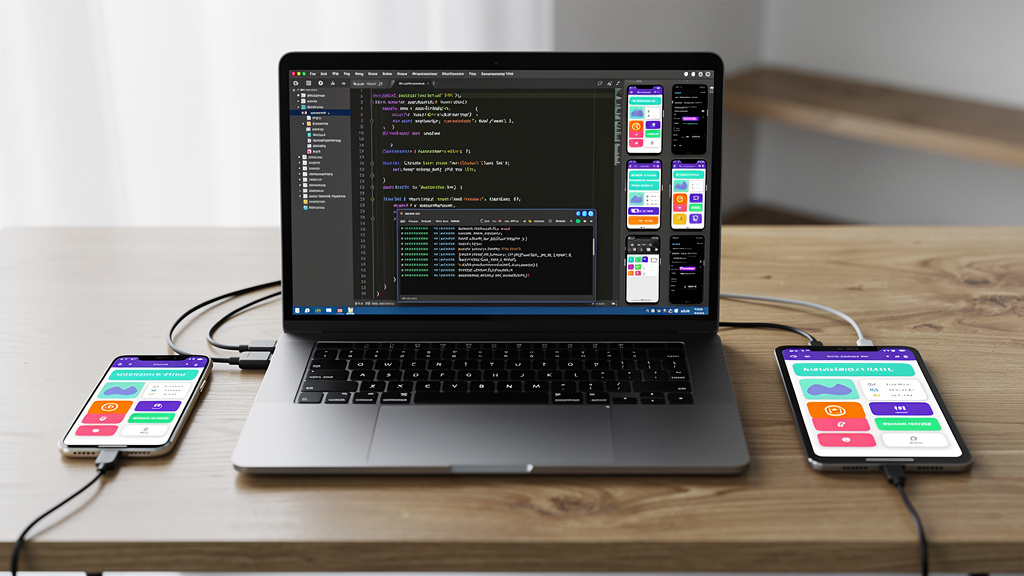
For mobile apps, Selenium paired with Appium is hard to replace. The same WebDriver concepts extend to:
-
Native iOS and Android apps.
-
Hybrid apps.
-
Mobile web in real browsers on phones and tablets.
Tests can interact with device features such as GPS, camera, and biometric prompts. That coverage is essential for organizations with serious mobile products.
Cypress can only resize the browser window to match mobile breakpoints. This is useful for responsive design checks but does not cover native apps or real device behavior. If mobile is more than a side concern, Selenium plus Appium is a must.
Community And Long-Term Viability
A strong community and long‑term future matter for a tool that sits in your release pipeline.
Selenium has one of the largest automation communities anywhere. There are tens of thousands of questions, tutorials, and sample projects, and most common problems have already been discussed. The project is stewarded by an open group of maintainers and sponsors rather than a single vendor, which reassures teams that no sudden business change will remove features they rely on.
Cypress is newer but has grown very quickly. It has a highly active GitHub project, strong documentation, and an engaged user base on forums and chat channels, including staff from the company behind Cypress. The core runner is open source, while Cypress Cloud provides commercial features and support, giving enterprises a clear vendor to work with.
When VibeAutomateAI helps clients pick a stack, we match these community and support patterns against internal risk tolerance and support expectations.
Key Advantages Of Choosing Selenium
Key strengths of Selenium include:
-
Multi‑language support: Java, Python, C#, JavaScript, and more.
-
Broad browser coverage: Chrome, Firefox, Edge, Safari, and long‑lived legacy browsers.
-
Scalability: Selenium Grid for large suites and complex browser/OS matrices.
-
Mobile reach: Tight pairing with Appium for native, hybrid, and mobile web apps.
-
Flexibility for complex flows: Multi‑tab, multi‑window, cross‑domain, and advanced iframe behavior.
-
No vendor lock‑in: Fully open source with many integration options.
Key Advantages Of Choosing Cypress
Key strengths of Cypress include:
-
Fast, simple setup with one npm command and an interactive runner.
-
Excellent developer experience with time‑travel debugging, live reloads, screenshots, and videos out of the box.
-
Automatic waiting built into every command, which reduces flakiness without extra code.
-
All‑in‑one tooling for end‑to‑end, component, and API tests in a single framework.
-
Natural fit for JavaScript and TypeScript teams, especially those building React, Angular, or Vue front ends.
When To Choose Selenium: Decision Framework
Consider Selenium first when:
-
Your automation language of choice is not JavaScript or TypeScript (for example, Java, Python, or C#).
-
You must support Safari, legacy browsers, or strict browser version requirements.
-
Native or hybrid mobile testing on real devices is a priority.
-
Your flows involve multi‑tab, multi‑window, or cross‑domain scenarios that Cypress cannot cover.
-
You prefer fully open‑source tooling without dependence on a single commercial vendor.
When To Choose Cypress: Decision Framework
Consider Cypress first when:
-
Your application stack and team are centered on JavaScript or TypeScript (React, Angular, Vue, etc.).
-
Fast feedback on pull requests and simple, visual debugging are high priorities.
-
Your main coverage is modern browsers (Chrome, Edge, Firefox) and Safari is not a hard requirement.
-
Mobile coverage is limited to responsive design checks in a desktop browser.
-
You want end‑to‑end, component, and API tests inside one cohesive framework.
Real-Life Developer Preferences: What The Data Shows
Selenium vs Cypress: Community surveys and GitHub activity show strong growth for Cypress, especially among front‑end developers who value its ease of use and powerful debugging tools.
At the same time, Selenium still has the largest installed base, especially in enterprises with mixed stacks and strict browser and compliance needs. Many mature teams no longer treat the decision as either‑or:
-
Cypress handles fast checks on core flows during development.
-
Selenium validates against a wide browser and device matrix before major releases, often including Appium for mobile.
The pattern is clear: high‑performing teams pick the tool that fits their constraints, not just the one that gets the loudest buzz at conferences.
Selenium vs Cypress: How AI Automation Education Strengthens Your Testing

The Selenium vs Cypress decision is important, but it is only one part of your wider automation picture. AI code assistants and related tools can now help write, refactor, and maintain tests for either framework.
VibeAutomateAI positions itself as an AI automation education and strategy partner rather than another testing product. We focus on helping teams:
-
Use AI code assistants safely around Selenium, Cypress, and other frameworks.
-
Let AI propose tests, edge cases, and refactors while humans keep design control.
-
Interpret stack traces and failure logs faster with AI‑generated summaries and suggestions.
-
Add helpful comments and documentation to large, aging test suites.
We teach an Eight‑Step Rollout Plan that starts with one pilot workflow, measures impact, and then expands, supported by playbooks and governance checklists so that AI stays a helper, not an unchecked decision maker.
Integrating AI Code Assistants With Your Chosen Framework
AI code assistants are framework‑agnostic; they read the same repositories your engineers do.
For Selenium teams, assistants can:
-
Suggest page object structures and WebDriver setup boilerplate.
-
Propose safer wait patterns and shared helpers to cut flakiness.
-
Summarize long stack traces and point at likely failing steps.
For Cypress teams, assistants can:
-
Generate test drafts by reading React, Angular, or Vue components and inferring common user flows.
-
Recommend more stable selectors and idiomatic Cypress commands.
-
Help write network stubs and assertions that reflect real business rules.
VibeAutomateAI helps organizations pick assistants that fit their languages, hosting, and compliance needs, and set guardrails so that every AI‑generated change still passes through human review.
Selenium vs Cypress: Total Cost of Ownership Explained
Up‑front license cost is only part of the picture.
-
Selenium is fully open source. There are no licensing fees, but you do pay in infrastructure (servers or cloud instances for Selenium Grid), maintenance effort, and training time. Many teams also pay for hosted Selenium‑compatible browser grids, which reduce operational work but add ongoing costs.
-
Cypress offers a free, open‑source core plus paid Cypress Cloud for parallelization, dashboards, and analytics. You trade subscription fees for less custom infrastructure and better visibility.
The biggest cost, though, is engineer time: setup, debugging, flakiness fixes, and maintenance. VibeAutomateAI often builds simple cost models with clients that combine infrastructure, tools, and people hours so they can compare stacks on total ownership instead of license price alone.
Migration Considerations: Switching Between Frameworks
Many teams are not starting from scratch. They already run a sizeable Selenium or Cypress suite and wonder whether to switch.
Moving from Selenium to Cypress usually means:
-
Rewriting tests into JavaScript or TypeScript.
-
Adopting Cypress’s command style and best practices.
-
Deciding which parts of the old suite to keep as‑is versus rebuild.
The reverse move, from Cypress to Selenium, is less common but happens when new needs arise around Safari, legacy browsers, or native mobile coverage. A practical middle ground is common: keep existing suites where they work, and write new coverage in the framework that best matches new requirements.
VibeAutomateAI helps teams evaluate whether a rewrite pays off or whether cleaning up waits, selectors, and structure inside the current framework delivers better return.
Hybrid Approaches: Using Both Tools Strategically
For many organizations, the smartest answer is both.
Common patterns include:
-
By test level: Cypress covers fast end‑to‑end checks on every pull request in one main browser; Selenium handles wide browser and device matrices in nightly or release‑candidate runs.
-
By platform: Cypress for the web front‑end; Selenium plus Appium for native mobile apps.
The trade‑off is added complexity—two frameworks, two skill sets, more CI plumbing. Clear rules about which tests live where, and unified reporting, keep that complexity manageable. VibeAutomateAI often helps design these multi‑tool strategies and uses AI‑driven reporting and documentation to keep the big picture clear for technical and non‑technical stakeholders.
Future Trends: Where Test Automation Is Heading
Test automation is moving quickly on several fronts:
-
AI‑generated tests that infer flows from code or real user behavior.
-
Tools that automatically update selectors when the UI changes and analyze failure patterns across many runs.
-
Wider use of component testing and visual regression testing, often with AI comparing screenshots across builds.
-
Closer links between API tests, UI tests, and observability: real incidents in production feed new automated checks.
-
Continued progress on WebDriver BiDi, which narrows some gaps between Selenium and in‑browser tools.
Through all of this, strong foundations in tools like Selenium and Cypress remain valuable. VibeAutomateAI focuses on helping teams layer AI and new practices onto that base instead of throwing away what already works.
Conclusion
Selenium and Cypress are both strong automation frameworks, but they shine in different situations. Selenium brings wide language support, full browser coverage including Safari, and deep mobile reach through Appium. Cypress brings fast feedback, a friendly developer experience, and high reliability for modern web applications.
Top engineers make this choice by looking at team skills, browser and mobile requirements, test stability needs, and existing investments. Some pick Selenium, some pick Cypress, and many combine both in a targeted way.
A practical next step is to run a small pilot with one or both frameworks on a real project. Measure setup time, flakiness, and how easily people debug failures. Use those results, plus the points in this guide, to set a clear direction. When you are ready to bring AI into that picture, VibeAutomateAI can help design a plan that turns automation into steady, measurable value for your organization.
FAQs
Can Cypress Replace Selenium Entirely For My Project?
It depends on your requirements. If you do not need Safari support, legacy browsers, or native mobile app testing, Cypress can often cover all web testing across Chrome, Firefox, and Edge. If you need real devices, complex multi‑tab flows, or strict Safari coverage, you will still want Selenium (often with Appium) in your stack.
Is Selenium Still Relevant In 2025, Or Is It Outdated?
Selenium is very much alive in 2025. Selenium 4 introduced WebDriver BiDi and other modern features, and large enterprises still rely on it for cross‑browser coverage, language flexibility, and integration with Java‑ or .NET‑based stacks. Newer tools improve developer comfort, but Selenium remains a widely used standard.
Does Cypress Support Mobile App Testing?
No. Cypress cannot install or drive native iOS or Android app packages, and it cannot talk to hardware features such as GPS, camera, or biometric sensors. It can resize the desktop browser to typical phone and tablet sizes to test responsive layouts. For real mobile automation, teams use Selenium with Appium or another mobile‑focused framework alongside Cypress.
Which Tool Is Easier To Learn For Beginners?
For most beginners who know some JavaScript, Cypress is easier. Setup uses one command, the Test Runner gives instant visual feedback, and automatic waiting hides many timing pitfalls. Selenium has a steeper start because you must choose a language, test runner, and driver setup, then learn explicit waits—but for teams already fluent in Java or Python, that investment can still feel natural.
“Any fool can write code that a computer can understand. Good programmers write code that humans can understand.” — Martin Fowler
That applies to tests as well; whichever tool helps your team write clear, maintainable tests will feel easier in the long run.
Can I Run Cypress Tests In Safari?
Right now, there is no reliable way to run Cypress tests in real Safari for production coverage. Cypress focuses on Chrome, Edge, Firefox, and Electron, with only partial WebKit support. If your business has strict Safari requirements on macOS or iOS, Selenium is the safer option between the two tools.
How Do I Handle Flaky Tests In Selenium?
Start by improving waits and locators:
-
Prefer explicit waits that wait for clear conditions (elements visible, clickable, or containing specific text) instead of hard‑coded sleeps.
-
Use stable locators such as IDs or data attributes rather than brittle XPaths tied to layout.
-
Extract common actions into helper methods or page objects so a fix in one place helps many tests.
A clean, consistent environment also reduces noise. VibeAutomateAI often adds AI assistants to scan Selenium suites, suggest better waits, and spot patterns in failures that point to timing issues or fragile selectors.
Read more about How to build Ai Agents That Make Mind-Blowing Decisions.
[…] 2 hours ago 18 min read […]