

Introduction
Selenium vs Playwright feels a bit like choosing between a reliable pickup and a sleek electric car. Everyone has an opinion, everyone has a favorite, and the loudest voices keep shouting that one is the clear winner. When we look at how teams actually work with Selenium vs Playwright in real projects, comparing Playwright vs Selenium, key insights reveal the truth is far less dramatic and far more practical.
Selenium vs Playwright: Selenium has been the default choice for more than eighteen years. It runs almost everywhere, talks to almost every browser, and thousands of companies depend on it. Playwright, on the other hand, is the newer contender from Microsoft, released in 2020, with a direct, modern design that chases speed, stability, and a smoother developer experience.
What matters for decision makers is not which community shouts louder, but how each tool behaves in real life. That means:
- How they talk to browsers
- How fast they run
- How reliable the tests feel
- How hard they are to maintain
- How they handle mobile and parallel runs
We have gone deep into architectural details, performance numbers, and real use cases across small teams, regulated enterprises, and high‑velocity product groups.
By the end of this article, the “winner” for Selenium vs Playwright in your context should be obvious. We will walk through differences in speed, support, setup, developer experience, and scale, then step back and show why the real success factor is not the tool at all, but how it is rolled out. This is where a strategic partner like VibeAutomateAI can make the difference between “we tried automation once” and “automation is saving us thousands of hours every month.”
Key Takeaways from the Selenium vs Playwright Battle
Busy leaders do not always have time to read every section in detail, so it helps to see the bottom line first. These points highlight what really matters when comparing Selenium vs Playwright for real projects rather than slide decks and demos.
- Speed vs breadth: Playwright usually runs tests two to three times faster than Selenium. Selenium, however, reaches more browsers and more programming languages. The better choice depends on whether speed or broad support matters more for the work on the table.
- Architecture: Selenium uses the WebDriver protocol with separate browser drivers, which adds network hops and latency. Playwright keeps one WebSocket connection straight into the browser engine. That direct path makes Playwright faster and more reliable for many modern web apps.
- Mobile: Selenium with Appium still leads for real mobile device automation on iOS and Android. Playwright focuses on mobile browser emulation rather than native apps. For native or hybrid apps, Selenium plus Appium remains the obvious option.
- Modern web vs legacy: For modern web front ends and fast feedback in CI pipelines, Playwright tends to win. For legacy browsers, broad compatibility, and mixed language stacks, Selenium still rules. Both can succeed or fail, depending on how teams plan and adopt them.
- Strategy beats tools: Tool choice explains only a small part of automation success. In our work at VibeAutomateAI, we see that about twenty percent is technology and about eighty percent is planning, training, and thoughtful rollout.
What Truly Sets Selenium and Playwright Apart?

When people debate Selenium vs Playwright, they often focus on age or popularity. One camp says Selenium is old and heavy, the other says Playwright is new and risky. Neither view gets to the real heart of the matter. The real difference comes from how each tool talks to the browser, and that design choice shapes speed, stability, and capabilities.
Selenium follows a multi‑layered path. A test script calls Selenium language bindings, which send commands over HTTP using the WebDriver protocol. Those commands go to a browser‑specific driver such as ChromeDriver or GeckoDriver, which then pushes instructions into the browser itself and sends responses back the same way. This approach acts like a skilled translator in the middle. It makes Selenium flexible and able to work with many languages and browsers, including older ones, but every request has to cross several steps.
Understanding Why is Playwright Better than Selenium in certain scenarios requires examining how Playwright chooses a more direct route. It opens a single WebSocket connection and talks straight to browser engines such as Chromium, Firefox, and WebKit using each engine’s native protocol. There is no separate driver layer; the tool controls patched browser binaries that it installs and manages. Communication stays open during the entire test, so commands and events pass back and forth quickly without repeated HTTP overhead.
That architectural decision matters in daily work:
- Selenium’s design favors wide compatibility, but the extra layers add latency and create more places where things can go wrong.
- Playwright’s design favors speed and strong control over browser behavior, but it expects teams to work within a smaller, modern set of engines.
Selenium 4’s WebDriver BiDi protocol moves closer to Playwright’s bidirectional style, yet the core models remain distinct. It is not that one is simply better; Selenium feels like speaking through a translator who knows many languages, while Playwright feels like speaking the browser’s native language directly.
Performance Reality Check: Speed and Reliability Compared
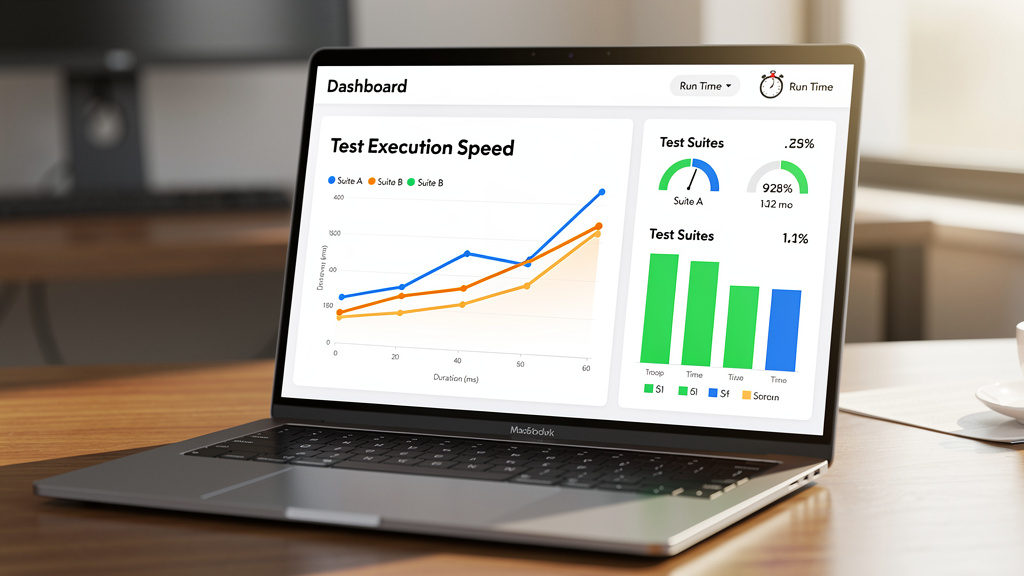
Performance claims around Selenium vs Playwright can sound dramatic, so it helps to look at real numbers from detailed Playwright vs Selenium : Which tool performs better in 2025 browser automation comparisons. When we run the same end‑to‑end flows on both tools, Playwright consistently finishes faster, often by a clear margin. The gains come from that direct WebSocket channel and built‑in handling of timing issues.
Cold start time is a good example. Playwright commonly starts in roughly two to four seconds from a clean run. Selenium often sits closer to six to ten seconds, because it has to start Java or another runtime, spin up the driver process, and handshake over HTTP. For a single test, this gap feels small, but on frequent runs across branches and pull requests it adds up.
End‑to‑end execution often shows an even clearer spread:
- A typical Playwright flow might finish in three to eight seconds.
- The same flow on Selenium can take ten to twenty seconds.
The difference comes not only from protocol overhead but also from how each tool handles waits. Playwright automatically waits until an element is attached, visible, and ready before actions. Selenium expects the test author to add explicit or implicit waits whenever the page might lag.
Scale that up to a suite with one hundred tests, and the time savings become easy to feel. A Playwright suite may finish fifteen to twenty minutes earlier than the same set in Selenium. For teams running smoke tests on every commit, that means quicker signals, fewer blocked developers, and faster releases. For teams that run everything overnight, that speed gap may not change much in practice.
Reliability ties directly to these numbers. Because Playwright watches for element readiness by default, many timing‑related failures never appear. Selenium can be just as stable, but only when teams write careful wait logic and keep it up to date as the app changes. Selenium Grid can still reduce total suite time through heavy parallel runs, yet it requires extra infrastructure skill and ongoing care, while Playwright gets much of that benefit out of the box.
“Program testing can be used to show the presence of bugs, but never to show their absence.”
— Edsger W. Dijkstra
That quote is a good reminder: stronger performance and reliability do not remove risk, but they do help you find problems earlier and more often.
Browser & Language Support: Selenium vs Playwright Compared
Support for many browsers and languages is where Selenium still stands tall. When we look at Playwright vs Selenium: Pros, cons, and use cases through that lens, Selenium reaches far wider. It works with Java, Python, C#, JavaScript, Ruby, PHP, and Perl, and it can talk to most mainstream browsers plus some that are long past their glory days.
That level of reach matters for enterprises with legacy systems. Some regulated organizations still validate behavior on old versions of Internet Explorer or pre‑Chromium Edge. Others have mixed language stacks where parts of the team write in Ruby or PHP while others prefer Java or Python. Selenium fits into all of those setups without a complete rewrite of existing skills.
Playwright takes a different path. It focuses on modern languages such as JavaScript and TypeScript, along with Python, Java, and C#. It targets browser engines rather than named browsers, covering Chromium, Firefox, and WebKit. Because it ships its own patched binaries, teams do not spend time hunting for the right driver version when Chrome or Edge updates.
That bundling is a real day‑to‑day advantage. With Selenium, someone has to manage drivers and keep them in sync with browsers, even with help from tools such as Selenium Manager. With Playwright, a single install pulls in the right engine versions, and updates flow along with the framework.
So the honest assessment is simple:
- If the organization still supports Internet Explorer, must test very old browser releases, or needs bindings in less common languages, Selenium may be the only practical choice.
- If the focus is on modern single‑page apps that run on current Chrome, Firefox, and Safari, Playwright’s narrower but deeper support is more of a strength than a limit.
Selenium vs Playwright: Setup Experience Compared
The first experience a team has with a tool often sets the tone for adoption. When we compare Selenium vs Playwright on setup alone, Playwright usually feels smoother, especially for teams starting from scratch or spinning up new projects.
Playwright aims for a single step. One command adds the framework plus its supported browsers. From there, the team can open a sample test, run it, and start customizing flows for their own app. There are:
- No extra drivers to download
- No path variables to tweak
- No separate server components to manage
Selenium takes a bit more assembly. Teams usually:
- Install language bindings.
- Download browser drivers such as ChromeDriver or GeckoDriver.
- Wire those into their code or environment.
- Add a standalone server or a container stack for remote runs or Grid usage.
Even with automation through scripts or infrastructure as code, that first setup often takes more time and fiddling.
Maintenance tells a similar story. Browsers update on their own schedule, and those changes can break driver compatibility. Selenium Manager has made life easier by auto‑managing many driver updates, yet there are still moving pieces to keep in sync. Playwright’s bundled engines update together, so the tool and the browser stay aligned.
In continuous integration and delivery pipelines, Playwright again tends to feel simpler. Official Docker images and examples for platforms such as GitHub Actions reduce onboarding steps. Selenium can work just as well in CI, especially for teams that have invested in shared Grid infrastructure, but the path from zero to green builds is steeper. For new lines of business or pilot projects, that difference in friction matters more than most feature lists.
Selenium vs Playwright: Developer Experience Compared
Once setup is out of the way, daily developer experience becomes the real test of Selenium vs Playwright. The question shifts from “What can this tool do?” to “How pleasant is it to live with this tool week after week?” This is where Playwright’s modern design often delivers the most obvious benefits.
Consider a simple login scenario. With Selenium in Java, teams normally follow the Page Object Model. They define locators, pass WebDriver instances around, create wait logic, and then build test methods on top. That structure can be clear and maintainable, but it takes more code and more bootstrapping. With Playwright in TypeScript or another supported language, tests often look like direct instructions: go to a page, fill a field, click a button, assert the result.
A short example shows the contrast:
// Selenium exampledriver.get("https://example.com/login");driver.findElement(By.id("username")).sendKeys("user");driver.findElement(By.id("password")).sendKeys("pass");driver.findElement(By.id("login")).click();// Playwright exampleawait page.goto('https://example.com/login');await page.fill('#username', 'user');await page.fill('#password', 'pass');await page.click('#login');The real difference hides under the surface. Selenium often needs explicit or implicit waits to deal with slow elements. Without those, a test might click before a button is ready and fail for the wrong reason. Playwright already watches the page; it waits until the element exists, is visible, and can accept input, so test code stays cleaner and shorter.
Debugging shows an even sharper gap. Playwright includes a Trace Viewer that records each step with screenshots, DOM snapshots, network calls, and console logs. When a test fails, developers can step back and forth through what happened, almost like a replay. Selenium, by contrast, leans on general‑purpose debuggers, logs, and external reporting libraries. Those tools can work very well, but they demand more setup and more effort to chase a flaky failure.
Record‑and‑playback tools reflect the same patterns. Selenium IDE offers a browser extension that records steps and builds simple flows. It helps newcomers, yet the output often needs heavy cleanup for production tests. Playwright’s Codegen produces scripts that are usually closer to ready from day one. Over time, Playwright’s auto‑wait behavior and stable selectors reduce the amount of maintenance time spent fighting brittle tests. For teams already invested in strong Selenium page objects, a full rewrite may not make sense, but for new work the productivity difference is hard to ignore.
Selenium vs Playwright: Mobile Testing Explained

Mobile support is another area where Selenium vs Playwright part ways in a very clear manner. Both help with mobile web behavior, but only one reaches deep into real native apps across phones and tablets.
Playwright focuses on mobile browser emulation. It can open Chromium or WebKit in an emulated iPhone or Android viewport, adjust user agents, apply touch behavior, and mock location data. This is excellent for checking responsive layouts, mobile‑specific scripts, and differences between mobile and desktop views, all while running on the same test machine.
Selenium, through Appium, covers a different set of needs. Appium speaks the WebDriver protocol and drives real Android and iOS devices, along with emulators and simulators. With this combination, teams can press hardware buttons, interact with native controls, handle permissions, and test hybrid or fully native mobile apps. It goes beyond resizing a browser to act like a phone.
So when is emulation enough? If the product is a web app and the main concern is how it feels on phones and tablets, Playwright’s emulation is often faster and cheaper than maintaining a fleet of test devices. It allows quick checks of many device profiles and screen sizes.
When the product includes native mobile apps or deep hardware integration, emulation comes up short. Camera use, sensor input, vendor skins, and real network conditions all push teams toward Appium and Selenium. For those organizations, Playwright cannot fill that gap, even if it wins in other areas. This is not a small footnote; it is a hard capability boundary that should guide tool choice from the start.
Selenium vs Playwright: Parallel Execution and Scalability
As test suites grow from a handful of smoke tests to hundreds or thousands of checks, parallel execution stops being a nice‑to‑have and turns into a requirement. When we view Selenium vs Playwright through this lens, the trade‑offs involve simplicity, scale, and resource use.
Playwright builds parallelism into its core. It introduces the idea of browser contexts, which act like isolated, incognito sessions inside a single browser process. Each context has its own cookies, storage, and cache, so multiple tests can run side by side without stepping on each other. Configuring parallel runs is mostly a matter of setting worker counts and structuring tests, without new servers or machines.
Selenium tackles the same need with Selenium Grid. A Grid uses a hub that routes tests to nodes, which launch browsers and run the flows. This model can distribute tests across many machines, on premises or in the cloud, and it has proven itself at huge scale in large enterprises. The trade‑off is complexity; someone has to define node types, manage images or virtual machines, monitor utilization, and keep everything patched.
Resource efficiency also differs:
- Playwright contexts share a single browser engine, so they make more use of each core and each gigabyte of memory.
- Selenium Grid often runs many full browser instances, which draw more CPU and RAM.
For teams renting cloud compute by the minute, those differences turn into real money, sometimes with savings of thirty to fifty percent when moving from heavy Grid setups to leaner Playwright contexts.
This does not mean Grid is obsolete. For firms that must test across many operating systems and browser mixes, Grid’s flexibility still wins. For smaller teams with under five hundred tests and limited DevOps support, Playwright’s native parallelism usually offers a faster path to short feedback cycles and predictable maintenance.
Selenium vs Playwright: Advanced Features Compared
Modern web apps do far more than render static HTML. They stream data, call multiple APIs, handle complex sign‑ins, and present different content to different users. Any fair look at Selenium vs Playwright has to cover how each tool deals with these patterns.
Playwright brings powerful network control features built in, with tools like the Playwright MCP Server by Microsoft extending capabilities for AI-driven automation scenarios. Tests can intercept outgoing requests, inspect headers or payloads, and replace responses with mocked data. This makes it easy to simulate slow APIs, error codes, or edge cases without touching backend services. For teams that want to separate frontend testing from backend availability, this ability saves many painful hours.
Selenium has added similar abilities as WebDriver BiDi advances, but the path is less direct and may rely on extra components such as proxies or browser extensions. It is possible, yet it often calls for more framework code and deeper expertise.
Context isolation is another strength for Playwright. Browser contexts do not just help with parallel runs; they also make it simple to simulate multiple roles or tenants within one test run. A context for an admin user can sit next to a context for a standard user, each with its own cookies and storage, with flows passing messages between them. Selenium can manage multiple windows and sessions, though keeping them distinct requires more manual work and tends to be more fragile.
Other modern needs follow the same pattern. Component testing for frameworks such as React and Vue is growing inside Playwright, letting teams mount and check isolated UI pieces. Playwright offers direct APIs for geolocation, permission control, and browser state setup. Selenium can reach some of these goals with plugins and custom code but less often with a single, integrated approach. For simple, form‑driven apps, these extras may not matter. For complex, API‑heavy products, they often tip the scales, with emerging solutions like Browser-Use: Open-Source AI Agent tools building on Playwright’s foundation for web automation.
Selenium vs Playwright: Community, Tooling, and Support
Beyond features and benchmarks, the broader support picture strongly influences long‑term success with Selenium vs Playwright. Teams want to know how easy it will be to hire, to find help, and to trust that a tool stays maintained for years.
Selenium has a long head start. With more than eighteen years in the field, it has an enormous body of blog posts, books, video courses, Stack Overflow threads, and sample projects. Tens of thousands of companies report using it, and there is a very large pool of engineers who already know how to write and maintain Selenium tests. For risk‑averse organizations, that maturity feels safe.
Playwright, though younger, is growing quickly. Its repository holds many stars on GitHub, and downloads through public package managers have climbed at a steep rate. Backing from Microsoft gives many buyers confidence that development, security updates, and documentation will continue. Official guides tend to be clear, example‑driven, and aligned with how teams actually use the tool.
Integration with the wider tool space follows naturally from these trends. Selenium appears in almost every CI system’s docs and almost every test reporting stack as a first‑class option. Playwright is close behind, with strong support in popular runners and cloud providers, plus dedicated Docker images and plugins. In our client work at VibeAutomateAI, we rarely see a modern CI or test management platform that cannot support both.
For hiring, Selenium still holds the edge. Finding senior engineers with years of Selenium work is straightforward, while Playwright specialists remain fewer, though that gap closes month by month. In practice, developers with solid Selenium experience usually pick up Playwright quickly. For enterprises that prize stability above all else, Selenium’s long track record and vendor‑neutral status carry weight. For firms that value pace and frequent feature releases, the Playwright community and Microsoft’s involvement are attractive.
Making The Decision: When To Choose Selenium Vs. Playwright
After so many comparisons, it may be tempting to ask which tool is “best” and move on. The honest answer for Selenium vs Playwright is that there is no single winner. The right tool depends on the systems in place, the team’s skills, and the business goals behind the tests.
Choose Selenium if several conditions line up:
- The organization must still support legacy browsers such as pre‑Chromium Edge or very old versions of Internet Explorer.
- Parts of the code base or test harness rely on languages like Ruby or PHP that Playwright does not cover.
- The testing strategy includes native or hybrid mobile apps, which depend on Appium and the WebDriver protocol.
- The company has years of investment in Selenium Grid, page object libraries, and custom reporting, plus teams that know Selenium inside and out.
Choose Playwright when the focus shifts toward modern web apps and fast feedback:
- Single‑page front ends built with React, Vue, or Angular tend to run more smoothly on Playwright, with fewer timing headaches and shorter scripts.
- High‑velocity teams that push many changes through CI each day feel the difference when test cycles drop from an hour to half that time.
- Developers appreciate the time saved by Trace Viewer, auto‑waiting, and clean APIs.
Migration strategy matters just as much as tool choice. Throwing away a stable Selenium suite to chase a new trend is rarely wise. A pattern that works well is to keep proven Selenium tests for legacy areas and mobile coverage, while starting new projects or greenfield apps on Playwright. Over time, slow or flaky Selenium suites can be rewritten where there is a strong business case.
At VibeAutomateAI, we help clients step back before they choose a side. We map business goals, system realities, and team skills, then recommend when Selenium, when Playwright, and when a hybrid model makes sense. That focus on context stops teams from treating the tool as the strategy and keeps them centered on value and risk.
The Hidden Factor: Why Strategic Implementation Matters More Than Tool Choice

There is one more part of the Selenium vs Playwright debate that people rarely talk about in conference talks. Most automation programs fail or stall not because someone picked the “wrong” tool, but because the rollout lacked clear goals, guardrails, and training. Tool selection is visible and exciting; strategy feels less flashy but matters far more.
Across industries, we see the same patterns:
- Teams pick a tool first, then scramble to find places to use it.
- They automate low‑value flows because they are easy, while high‑value, harder paths stay manual.
- Tests lack owners, so nobody reviews flaky cases or removes outdated checks.
- New hires receive little training, so only a few experts can fix problems, and they burn out under constant demand.
This is why we say automation success is about twenty percent technology and eighty percent planning, culture, and follow‑through. The same Selenium or Playwright install can be a powerhouse in one company and a graveyard of broken tests in another. The difference is the presence of clear success metrics, stakeholder support, and simple processes to review and improve.
“Automation is no more about ‘automating the testing’ than word processing is about ‘automating the writing.’”
— Michael Bolton
VibeAutomateAI focuses on that often ignored part of the work. We help organizations define what success means before a single test is written, whether it is fewer escaped defects, faster releases, or reduced manual effort. We guide teams to start with a narrow set of high‑value flows, prove value, and only then expand. We provide playbooks for training, governance, and human review so the tools do not become black boxes that nobody fully trusts.
Clients who follow this approach report gains that go far beyond tool features. They see positive returns within months, with thousands of hours saved every month through focused automation in both testing and operations. That is why, when leaders ask which tool wins, we also ask how ready the organization is to adopt any tool well.
Conclusion
The “shocking truth” behind Selenium vs Playwright is that neither one wins by default. Selenium still shines for broad browser coverage, unusual language stacks, and real mobile automation through Appium. Playwright pushes ahead for modern web apps that need fast, stable tests and a smoother developer experience.
Selenium vs Playwright architecture sits at the core of their differences. Selenium’s WebDriver model uses drivers and HTTP calls to support many combinations of language and browser, along with the newer WebDriver BiDi protocol that narrows gaps with newer tools. Playwright chooses a single, persistent connection straight into browser engines, trading some breadth for speed and powerful control.
Good decisions come from context, not noise. Teams need to weigh legacy support, mobile scope, CI speed needs, and existing infrastructure before they declare a winner. For some, a hybrid approach, with Selenium around older systems and Playwright around new ones, fits best.
Above all, the tool does not decide success on its own. Planning, training, and clear goals shape outcomes far more than any feature chart. The best next step is not to rush into a full migration but to audit current needs, run a focused pilot with one tool, and invest in training plus simple governance.
If that feels like a lot to juggle, VibeAutomateAI exists to guide that process. We help organizations choose between Selenium and Playwright with eyes open, then design rollouts that teams can sustain and trust. In the end, the best testing tool is the one the team uses well to protect the business, not the one with the flashiest release notes.
FAQs
Can Playwright Completely Replace Selenium In Existing Test Suites?
Playwright does not always act as a full drop‑in replacement for Selenium. Its API and design differ enough that scripts need to be rewritten instead of translated line by line. Moving makes sense when current Selenium suites are slow, flaky, or focused on modern browsers only. For legacy browsers and native mobile testing, it is wise to keep stable Selenium suites in place. A gradual, project‑by‑project adoption path works best.
Is Playwright Faster Than Selenium For All Types Of Tests?
Playwright tends to run web user interface tests faster than Selenium, thanks to its direct WebSocket connection and smart waiting behavior. The difference stands out most in large suites with many end‑to‑end flows and frequent continuous integration runs. For small suites or nightly jobs, that speed gain may not justify migration. As Selenium 4’s WebDriver BiDi matures, the performance gap narrows but does not disappear in most cases.
Which Tool Is Better For Testing Angular, React, Or Vue Applications?
Both Selenium and Playwright can handle modern JavaScript frameworks well. Playwright has an edge for Angular, React, or Vue apps because its auto‑wait behavior and concise API reduce flakiness and code size. Its growing support for component‑level checks helps teams test UI pieces in isolation. In practice, the team’s skills, existing tooling, and infrastructure matter more than the framework choice itself.
Do I Need To Learn JavaScript To Use Playwright?
JavaScript is not required to use Playwright. The tool also supports Python, Java, and C#, and those bindings are actively maintained. JavaScript and TypeScript have the richest surrounding examples, yet the official documentation covers all supported languages. Most teams choose the language they already use for application code, which keeps hiring, training, and maintenance simpler.
How Does Selenium 4 Compare To Playwright?
Selenium 4 moves the framework forward in important ways. WebDriver BiDi adds real‑time browser communication, network interception, and event listening that look more like capabilities long present in Playwright. Setup and driver management still feel heavier than Playwright’s single install, and Selenium’s waiting model remains more manual. For teams already invested in Selenium, version 4 brings many modern features. For brand‑new projects, Playwright still tends to offer a smoother experience from first install to daily use.
Read more about Enterprise Automation
[…] 40 minutes ago 24 min read […]