

Introduction
Picking task management software can feel like walking into a hardware store and staring at a wall of power tools. Every box promises more speed and better results, yet only a few will fit the job, the budget, and the people who need to use them every day. For business leaders, this choice shapes how work moves across the entire company.
This decision is not about adding another app to the screen. It is about how teams plan work, share updates, meet deadlines, and keep projects on track. A well chosen platform boosts productivity, sharpens accountability, and cuts noise across departments. A poor fit burns money, slows adoption, and sends people back to spreadsheets and long email threads.
Task tools have moved far beyond sticky notes and simple to‑do lists. Many platforms now offer Kanban boards, Gantt charts, automation rules, and even AI that suggests deadlines or next steps. That power is helpful, but it also makes comparisons harder.
This guide walks through how to think about task management software from a business point of view. We cover what it is, the features that matter most, advanced capabilities worth paying for, the real cost picture, and rollout practices that drive adoption. Along the way, we show how VibeAutomateAI helps leaders move from theory to practical action, so this choice leads to real gains instead of another unused tool.
Key Takeaways
- Basic task tools keep simple lists, while full task management platforms coordinate work across projects, teams, and departments with planning views, collaboration, automation, and reporting.
- Every serious option needs clear task creation, ownership, deadlines, priorities, and strong collaboration features. Automation and simple reporting are now baseline expectations for most teams.
- Team size, project volume, and work complexity should guide the decision more than raw feature count. Matching tool “weight” to real work patterns keeps adoption high and overhead low.
- Subscription fees are only one part of the bill. Configuration, integrations, training, and ongoing support all add to the total cost.
- Integrations with email, chat, calendars, file storage, CRM, and development tools drive long‑term return, reduce manual work, and lower user frustration.
- AI is beginning to shape task management with smart suggestions, predictive workload views, and voice or chat based task capture. Leaders should track these trends while staying grounded in real team habits.
- A structured evaluation framework helps leaders compare tools fairly, test with real projects, and make confident decisions instead of relying on vendor promises.
What Is Task Management Software And Why Does Your Business Need It?
Task management software is a shared space where work lives. It lets teams:
- Create and describe tasks
- Assign owners and deadlines
- Set priorities
- Track progress
- Keep all related communication in one place
Instead of chasing updates across email, spreadsheets, and chat, everything sits in a central hub.
This goes far beyond a personal to‑do app. A simple list tracks what one person needs to remember, while comprehensive task and project management platforms coordinate work across entire organizations. Task management platforms connect many people and many projects at once. They support collaboration, make responsibilities visible, and scale from a small team to an enterprise with thousands of users. Features like multiple views, automation, and reporting turn it from a note pad into an operational control center.
The business pains it tackles are familiar:
- Work details are scattered
- Deadlines slip
- Ownership is unclear
- Managers cannot see bottlenecks early
By giving clear ownership, real‑time visibility, and consistent workflows, task management software reduces these issues.
When used well, teams spend less time asking for updates and more time doing real work. Projects finish closer to plan, overtime drops, and remote or hybrid teams stay aligned without endless meetings. For organizations that want sharper execution, task management software is not a side tool; it becomes part of how work gets done every day.
The Essential Features That Define High-Performance Task Management Software

Not all tools aim at the same level of work, which is why comprehensive guides comparing the 40 best task management options help leaders understand the feature landscape. Some are perfect for simple lists, while others can support multi‑year, cross‑functional programs. To compare them fairly, focus on must‑have capabilities before worrying about extras.
Key building blocks include:
- Task Creation And Assignment
Teams should be able to capture tasks quickly, add clear descriptions, attach files, and assign owners without friction. Subtasks or checklists break larger efforts into smaller steps so nothing slips through the cracks. - Multiple Views
Different people think about work in different ways. Strong tools offer lists, Kanban boards, Gantt charts, and calendar views, all drawing on the same data. Visual thinkers see work moving from “to do” to “done,” while planners can see timelines and dependencies. - Collaboration Features
Comment threads on each task keep discussions tied to the work instead of lost in email. @Mentions direct questions to the right person, and real‑time notifications mean important updates are not missed. New team members can read one task thread and see the full history. - Deadline And Priority Management
Due dates, start dates, and priority flags help people decide what matters now versus later. Automated reminders and simple escalation rules reduce the need for managers to chase updates. - Automation Capabilities
Rules for repeat work—such as monthly reporting tasks or standard approval steps—remove low value admin work and keep processes consistent. - Reporting And Analytics
Dashboards show how many tasks are open, how long work takes, and which projects are at risk. Time tracking, whether manual or via timers, gives leaders a view of where effort really goes.
High‑performance task management software ties these features together so leaders can manage by data, not just intuition.
“What gets measured gets managed.” — Peter Drucker
Advanced Capabilities That Separate Good Software From Great Tools
Once the basics are covered, advanced capabilities start to separate average task management tools from those that can handle serious, complex work.
Important advanced areas include:
- AI-Powered Intelligence
AI can suggest priorities and deadlines based on workload and past projects, recommend assignees based on skills and capacity, and even summarize long comment threads so managers can catch up in seconds—capabilities similar to how Research Rabbit transforms literature reviews for academic researchers. - Resource And Workload Management
Visual workload charts show who is overloaded and who has room for more work. Leaders can adjust assignments before burnout or delays appear—especially important when many projects run in parallel. - Custom Workflows And Templates
Larger organizations often standardize how marketing campaigns, client onboarding, or software releases move through stages. Custom fields, approvals, and reusable templates allow the tool to match real processes instead of forcing teams to bend around the software. - Integrations, Security, And Portfolio Views
Deep integrations with CRM, development, and communication tools reduce double entry and keep data aligned. Enterprise‑grade security—such as role‑based permissions, encryption, and audit logs—matters for regulated industries. Portfolio views let executives watch many projects at once and adjust people and budget across them.
These capabilities matter most as team size, project volume, and risk increase. Small teams may not need AI scheduling or portfolio dashboards on day one, but growing organizations quickly feel the benefits.
A Strategic Framework For Evaluating And Comparing Task Management Platforms
Choosing task management software based only on a demo or brand name is a fast path to buyer regret. A structured evaluation process keeps the focus on real business needs instead of flashy features.
Use this framework:
- Assess Current Workflows
Map how tasks move from idea to completion. Note where delays, confusion, or rework appear most often. - Define Clear Requirements
Separate must solve problems from nice to have improvements. Involve operations, IT, and front‑line users so the list reflects daily work. - Set Evaluation Criteria And Weights
Decide what matters most—ease of use, integrations, security, reporting—and assign weights. Use a simple scoring sheet so every platform is judged the same way. - Build A Shortlist
Research the market using resources like the 10 best project management software reviews and select three to five tools that fit your basic needs, budget, and compliance profile. Avoid trying every product available. - Run Real Trials, Not Just Demos
Use real projects, data, and team members. Capture feedback on usability, fit with workflows, and performance. - Evaluate Total Cost
Include setup, configuration, training, integrations, and future upgrades alongside license fees. Compare these costs to expected time savings and risk reduction. - Check Vendor Stability And Support
Review product update history, documentation, and support responsiveness. Ask how the vendor supports onboarding and best practices.
After this process, the “best” task management software is the one that fits your organization, not the one with the longest spec sheet. At VibeAutomateAI, we publish detailed frameworks and checklists leaders can use through each of these steps, turning a messy software search into a focused, repeatable process.
Top Task Management Software Options Compared: Finding Your Perfect Match
The market for task management software is wide. Tools range from simple apps for tiny startups to heavyweight platforms that coordinate global portfolios. Rather than listing every product, it is more useful to compare types of platforms and match them to business situations.
In this section, we look at how different categories fit different needs, from enterprises down to small teams. VibeAutomateAI appears first not as a replacement for these tools, but as the research partner that helps leaders choose and deploy them wisely.
VibeAutomateAI: Your Strategic Partner In Task Management Selection
VibeAutomateAI is a productivity intelligence platform that gives decision makers practical guidance on task management software. We publish long‑form guides designed to be read in one sitting yet detailed enough to support real decisions.
Our role is to bridge the gap between theory and day‑to‑day execution. We share:
- Strategic frameworks for comparing tools
- Practical checklists for trials and rollouts
- Clear examples of workflow design and configuration
For executives, IT leaders, and business owners, this means less guesswork and more structured decision making. Our content is aimed at leaders who want return‑focused software investments rather than chasing trends.
Enterprise-Grade Platforms For Complex Organizations

Enterprise task management platforms serve large organizations that manage many projects across regions and business units. They usually offer:
- Strong security and role‑based access
- Integration with identity providers and single sign‑on
- Portfolio views and advanced analytics
- Deep APIs for custom connections
They tend to fit large enterprises, regulated industries, and global teams that need strict compliance. Pricing is higher per user and may involve custom contracts, but the tradeoff is deeper control and dedicated support. These platforms are best for organizations with more than ~200 users, heavy compliance needs, and IT staff ready to handle more complex implementation work.
Mid-Market Platforms Balancing Power And Accessibility
Mid‑market task management software aims to give growing companies many advanced features without the overhead of full enterprise suites. Common traits include:
- Multiple views (lists, boards, timelines, calendars)
- Strong automation options
- Rich integrations with CRM, chat, and file storage
- Interfaces that non‑technical teams can learn quickly
Pricing is usually tiered per user, making it easier to forecast spend as teams grow. These tools often scale from a few dozen to a few hundred users and work well for organizations whose projects are too complex for simple lists but do not yet require formal portfolio governance.
Agile And Developer-Focused Platforms
Developer‑focused task management tools are built with agile practices in mind. They support:
- Backlogs, sprints, and story points
- Strong Kanban flows
- Tight integrations with code repositories and CI/CD pipelines
- Issue tracking and release tracking
They work well for software teams, IT departments, and any group already using agile or scrum. Deep integration with tools like Git keeps developers in their natural workflow instead of forcing them into separate systems.
Accessible Tools For Small Teams And Startups
Smaller teams often need simple, easy‑to‑learn task management tools that do not require a long rollout. These platforms typically offer:
- Clean interfaces and fast onboarding
- Generous free or low‑cost plans
- Core features like lists, boards, due dates, and basic collaboration
Advanced reporting and automation may be limited, so many startups begin here and later move to mid‑market platforms as they grow. These options are best for teams of roughly 2–25 people and any group just starting to formalize how work is tracked.
Understanding Total Cost Of Ownership: Beyond The Monthly Subscription

Subscription prices are the first number buyers see when comparing task management tools, but they are only part of the story. To budget wisely, look at the full cost of ownership over several years.
Key cost areas include:
- Direct Subscription Fees
Plans usually range from free tiers for basic use to paid levels with automation, time tracking, and advanced reporting. Higher tiers can reduce other costs if features are used well. - Implementation And Setup
Teams need time to configure projects, build workflows, and import existing tasks. Integrations with CRM or development systems add to this effort, whether handled by internal staff or external partners. - Training And Onboarding
People must learn new views, terms, and habits. Productivity often dips early, so structured training, office hours, and simple guides help shorten this period—but still carry a cost. - Integrations And Add-Ons
Some connections are built in, while others require paid middleware or extra modules. Heavy use of automation tools or APIs can create metered charges that grow with adoption. - Ongoing Support And Maintenance
Premium support tiers, workflow tuning, and refresher training for new hires add to the long‑term bill. Skipping these often leads to poor adoption and wasted licenses. - Change Costs Over Time
When staff turnover occurs, or when the tool no longer fits, re‑training replacements or moving to a new platform can be far more expensive than early planning for scalability.
Estimate time saved per person each week, multiply by hourly rates, and compare that to a three‑year view of total cost. The lowest fee on paper is not always the most cost‑effective choice.
Critical Integration Considerations: Building A Unified Technology Stack
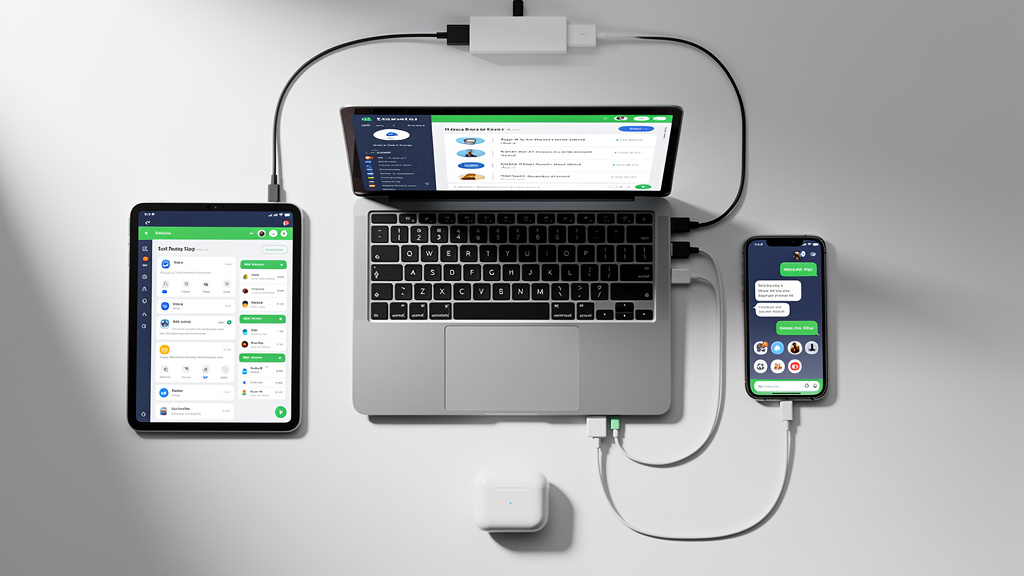
Task management software does not stand alone. People already use email, chat, calendars, file storage, CRM systems, code tools, and finance platforms. If the new tool does not connect well with these, users end up entering data twice or skipping the system.
Important integration areas:
- Communication Platforms
Updates inside Slack or Microsoft Teams keep conversations close to the work. Creating tasks from messages reduces missed follow‑ups. - File Storage
Links to Google Drive, OneDrive, Dropbox, or SharePoint let teams attach files to tasks without making copies, so everyone sees the latest version. - Calendars
When tasks with due dates appear on Google Calendar or Outlook, leaders can see workload across weeks and avoid stacking major deadlines. - CRM And Sales Systems
Connecting task software with tools like Salesforce or HubSpot helps track follow‑ups, proposals, and onboarding steps without manual copying. - Development And Technical Tools
Integrations with GitHub, GitLab, and similar platforms make it easy to create tasks from code issues and keep status in sync. - Time Tracking And Finance
When task data flows to time tracking or accounting tools, hours and costs tie directly to projects and clients, reducing errors. - Automation Platforms And APIs
Tools like Zapier or Make, along with open APIs, allow teams to build custom flows when native integrations are missing.
Check not only whether an integration exists, but how deep it is and how easy it is to set up. Map your current tech stack before evaluation so you focus on the few connections that matter most.
“Without data, you’re just another person with an opinion.” — W. Edwards Deming
Emerging Trends Shaping The Future Of Task Management Software
Task management software is changing quickly, driven by AI, new work patterns, and rising user expectations. Understanding key trends helps you choose tools that will stay useful for several years.
Important shifts include:
- AI-Powered Automation And Suggestions
Platforms analyze past projects to suggest priorities, likely deadlines, and even owners for new tasks, mirroring how the 9 best AI tools for research now automate literature discovery and analysis workflows. Natural language input lets people speak or type tasks in plain language, and the software turns them into structured items with dates and tags. - Predictive Workload Balancing
Using data on completed tasks and current assignments, some platforms can spot overload before it happens and recommend shifting work or adjusting timelines. - Privacy-First Collaboration
Fine‑grained access controls, private sub‑projects, and secure client spaces keep sensitive data visible only to the right people—important for firms operating under strict data rules. - Gamification And Engagement Mechanics
Light‑touch incentives—badges, streak counters, and progress visuals—offer small rewards for steady use, helping keep attention on the platform. - Voice And Conversational Interfaces
Users can create and update tasks via voice assistants or simple chat messages. This lowers the barrier to logging work during meetings or while traveling.
When comparing platforms, ask vendors how they invest in these areas, then filter those answers through how your teams actually like to work.
Best Practices For Successful Implementation And Team Adoption
Even the strongest task management platform fails if people do not use it. Implementation is as much about behavior and culture as it is about technology. A phased roll‑out works best.
Consider this four‑phase approach:
- Phase 1: Pre-Launch Preparation
- Form a small implementation group with people from key departments and IT.
- Map current workflows and decide what to keep or adjust.
- Configure projects, fields, and templates that mirror real work.
- Connect the most important integrations and prepare short guides or videos.
- Phase 2: Pilot Program
- Run a 2–4 week pilot with one or two representative teams, similar to how researchers use the top 11 apps for field research to test new tools before full deployment.
- Ask them to use the tool for real projects.
- Gather feedback on what feels smooth or confusing and refine workflows.
- Phase 3: Phased Rollout
- Introduce the platform by department or region over several weeks.
- Run live training where people practice creating and updating tasks.
- Offer quick‑response help channels during the first weeks.
- Phase 4: Sustained Adoption
- Leaders model steady use by assigning work and reviewing progress in the platform.
- Share quick wins, such as fewer missed deadlines or shorter status meetings.
- Offer refresh sessions on advanced features and keep tuning workflows.
Common hurdles include resistance to change, uneven use across teams, and feature overload. Clear communication about why the tool matters, involving users in setup, and starting with a simple configuration help reduce these issues.
“Plans are nothing; planning is everything.” — Dwight D. Eisenhower
Common Pitfalls To Avoid When Selecting Task Management Software
Learning from others’ mistakes can save time, money, and frustration. Frequent missteps include:
- Choosing By Brand Alone
A famous name may impress, but still miss key needs. Ground decisions in requirements, not reputation. - Ignoring User Experience
If everyday users find the tool confusing, they drift back to email and spreadsheets. Involve them in trials and listen closely to their feedback. - Underestimating Integration Complexity
A simple checkbox on a feature list does not guarantee a smooth connection. Test important integrations with real data before signing long contracts. - Overlooking Scalability
A platform that fits a ten‑person team may strain at fifty. Think two to three years ahead and check how pricing, features, and performance scale. - Skipping Change Management
Training, communication, and leadership example require time. Treat them as core work, not optional extras. - Rushing Or Skipping Trials
Short, shallow tests miss daily annoyances and edge cases. Run trials long enough for teams to complete full cycles of planning and delivery. - Focusing Only On Price
The cheapest tool can cost more in lost time and rework if it does not fit how people work. Weigh fees against the value of saved hours and smoother projects.
How To Measure Success And ROI After Implementation
Once task management software is in place, leaders need to know if it is paying off. Clear metrics show where the platform is working, where adoption lags, and where tuning is needed.
Useful metric categories:
- Productivity Metrics
- Share of tasks finished on time before and after rollout
- Project delivery times
- Time spent in status meetings
- How long it takes to find key project information
- Collaboration Metrics
- Email volume around projects versus comments in tasks
- Survey results on whether people feel they have better visibility into each other’s work
- Business Impact Metrics
- Percentage of projects delivered when promised
- Changes in budget variance
- Client satisfaction trends
- Team ratings of workload clarity and stress levels
- Adoption Metrics
- Daily active users as a share of licensed users
- Number of active projects
- Use of key features such as boards, automation, or reports
Record a baseline before implementation and review these numbers quarterly. This highlights teams that may need more support and surfaces new ideas for using the tool. Many organizations see the strongest gains between six and twelve months after launch, as habits solidify.
Conclusion
Task management software shapes how work flows through an organization. It influences who knows what, how fast teams move, and how clearly leaders can see risk. The “right” choice depends on team size, project mix, industry demands, and the culture around tools and change.
A smart selection starts with clear requirements. From there, the focus shifts to essential features, advanced capabilities that match real needs, and the full cost of ownership beyond subscription fees. Careful trials, honest user feedback, and a thoughtful rollout plan matter as much as any feature checklist.
The payoff is meaningful: better organized work, clearer accountability, fewer missed deadlines, and smoother collaboration all support stronger performance. Over time, your task management platform becomes part of the backbone of the business.
At VibeAutomateAI, we aim to make this choice more structured and less stressful. Our in‑depth guides and practical frameworks help leaders compare platforms, plan rollouts, and tune workflows for real impact. With the right information and approach, you can find task management software that fits your organization and helps your teams do their best work.
FAQs
Question: What’s The Difference Between Task Management Software And Project Management Software?
Task management software focuses on individual work items—tasks, subtasks, and daily to‑do lists. It keeps ownership, deadlines, and collaboration clear at the task level so teams know who is doing what right now.
Project management software goes wider by adding full project planning, budgeting, resource planning, and detailed timeline control. Many modern platforms blend both sets of features, but it still helps to know which side matters more to you. If the main need is organizing team work and communication, task management software is usually enough. If you also need advanced planning, resource balancing, and cost tracking, look for tools with stronger project management capabilities.
Question: How Long Does It Typically Take To Implement Task Management Software?
Implementation time depends on company size and work complexity, but common ranges are:
- Small team basic setup: 1–2 weeks to create projects, invite users, and configure simple workflows.
- Focused pilot with a few teams: 2–4 weeks so they can complete a full planning and delivery cycle.
- Phased rollout across a company: 4–8 weeks, especially when training and integrations are included.
- Full adoption: Often 3–6 months before the tool feels normal and is used consistently.
Rushing this process tends to hurt adoption more than it helps speed.
Question: What Should I Prioritize If I Have A Limited Budget?
With a tight budget, prioritize what drives adoption and daily value:
- A clean, intuitive interface so people actually use the tool
- Integrations with a few key systems such as email, chat, and file storage
- Mobile access so tasks can be updated away from desks
- Basic automation like recurring tasks and simple rules for quick time savings
Free or low‑cost plans are a good starting point, but avoid tools that block essential integrations or growth. A slightly higher fee can pay for itself if it saves hours of manual work each week.
Question: How Do I Get My Team To Actually Use The Software Consistently?
Consistent use depends more on people than features. Helpful steps include:
- Leaders assigning tasks, reviewing progress, and running meetings from the tool
- Involving team members in selection and configuration so they feel ownership
- Hands‑on training, short cheat sheets, and clear norms such as “if it is not in the tool, it is not a real task”
- Starting with a small feature set, then adding more once basics are solid
- Celebrating early wins, like faster delivery or fewer status emails, and naming champions who can help their peers
Question: Can Task Management Software Work For Remote And Hybrid Teams?
Yes. Task management software is especially helpful for remote and hybrid teams. It provides a shared view of tasks, owners, and deadlines across time zones and locations. Comment threads, file attachments, and updates reduce the need for long meetings and scattered chat messages. Real‑time notifications and mobile apps keep people in sync even while on the move. Integrations with tools like Slack or Microsoft Teams support smoother asynchronous communication.
Question: What Security Considerations Should I Evaluate?
Security should be central when picking task management software for business use. Key items to check:
- Data encryption both at rest and in transit
- Role‑based access and fine‑grained permissions
- Two‑factor authentication for user accounts
- Relevant certifications (for example, SOC 2 Type II or ISO 27001) and compliance with rules like GDPR where needed
- Regular security audits, clear backup policies, and tested disaster recovery plans
Ask vendors for detailed security documentation and press for specifics before you commit.
Stay connected