
Introduction
A lot of headline breaches start the same way. An attacker does not use a clever new trick. They simply scan the internet, find a server with a known hole, and walk right in before anyone installs the patch. That is what happens when organizations treat vulnerability scanning tools as a nice extra instead of a core safety net.
The hard part is not knowing that scanners are needed. The hard part is picking one. There are dozens of platforms and open source projects, each claiming they find more issues, run faster, or fit every size of team. Choose badly and money is wasted, reports pile up, and real gaps stay open.
In this guide, we compare leading vulnerability scanning tools along the lines that matter most for real work, such as coverage, automation, integration, and cost, drawing insights from research on 12 popular vulnerability scanning tools currently used in the industry. We also share how we at VibeAutomateAI plug into this picture. We do not sell scanners. We help teams connect the tools they pick with AI powered frameworks that turn endless findings into clear, ranked actions.
“Security is a process, not a product.” — Bruce Schneier
By the end, you will have a clear view of how these tools differ, how to match them to a specific environment, and how to get more value from whatever scanner is already in place. The goal is simple: help readers move from buying tools because of fear or buzzwords to choosing and using them as part of a focused, business aware security program.
Key Takeaways
Before diving into the details, it helps to see where we are heading. These key ideas can guide reading and, later, buying decisions.
-
Vulnerability scanning tools do not all look at the same things. Some are built for networks, others focus on web apps or cloud setups, so the tool has to match the actual environment that needs to be protected.
-
Automation and continuous checks mark a big gap between older and newer platforms. Regular, mostly hands off scans catch issues as systems change, instead of only giving a single snapshot every few months.
-
Integration matters more than most product datasheets admit. When scanners send clean data into systems such as SIEM, ticketing, and patch tools, teams spend less time copying reports and more time fixing real issues.
-
The best scanner is not the one that finds the most items. It is the one that gives clear, ranked reports with next steps, so teams know what to fix this week and what can wait.
-
Pairing scanners with AI based prioritization, such as VibeAutomateAI, cuts noise. Organizations can focus on real risk and see much better return on every dollar spent on security tools.
What Makes Vulnerability Scanning Tools Different From Each Other
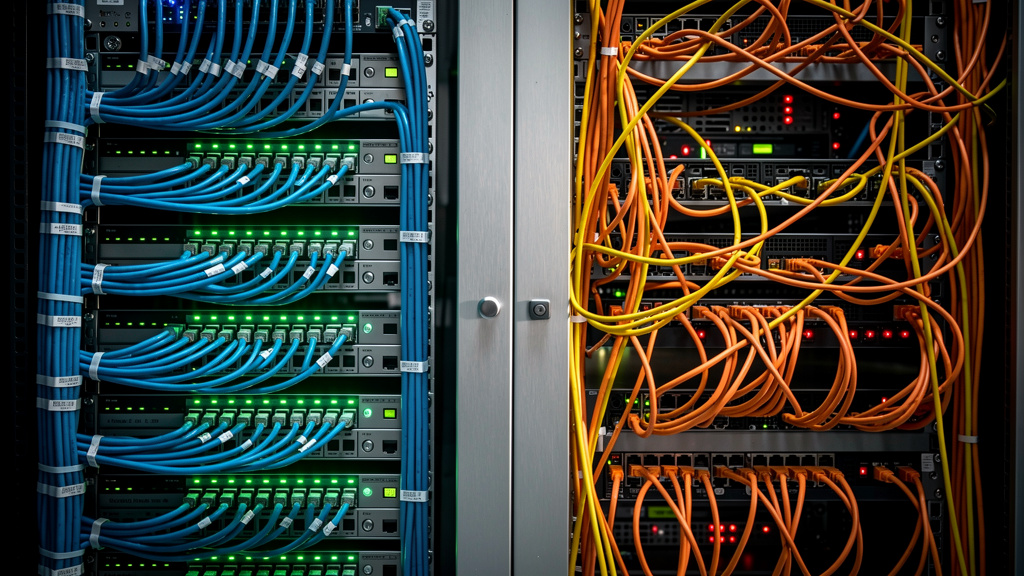
At a glance, many vulnerability scanning tools look similar. They run a scan, show a list of issues, and export a report. Under the surface, though, they differ in ways that can make or break a security program. Picking the wrong fit can leave important systems unchecked or bury the team in noise.
The first big difference is scanning scope:
-
Some tools focus on classic network assets such as servers, routers, and firewalls.
-
Others center on web applications and APIs, looking for issues listed in guides such as the OWASP Top 10.
-
Newer scanners focus on cloud platforms, containers, or even code itself.
If a company is heavy on web apps but buys a mostly network focused tool, large parts of the real attack surface stay in the dark.
Method also matters. Tools can:
-
Run credentialed scans with admin access to see deep configuration details.
-
Run non credentialed scans that act like an outside attacker.
-
Use active probes that touch systems, or passive methods that watch traffic.
-
Be delivered as cloud hosted services, on premises software, or a mix of both.
Detection quality and day to day usability are another set of trade offs. A scanner with a strong vulnerability database but poor reporting may waste hours as staff dig through false alarms. A tool with clean reports but slow updates may miss new threats. Integration is just as important. Scanners that connect smoothly with SIEM, ticketing, and DevSecOps pipelines add far more value than tools that live on an island.
This is where we at VibeAutomateAI spend much of our time with clients. We map these differences to the real environment, team skills, and risk level of the business. Price then becomes one factor among many, instead of the main driver. As we often see, the cheapest scanner that misses key issues or sends thousands of low value alerts is very expensive in the long run.
A common security maxim says, “You can’t protect what you don’t know you have.” Vulnerability scanning is how you find out what is really there.
Top Vulnerability Scanning Tools Compared: Comprehensive Analysis
In this section, we walk through several well known vulnerability scanning tools and one important partner, VibeAutomateAI. This is not a race with a single winner. Each option fits certain needs, budgets, and security maturity levels. The goal is to help readers quickly see which mix might fit their own setup.
We focus on strengths, good use cases, limits, and how each tool can plug into a broader security stack, especially when paired with AI driven prioritization.
1. VibeAutomateAI Strategic Vulnerability Management Integration
VibeAutomateAI sits next to vulnerability scanning tools rather than competing with them. We assume that many readers already use tools such as Nessus, Qualys, or OpenVAS, or plan to buy one soon. Our role is to help turn the endless raw findings these scanners produce into clear, ranked actions that fit the way the business runs.
We do this by building AI assisted frameworks that sit on top of scanner output. Our models learn from past incidents, asset value, data type, and network exposure to create risk scores that go beyond simple severity labels. This means a medium issue on a public payment server may jump ahead of a high issue on a lab box that no one uses.
We also help security and DevSecOps teams plug scanner data into their daily work. That might include:
-
Feeding findings into project and ticket tools.
-
Setting clear owners for each issue.
-
Linking findings to patch and configuration systems.
Clients who work with us report sharp drops in time to fix, lower false positive impact, and fewer hours spent digging through reports, even when they keep using the same base scanners.
2. Nessus Tenable Industry Standard Network Scanning
Nessus from Tenable is often the first name people hear when they start looking at vulnerability scanning tools for networks. It has been around for many years and comes with a large set of checks that cover operating systems, network devices, and many common apps.
The main strengths of Nessus are:
-
A wide plugin library.
-
Solid support for both credentialed and non credentialed scans.
-
Detailed reports with many built in policy templates.
It also ships with many policy templates that help with checks related to rules such as PCI DSS or HIPAA. This makes it a strong fit for companies that must show steady scanning of their network to auditors.
The trade offs are mostly around focus and setup. Nessus is strongest on network and server targets and has less depth for modern web apps. Teams also need some technical skill to tune scans and read the more complex findings. As part of our work, we help clients link Nessus into AI based prioritization, so the rich data it finds is turned into clear risk scores and work items.
3. Qualys VMDR Cloud Native Continuous Monitoring
Qualys VMDR is a cloud based platform that leans hard into continuous discovery and scanning. Instead of running only a few large scans, it uses agents and remote sensors to keep a running view of assets across data centers, cloud accounts, and remote endpoints.
Its big plus points include:
-
No need for local scanning hardware.
-
Strong support for major cloud providers.
-
Tight links between asset inventory, vulnerability data, and patch options.
This makes it well suited for larger companies with many sites or heavy cloud use that need a near real time view of their attack surface.
The flip side is that Qualys can feel large and complex for small teams. Costs can rise with many assets, and staff need time to learn the console. For clients who pick Qualys, we at VibeAutomateAI use its rich data feeds to train risk models and automate ticket flows, which helps teams avoid being buried under the constant stream of new findings.
4. Rapid7 InsightVM Real Time Risk Analytics
Rapid7 InsightVM aims to move past static reports by giving teams live risk views. It pulls data from scans, agents, and other Rapid7 tools into dashboards that show which assets carry the most risk at any given time.
InsightVM comes with:
-
Its own risk scoring model.
-
Built in workflows for tracking fixes.
-
Dashboards that tie technical issues to business impact.
It fits best where teams want to see clear ties between technical issues and business impact and need ready made reports for leaders who watch risk trends over time.
The platform does sit at a higher price point and has a learning curve. When we work with InsightVM users, we often add custom AI models that fold in more business context or third party threat feeds, making the risk scores and fix lists even more aligned with real world impact.
5. Acunetix Web Application Security Specialist
Acunetix is one of the better known vulnerability scanning tools focused on web applications and APIs. While network scanners may touch web ports, Acunetix dives deep into modern web stacks, including heavy JavaScript apps.
Its strengths show when testing for OWASP Top 10 issues such as SQL injection, cross site scripting, and broken access control. It can:
-
Crawl complex sites and follow links behind forms.
-
Verify some findings to lower false alarms.
-
Integrate with CI and CD systems so development teams can run scans as part of their build process.
The main limit is that Acunetix does not try to cover all network devices or endpoints. Many teams pair it with a network scanner for full coverage. When we support clients that use Acunetix, we help route web findings into their DevSecOps tools with smart priority tags so developers see the most risky flaws first.
6. OpenVAS Powerful Open Source Alternative
OpenVAS is a popular open source choice for organizations that need strong network vulnerability checks but have tight budgets. It offers many of the same types of tests as commercial tools and can be a good starting point for building a scanning practice.
The clear upside is cost and control:
-
There are no license fees.
-
Teams can inspect and adjust the way checks run.
-
It supports credentialed scans and works well for servers and network gear.
For skilled teams, it can stand alongside paid tools as part of a broader program.
However, OpenVAS expects more hands on work. Setup, tuning, and updates all need time and technical know how. The user interface is less smooth than many paid tools, and updates depend on community effort. VibeAutomateAI often helps clients wrap OpenVAS in automated jobs and AI based filters so the free scanner feeds well structured, ranked findings into their workflows.
How To Choose The Right Vulnerability Scanning Tool For Your Organization

Picking vulnerability scanning tools is a strategic choice, not just a quick purchase to satisfy a checkbox. The best fit depends on what the environment looks like, how skilled and large the team is, and how mature the current security program feels.
Step 1: Define your scanning needs by looking at where your systems live. Count how much of the setup is classic networks and servers, web applications, cloud accounts, or containers. Add any rules you must follow, such as PCI DSS, HIPAA, or ISO 27001, since these often call for certain scan types or reports. Decide if you can live with monthly checks or if frequent changes mean you need near constant monitoring.
Step 2: Look at team skills and capacity with clear eyes. If there is a small IT crew with no full time security staff, a simpler cloud based scanner may be better than a complex product that needs its own admin. Think about whether there is time to manage hardware or if a pure SaaS tool makes more sense. List the tools already in use, such as SIEM, ticketing, or patch tools, since the scanner should feed them.
Step 3: Rank the most important features based on what you found. For example:
-
If most assets are network devices and on premises servers, broad network coverage from tools like Nessus or Qualys will matter most.
-
If web apps and APIs drive the business, strong OWASP coverage and CI pipeline hooks from tools like Acunetix or Burp Suite are higher on the list.
-
A heavy cloud footprint calls for strong cloud provider support and agents, which is where platforms such as Qualys or Rapid7 stand out.
-
When budget is tight, open source choices such as OpenVAS can anchor the program, as long as there is time to manage them.
Step 4: Think about total cost over time instead of only comparing license fees. Include setup effort, staff training, hardware needs, and hours spent chasing false alarms. Consider the hidden cost of missed issues, which can lead to data loss, fines, and lost trust. Sometimes, paying more for a tool with clearer reports and better checks saves money because staff time and breach risk both drop.
Step 5: Plan for smart integration from day one so the scanner does not turn into another silo. Check that the tools under review have stable APIs and support for the systems already in use. This is where we at VibeAutomateAI often join the process. We help clients design how vulnerability data will flow into AI based scoring, ticket creation, and status dashboards, which stretches the value of the scanner and keeps the process from breaking when the environment grows.
In short, we always suggest understanding goals, workflows, and people first. Then pick vulnerability scanning tools that fit that picture, instead of bending the whole program around a shiny product demo.
Maximizing Vulnerability Scanner Effectiveness With AI Powered Prioritization

Most teams find that buying vulnerability scanning tools is the easy part. The hard part comes a week later, when the first full scan produces thousands of findings. Many are low risk. Some are noise. A few matter a lot. Sorting that list by hand every cycle drains time and energy.
This flood of data creates what we often call a vulnerability management crisis, which modern platforms like Microsoft Defender Vulnerability Management address through integrated risk-based approaches. Security staff know issues exist but cannot fix everything at once. Reports keep growing, while the same high risk systems stay exposed. Alert fatigue sets in, and some teams start to ignore the scanner output except during audits.
At VibeAutomateAI, we focus on turning that raw data into a stream of clear, ranked tasks. Our machine learning models take scanner findings and add context such as asset value, data type, internet exposure, threat intel, and known exploits. From there, we calculate risk scores that match the real impact on the business, rather than relying only on generic CVSS numbers.
We build several key pieces into this process:
-
Risk based scoring blends technical severity with business facts, so a lower severity issue on a key payment server may move ahead of a high issue on a lab device.
-
Predictive models watch past events and public threat data to guess which types of flaws are likely to be attacked in a given environment.
-
Automated workflow links send the top ranked items into ticketing or patch tools with clear owners and next steps.
-
Executive views turn all of this into simple charts and summaries that leaders can read without deep security skills.
Clients that use these frameworks see strong gains. Time to fix important issues drops. False positives waste less time. Manual report review shrinks. With a human in the loop for final checks and approvals, AI handles the heavy lifting while security staff stay in charge of choices. No matter which vulnerability scanning tools a company uses, this kind of prioritization makes them far more useful.
Conclusion
Vulnerability scanning is no longer optional. Attackers scan for weak points every day, and many public breaches trace back to known flaws that sat unpatched for months. The real question is not whether to scan, but how to pick and use vulnerability scanning tools in a way that fits the business.
There is no single best scanner for everyone:
-
Network heavy environments may lean toward platforms such as Nessus or Qualys.
-
Teams that care most about live risk views might look at Rapid7 InsightVM.
-
Organizations with many web applications can gain a lot from a focused tool like Acunetix.
-
Groups with tight budgets might start with open source options such as OpenVAS and build from there.
What matters most is not only the scanner, but how it is used. A strong tool that runs once a year with no follow up is less helpful than a simpler one that runs often, feeds into daily workflows, and drives real fixes. Integration, good reports, and smart prioritization turn raw findings into less risk.
This is where VibeAutomateAI comes in. We help organizations link their chosen scanners with AI based frameworks, so long lists of issues turn into short, clear work queues. We also help leaders see how vulnerability data fits into the broader security picture that includes patching, staff training, incident response, and steady review.
A good next step is to look honestly at the current approach. Are scans giving clear actions, or just more data? Are the most important systems getting fixed first? If the answer is no or not sure, we can help design and build an AI assisted program that improves detection speed, response time, and overall safety without asking teams to work endless extra hours.
FAQs
Question 1 What Is The Difference Between Vulnerability Scanning And Penetration Testing
Vulnerability scanning is an automated process that uses tools to compare systems against known flaws and misconfigurations. It gives broad, repeatable coverage and is well suited for regular checks. Penetration testing is a focused manual activity where experts try to exploit weaknesses to show real impact. We often advise clients to use scanning for steady checks and pen tests for deep validation of key systems.
Question 2 How Often Should We Run Vulnerability Scans
The right pace depends on risk level, rules, and how fast systems change. Many organizations do at least monthly scans, while high risk setups scan weekly or use tools with near constant monitoring. Standards such as PCI DSS call for quarterly external scans and scans after major changes. We help clients design schedules tied to real change events, not just the calendar.
Question 3 Can Vulnerability Scanners Detect Zero Day Vulnerabilities
Most vulnerability scanning tools focus on known issues listed in public databases, so they rarely spot true zero day flaws directly. Some advanced platforms can flag odd behavior or strange setups that might hint at unknown issues, but this is not perfect. That is why we suggest a layered approach that mixes scanning, intrusion detection, threat intel, and AI based pattern spotting to catch early signs of new attacks.
Question 4 What Is The Difference Between Credentialed And Non Credentialed Scans
Non credentialed scans run from the outside with no login details, acting like an external attacker. They show which ports, services, and flaws are visible from the internet or other networks. Credentialed scans log in with valid accounts and see much deeper details such as missing patches and weak settings. We almost always recommend using both, to see the outside view and the inside view of security at the same time.
Question 5 How Does VibeAutomateAI Improve Vulnerability Scanning Without Selling Scanning Tools
VibeAutomateAI acts as an integration and AI partner rather than a scanner vendor. We help organizations get more value from their existing or new vulnerability scanning tools by building risk scoring, automation, and reporting on top of them. Our frameworks pull in scanner data, add business context, and feed ranked tasks into ticketing and patch systems. That way, teams fix the right issues first and spend less time drowning in raw reports.
Stay connected