

Introduction
Most owners know the feeling: half the week disappears into email threads, approvals, and copy‑pasted spreadsheets while the real work waits. Studies suggest teams can lose a full day each week to inefficient processes, turning into serious cost and stress by 2026. Focused workflow optimization turns that chaos into a clear, repeatable system.
Meanwhile, the options are overwhelming. Process diagrams, AI tools, automation platforms, and endless “productivity hacks” make it easy to burn hours testing apps yet still feel stuck. That happens when teams treat symptoms instead of fixing the underlying workflow.
At VibeAutomateAI, we see workflow optimization as the base layer for running a lean, AI‑ready business. When you redesign how tasks move from idea to delivery, then add smart automation, costs often drop by as much as 30%, and teams gain five to ten hours a month.
This guide focuses on practical moves for small and mid‑sized teams. You will learn how to pick a methodology, apply our eight‑step rollout plan, add AI automation where it matters, choose tools without getting lost, and track real ROI so you can start with one high‑impact workflow and expand with confidence.
Key Takeaways
This summary shows what a focused workflow optimization approach delivers and how to get moving in 2026.
-
Workflow optimization cuts busywork fast, often freeing five to ten hours a month that can shift to revenue‑generating work.
-
Well‑designed workflows can lower direct process costs by up to 30% through less rework, fewer handoffs, and smoother execution.
-
Starting with one or two narrow workflows avoids overwhelm, creates quick wins, and builds support for broader change.
-
AI automation is a force multiplier: repetitive and rule‑based work moves to systems, while people focus on decisions and relationships.
-
Our eight‑step rollout plan and metric templates give a ready roadmap for where to start, what to automate, and how to prove ROI.
What Is Workflow Optimization And Why It Matters In 2026

Workflow optimization is the structured practice of studying how work actually moves through your business, then redesigning and automating that flow so it becomes faster, more accurate, and less expensive—a comprehensive approach detailed in resources on workflow optimization examples and strategies. Instead of asking people to “work harder,” you improve the path the work follows.
Key building blocks include process analysis, targeted automation, clear metrics, and system connections so information moves without manual copying and pasting. Rather than one big change, you create a repeatable habit of small, data‑driven improvements.
By 2026, this is not optional. AI tools have become part of everyday work, and the workflow management market is projected to reach around 70.9 billion dollars by 2032. Companies that weave AI into daily workflows will respond faster, launch offers sooner, and keep people focused on high‑impact work.
Most strong workflow initiatives share a few core components:
-
Process analysis maps how work truly happens, exposing bottlenecks and confusing loops.
-
Automation handles routine, rule‑based tasks like data entry, routing, and reminders.
-
Performance monitoring tracks cycle time, error rates, and throughput so improvements stay honest.
-
Continuous improvement treats workflows as living systems that evolve as the business grows.
-
System integration connects tools like CRM, project management, and finance so data flows in one stream.
The difference between casual process tweaks and real workflow optimization is this consistent link to technology and data.
The Business Case: Quantifiable Benefits Of Workflow Optimization
When leaders ask about workflow optimization, the first question is usually, “What does this mean for our budget and bottom line?” The numbers are clear: well‑planned projects often show cost reductions of up to 30% and efficiency gains of 5–15%.
Operational wins come first. Removing extra steps and automating routine work shortens project cycles and reduces how many hands touch each task. If a marketing team saves ten hours a month on campaign setup, that time can move straight into testing new ideas or following up with warm leads.
Quality and compliance also rise. Standardized workflows mean everyone follows the same clear steps, backed by automation that avoids common errors in data entry and approvals. Less rework, fewer missed checks, and clearer audit trails all reduce risk and make training faster for new hires.
There are strong cultural benefits as well. When people know what happens next and no longer chase status updates, stress drops and morale improves. Leaders gain better visibility into workload, so they can shift priorities quickly as conditions change. Over a year, small time savings across departments often add up to the equivalent of extra full‑time capacity without extra payroll.
Strategic Frameworks: Choosing The Right Optimization Methodology
No single method fits every workflow challenge. Some processes need small tweaks; others need a clean restart. Established frameworks give structure so you can improve with less guesswork.
“Without data, you’re just another person with an opinion.” — W. Edwards Deming
Common frameworks for workflow optimization include:
-
Agile – Short cycles, constant feedback, and flexibility; strong for marketing and product teams where requirements shift often.
-
Lean – Removes non‑value‑adding steps such as extra meetings or repeated data entry; ideal for small businesses wanting simple, clean flows.
-
Six Sigma – Uses data and statistics to reduce variation and defects; helpful where even small mistakes are costly.
-
Theory Of Constraints – Targets the single biggest bottleneck first, then moves to the next as each one improves.
-
Business Process Improvement (BPI) – Focuses on incremental changes to stable processes rather than full redesigns.
-
Business Process Reengineering (BPR) – Rebuilds a broken process from scratch when small fixes are not enough.
-
Total Quality Management (TQM) – Involves the whole organization in ongoing improvement with a strong focus on customer satisfaction.
At VibeAutomateAI, we blend elements from these frameworks based on a client’s size, industry, and goals, then move into a clear rollout plan.
The VibeAutomateAI 8-Step Rollout Plan For Workflow Optimization

Over time we refined an eight‑step rollout plan we now use as our standard. It keeps teams from jumping straight into tools and guides them through clear goals, deep analysis, redesign, and steady improvement.
Step 1: Define Clear Goals And Priorities
Start with why the workflow needs to change. Set measurable targets, such as cutting quote turnaround by 20% or removing manual data entry from accounts payable. Pick one or two high‑impact workflows first.
Step 2: Analyze Current Workflows Thoroughly
Talk with the people who actually run the work through a structured business workflow analysis approach. Observe tasks end‑to‑end, note delays and confusion, and pay attention to unofficial workarounds. Light time tracking helps reveal where hours really go.
Step 3: Document And Map Every Step
Turn what you learned into a process map. Capture each step, decision point, handoff, and system involved, including who owns it and how long it takes. Bottlenecks become much easier to see and discuss.
Step 4: Identify Bottlenecks, Waste, And Constraints
With the map in hand, look for spots where work piles up, steps that add no value, and deeper constraints such as missing skills or outdated tools. Quick surveys or interviews help confirm what the team feels every day.
Step 5: Redesign For Efficiency And Automation
Remove low‑value steps, combine similar tasks, and line up the remaining ones in a cleaner order. Look for rule‑based, repetitive work as prime candidates for automation, and consider running tasks in parallel instead of long queues.
Step 6: Select And Implement The Right Tools
Only now is it time to pick software. Most small and mid‑sized businesses thrive with three to five core platforms. At VibeAutomateAI we match tools to clear goals—such as faster approvals or better lead follow‑up—so technology supports the new process.
Step 7: Train Teams And Drive Adoption
Even the smartest plan fails if people do not use it. Explain why the changes help, not just how to click. Provide short training sessions, simple guides, and a place for questions, then track usage to spot resistance early.
Step 8: Monitor, Measure, And Iterate
Compare new performance against the goals from step one using metrics like cycle time, error rates, and hours saved. Combine data with regular team feedback, then make small, frequent adjustments so workflows stay aligned as the business grows.
Automation-First Strategies: Using AI For Maximum Impact
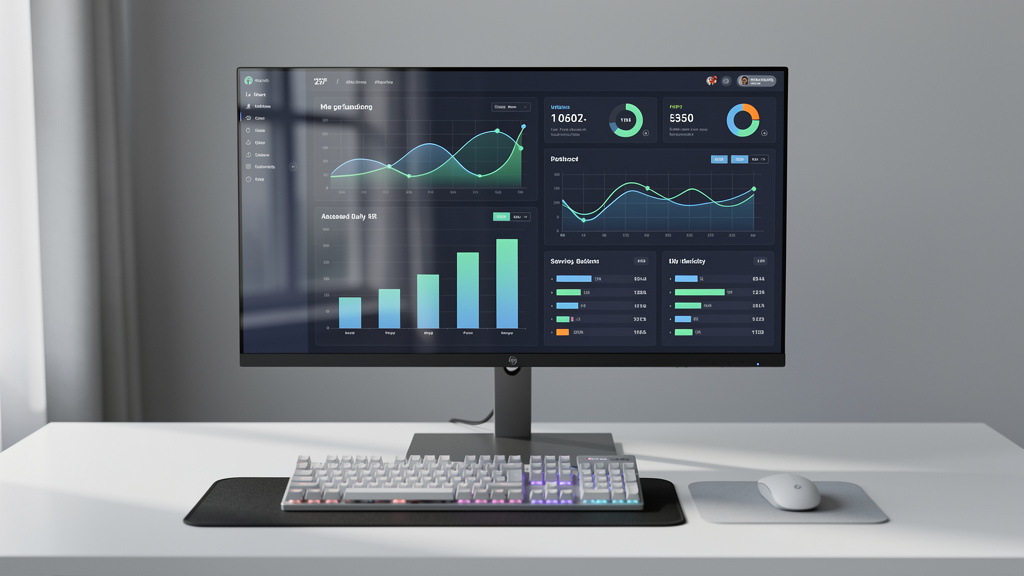
Workflow optimization delivers solid gains on its own, but AI‑driven workflow automation and process optimization pushes those gains much further. Without automation, new workflows still depend on people remembering every step; with automation, the system handles triggers, routing, and simple decisions.
At VibeAutomateAI, we always start with business goals, leveraging AI support for data-driven decision-making in workflow design. We ask where teams lose time, miss follow‑ups, or repeat the same mistakes. Then we connect AI tools to those pain points instead of chasing features for their own sake.
Areas that usually respond well to AI automation include:
-
Repetitive tasks – Status reminders, form submissions flowing into a CRM, and standard updates for recurring events.
-
Rule‑based decisions – Routing support tickets by topic and urgency, matching invoices to spending limits, or scoring leads based on fit.
-
Data‑heavy steps – Suggesting email send times, forecasting stock needs, or flagging unusual financial activity for human review.
Conditional logic lets workflows respond differently to context, while integrations keep CRM, project management, and finance tools in sync so people can focus on real decision‑making instead of manual updates.
Essential Tools And Technologies For Workflow Optimization In 2026
The tool market for workflow optimization is crowded, making it essential to understand the effectiveness of workflow management systems before committing to specific platforms. Rather than stacking many platforms, most small and mid‑sized teams do better with a focused set that work smoothly together.
Core categories usually include:
-
Workflow automation platforms to design flows, set triggers, and move data without custom code.
-
Project management tools so tasks, owners, and deadlines stay visible.
-
Process mapping software to visualize current and future workflows.
-
Communication tools and cloud storage to keep conversations and files organized in one place.
-
Analytics and reporting to pull performance data into clear dashboards.
When we help clients choose tools at VibeAutomateAI, our first filters are integration and ease of use. A powerful system that does not connect to existing apps—or one staff avoids because it feels confusing—adds more friction than it removes.
Helpful buying questions include:
-
Can new team members learn the tool quickly with light guidance?
-
Will it scale on volume, features, and users without forcing a disruptive switch?
-
Does it connect smoothly to the tools we already rely on?
-
Does the vendor offer strong security, clear documentation, and responsive support?
Whenever possible, test tools against one real workflow before a wider rollout.
Common Pitfalls And How To Avoid Them
Over the years we have seen the same workflow mistakes repeat across many organizations. Knowing them up front saves time and frustration.
One major pitfall is trying to automate everything at once. Leaders launch many projects, overload staff, and struggle to show clear results. Start instead with one or two painful workflows, such as invoice handling or lead follow‑up.
Another issue is automating a bad process. If steps are unclear or wasteful, automation just speeds up poor outcomes. Fix the process design first, then automate the improved version.
Some teams pick tools before they define workflows. They fall for shiny features, then twist their process to fit the software. Mapping and improving workflows first creates a checklist that guides smarter tool selection.
Change management is often ignored. People rarely adopt new workflows automatically; they need context, training, and a way to share concerns. Early involvement and clear communication about benefits help build buy‑in.
Others treat workflow optimization as a one‑time project. Markets, tools, and teams shift, so static workflows drift out of sync. Scheduling regular reviews keeps key processes aligned with current reality.
Finally, many build automation that is too complex. Long chains of triggers are fragile and hard to maintain. We prefer simple automations that any new hire can understand and support.
Real-World Applications: Workflow Optimization Across Key Business Functions
Workflow principles apply everywhere, but examples make them easier to spot inside your own organization.
-
Sales and customer acquisition – Leads flow automatically from forms into the CRM, score based on fit, and route to the right owner with preset follow‑ups. Response times drop and conversions rise.
-
Customer support – Requests from email, chat, and forms land in one queue, tag by topic and urgency, route to the right team, and receive AI‑suggested first replies. Wait times shrink, and agents focus on complex issues.
-
Content marketing – Ideas arrive through a simple form, assignments trigger automatically, and drafts move through editing and approval with clear deadlines before publishing. Output becomes steady and predictable.
-
Financial operations – Digital invoices match to purchase orders, route for approval based on amount rules, and schedule payment automatically after sign‑off. Processing time and error rates fall sharply.
-
HR and onboarding – Once a candidate accepts, workflows trigger IT setup, send digital paperwork, and guide managers through first‑week checklists. New hires get what they need quickly and can contribute sooner.
When we work with clients, the best starting workflow is usually the one that causes the most complaints right now.
Measuring Success: KPIs And ROI Tracking For Workflow Optimization
You cannot manage workflow optimization without measurement. Without numbers, months can pass with little sense of whether changes helped.
“What gets measured gets managed.” — Peter Drucker
Before making changes, capture baseline data for the chosen workflow: total cycle time, volume handled per week, error frequency, and current cost per transaction. With that baseline, before‑and‑after comparisons are simple and persuasive.
We group metrics into four main types:
-
Efficiency metrics – Cycle time, throughput (items completed per period), and estimated hours saved through automation.
-
Quality metrics – Error rates, variation in outcomes, and customer scores such as CSAT or NPS.
-
Financial metrics – Cost per transaction, simple ROI ((gains − costs) ÷ costs), and payback period for the project.
-
Adoption metrics – Tool usage rates, training completion, and internal feedback scores about the new workflow.
We recommend weekly reviews while a workflow is new and monthly reviews once it stabilizes. Our metric templates at VibeAutomateAI let teams plug in their numbers, see clear charts of savings and gains, and build support for expanding AI and automation.
Conclusion
By 2026, workflow optimization has shifted from a nice‑to‑have to a core capability. Organizations that redesign workflows and support them with automation often see up to 30% cost reductions and double‑digit efficiency gains.
The good news is that this work does not require a huge budget or a deep engineering bench. It requires structure, clear goals, and a willingness to start small. Our eight‑step rollout plan offers a practical path—from defining outcomes to mapping current work, redesigning flows, choosing tools, training people, and improving steadily.
At VibeAutomateAI, we match tools to real business goals and tie every change to measurable results such as time saved, errors reduced, or revenue added. Competitors are already weaving AI into daily operations, so waiting too long means higher costs and slower customer response.
Real success blends technology and people. Involving staff early, explaining why changes matter, and supporting teams through training turns new workflows into daily habits. The next move does not need to be big: pick one painful workflow, map it, mark the largest bottleneck, and test a simple redesign plus one automation. If guidance helps, VibeAutomateAI is ready to support that step.
FAQs
Question 1: How Long Does It Take To See Results From Workflow Optimization?
Timelines depend on how wide and complex the chosen workflow is. Simple changes—such as automating email notifications or routing requests—often show visible results within days or a few weeks. Larger projects that cross several departments may take one to three months before full impact appears. Starting with narrow, high‑impact workflows and setting baseline metrics makes gains much easier to prove.
Question 2: What Is The Typical ROI For Workflow Optimization Initiatives?
Industry data points to efficiency improvements of 5–15% and cost reductions of up to 30% when workflow optimization is done well. Actual ROI depends on your starting point and how much manual work exists. Automating invoice processing might save ten hours a month, while optimizing onboarding can boost conversion rates. Our metric templates at VibeAutomateAI help convert these shifts into clear ROI so leaders can see payback and prioritize next steps.
Question 3: Do I Need Technical Expertise To Optimize Workflows?
Most workflow work does not require deep technical skills. Modern platforms often use no‑code or low‑code builders, where non‑technical users design flows with drag‑and‑drop tools. What matters more is a solid understanding of how your business runs and where friction appears. VibeAutomateAI provides frameworks and guidance for business leaders so they can drive projects confidently without writing code.
Question 4: What’s The Difference Between Workflow Optimization And Digital Transformation?
Workflow optimization focuses on specific processes—like how invoices move or how leads are handled—and makes those flows faster, cleaner, and cheaper. Digital transformation is a broader shift where an organization rethinks its operating model around digital tools and data‑driven decisions. In many cases, workflow optimization is the entry point: it delivers quick wins and builds skills that support larger strategic changes.
Question 5: How Do I Get Team Buy-In For Workflow Changes?
Support starts with early involvement. When team members help map current workflows and suggest improvements, they see that changes aim to reduce stress, not add control. Clear communication about benefits—such as fewer late‑night rushes or less repetitive work—also matters. We suggest starting with workflows that staff already dislike, backing rollout with focused training, and giving people an easy way to share feedback. Tracking adoption and acting on concerns keeps trust high and momentum strong.
Read more about Automation Roadmap: Secrets to Skyrocket Your Business
[…] Read more about Workflow Optimization for Lean Teams: A Complete Guide to Success […]